| Product Recognition | |
|---|
| Certification Number | ZC10-17015396 |
|---|
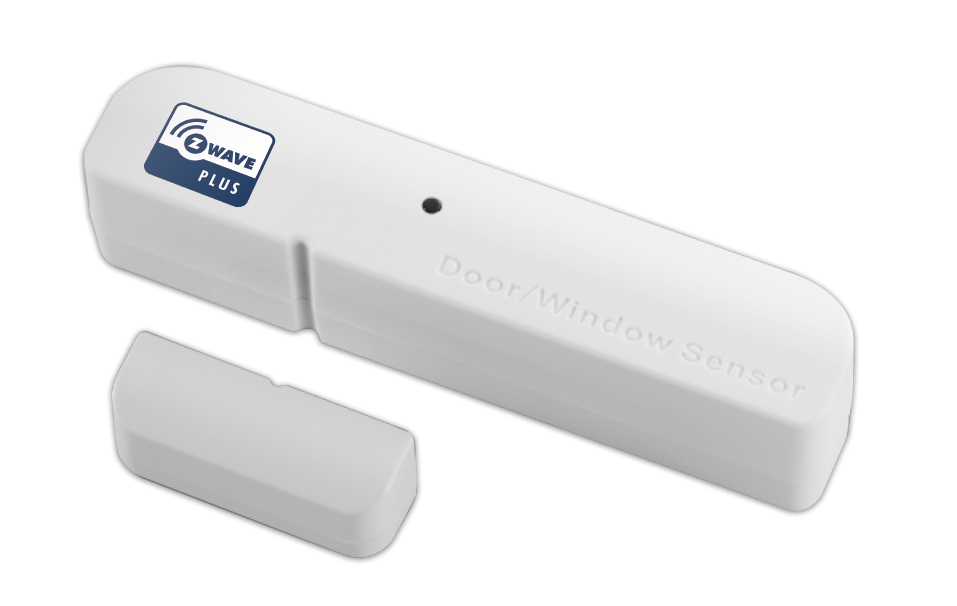
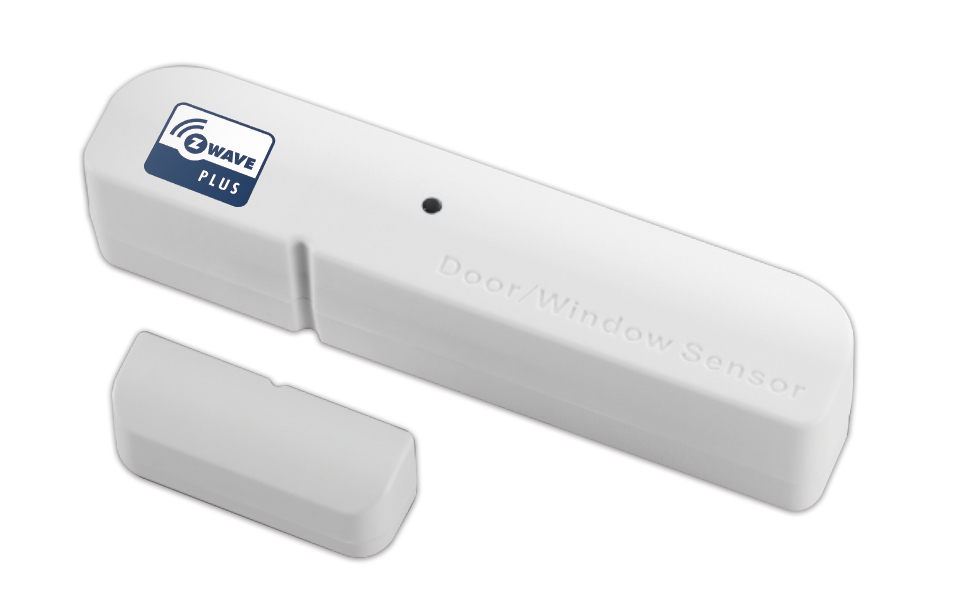
| Name | Door/Window Sensor |
|---|
| Short Description | The door/window sensor TS2001 has door/window sensor function,based on Z-Wave technology. |
|---|
| Long Description | The Door/Window Sensor is a wireless, battery powered, Z-Wave compatible reed sensor. Each time the sensor’s body and a magnet separate, a radio signal is sent. In addition, the Door/Window Sensor supports one potential-free input and self-power adapter of DC 9V~30V. The Door/Window Sensor is designed for use with home automation systems, alarm and surveillance systems and everywhere else where information related to opening/closing of doors, garage, gates. |
|---|
| Brand | Good Way Technology, Co., Ltd |
|---|
| Product Identifier | TS2001 |
|---|
| OEM Version | HW: 255 FW: 2.14 |
|---|
| Hardware Platform | ZM5101 |
|---|
| Z-Wave Version | 6.51.09 |
|---|
| Library Type | SLAVE_ENHANCED_232 |
|---|
| Device Type | Notification Sensor |
|---|
| Role Type | ROLE_TYPE_SLAVE_SLEEPING_REPORTING |
|---|
| Manufacturer ID | 0x0068 |
|---|
| Product Type ID | 0x0003 |
|---|
| Product ID | 0x0009 |
|---|
| User Icon | 0x0C06 |
|---|
| Installer Icon | 0x0C00 |
|---|
| Frequency Plans | EU: 869.85MHz, 868.40MHz |
|---|
| Categories | Sensors |
|---|
| Countries / Regions | European Union |
|---|
| Supported Command Classes | | Identifier | Name | Key | Version |
|---|
| COMMAND_CLASS_POWERLEVEL | Powerlevel | 0x73 | 1 | | COMMAND_CLASS_BATTERY | Battery | 0x80 | 1 | | COMMAND_CLASS_CONFIGURATION | Configuration | 0x70 | 1 | | COMMAND_CLASS_VERSION_V2 | Version V2 | 0x86 | 2 | | COMMAND_CLASS_WAKE_UP_V2 | Wake Up V2 | 0x84 | 2 | | COMMAND_CLASS_DEVICE_RESET_LOCALLY | Device Reset Locally | 0x5A | 1 | | COMMAND_CLASS_ZWAVEPLUS_INFO_V2 | Z-Wave Plus Info V2 | 0x5E | 2 | | COMMAND_CLASS_ASSOCIATION_V2 | Association V2 | 0x85 | 2 | | COMMAND_CLASS_ASSOCIATION_GRP_INFO | Association Group Info | 0x59 | 1 | | COMMAND_CLASS_FIRMWARE_UPDATE_MD_V2 | Firmware Update Meta-Data V2 | 0x7A | 2 | | COMMAND_CLASS_MANUFACTURER_SPECIFIC_V2 | Manufacturer Specific V2 | 0x72 | 2 | | COMMAND_CLASS_NOTIFICATION_V4 | Notification V4 | 0x71 | 4 |
|
|---|
| Documents | |
|---|
| Features | | Feature | Values |
|---|
| Battery Type | | | Sensors | | Value |
|---|
| Open/Closed (Binary) |
| | Firmware Updatable | | Value |
|---|
| Updatable by Manufacturer |
|
|
|---|
| Association Groups | | Group Number | Maximum Nodes Supported | End Point ID | Description |
|---|
| 1 | 1 | 0 | Group1:"Lifeline" :
Group1 is used to send Sensor trigger status(BATTERY, NOTIFICATION, DEVICE_RESET_LOCALLY NOTIFICATION) to the controller.
| | 2 | 5 | 0 | Group2:"Sensor Reed rep":
When the Sensor Reed rep is triggered, a NOTIFICATION REPORT is sent to the Device in Group2.
| | 3 | 5 | 0 | Group3:"Sensor Tamper rep":
When the Sensor Tamper rep is triggered, a NOTIFICATION REPORT is sent to the Device in Group3.
| | 4 | 5 | 0 | Group4:"Sensor S1 rep":
When the Sensor S1 rep is triggered, a NOTIFICATION REPORT is sent to the Device in Group4.
| | 5 | 5 | 0 | Group5:"Sensor S2 rep":
When the Sensor S2 rep is triggered, a NOTIFICATION REPORT is sent to the Device in Group5. |
|
|---|
| Configuration Parameters | | Parameter Number | Name | Description | Format | Size | Min Value | Max Value | Default Value | Parameter Values |
|---|
| 2 | External Sensor Define | Set the configuration of 2 external sensors. 0 (00b): S1 NO, S2 NO 1 (01b):S1 NO,S2 NC 2 (10b):S1 NC,S2 NO 3 (11b):S1 NC,S2 NC | 0 | 1 | 0 | 0 | 0 | | From | To | Description |
|---|
| 0 | 3 | External Sensor Define |
|
|
|---|
| Texts | | ID | Description | Value |
|---|
| 4 | Device Wake-Up | The Z-Wave Window/Door Sensor stays in sleep status for the majority of time in order to conserve battery power. However, it can be woken up at specified intervals by setting WAKE_UP_INTERVAL_SET command. | | 1 | Inclusion | To manually include the device, press Tamper three times repeatedly to perform the actions.
LED Status:Blue LED solid light | | 2 | Exclusion | To manually exclude the device, press Tamper three times repeatedly to perform the actions.
LED Status:Blue LED 1 sec. flashes 3 times | | 5 | Factory Reset | The Device Reset Locally Notification Command is used to advertise that the device will be reset to default.
In Wake up time, Press tamp key 2 times, then the third long press 5s, then device will clear the data back to the factory default.
Please use this procedure only when the network primary controller is missing or otherwise inoperable. |
|
|---|
| Supported Multilevel Sensors | | Multilevel Sensor Type |
|---|
| 0x02 |
|
|---|
| Supports NWI | Yes |
|---|
| Supports Explorer Frames | Yes |
|---|