Product Recognition | |
|---|
Certification Number | ZC14-22040095 |
|---|
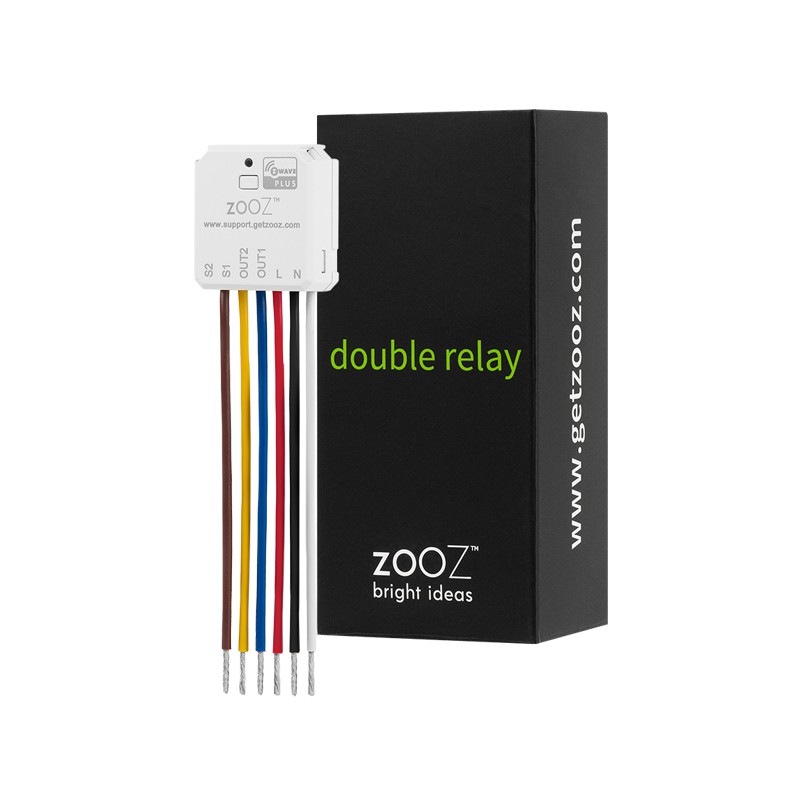
Name | Double Relay |
|---|
Short Description | Use the Double Relay to control 2 120 V lights or electrical devices under 5 A individually via Z-Wave™ or from your wall switches. |
|---|
Long Description | PRODUCT HIGHLIGHTS:
- Manual or Z-Wave™ on/off control of 2 individual loads up to 5A
- Installs behind your existing wall switches (single pole or 3-way)
- Small form factor to easily fit in a crowded switch box
- 700 series Z-Wave™ chip for better range and faster control
- Scene control: trigger actions with multi-tap (select hubs only)
- Remembers and restores on/off status after power failure
- Built-in Z-Wave™ timer functionality and signal repeater
- Works with LED and incandescent bulbs
- SmartStart and S2 Security for a safer network
PRODUCT SPECS:
- Model Number: ZEN52
- Power: 100-240V~, 50/60Hz
- Maximum Load: 150W LED or CFL bulbs, 500W incandescent, 5A resistive, 1/4 HP motors per channel
- Range: Up to 300 feet line of sight
- Operating Temperature: 32-104° F (0-40° C)
- Installation and Use: Indoor only |
|---|
Brand | ZOOZ |
|---|
Product Identifier | ZEN52 |
|---|
Product Line | Line A |
|---|
OEM Version | HW: 01 FW: 01.07 |
|---|
Hardware Platform | ZGM130S037HGN2 / ZGM130S037HGN1 |
|---|
Z-Wave Version | 7.15.4 |
|---|
Library Type | END_NODE_ENHANCED_232 |
|---|
Device Type | Binary Switch DT |
|---|
Role Type | ROLE_TYPE_SLAVE_ALWAYS_ON |
|---|
Manufacturer ID | 0x027A |
|---|
Product Type ID | 0x0104 |
|---|
Product ID | 0x0202 |
|---|
User Icon | 0x0700 |
|---|
Installer Icon | 0x0700 |
|---|
Frequency Plans | US: 916.00MHz, 908.40MHz |
|---|
Categories | On/Off Switches/Devices |
|---|
Countries / Regions | Canada, United States of America, Mexico |
|---|
Supported Command Classes | Identifier | Name | Key | Version |
|---|
COMMAND_CLASS_BASIC_V2 | Basic V2 | 0x20 | 2 | COMMAND_CLASS_SWITCH_BINARY_V2 | Binary Switch V2 | 0x25 | 2 | COMMAND_CLASS_CENTRAL_SCENE_V3 | Central Scene V3 | 0x5B | 3 | COMMAND_CLASS_CONFIGURATION_V4 | Configuration V4 | 0x70 | 4 | COMMAND_CLASS_ASSOCIATION_V2 | Association V2 | 0x85 | 2 | COMMAND_CLASS_ASSOCIATION_GRP_INFO_V3 | Association Group Information (AGI) V3 | 0x59 | 3 | COMMAND_CLASS_DEVICE_RESET_LOCALLY | Device Reset Locally | 0x5A | 1 | COMMAND_CLASS_FIRMWARE_UPDATE_MD_V5 | Firmware Update Meta Data V5 | 0x7A | 5 | COMMAND_CLASS_INDICATOR_V3 | Indicator V3 | 0x87 | 3 | COMMAND_CLASS_MANUFACTURER_SPECIFIC_V2 | Manufacturer Specific V2 | 0x72 | 2 | COMMAND_CLASS_MULTI_CHANNEL_ASSOCIATION_V3 | Multi Channel Association V3 | 0x8E | 3 | COMMAND_CLASS_VERSION_V3 | Version V3 | 0x86 | 3 | COMMAND_CLASS_ZWAVEPLUS_INFO_V2 | Z-Wave Plus Info V2 | 0x5E | 2 | COMMAND_CLASS_SECURITY_2 | Security 2 | 0x9F | 1 | COMMAND_CLASS_SUPERVISION | Supervision | 0x6C | 1 | COMMAND_CLASS_TRANSPORT_SERVICE_V2 | Transport Service V2 | 0x55 | 2 | COMMAND_CLASS_POWERLEVEL | Powerlevel | 0x73 | 1 | COMMAND_CLASS_MULTI_CHANNEL_V4 | Multi Channel V4 | 0x60 | 4 | COMMAND_CLASS_APPLICATION_STATUS | Application Status | 0x22 | 1 |
|
|---|
S2 Classes | S2_AUTHENTICATED, S2_UNAUTHENTICATED |
|---|
Documents | Category | File |
|---|
Manual_English | |
|
|---|
Features | Feature | Values |
|---|
Firmware Updatable | Value |
|---|
Updatable by Consumer by RF |
| Loads Controlled | | Neutral Wire Required | | Z-Wave Scene Type | |
|
|---|
Association Groups | Group Number | Maximum Nodes Supported | End Point ID | Group Name | Profile |
|---|
1 | 5 | 0 | Lifeline | 0x0001 | 2 | 5 | 1 | EP1 On/Off Control | 0x2001 | 3 | 5 | 2 | EP2 On/Off Control | 0x2001 |
|
|---|
Configuration Parameters | Parameter Number | Name | Description | Format | Size | Min Value | Max Value | Default Value |
|---|
2 | Led indicator load status | Led indicator load status | 1 | 1 | 0 | 0 | 0x01 | 3 | Auto turn-off timer Relay 1 | Auto turn-off timer Relay 1 | 1 | 2 | 0 | 0 | 0x0000 | 4 | Auto turn-on timer Relay 1 | Auto turn-on timer Relay 1 | 1 | 2 | 0 | 0 | 0x0000 | 5 | Auto turn-off timer Relay 2 | Auto turn-off timer Relay 2 | 1 | 2 | 0 | 0 | 0x0000 | 6 | Auto turn-on timer Relay 2 | Auto turn-on timer Relay 2 | 1 | 2 | 0 | 0 | 0x0000 | 7 | Timer for relay 1 seconds or minutes | Timer for relay 1 seconds or minutes | 1 | 1 | 0 | 0 | 0x01 | 8 | Timer for relay 2 seconds or minutes | Timer for relay 2 seconds or minutes | 1 | 1 | 0 | 0 | 0x01 | 17 | Enable or Disable Output control relay 1 | Enable or Disable Output control relay 1 | 1 | 1 | 0 | 0 | 0x01 | 23 | Impulse time for par 21=3 | Impulse time for par 21=3 | 1 | 1 | 0 | 0 | 0x0A | 24 | Association reports | Association reports | 1 | 1 | 0 | 0 | 0x01 | 25 | Relay 1 type behavior | Relay 1 type behavior | 1 | 1 | 0 | 0 | 0x00 |
|
|---|
Texts | ID | Description | Value |
|---|
8 | Where to find S2 DSK on product | The SmartStart QRCode is located on the back of the relay, next to the Z-Wave Plus logo. | 1 | Classic Inclusion | 1. Initiate inclusion (pairing) in the app (or web interface). Not sure how? get in touch: www.support.getzooz.com
2. Finalize inclusion at the relay. TAP THE Z-WAVE BUTTON 3 TIMES QUICKLY
The LED indicator will blink green to signal communication. | 2 | Classic Exclusion | 1. Bring your Z-Wave gateway (hub) close to the relay if possible
2. Put the Z-Wave hub into exclusion mode (not sure how to do that? ask@getzooz.com)
3. Click the Z-Wave button on the relay 3 times quickly (the LED indicator will start blinking green) | 5 | Factory Reset Procedure | If your primary controller is missing or inoperable, you may need to reset the device to factory settings. To reset the relay, click the Z-Wave button twice and hold it for 15 seconds (hold on the SECOND press).
The LED indicator will flash during the process and turn red for 3 seconds. |
|
|---|
Supports NWI | Yes |
|---|
Supports Explorer Frames | Yes |
|---|
Supports SmartStart | Yes |
|---|
Radio Range Z-Wave (m) | 40 |
|---|