Product Recognition | |
|---|
Certification Number | ZC14-22080126 |
|---|
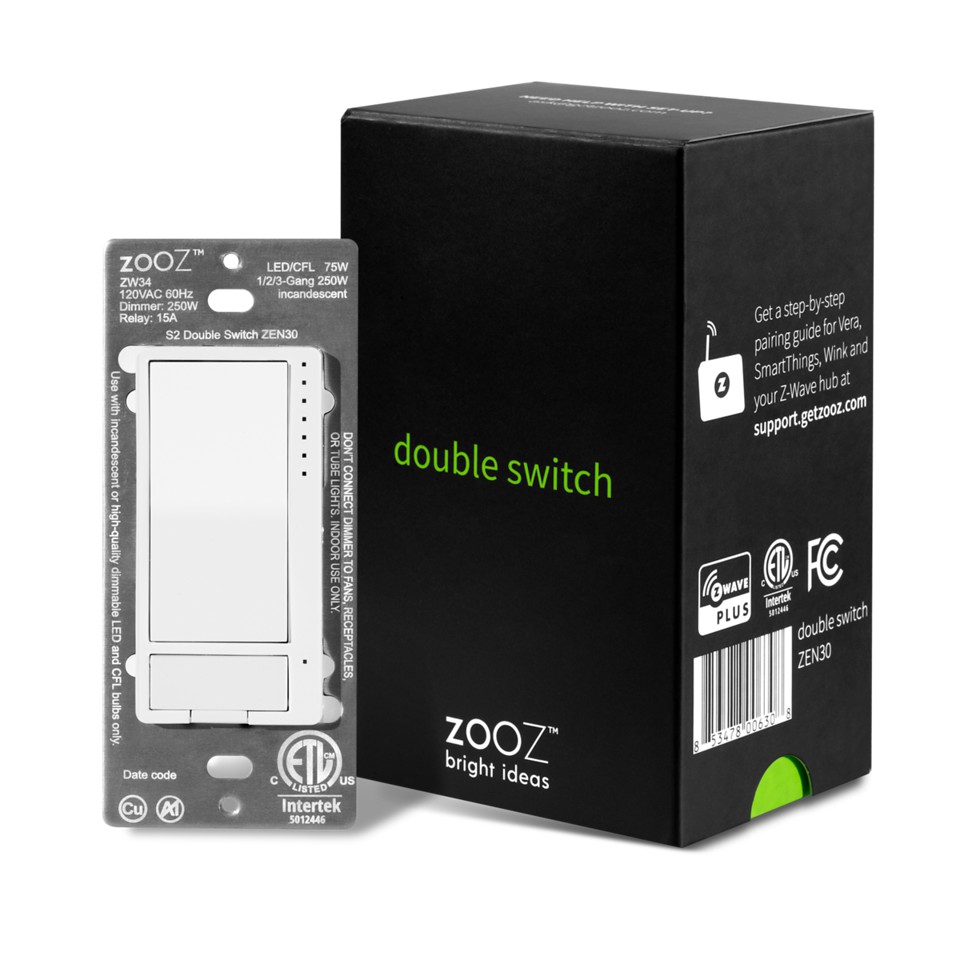
Name | Double Switch |
|---|
Short Description | Z-Wave Plus Dimmer (up to 75 W LEDs and 250 W incandescent) and On/Off Relay in one. Use the Double Switch as a direct Z-Wave™ replacement for a stacked switch controlling 2 independent loads. |
|---|
Long Description | FEATURES:
- Manual or Z-Wave™ control of 2 separate loads (dimmer + relay)
- Perfect replacement for a fan / light combo (neutral wire required)
- Scene control for multi-tap scenarios on select hubs
- Quick and easy pigtail wire installation (single pole only)
- 4-color LED indicator and air-gap switch for added safety
- NEW: 700 Z-Wave™ chip with SmartStart S2 authenticated security
- Packed with advanced dimming features including ramp rate control, custom on brightness level, and double tap to full brightness
- Remembers and restores on/off status after power failure
- Built-in Z-Wave Plus signal repeater to extend network range
SPECS:
- Z-Wave Frequency: 908.42 MHz (US)
- Power: 120 VAC, 60 Hz
- Z-Wave Chip: 700 Series (VER. 3.0 only)
- Maximum Load for Dimmer: 75 W LED, 250 W incandescent (don't use with tube lights, chandeliers, switched receptacles, or fans)
- Maximum Load for Relay: 15 A
- Z-Wave Range: Up to 100 feet line of sight
- Operating Temperature: 32-104° F (0-40° C)
- Dimensions: 1.7" x 4.1" x 1.1"
- Installation: Indoor use only |
|---|
Brand | Zooz |
|---|
Product Identifier | ZEN30 |
|---|
Product Line | Light Switches |
|---|
OEM Version | HW: 01 FW: 03.00 |
|---|
Hardware Platform | ZGM130S037HGN2 / ZGM130S037HGN1 |
|---|
Z-Wave Version | 7.16.3 |
|---|
Library Type | END_NODE_ENHANCED_232 |
|---|
Device Type | Multilevel Switch DT |
|---|
Role Type | ROLE_TYPE_SLAVE_ALWAYS_ON |
|---|
Manufacturer ID | 0x027A |
|---|
Product Type ID | 0xA000 |
|---|
Product ID | 0xA008 |
|---|
User Icon | 0x0604 |
|---|
Installer Icon | 0x0600 |
|---|
Frequency Plans | US: 916.00MHz, 908.40MHz |
|---|
Categories | All Lighting Devices |
|---|
Countries / Regions | Canada, Mexico, United States of America |
|---|
Supported Command Classes | Identifier | Name | Key | Version |
|---|
COMMAND_CLASS_ASSOCIATION_V2 | Association V2 | 0x85 | 2 | COMMAND_CLASS_ASSOCIATION_GRP_INFO_V3 | Association Group Information (AGI) V3 | 0x59 | 3 | COMMAND_CLASS_DEVICE_RESET_LOCALLY | Device Reset Locally | 0x5A | 1 | COMMAND_CLASS_FIRMWARE_UPDATE_MD_V5 | Firmware Update Meta Data V5 | 0x7A | 5 | COMMAND_CLASS_INDICATOR_V3 | Indicator V3 | 0x87 | 3 | COMMAND_CLASS_MANUFACTURER_SPECIFIC_V2 | Manufacturer Specific V2 | 0x72 | 2 | COMMAND_CLASS_MULTI_CHANNEL_ASSOCIATION_V3 | Multi Channel Association V3 | 0x8E | 3 | COMMAND_CLASS_VERSION_V3 | Version V3 | 0x86 | 3 | COMMAND_CLASS_ZWAVEPLUS_INFO_V2 | Z-Wave Plus Info V2 | 0x5E | 2 | COMMAND_CLASS_SECURITY_2 | Security 2 | 0x9F | 1 | COMMAND_CLASS_SUPERVISION | Supervision | 0x6C | 1 | COMMAND_CLASS_TRANSPORT_SERVICE_V2 | Transport Service V2 | 0x55 | 2 | COMMAND_CLASS_POWERLEVEL | Powerlevel | 0x73 | 1 | COMMAND_CLASS_SWITCH_MULTILEVEL_V4 | Multilevel Switch V4 | 0x26 | 4 | COMMAND_CLASS_BASIC_V2 | Basic V2 | 0x20 | 2 | COMMAND_CLASS_MULTI_CHANNEL_V4 | Multi Channel V4 | 0x60 | 4 | COMMAND_CLASS_SWITCH_BINARY_V2 | Binary Switch V2 | 0x25 | 2 | COMMAND_CLASS_CENTRAL_SCENE_V3 | Central Scene V3 | 0x5B | 3 | COMMAND_CLASS_CONFIGURATION_V4 | Configuration V4 | 0x70 | 4 |
|
|---|
S2 Classes | S2_AUTHENTICATED, S2_UNAUTHENTICATED |
|---|
Documents | Category | File |
|---|
Manual_English | |
|
|---|
Features | Feature | Values |
|---|
Color | | Electric Load Type | Value |
|---|
Dimmable LED | Inductive (e.g. Motor) |
| Firmware Updatable | Value |
|---|
Updatable by Consumer by RF |
| Loads Controlled | | Neutral Wire Required | | Switch Type | Value |
|---|
Decorator Paddle Push |
| Z-Wave Scene Type | |
|
|---|
Association Groups | Group Number | Maximum Nodes Supported | End Point ID | Group Name | Profile |
|---|
1 | 5 | 0 | Lifeline | 0x0001 | 2 | 5 | 0 | BASIC SET Group 1 | 0x2001 | 3 | 5 | 0 | BASIC SET Group 2 | 0x2002 | 1 | 0 | 1 | Lifeline | 0x0001 | 2 | 5 | 1 | BASIC SET Group 1 | 0x2001 | 1 | 0 | 2 | Lifeline | 0x0001 | 2 | 5 | 2 | BASIC SET Group 2 | 0x2002 |
|
|---|
Configuration Parameters | Parameter Number | Name | Description | Format | Size | Min Value | Max Value | Default Value |
|---|
1 | IndicatorDimmerMode | Led indicator mode for dimmer. | 1 | 1 | 0 | 0 | 0x00 | 2 | IndicatorRelayMode | Led indicator mode for relay. | 1 | 1 | 0 | 0 | 0x00 | 3 | IndicatorDimmerColor | Led indicator color for dimmer. | 1 | 1 | 0 | 0 | 0x00 | 4 | IndicatorRelayColor | Led indicator color for relay. | 1 | 1 | 0 | 0 | 0x00 | 5 | IndicatorDimmerBrightness | Led indicator brightness for dimmer. | 1 | 1 | 0 | 0 | 0x01 | 6 | IndicatorRelayBrightness | Led indicator brightness for relay. | 1 | 1 | 0 | 0 | 0x01 | 7 | IndicatorSceneMode | Led indicator mode for scene. | 1 | 1 | 0 | 0 | 0x01 | 8 | DimmerAutoTurnOffTimer | Auto turn off timer for dimmer. | 1 | 4 | 0 | 0 | 0x00000000 | 9 | DimmerAutoTurnOnTimer | Auto turn on timer for dimmer. | 1 | 4 | 0 | 0 | 0x00000000 | 10 | RelayAutoTurnOffTimer | Auto turn off timer for relay. | 1 | 4 | 0 | 0 | 0x00000000 | 11 | RelayAutoTurnOnTimer | Auto turn on timer for relay. | 1 | 4 | 0 | 0 | 0x00000000 | 17 | DoubleTapUpperButtonBrightnessLevelSelect | Target level when quickly press upper paddle 2 times. | 1 | 1 | 0 | 0 | 0x00 | 23 | DimmerCustomBrightnessLevel | Custom brightness level for tap once. | 1 | 1 | 0 | 0 | 0x00 | 24 | DimmerReportAndIndicatorBehavior | Disable local control behavior for dimmer. | 1 | 1 | 0 | 0 | 0x00 | 25 | RelayReportAndIndicatorBehavior | Disable local control behavior for relay. | 1 | 1 | 0 | 0 | 0x00 |
|
|---|
Texts | ID | Description | Value |
|---|
8 | Where to find S2 DSK on product | The DSK label is located on the front metal plate of the switch, under the relay button.
Scan the QR Code / Enter the 5-digit DSK. | 1 | Classic Inclusion | 1. Initiate inclusion (pairing) in the app (or web interface).
2. Finalize inclusion at the switch. TAP the top paddle on the dimmer 3 times quickly.
3. The LED indicators will blink to signal communication and remain on for 2 seconds to confirm inclusion. | 2 | Classic Exclusion | 1. Bring your Z-Wave™ gateway (hub) close to the switch if possible
2. Put the Z-Wave™ hub into exclusion mode (not sure how to do that? ask@getzooz.com)
3. Tap the lower paddle on the dimmer 3 times quickly
4. Your hub will confirm exclusion and the device will disappear from your controller's device list | 5 | Factory Reset Procedure | If your primary controller is missing or inoperable, you may need to reset the device to factory settings. To complete the reset process manually, press and hold the lower paddle on the dimmer for at least 15 seconds until the LED indicators start flashing, then release. Then immediately press and hold the upper paddle on the dimmer for at least 15 seconds. The LED indicators will flash again to confirm successful reset. NOTE: All previously recorded activity and custom settings will be erased from the device’s memory. |
|
|---|
Supports NWI | Yes |
|---|
Supports Explorer Frames | Yes |
|---|
Supports SmartStart | Yes |
|---|
Radio Range Z-Wave (m) | 40 |
|---|