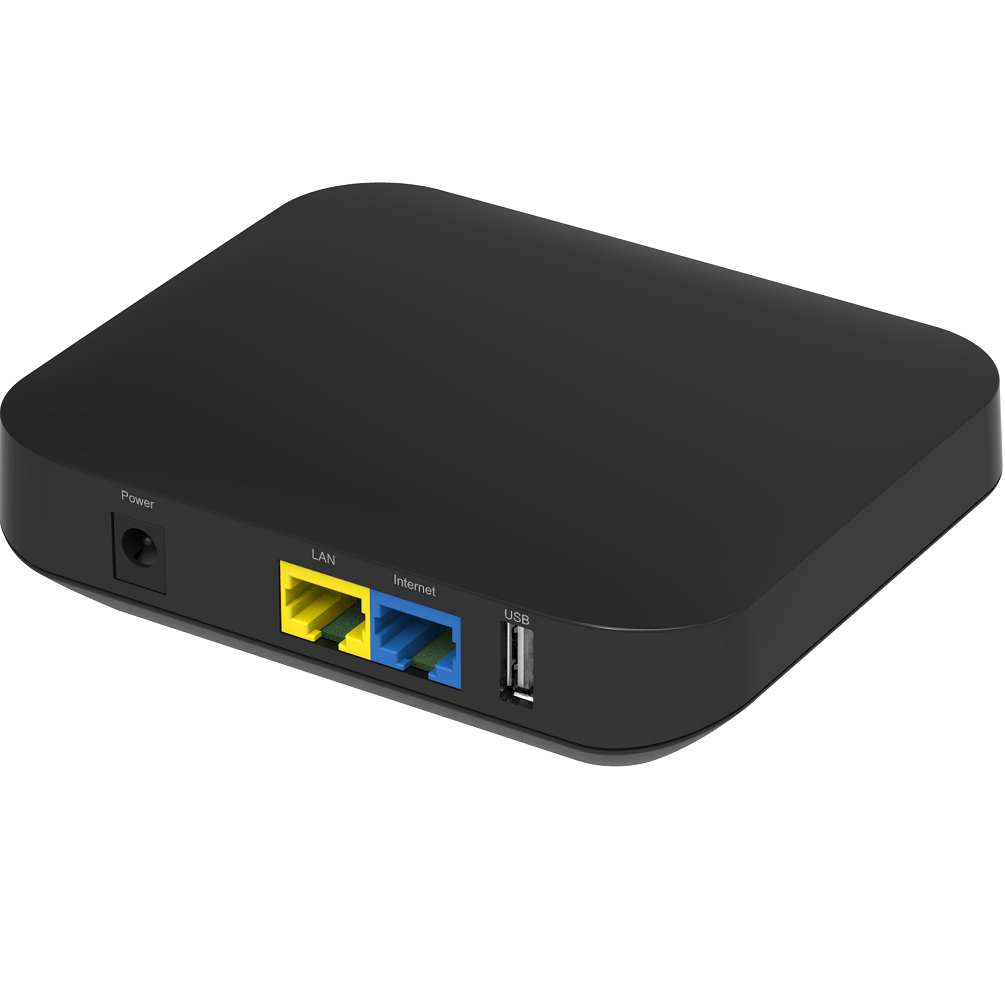
Product Recognition | |
|---|
Certification Number | ZC10-16045056 |
|---|
Name | EchoLife LS1015 |
|---|
Short Description | LS1015 is a Z-Wave Central Static Controller |
|---|
Long Description | EchoLife LS1015 is a smart home device. It can works as Z-Wave Central Static Controller, and use for management of Z-Wave slave devices. Z-Wave frequency is 908.4MHz-916MHz |
|---|
Brand | EchoLife |
|---|
Product Identifier | 1015 |
|---|
OEM Version | HW: 1 FW: 4.50:03.00 |
|---|
Hardware Platform | ZM5202 |
|---|
Z-Wave Version | 6.51.06 |
|---|
Library Type | CONTROLLER_STATIC |
|---|
Device Type | Central Controller |
|---|
Role Type | ROLE_TYPE_CONTROLLER_CENTRAL_STATIC |
|---|
Manufacturer ID | 0x024B |
|---|
Product Type ID | 0x0100 |
|---|
Product ID | 0x0001 |
|---|
User Icon | 0x0100 |
|---|
Installer Icon | 0x0100 |
|---|
Frequency Plans | US: 916.00MHz, 908.40MHz |
|---|
Categories | All Controllers, Gateway Controller |
|---|
Countries / Regions | Colombia |
|---|
Controlled Command Classes | Identifier | Name | Key | Version |
|---|
COMMAND_CLASS_NO_OPERATION | No Operation | 0x00 | 1 | COMMAND_CLASS_MULTI_CHANNEL_ASSOCIATION_V3 | Multi-Channel Association V3 | 0x8E | 3 | COMMAND_CLASS_BATTERY | Battery | 0x80 | 1 | COMMAND_CLASS_CRC_16_ENCAP | CRC16 Encapsulation | 0x56 | 1 | COMMAND_CLASS_SECURITY | Security S0 | 0x98 | 1 | COMMAND_CLASS_VERSION_V2 | Version V2 | 0x86 | 2 | COMMAND_CLASS_WAKE_UP_V2 | Wake Up V2 | 0x84 | 2 | COMMAND_CLASS_DEVICE_RESET_LOCALLY | Device Reset Locally | 0x5A | 1 | COMMAND_CLASS_ZWAVEPLUS_INFO_V2 | Z-Wave Plus Info V2 | 0x5E | 2 | COMMAND_CLASS_ASSOCIATION_V2 | Association V2 | 0x85 | 2 | COMMAND_CLASS_SENSOR_MULTILEVEL_V9 | Sensor Multilevel V9 | 0x31 | 9 | COMMAND_CLASS_MULTI_CHANNEL_V4 | Multi-Channel V4 | 0x60 | 4 | COMMAND_CLASS_ASSOCIATION_GROUP_INFORMATION_V3 | Association Group Information V3 | 0x59 | 0 | COMMAND_CLASS_NOTIFICATION_V5 | Notification V5 | 0x71 | 5 | COMMAND_CLASS_BASIC_V2 | Basic V2 | 0x20 | 2 | COMMAND_CLASS_CONFIGURATION_V3 | Configuration V3 | 0x70 | 3 | COMMAND_CLASS_MANUFACTURER_SPECIFIC_V2 | Manufacturer Specific V2 | 0x72 | 2 |
|
|---|
Documents | Category | Description | File |
|---|
Manual_Primary_Lang | Product or Owner's Manual | |
|
|---|
Association Groups | Group Number | Maximum Nodes Supported | End Point ID | Description |
|---|
1 | 5 | 0 | Z-Wave Plus Lifeline |
|
|---|
Texts | ID | Description | Value |
|---|
23 | Controller Inclusion | Step 1: Start the SmartHome app, and log in.
Step 2: On the device management page, touch +. Then add the sensor to the gateway as prompted step-by-step. (Inclusion) | 24 | Controller Exclusion | Step 1: On the device management page, touch the sensor to be deleted.
Step 2: On the device details page, touch the menu on the upper right.
Step 3: In the displayed menu, touch Delete.
Step 4: Delete the sensor as prompted. After each operation is complete, touch Next to go to the next page. The SmartHome app provides different pages for deleting different types of sensors.
Step 5: The sensor is deleted successfully. (Exclusion) | 5 | Factory Reset | You can login the WEB of LS1015 to set the product to the factory default state.Use this procedure only in the event that the network primary controller is missing or otherwise inoperable. | 3 | Learn Mode (adding another controller) | Step 1: Log in to the IoT platform with the user name and password specified.
Step 2: After login, click Assets. Click Name of the gateway for which Learn Mode to be enabled
Step 3: On the Details page, select OPEN for Set Learn Mode. | 4 | Device Wake-Up | LS1015 is AC power supply, not battery powered. |
|
|---|
Supports NWI | Yes |
|---|
Supports Explorer Frames | Yes |
|---|
Radio Range Z-Wave (m) | 40 |
|---|