| Product Recognition | |
|---|
| Certification Number | ZC10-16085156 |
|---|
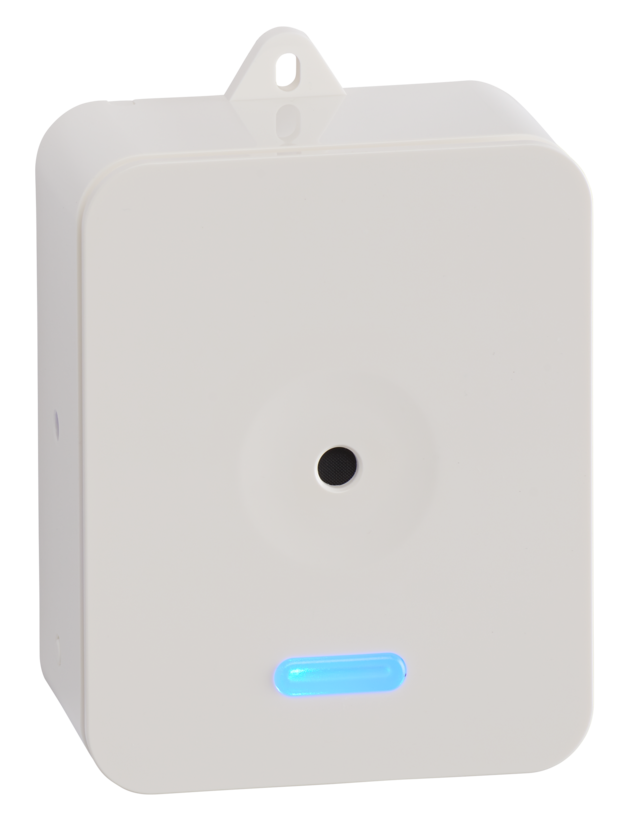
| Name | Ecolink Z-Wave Plus Wireless Siren |
|---|
| Short Description | The Ecolink Z-Wave Plus Siren provides users with a simple way to keep a location safe and secure. The siren can also be used to audibly notify the user of any Z-Wave state changes. |
|---|
| Long Description | The Ecolink Z-Wave Plus Siren provides home users with a simple way to keep a location safe and secure. The Ecolink Z-Wave Plus Siren can also be used to audibly notify the user of any Z-Wave state changes. The device is as simple to use as plugging in a wall outlet.
The device can create 4 independent tones for different alerts to the user. These could include but are not limited to: Security Alarm, entry/exit, smoke/Fire, temperature and more. The Z-Wave Plus Siren can also be used as a Z-Wave Plus network extension. |
|---|
| Brand | Ecolink Intelligent Technology |
|---|
| Product Identifier | SC-ZWAVE5 |
|---|
| OEM Version | HW: 255 FW: 1.10 |
|---|
| Hardware Platform | ZM5202 |
|---|
| Z-Wave Version | 6.51.06 |
|---|
| Library Type | SLAVE_ENHANCED_232 |
|---|
| Device Type | Siren |
|---|
| Role Type | ROLE_TYPE_SLAVE_ALWAYS_ON |
|---|
| Manufacturer ID | 0x014A |
|---|
| Product Type ID | 0x0005 |
|---|
| Product ID | 0x000A |
|---|
| User Icon | ICON_TYPE_GENERIC_SIREN |
|---|
| Installer Icon | ICON_TYPE_GENERIC_SIREN |
|---|
| Frequency Plans | US: 916.00MHz, 908.40MHz |
|---|
| Categories | Security Add-Ons |
|---|
| Countries / Regions | United States of America |
|---|
| Documents | |
|---|
| Features | | Feature | Values |
|---|
| Communications Protocol | | | Switch Load Capacity Current | | | Switch Load Capacity Volt-Ampere | | | Switch Load Capacity Watts | | | Switch Type | | | Z-Wave Scene Type | | | Color | |
|
|---|
| Association Groups | | Group Number | Maximum Nodes Supported | End Point ID | Description |
|---|
| 1 | 5 | 0 | Z-Wave Plus Lifeline |
|
|---|
| Texts | | ID | Description | Value |
|---|
| 5 | Factory Reset | The Z-Wave Plus Siren is automatically factory defaulted when removed from a Z-Wave network. Please use this procedure only when the network primary controller is missing or otherwise inoperable. | | 2 | Exclusion | 1) Any Z-Wave Plus Device can be removed from any Z-Wave Plus controller. Follow the directions to put your Z-Wave Plus Controller into exclusion mode.
2) Unplug and re-plug in your Z-Wave Plus Siren.
3) The device will play a long beep and the LED will begin to breathe if the device is successfully removed from the network. | | 1 | Inclusion | The Z-Wave Plus Siren must be added to a Z-Wave network prior to use. To include the siren in a network both the siren and the network controller must be in inclusion mode at the same time. Refer to the instructions provided by the manufacturer of your specific controller for details on initiating the controller’s inclusion mode.
1) Verify that the Z-Wave Plus controller you are using is compatible with the Z-Wave Plus Siren.
2) Locate the power outlet desired to be used with the Z-Wave Plus Siren.
3) Put your Z-Wave Plus Controller into add (inclusion) mode.
4) Plug in the Z-Wave Siren and verify a single beep sound is heard.
5) The LED on the front of the unit will turn off if successful included into a network. |
|
|---|
| Supports NWI | Yes |
|---|
| Supports Explorer Frames | Yes |
|---|