Product Recognition | |
|---|
Certification Number | ZC12-20120148 |
|---|
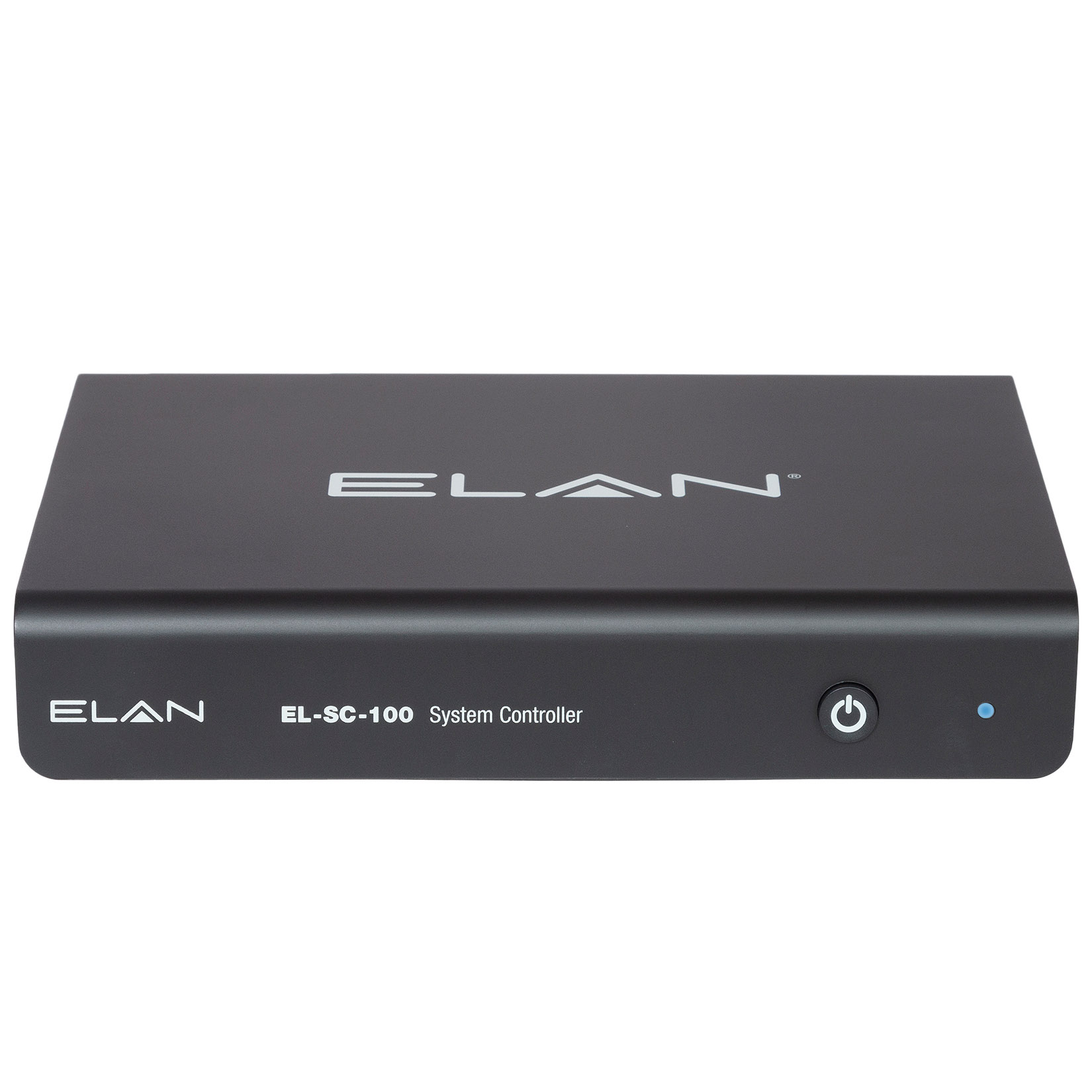
Name | Elan System Controller |
|---|
Short Description | The EL-SC-100 provides a single point of control and automation for media, climate, lighting, security, door locks, and more. |
|---|
Long Description | A Smart Home means enjoying the maximum comfort and convenience technology can provide. Connect all of your devices under one platform using Z-Wave, IP, RS-232, or IR control. The award-winning ELAN user experience sets us apart and gives you full and easy control of your connected smart home and entertainment system. |
|---|
Brand | Elan |
|---|
Product Identifier | EL-SC-100 |
|---|
Product Line | System Controller |
|---|
OEM Version | HW: 1 FW: 7.13:02.03 |
|---|
Z-Wave Version | 7.13.1 |
|---|
Library Type | CONTROLLER_BRIDGE |
|---|
Device Type | Gateway |
|---|
Role Type | ROLE_TYPE_CONTROLLER_CENTRAL_STATIC |
|---|
Manufacturer ID | 0x014F |
|---|
Product Type ID | 0x5343 |
|---|
Product ID | 0x5a57 |
|---|
User Icon | 0x0500 |
|---|
Installer Icon | 0x0500 |
|---|
Frequency Plans | US: 916.00MHz, 908.40MHz, EU: 869.85MHz, 868.40MHz, ANZ: 919.80MHz, 921.40MHz |
|---|
Categories | All Controllers, Gateway Controller |
|---|
Countries / Regions | Australia, United States of America, European Union |
|---|
Supported Command Classes | Identifier | Name | Key | Version |
|---|
COMMAND_CLASS_NODE_PROVISIONING | Node Provisioning | 0x78 | 1 | COMMAND_CLASS_NETWORK_MANAGEMENT_INSTALLATION_MAINTENANCE_V2 | Network Management Installation and Maintenance V2 | 0x67 | 2 | COMMAND_CLASS_POWERLEVEL | Powerlevel | 0x73 | 1 | COMMAND_CLASS_ZIP_PORTAL | Z/IP Portal | 0x61 | 1 | COMMAND_CLASS_INCLUSION_CONTROLLER | Inclusion Controller | 0x74 | 1 | COMMAND_CLASS_ZIP_V4 | Z/IP V4 | | 0 | COMMAND_CLASS_ASSOCIATION_V3 | Association V3 | | 0 | COMMAND_CLASS_MULTI_CHANNEL_ASSOCIATION_V4 | Multi-Channel Association V4 | | 0 | COMMAND_CLASS_INDICATOR_V3 | Indicator V3 | 0x87 | 3 | COMMAND_CLASS_APPLICATION_STATUS | Application Status | 0x22 | 1 | COMMAND_CLASS_TIME | Time | 0x8A | 1 | COMMAND_CLASS_CRC_16_ENCAP | CRC16 Encapsulation | 0x56 | 1 | COMMAND_CLASS_SECURITY | Security S0 | 0x98 | 1 | COMMAND_CLASS_TRANSPORT_SERVICE_V2 | Transport Service V2 | 0x55 | 2 | COMMAND_CLASS_ZIP_ND | Z/IP-ND | 0x58 | 1 | COMMAND_CLASS_DEVICE_RESET_LOCALLY | Device Reset Locally | 0x5A | 1 | COMMAND_CLASS_ZWAVEPLUS_INFO_V2 | Z-Wave Plus Info V2 | 0x5E | 2 | COMMAND_CLASS_FIRMWARE_UPDATE_MD_V5 | Firmware Update Meta-Data V5 | 0x7A | 5 | COMMAND_CLASS_ASSOCIATION_GRP_INFO_V3 | Association Group Information V3 | 0x59 | 3 | COMMAND_CLASS_NETWORK_MANAGEMENT_PROXY_V2 | Network Management Proxy V2 | 0x52 | 2 | COMMAND_CLASS_NETWORK_MANAGEMENT_INCLUSION_V3 | Network Management Inclusion V3 | 0x34 | 3 | COMMAND_CLASS_SECURITY_2 | Security S2 | 0x9F | 1 | COMMAND_CLASS_NETWORK_MANAGEMENT_BASIC_V2 | Network Management Basic V2 | 0x4D | 2 | COMMAND_CLASS_VERSION_V3 | Version V3 | 0x86 | 3 | COMMAND_CLASS_ZIP_GATEWAY | Z/IP Gateway | 0x5F | 1 | COMMAND_CLASS_SUPERVISION | Supervision | 0x6C | 1 | COMMAND_CLASS_MANUFACTURER_SPECIFIC_V2 | Manufacturer Specific V2 | 0x72 | 2 | COMMAND_CLASS_MULTI_CMD | Multi-Command | 0x8F | 1 |
|
|---|
Controlled Command Classes | Identifier | Name | Key | Version |
|---|
COMMAND_CLASS_CONFIGURATION_V4 | Configuration V4 | 0x70 | 4 | COMMAND_CLASS_SWITCH_BINARY_V2 | Switch Binary V2 | 0x25 | 2 | COMMAND_CLASS_NO_OPERATION | No Operation | 0x00 | 1 | COMMAND_CLASS_THERMOSTAT_FAN_MODE_V4 | Thermostat Fan Mode V4 | 0x44 | 4 | COMMAND_CLASS_THERMOSTAT_OPERATING_STATE_V2 | Thermostat Operating State V2 | 0x42 | 2 | COMMAND_CLASS_USER_CODE | User Code | 0x63 | 1 | COMMAND_CLASS_DOOR_LOCK_V4 | Door Lock V4 | | 0 | COMMAND_CLASS_ASSOCIATION_V3 | Association V3 | | 0 | COMMAND_CLASS_MULTI_CHANNEL_ASSOCIATION_V4 | Multi-Channel Association V4 | | 0 | COMMAND_CLASS_INDICATOR_V3 | Indicator V3 | 0x87 | 3 | COMMAND_CLASS_CLOCK | Clock | 0x81 | 1 | COMMAND_CLASS_BATTERY | Battery | 0x80 | 1 | COMMAND_CLASS_APPLICATION_STATUS | Application Status | 0x22 | 1 | COMMAND_CLASS_CRC_16_ENCAP | CRC16 Encapsulation | 0x56 | 1 | COMMAND_CLASS_SECURITY | Security S0 | 0x98 | 1 | COMMAND_CLASS_THERMOSTAT_FAN_STATE_V2 | Thermostat Fan State V2 | 0x45 | 2 | COMMAND_CLASS_THERMOSTAT_MODE_V3 | Thermostat Mode V3 | 0x40 | 3 | COMMAND_CLASS_WAKE_UP_V2 | Wake Up V2 | 0x84 | 2 | COMMAND_CLASS_ZWAVEPLUS_INFO_V2 | Z-Wave Plus Info V2 | 0x5E | 2 | COMMAND_CLASS_BARRIER_OPERATOR | Barrier Operator | 0x66 | 1 | COMMAND_CLASS_FIRMWARE_UPDATE_MD_V5 | Firmware Update Meta-Data V5 | 0x7A | 5 | COMMAND_CLASS_MULTI_CHANNEL_V4 | Multi-Channel V4 | 0x60 | 4 | COMMAND_CLASS_THERMOSTAT_SETPOINT | Thermostat Setpoint | 0x43 | 1 | COMMAND_CLASS_SWITCH_MULTILEVEL_V4 | Switch Multilevel V4 | 0x26 | 4 | COMMAND_CLASS_ASSOCIATION_GRP_INFO_V3 | Association Group Information V3 | 0x59 | 3 | COMMAND_CLASS_NOTIFICATION_V8 | Notification V8 | 0x71 | 8 | COMMAND_CLASS_BASIC_V2 | Basic V2 | 0x20 | 2 | COMMAND_CLASS_SECURITY_2 | Security S2 | 0x9F | 1 | COMMAND_CLASS_METER_V5 | Meter V5 | 0x32 | 5 | COMMAND_CLASS_SENSOR_MULTILEVEL_V11 | Sensor Multilevel V11 | 0x31 | 11 | COMMAND_CLASS_VERSION_V3 | Version V3 | 0x86 | 3 | COMMAND_CLASS_CENTRAL_SCENE_V3 | Central Scene V3 | 0x5B | 3 | COMMAND_CLASS_SUPERVISION | Supervision | 0x6C | 1 | COMMAND_CLASS_MANUFACTURER_SPECIFIC_V2 | Manufacturer Specific V2 | 0x72 | 2 |
|
|---|
S2 Classes | S2_UNAUTHENTICATED, S2_AUTHENTICATED, S2_ACCESS_CONTROL |
|---|
Documents | Category | Description | File |
|---|
Installer_Guide | Integration Note | | Manual_Primary_Lang | Product Manual | |
|
|---|
Features | Feature | Values |
|---|
Firmware Updatable | Value |
|---|
Updatable by Professional/Technician |
|
|
|---|
Association Groups | Group Number | Maximum Nodes Supported | End Point ID | Group Name | Profile | Description |
|---|
1 | 1 | 0 | Lifeline | 0x0001 | Device reset locally. |
|
|---|
Texts | ID | Description | Value |
|---|
8 | Where to find S2 DSK on product | Products are professionally installed. During configuration the UI will present the DSK information. | 23 | Controller Classic Inclusion | 1. Navigation to the Communication Device: ELAN Z-Wave Network page under Security, Climate, Lighting or Input/Output Tabs in Configurator
2. Set Management View: Network Management
3. Set Network Action: Include
4. Put device in Inclusion/Learn mode per manufacturer instruction
Execute (button to right of Network action) | 24 | Controller Classic Exclusion | 1. Navigation to the Communication Device: ELAN Z-Wave Network page under Security, Climate, Lighting or Input/Output Tabs in Configurator
2. Management View: Network Management
3. Network Action: Exclude
4. Put device in Exclusion/Learn mode per manufacturer instruction
5. Execute (button to right of Network action) | 25 | Controller Provisioning List | 1. Navigation to the Communication Device: ELAN Z-Wave Network page under Security, Climate, Lighting or Input/Output Tabs in Configurator
2. Management View: Network Provisioning.
3. Network Action: Remove Device – This action removes the device only form the provisioning list & not from Z-wave network.
4. Network Action: Clear List – This action removes all the devices only form the provisioning list & not from Z-wave network. | 10 | Controller Replication | Replication of network information from the controller to another controller is not supported. | 3 | Controller Learn Mode | 1. Navigation to the Communication Device: ELAN Z-Wave Network page under Security, Climate, Lighting or Input/Output Tabs in Configurator
2. Management View: Network Management
3. Network Action: Learn
4. Put other controller in Add/Include mode per manufacturer instruction
5. Execute (button to right of Network action) | 9 | Capability Rediscovery | 1. Navigation to the Communication Device: ELAN Z-Wave Network page under Security, Climate, Lighting or Input/Output Tabs in Configurator
2. Management View: Network Management
3. Node Action: Request Info
4. Select desired Node ID in the Devices list
5. Execute (button to right of Node action) | 5 | Factory Reset Procedure | 1. Navigation to the Communication Device: ELAN Z-Wave Network page under Security, Climate, Lighting or Input/Output Tabs in Configurator
2. Management View: Network Management
3. Network Action: Reset
4. Execute (button to right of Network action) | 11 | Controller SmartStart Inclusion | 1. Navigation to the Communication Device: ELAN Z-Wave Network page under Security, Climate, Lighting or Input/Output Tabs in Configurator
2. Management View: Network Provisioning.
3. Refer device documentation / manufacturer instruction for Z-wave DSK of the device.
4. Put device full DSK string in Device DSK text box & click Append.
5. Click on “ Add device to List “ button.
6. Click on “Discover Devices button” at the bottom.
7. Power on the end device or any other mechanism to start smart start in the device to be added into SC100 network. Refer manufacturer instruction. |
|
|---|
Supported / Controlled Meter Types | Meter Type | Rate Type | Description |
|---|
Electric meter | Import | Electric Meter Consumption | Electric meter | Export | Electric Meter Production | Gas meter | Import | Gas Meter Consumption | Gas meter | Export | Gas Meter Production | Water meter | Import | Water Meter Consumption | Water meter | Export | Water Meter Production | Heating meter | Import | Heating Meter Consumption | Heating meter | Export | Heating Meter Production | Cooling meter | Import | Cooling Meter Consumption | Cooling meter | Export | Cooling Meter Production |
|
|---|
Supports NWI | Yes |
|---|
Supports Explorer Frames | Yes |
|---|
Supports SmartStart | Yes |
|---|
Radio Range Z-Wave (m) | 40 |
|---|