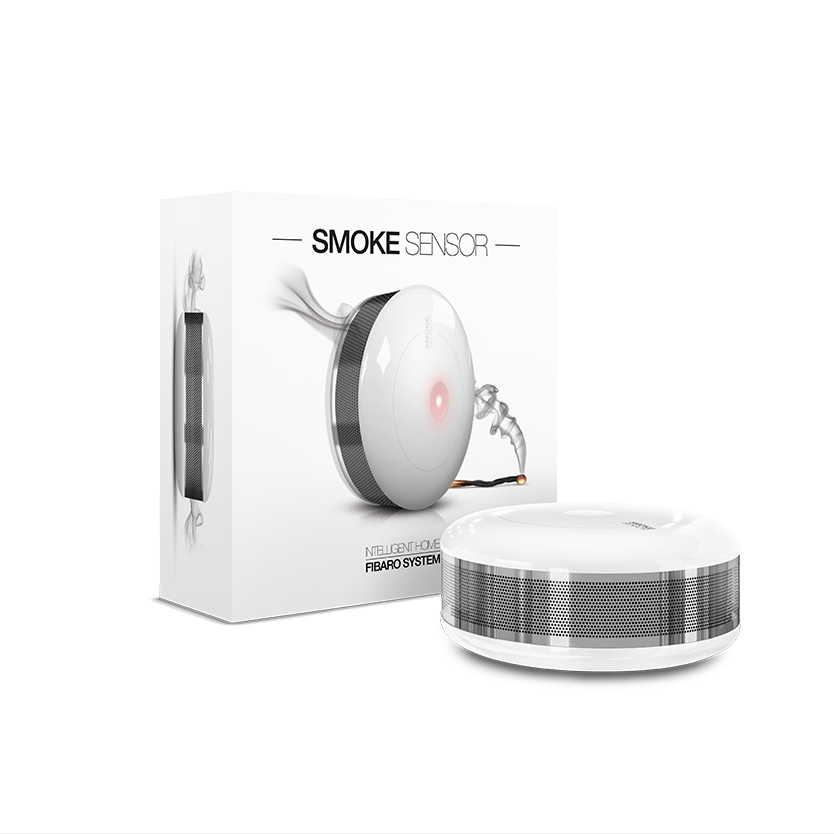
Product Recognition | |
|---|
Certification Number | ZC10-15070004 |
|---|
Name | FIBARO Smoke Sensor |
|---|
Short Description | A battery powered smoke detector which gives protection from flaming and smoldering fires. |
|---|
Long Description | The FIBARO Smoke Sensor is a universal, ultra-light, perfectly designed, optical Z-Wave smoke detector. Fire alarm is signaled by sound, visual indicator blinking and alarm reports sent to the other devices within Z-wave network. The optical sensor detects smoke at an early stage of fire, often before flames appear and temperature starts to rise significantly. Moreover, the device has a built-in temperature sensor, which is adjustable to allow detection of fire by exceeding given temperature threshold. The FIBARO Smoke Sensor is a battery powered device designed to be placed on the wall or ceiling. Visual indicator signals fire, operating mode and it is used to check if the device is within the Z-wave network using a built-in Z-Wave range tester. The Smoke Sensor is designed to operate in confined spaces, under normal conditions (lacking of smoke, dust or condensed water vapor).
Product video:
https://www.youtube.com/watch?v=50QGfkdUtns |
|---|
Brand | FIBARO |
|---|
Product Identifier | FGSD-002 |
|---|
OEM Version | 2 |
|---|
Hardware Platform | ZM5202 |
|---|
Z-Wave Version | 6.51.06 |
|---|
Library Type | SLAVE_ENHANCED_232 |
|---|
Device Type | Notification Sensor |
|---|
Role Type | ROLE_TYPE_SLAVE_SLEEPING_REPORTING |
|---|
Manufacturer ID | 0x010F |
|---|
Product Type ID | 0x0C02 |
|---|
Product ID | 0x1002 |
|---|
Frequency Plans | EU: 869.85MHz, 868.40MHz |
|---|
Categories | Sensors |
|---|
Countries / Regions | European Union |
|---|
Controlled Command Classes | Identifier | Name | Key | Version |
|---|
COMMAND_CLASS_TIME_PARAMETERS | Time Parameters | 0x8B | 1 | COMMAND_CLASS_BASIC | Basic | 0x20 | 1 |
|
|---|
Documents | Category | Description | File |
|---|
Manual_Primary_Lang | Product or Owner's Manual | |
|
|---|
Association Groups | Group Number | Maximum Nodes Supported | End Point ID | Description |
|---|
2 | 5 | 0 | Trigger: Smoke alarm - association group, value depends on the configuration.
Type of frame sent by the device when the association group is activated: BASIC_SET. | 3 | 5 | 0 | Trigger: Tamper - association group.
Type of frame sent by the device when the association group is activated: NOTIFICATION_REPORT.
| 4 | 5 | 0 | Trigger: Smoke alarm ZW3 - association group for ZW3 backward compatibility.
Type of frame sent by the device when the association group is activated: SENSOR_ALARM_REPORT. | 5 | 5 | 0 | Trigger: Tamper ZW3 - association group for ZW3 backward compatibility.
Type of frame sent by the device when the association group is activated: SENSOR_ALARM_REPORT. | 1 | 1 | 0 | Z-Wave Plus Lifeline.
Type of frame sent by the device when the association group is activated: DEVICE_RESET_LOCALLY_NOTIFICATION;
NOTIFICATION_REPORT;
BATTERY_REPORT;
SENSOR_MULTILEVEL_REPORT. |
|
|---|
Configuration Parameters | Parameter Number | Name | Description | Format | Size | Min Value | Max Value | Default Value | Parameter Values |
|---|
10 | Configuration of control frames in BASIC command class | This parameter defines which frames will be sent in the 2-nd Association Group (SMOKE ALARM). The values of BASIC ON and BASIC OFF frames may be defined as described in further parameters. 0 -BASIC ON & BASIC OFF enabled 1- BASIC ON enabled 2 - BASIC OFF enabled | 0 | 1 | 0 | 0 | 0 | | 1 | Fibaro Smoke Sensor sensitivity | There are 3 levels of sensitivity to smoke presence. Level 1 means the highest sensitivity. Rising the parameter value lowers the sensitivity to smoke presence. 1 - HIGH sensivity 2 - MEDIUM sensivity 3 - LOW sensivity | 0 | 1 | 0 | 0 | 2 | | 31 | Excess temperature signaling interval | Time interval of signaling (visual indication/sound) excess temperature level. CAUTION: Parameters 30, 31 and 32 are associated with parameters 2, 3 and 4 settings. Their modification may have no effect if configured functionality is not activated in the corresponding parameter. 1-8640 (multiply by 10 seconds) [10s-24h] | 0 | 2 | 0 | 0 | 1 | | 11 | BASIC ON frame value | BASIC ON frame is sent in case of smoke presence detection and Fire Alarm triggering. Its value is defined by the parameter. 0 turn off the device 1-99 set the device to 1-99% 255 set the last status | 0 | 2 | 0 | 0 | 255 | | 2 | Z-Wave notifications status | This parameter allows to activate excess temperature and/or casing opening notifications sent to the main controller. 0 - all notifications disabled, 1 - casing opening notification enabled, 2 - exceeding temperature threshold notification enabled. Parameter values may be combined, e.g. 1+2=3, means that all notifications are enabled. | 0 | 1 | 0 | 0 | 0 | | 3 | Visual indicator notifications status | This parameter allows to activate visual indications but does not apply to major alarms, such as Fire, Trouble and Low battery alarm. 0 - all notifications disabled, 1 - casing opening notification enabled, 2 - exceeding temperature threshold notification enabled, 4 - lack of Z-Wave range notification. Parameter values may be combined, e.g. 1+2+4=7, means that all notifications are enabled. | 0 | 1 | 0 | 0 | 0 | | 4 | Sound notifications status | This parameter allows to activate sound signals but does not apply to major alarms, such as Fire, Trouble and Low battery alarm. 0 - all notifications disabled, 1 - casing opening notification enabled, 2 - exceeding temperature threshold notification enabled, 4 - lack of Z-Wave range notification. Parameter values may be combined, e.g. 1+2+4=7, means that all notifications are enabled. | 0 | 1 | 0 | 0 | 0 | |
|
|---|
Texts | ID | Description | Value |
|---|
2 | Exclusion | 1) Make sure there is a battery installed
2) Set the main controller into the learning mode (see main controllers operating
manual)
3) Quickly, triple click the B-button, located on Fibaro Smoke Sensors enclosure. | 4 | Device Wake-Up | The Smoke Sensor will wake up at defined time interval and
will ALWAYS try to communicate with the main controller. There is a possibility to wake the device up manually by triple-click the B-button. | 1 | Inclusion | Fibaro Smoke Sensor inclusion:
1) Install the battery. Visual indicator will signal the Z-Wave network inclusion status
(green - device included, red - device not included)
2) Make sure the device is located within direct range of the Z-Wave controller.
3) Set the main controller into the learning mode
(see main controllers operating manual).
4) Quickly, triple click the B-button, located on Fibaro Smoke Sensors enclosure.
5) Fibaro Smoke Sensor will be detected and included in the Z-Wave network. | 5 | Factory Reset | Please use this procedure only in the event that the system primary controller is missing or otherwise inoperable.
Fibaro Smoke Sensor reset procedure:
1) Make sure the device has the battery installed.
2) Press and hold the B-button for 3 seconds. Visual indicator will glow white.
3) You will hear a short signal.
4) Release the B-button.
5) Wait until the visual indicator glows yellow, signaling entering the 4th menu level.
6) Press the B-button briefly to confirm menu level choice. At the same time you will hear a short beep, the same sound as during the power connection.
Successful reset will be confirmed with the visual indicator changing colour to red and
fading. At the same time, short beep will sound, same as at the power connection. |
|
|---|
Supports NWI | Yes |
|---|
Supports Explorer Frames | Yes |
|---|
Radio Range Z-Wave (m) | 40 |
|---|