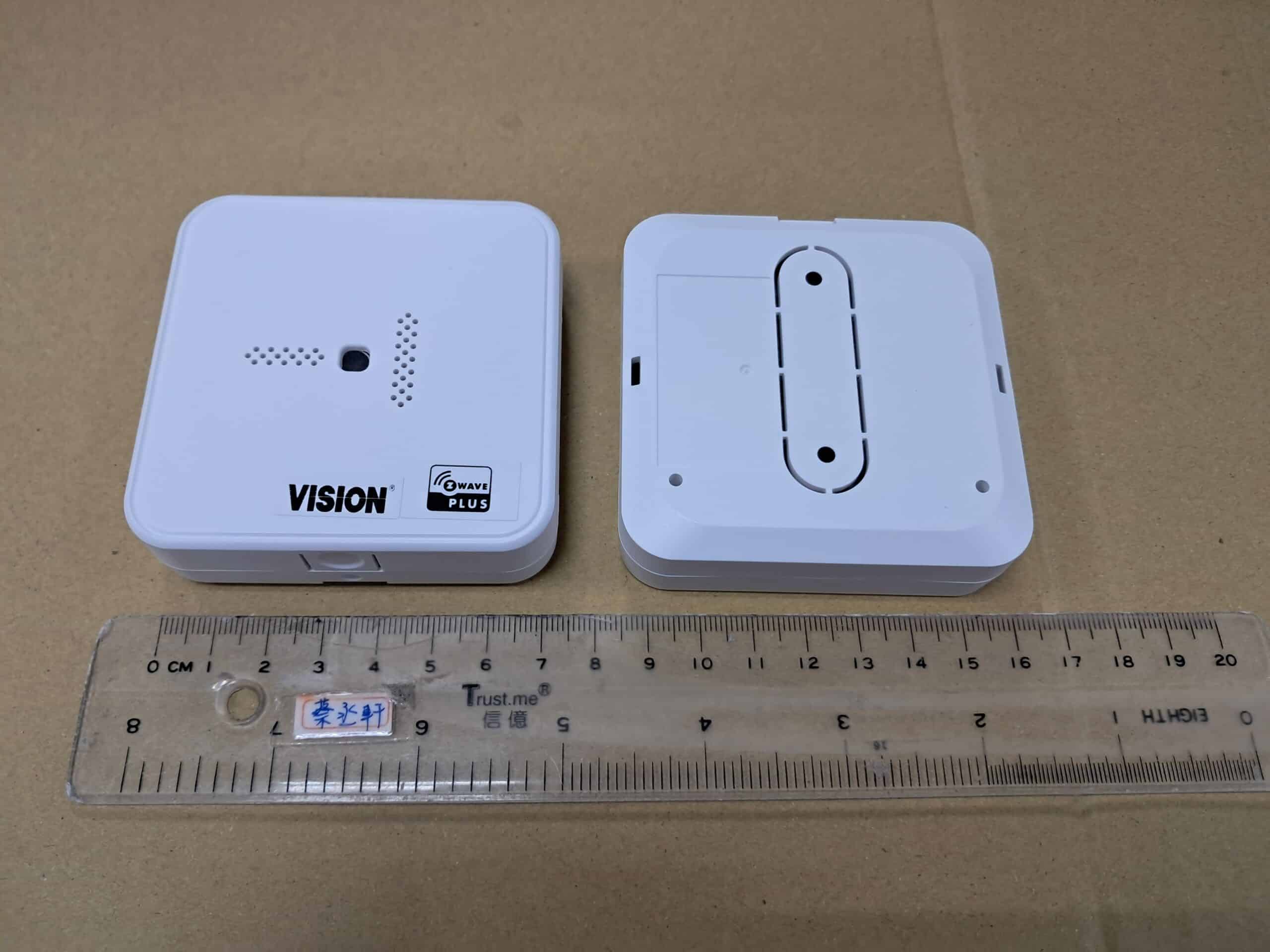
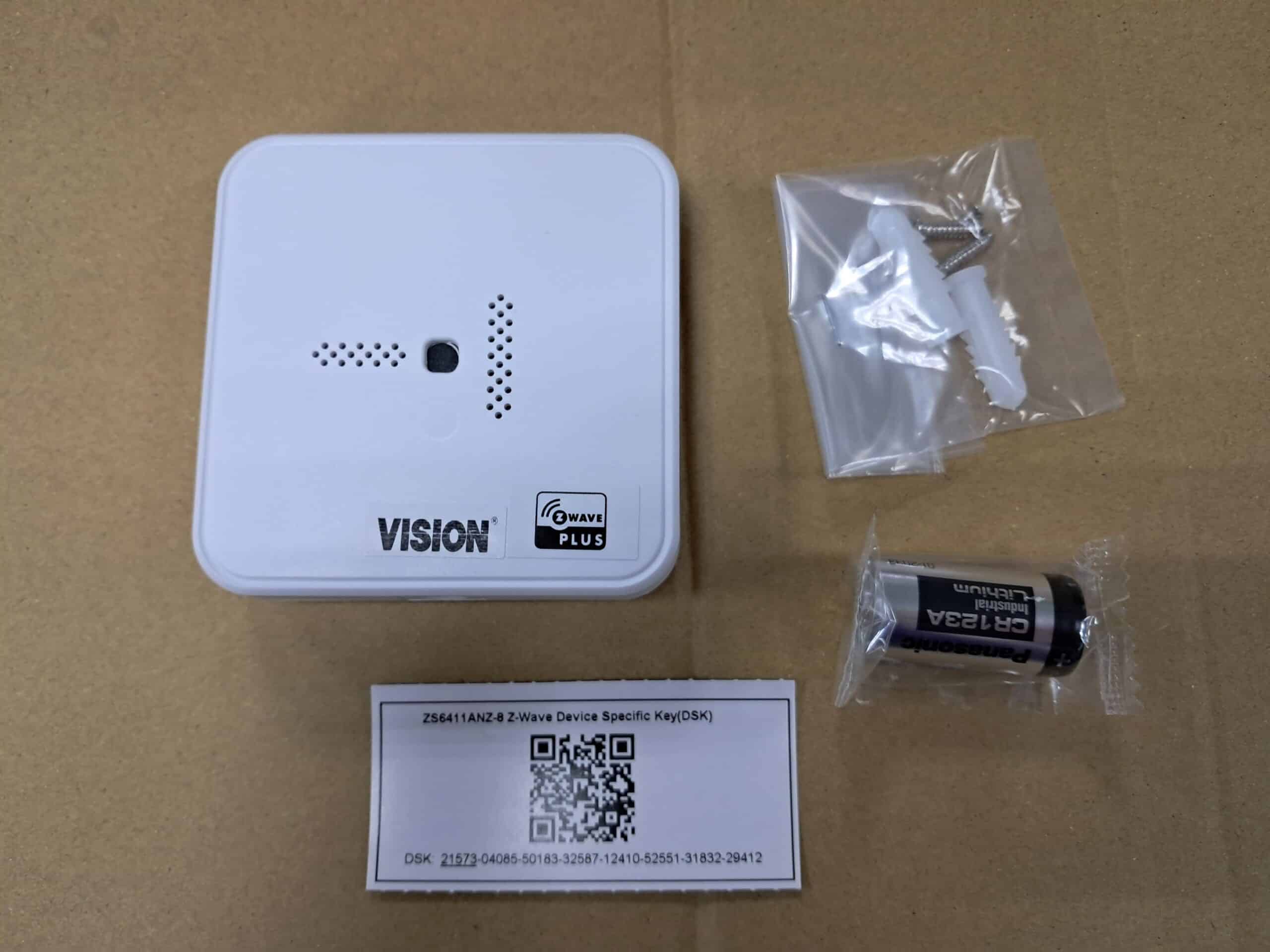
Product Recognition | |
|---|
Certification Number | ZC14-25030509 |
|---|
Name | Fire Alarm Responder |
|---|
Short Description | smoke, carbon or combo detector alarms listener and responder |
|---|
Long Description | This device upgrades your wired / standalone smoke, carbon or combo detector to be a wireless Z-Wave® version. It listens to smoke, carbon or combo detector alarms and transmits a signal to the alarm system. |
|---|
Brand | Vision |
|---|
Product Identifier | ZS6411ANZ-8 |
|---|
Product Line | security sensor |
|---|
OEM Version | HW: 01 FW: 01.03:02.01 |
|---|
Hardware Platform | EFR32ZG23A |
|---|
Z-Wave Version | 7.18.8 |
|---|
Library Type | END_NODE_ENHANCED_232 |
|---|
Device Type | Notification Sensor DT |
|---|
Role Type | ROLE_TYPE_END_NODE_SLEEPING_REPORTING |
|---|
Manufacturer ID | 0x0109 |
|---|
Product Type ID | 0x2032 |
|---|
Product ID | 0x3211 |
|---|
User Icon | 0x0C01 |
|---|
Installer Icon | 0x0C01 |
|---|
Frequency Plans | ANZ: 919.80MHz, 921.40MHz |
|---|
Categories | Security Systems |
|---|
Countries / Regions | Australia, Brazil, Chile, Ecuador, El Salvador, Indonesia, Malaysia, New Zealand, Paraguay, Peru, Uruguay, Venezuela, Vietnam |
|---|
Supported Command Classes | Identifier | Name | Key | Version |
|---|
COMMAND_CLASS_ASSOCIATION_V2 | Association V2 | 0x85 | 2 | COMMAND_CLASS_ASSOCIATION_GRP_INFO_V3 | Association Group Information (AGI) V3 | 0x59 | 3 | COMMAND_CLASS_DEVICE_RESET_LOCALLY | Device Reset Locally | 0x5A | 1 | COMMAND_CLASS_FIRMWARE_UPDATE_MD_V5 | Firmware Update Meta Data V5 | 0x7A | 5 | COMMAND_CLASS_INDICATOR_V3 | Indicator V3 | 0x87 | 3 | COMMAND_CLASS_MANUFACTURER_SPECIFIC_V2 | Manufacturer Specific V2 | 0x72 | 2 | COMMAND_CLASS_MULTI_CHANNEL_ASSOCIATION_V3 | Multi Channel Association V3 | 0x8E | 3 | COMMAND_CLASS_VERSION_V3 | Version V3 | 0x86 | 3 | COMMAND_CLASS_ZWAVEPLUS_INFO_V2 | Z-Wave Plus Info V2 | 0x5E | 2 | COMMAND_CLASS_SECURITY_2 | Security 2 | 0x9F | 1 | COMMAND_CLASS_SUPERVISION | Supervision | 0x6C | 1 | COMMAND_CLASS_TRANSPORT_SERVICE_V2 | Transport Service V2 | 0x55 | 2 | COMMAND_CLASS_POWERLEVEL | Powerlevel | 0x73 | 1 | COMMAND_CLASS_NOTIFICATION_V8 | Notification V8 | 0x71 | 8 | COMMAND_CLASS_WAKE_UP_V2 | Wake Up V2 | 0x84 | 2 | COMMAND_CLASS_BATTERY | Battery | 0x80 | 1 | COMMAND_CLASS_CONFIGURATION_V4 | Configuration V4 | 0x70 | 4 |
|
|---|
S2 Classes | S2_AUTHENTICATED, S2_UNAUTHENTICATED |
|---|
Documents | Category | Description | File |
|---|
Manual_English | Use the registered trademark ® with "Z-Wave®" and "Z-Wave Plus®". | |
|
|---|
Association Groups | Group Number | Maximum Nodes Supported | End Point ID | Group Name | Profile |
|---|
1 | 5 | 0 | Lifeline | 0x0001 |
|
|---|
Configuration Parameters | Parameter Number | Name | Description | Format | Size | Min Value | Max Value | Default Value |
|---|
1 | Installation mode | Enable/Disable installation mode, 0 is disable, 1 is enable. | 0 | 1 | 0 | 0 | 0x00 | 2 | Retry Count | Retries after a failed transmission. | 1 | 1 | 0 | 0 | 0x00 | 3 | Supervision Timeout | The number of milliseconds waiting for a Supervisory Report response to a Supervisory encapsulated Get. | 1 | 2 | 0 | 0 | 0x01F4 | 224 | Wake Up TestMode | Let device stay awake for test used. 255 is enable, others are disable. | 1 | 1 | 0 | 0 | 0x00 |
|
|---|
Texts | ID | Description | Value |
|---|
8 | Where to find S2 DSK on product | The DSK card is placed inside the box. Scan the DSK label to access the SmartStart if gateway 's UI supports SmartStart. | 1 | Classic Inclusion | Put the Z-Wave™ Interface Controller into “inclusion” mode, and follow its instruction to add the sensor to your controller. To get in the “inclusion” mode, the distance between sensor and controller is suggested to be in one meter. Press the Learn button of the sensor once will enter the inclusion mode which implements inclusion with a NIF and NWI. During the inclusion mode ,the red LED will blink once every second. The red LED will be solid on for 1 second after successful inclusion, and it also send the indicator report. | 2 | Classic Exclusion | Set up the Z-Wave™ Interface Controller into “exclusion” mode, and follow its instruction to delete the sensor from your controller. Press the Learn button of the sensor once for being excluded, the red LED will flash 5 times after successful exclusion. | 4 | Wake-Up Procedure | Either Cover / Tamper is switched on for 1 second, it will send “Wake-Up Notification for receiving all command classes or go to sleep mode after 10 seconds without receiving any command. | 5 | Factory Reset Procedure | The sensor can be restored back to the factory default settings. Hold the Learn button for 5 seconds until the red LED is solid, and then release the Learn button to send the “Device Reset Locally Notification” command. The red LED will go off after the reset procedure is completed.
Please use this procedure only when the network’s primary controller is missing or otherwise inoperable. | 6 | Other Special Features | Tamper/Cover switch Alarm / Restore |
|
|---|
Supported Notification Types | Notification Type | Event / State |
|---|
Smoke Alarm | (Refer to parameters): State idle | Smoke Alarm | Sensor status: Smoke detected | CO Alarm | (Refer to parameters): State idle | CO Alarm | Sensor status: Carbon monoxide detected | Home Security | Cover status: Tampering, product cover removed | Home Security | (Refer to parameters): State idle |
|
|---|
Supports NWI | Yes |
|---|
Supports Explorer Frames | Yes |
|---|
Supports SmartStart | Yes |
|---|
Radio Range Z-Wave (m) | 40 |
|---|