Product Recognition | |
|---|
Certification Number | ZC10-18036054 |
|---|
Name | FlexNET Dongle |
|---|
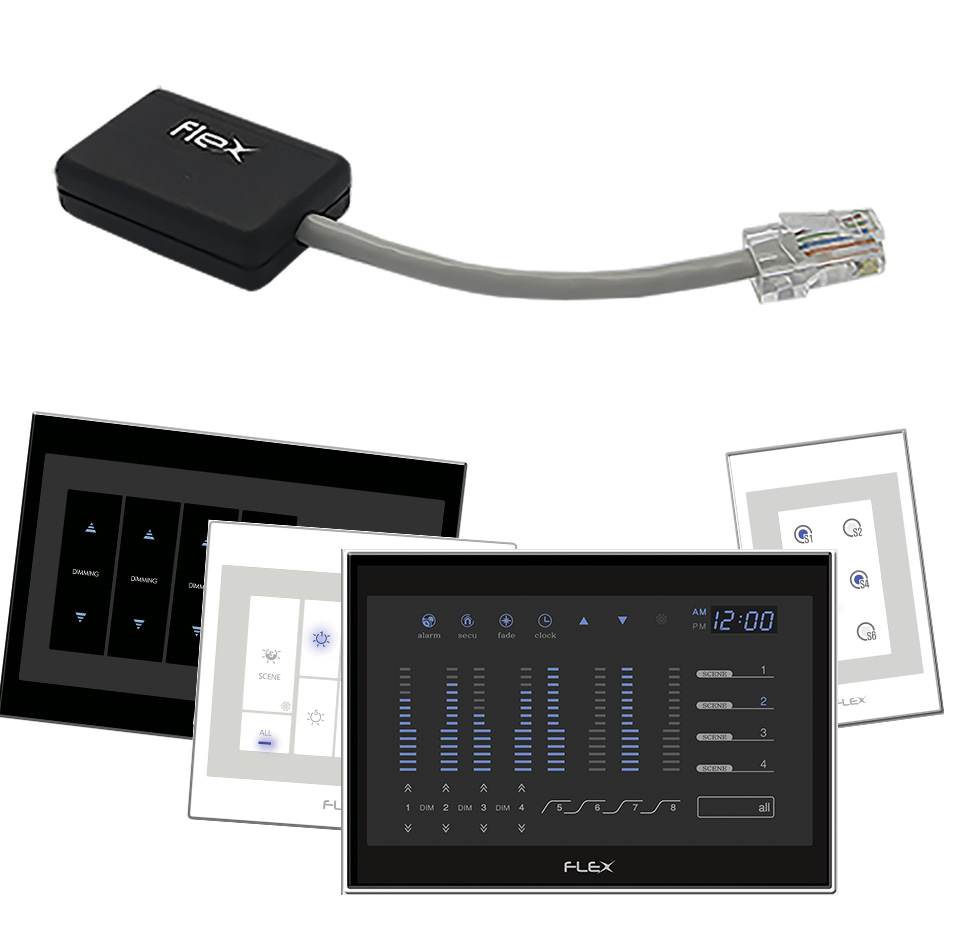
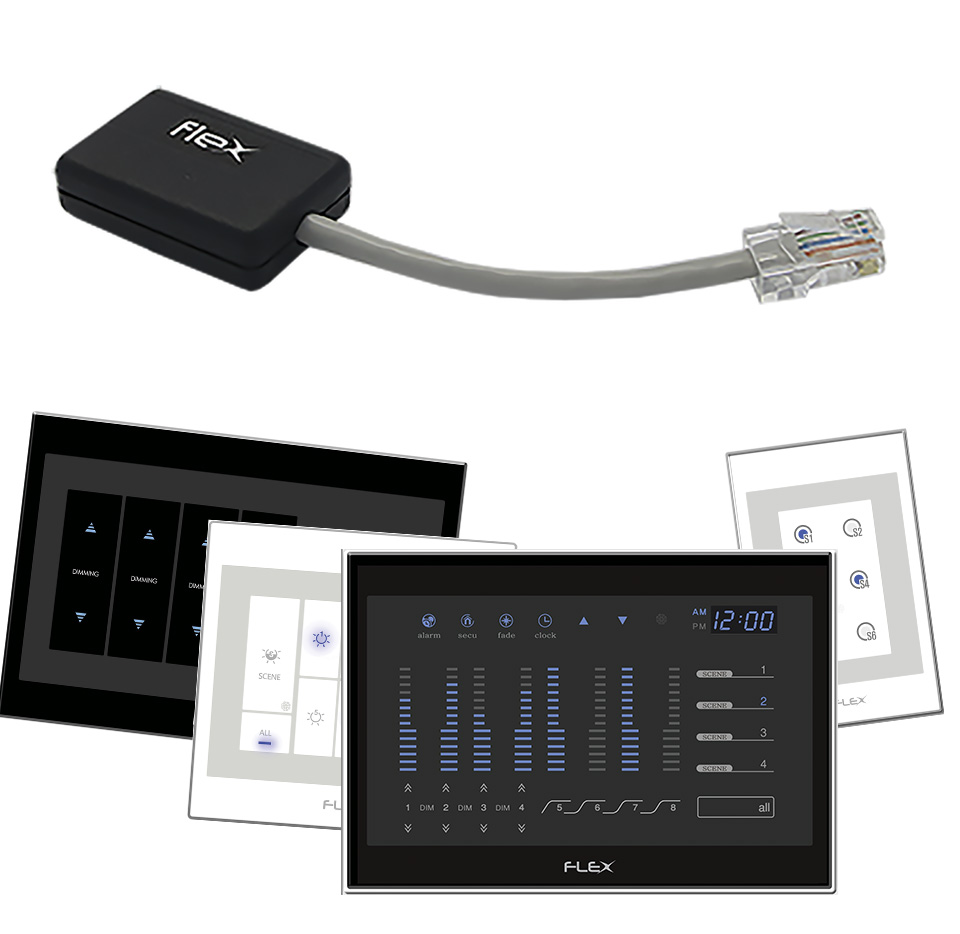
Short Description | FlexNET Dongle is a device that converts FlexNET Protocol (RS-485) to Z-Wave Protocol. This Device controls a total of 16+ Flex Lighting Panels via Z-Wave. FlexNET Dongle is Universal (One fits All). |
|---|
Long Description | FlexNET Dongle is a device that converts FlexNET Protocol (RS-485) to Z-Wave Protocol. This Device controls a total of 16+ Flex Lighting Panels via Z-Wave. FlexNET Dongle is Universal (One fits All). Using this device, you can control all functions of our Panels.
It is a fully compatible with any Z-Wave enabled network. Z-Wave enabled devices displaying the Z-Wave logo can also be used with it regardless of the manufacturer. And ours can also be used in other manufacturer's Z-Wave enabled networks since FlexNET Dongle is used together with Flex Panels.
This Device is designed to act as a repeater. Repeaters will re-transmit the RF signal to ensure the signal is received by its intended destination by routing the signal around obstacles and radio dead spots. |
|---|
Brand | FLEX AUTOMATION |
|---|
Product Identifier | Z-FlexNET Dongle |
|---|
OEM Version | HW: 1 FW: 1.01:01.00 |
|---|
Hardware Platform | ZM5202 |
|---|
Z-Wave Version | 6.71.01 |
|---|
Library Type | SLAVE_ENHANCED_232 |
|---|
Device Type | Light Dimmer Switch |
|---|
Role Type | ROLE_TYPE_SLAVE_ALWAYS_ON |
|---|
Manufacturer ID | 0x002C |
|---|
Product Type ID | 0x0002 |
|---|
Product ID | 0x0007 |
|---|
User Icon | 0x0600 |
|---|
Installer Icon | 0x0600 |
|---|
Frequency Plans | ANZ: 919.80MHz, 921.40MHz |
|---|
Categories | All Lighting Devices, Dimming Lighting Devices, On/Off Switches/Devices, Lighting Accessories |
|---|
Countries / Regions | Brazil |
|---|
Supported Command Classes | Identifier | Name | Key | Version |
|---|
COMMAND_CLASS_SWITCH_MULTILEVEL | Switch Multilevel | 0x26 | 1 | COMMAND_CLASS_FIRMWARE_UPDATE_MD_V4 | Firmware Update Meta-Data V4 | 0x7A | 4 | COMMAND_CLASS_NODE_NAMING | Node Naming | 0x77 | 1 | COMMAND_CLASS_POWERLEVEL | Powerlevel | 0x73 | 1 | COMMAND_CLASS_MULTI_CHANNEL_ASSOCIATION_V3 | Multi-Channel Association V3 | 0x8E | 3 | COMMAND_CLASS_CLOCK | Clock | 0x81 | 1 | COMMAND_CLASS_SWITCH_BINARY | Switch Binary | 0x25 | 1 | COMMAND_CLASS_BASIC | Basic | 0x20 | 1 | COMMAND_CLASS_CONFIGURATION | Configuration | 0x70 | 1 | COMMAND_CLASS_SECURITY | Security S0 | 0x98 | 1 | COMMAND_CLASS_TRANSPORT_SERVICE_V2 | Transport Service V2 | 0x55 | 2 | COMMAND_CLASS_VERSION_V2 | Version V2 | 0x86 | 2 | COMMAND_CLASS_ZWAVEPLUS_INFO_V2 | Z-Wave Plus Info V2 | 0x5E | 2 | COMMAND_CLASS_ASSOCIATION_V2 | Association V2 | 0x85 | 2 | COMMAND_CLASS_MULTI_CHANNEL_V4 | Multi-Channel V4 | 0x60 | 4 | COMMAND_CLASS_ASSOCIATION_GRP_INFO_V3 | Association Group Information V3 | 0x59 | 3 | COMMAND_CLASS_SECURITY_2 | Security S2 | 0x9F | 1 | COMMAND_CLASS_SUPERVISION | Supervision | 0x6C | 1 | COMMAND_CLASS_SCENE_ACTIVATION | Scene Activation | 0x2B | 1 | COMMAND_CLASS_SCENE_CONTROLLER_CONF | Scene Controller Conf | 0x2D | 1 | COMMAND_CLASS_MANUFACTURER_SPECIFIC_V2 | Manufacturer Specific V2 | 0x72 | 2 |
|
|---|
Controlled Command Classes | Identifier | Name | Key | Version |
|---|
COMMAND_CLASS_SWITCH_MULTILEVEL | Switch Multilevel | 0x26 | 1 | COMMAND_CLASS_MULTI_CHANNEL_ASSOCIATION_V3 | Multi-Channel Association V3 | 0x8E | 3 | COMMAND_CLASS_SWITCH_BINARY | Switch Binary | 0x25 | 1 | COMMAND_CLASS_BASIC | Basic | 0x20 | 1 | COMMAND_CLASS_TRANSPORT_SERVICE_V2 | Transport Service V2 | 0x55 | 2 | COMMAND_CLASS_SECURITY_2 | Security S2 | 0x9F | 1 | COMMAND_CLASS_SUPERVISION | Supervision | 0x6C | 1 | COMMAND_CLASS_SCENE_ACTIVATION | Scene Activation | 0x2B | 1 |
|
|---|
S2 Classes | S2_UNAUTHENTICATED |
|---|
Documents | Category | Description | File |
|---|
Manual_Primary_Lang | Product or Owner's Manual | |
|
|---|
Features | Feature | Values |
|---|
Communications Connections | | Firmware Updatable | Value |
|---|
Updatable by Manufacturer Representative |
| Communications Protocol | Value |
|---|
Manufacturer's Open/Documented Protocol |
| Z-Wave Scene Type | |
|
|---|
Association Groups | Group Number | Maximum Nodes Supported | End Point ID | Description |
|---|
1 | 5 | 0 | Z-Wave Plus Lifeline
This is the Z-Wave Plus “Lifeline” group. It can hold up to five devices. | 3 | 5 | 0 | Scene 02
Group responsible for the Scene Button 02 which can hold five Devices. Is possible to choose between Basic Set Command and Scene Activation. This command will be sent when pressed the "Scene 02" button. | 4 | 5 | 0 | Scene 03
Group responsible for the Scene Button 03 which can hold five Devices. Is possible to choose between Basic Set Command and Scene Activation. This command will be sent when pressed the "Scene 03" button. | 2 | 5 | 0 | Scene 01
Group responsible for the Scene Button 01 which can hold five Devices. Is possible to choose between Basic Set Command and Scene Activation. This command will be sent when pressed the "Scene 01" button. | 5 | 5 | 0 | Scene 04
Group responsible for the Scene Button 04 which can hold five Devices. Is possible to choose between Basic Set Command and Scene Activation. This command will be sent when pressed the "Scene 04" button. |
|
|---|
Configuration Parameters | Parameter Number | Name | Description | Format | Size | Min Value | Max Value | Default Value | Parameter Values |
|---|
1 | Set Buzzer | Turn On or Off the Flex Panel Buzzer | 0 | 1 | 0 | 0 | 1 | From | To | Description |
|---|
0 | 1 | 00 - Turn Off Buzzer / 01 - Turn On Buzzer |
| 2 | Set Clock | Configure Panel Hour and Minute | 0 | 2 | 0 | 0 | 0 | From | To | Description |
|---|
0 | 23 | First Byte - Hour | 0 | 59 | Second Byte - Minute |
|
|
|---|
Texts | ID | Description | Value |
|---|
1 | Inclusion | 1. Enter your Z-Wave Controller into Inclusion/Add Mode.
2. Press the Lighting Panel ""Scene1"" button more than 3 times within 1 second.
OR, to use NWI:
1. Enter your Z-Wave Controller into Inclusion/Add Mode.
2. Power on the FlexNET Dongle. It will be active during 4 seconds. | 2 | Exclusion | 1. Enter your Z-Wave Controller into Exclusion/Remove Mode.
2. Press the Lighting Panel ""Scene1"" button more than 3 times within 1 second. | 5 | Factory Reset | To Reset to Factory Default send the following parameter:
Parameter: 15
Bytes: 01
Value: 255
Note: Please use this procedure only when the network primary controller is missing or otherwise inoperable. |
|
|---|
Supports NWI | Yes |
|---|
Supports Explorer Frames | Yes |
|---|
Radio Range Z-Wave (m) | 40 |
|---|