| Product Recognition | |
|---|
| Certification Number | ZC10-15050015 |
|---|
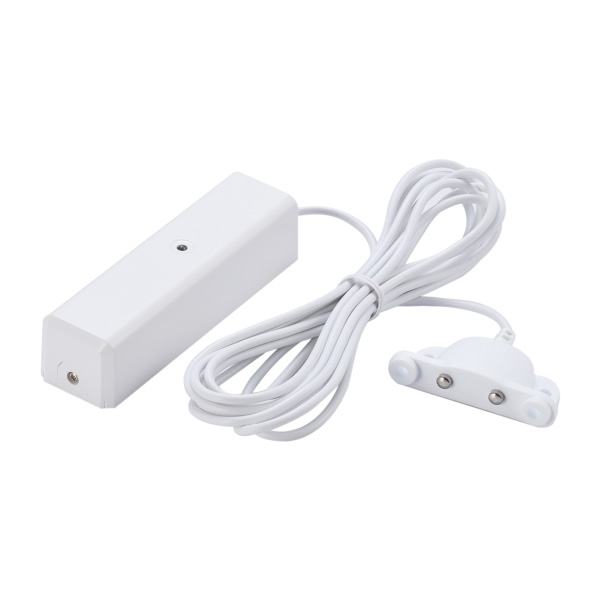
| Name | Flood Sensor |
|---|
| Short Description | The Z-WAVE Water Sensor is able to detect the accidental presence of water, from small leaks to large floods. |
|---|
| Long Description | This sensor sends Z-Wave™ signal while detecting water. The sensor can be put under the refrigerator, and it will trigger while detecting the leaking water. You can also install the sensor at anywhere it leaks; with this sensor you can avoid loss before it flood. When the device is secure included into Z-Wave network, above communication will be encrypted. |
|---|
| Brand | Vision |
|---|
| Product Identifier | ZF5201EU-5 |
|---|
| OEM Version | 02 |
|---|
| Hardware Platform | ZM5202 |
|---|
| Z-Wave Version | 6.51.06 |
|---|
| Library Type | SLAVE_ENHANCED_232 |
|---|
| Device Type | Notification Sensor |
|---|
| Role Type | ROLE_TYPE_SLAVE_SLEEPING_REPORTING |
|---|
| Manufacturer ID | 0x0109 |
|---|
| Product Type ID | 0x201C |
|---|
| Product ID | 0x1C03 |
|---|
| Frequency Plans | EU: 869.85MHz, 868.40MHz |
|---|
| Categories | Sensors |
|---|
| Countries / Regions | European Union |
|---|
| Controlled Command Classes | | Identifier | Name | Key | Version |
|---|
| COMMAND_CLASS_BASIC | Basic | 0x20 | 1 |
|
|---|
| Documents | |
|---|
| Association Groups | | Group Number | Maximum Nodes Supported | End Point ID | Description |
|---|
| 1 | 5 | 0 | Z-Wave Plus Lifeline |
|
|---|
| Texts | | ID | Description | Value |
|---|
| 1 | Inclusion | For “Inclusion” in (adding to) a network: Put the Z-Wave™ Interface Controller into “inclusion” mode, and following its instruction to add the ZF5201 to the controller. To get in the “inclusion” mode, the distance between sensor and controller is suggested to be in one meter. Press the program switch of ZF5201 for 1 second at least. The LED on the ZF5201 should go solid, if not, please try again | | 2 | Exclusion | For “Exclusion” from (removing from) a network: Put the Z-Wave™ Interface Controller into “exclusion” mode, and following its instruction to delete the ZF5201 from your controller. Press the program switch of ZF5201 for 1 second at least to be excluded. | | 5 | Factory Reset | Triger the Water Sensor 10 times within 10 sec. The device will send command class of device reset to controller and back to the factory default state. Please use this procedure only in the event that the network primary controller is missing or otherwise inoperable. | | 4 | Device Wake-Up | ”Awake” mode: it is to leave the “Sleep” mode by removing the cover of ZF5201, to allow the Z-Wave™ Interface Controller to do “Inclusion”, “Exclusion”, “Association” and to reply and receive the commands from controller. | | 6 | Additional Special Features | 1. While detecting water, the sensor will be triggered and send signal to your controller.
2. Normal operation, the LED will not light.
3. If the cover of sensor is removed, the tamper switch will send signal according the Status/Signal table, and the LED will go solid. Before replacing the cover, the sensor is under “Awake” mode.
4. Support OTA Firmware update from the controller. Please refer to your controller manual. |
|
|---|
| Supports NWI | Yes |
|---|
| Supports Explorer Frames | Yes |
|---|