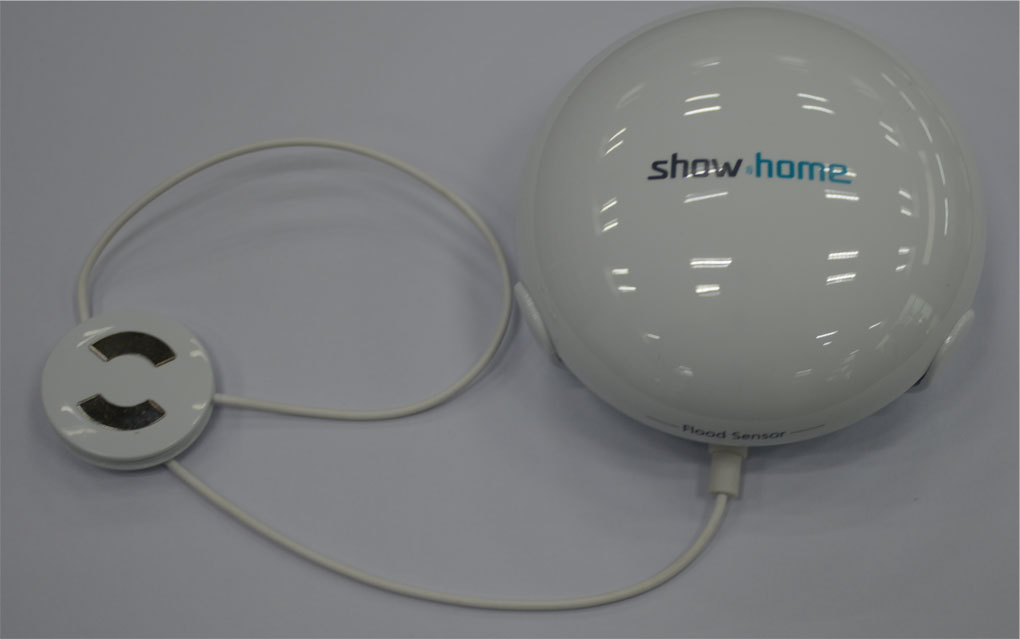
| Product Recognition | |
|---|
| Certification Number | ZC10-16020004 |
|---|
| Name | Flood Sensor |
|---|
| Short Description | Z-Wave Flood Sensor |
|---|
| Long Description | The ZW1104 is designed to used in areas where there is a potential for water leaks – dishwashers, washing machines, hot water tanks, air conditioner condensation drip pans, etc. After mounted properly it can monitor whether water is leaking into areas. When water is detected, the sensor will transmit a alarm signal to control center and stop water immediately. |
|---|
| Brand | show home |
|---|
| Product Identifier | ZW-1104 |
|---|
| OEM Version | 01 |
|---|
| Hardware Platform | ZM5202 |
|---|
| Z-Wave Version | 6.51.06 |
|---|
| Library Type | SLAVE_ROUTING |
|---|
| Device Type | Notification Sensor |
|---|
| Role Type | ROLE_TYPE_SLAVE_SLEEPING_REPORTING |
|---|
| Manufacturer ID | 0x015D |
|---|
| Product Type ID | 0x2003 |
|---|
| Product ID | 0xB41C |
|---|
| Frequency Plans | US: 916.00MHz, 908.40MHz |
|---|
| Categories | Sensors |
|---|
| Countries / Regions | United States of America |
|---|
| Documents | |
|---|
| Association Groups | | Group Number | Maximum Nodes Supported | End Point ID | Description |
|---|
| 1 | 5 | 0 | Z-Wave Plus Lifeline |
|
|---|
| Texts | | ID | Description | Value |
|---|
| 2 | Exclusion | 1. Follow the instructions for your Z-Wave certified controller to exclude a device
from the Z-Wave network.
2. Once the controller is ready to Exclude your device, press up and release the toggle
to exclude it from the network. | | 4 | Device Wake-Up | The sensor was wake up when temper switch on or sensor detect flood after mounted on site. | | 1 | Inclusion | 1. Follow the instructions for your Z-Wave certified controller to include a device to
the Z-Wave network.
2. Once the controller is ready to include your device, press up and release the toggle
to include it in the network.
3. Once your controller has confirmed that the device has been included, refresh the
Z-Wave network to optimize performance.
4. The device is associated in the same group when it included in setting process.
Now you can control your Z-Wave device according to groups, scenes, schedules
and automation programmed. | | 5 | Factory Reset | 1. Press and hold the top button for at least 3 seconds while you insert the batteries.
2. Use this procedure only in the event that the network primary controller is missing
or otherwise inoperable. |
|
|---|
| Supports NWI | Yes |
|---|
| Supports Explorer Frames | Yes |
|---|