Product Recognition | |
|---|
Certification Number | ZC10-20036896 |
|---|
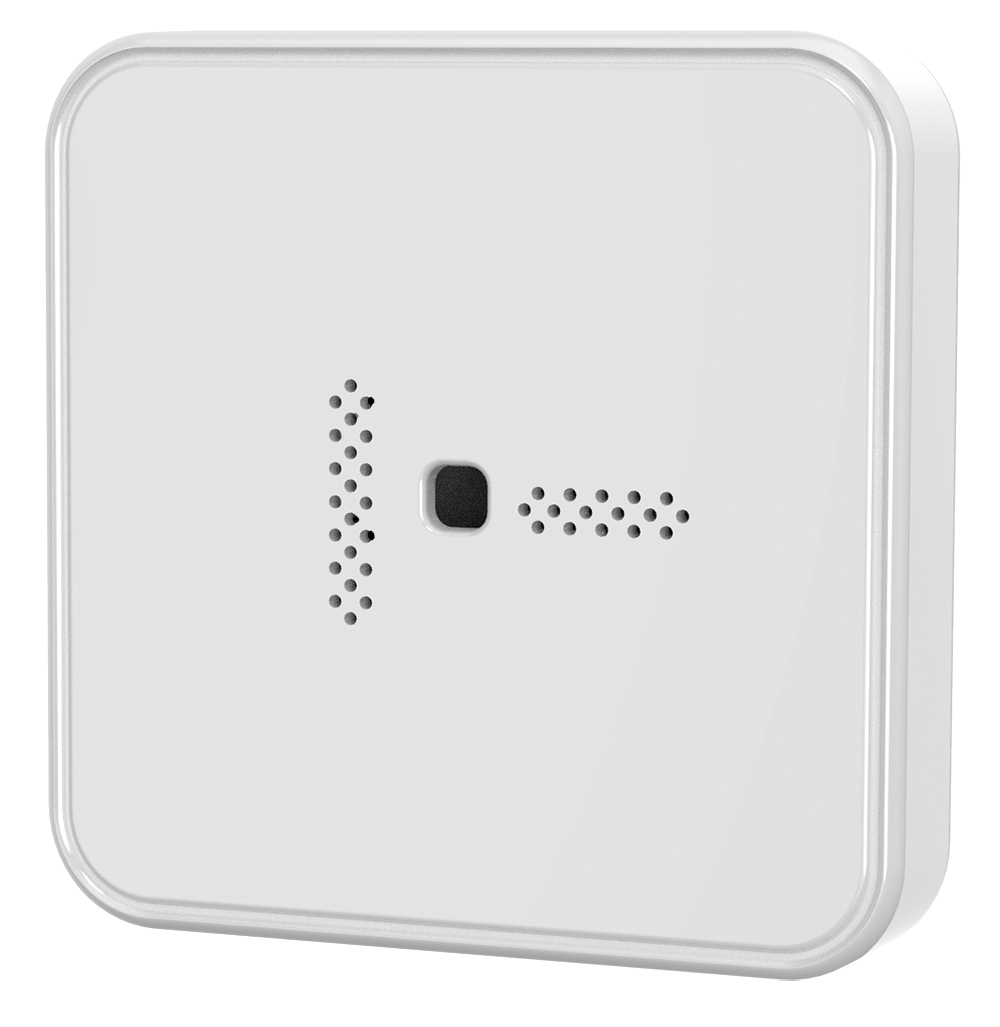
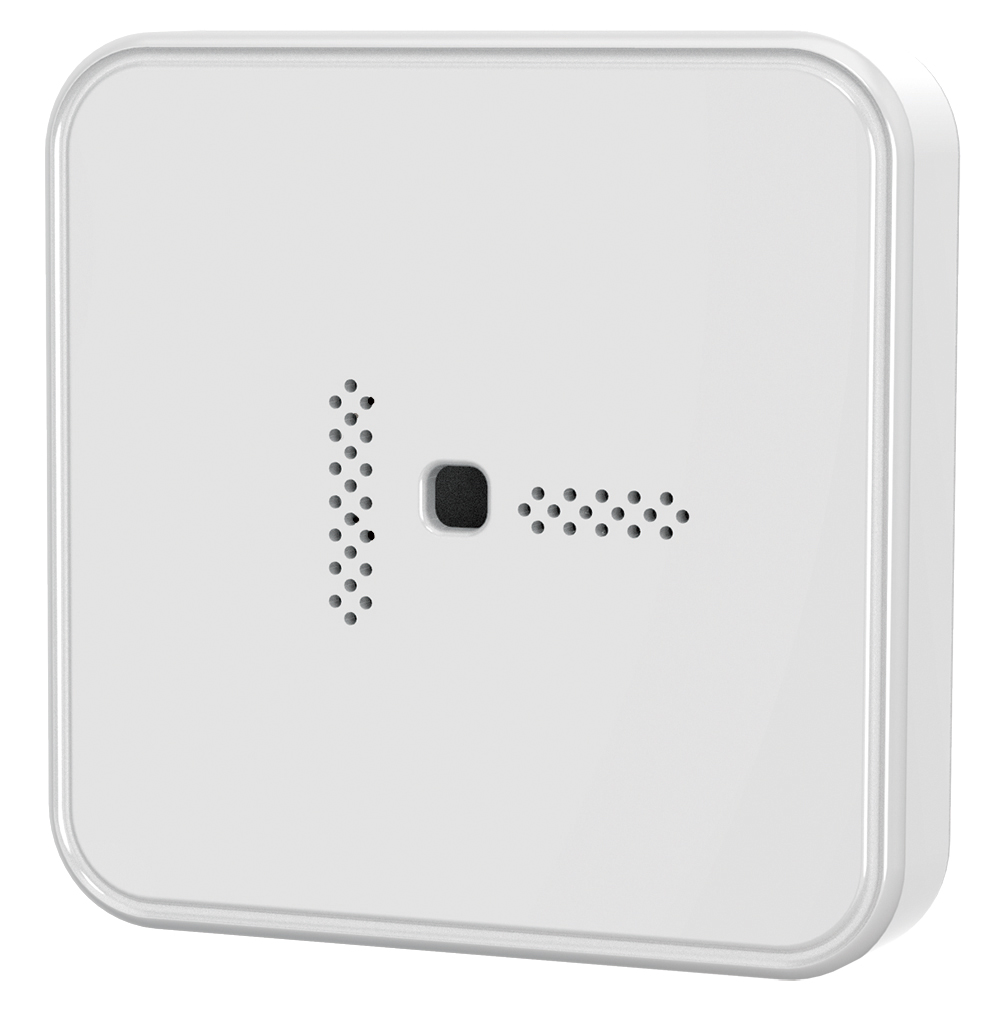
Name | Glass Break Detector |
|---|
Short Description | Monitors Glass Breaking Sound and Send the Notification Instantly. |
|---|
Long Description | Two-stage glass break sensors can accurately listen for the initial glass breaking and shattering. We have performed extensive testing to improve this product’s sound detection capabilities. |
|---|
Brand | Vision |
|---|
Product Identifier | ZB5311US-5 |
|---|
Product Line | Home Security |
|---|
OEM Version | HW: 1 FW: 1.00 |
|---|
Hardware Platform | ZM5101 |
|---|
Z-Wave Version | 6.82.00 |
|---|
Library Type | SLAVE_ENHANCED_232 |
|---|
Device Type | Notification Sensor |
|---|
Role Type | ROLE_TYPE_SLAVE_SLEEPING_REPORTING |
|---|
Manufacturer ID | 0x0109 |
|---|
Product Type ID | 0x202F |
|---|
Product ID | 0x2F01 |
|---|
User Icon | 0x0C07 |
|---|
Installer Icon | 0x0C07 |
|---|
Frequency Plans | US: 916.00MHz, 908.40MHz |
|---|
Categories | Sensors |
|---|
Countries / Regions | United States of America |
|---|
Supported Command Classes | Identifier | Name | Key | Version |
|---|
COMMAND_CLASS_FIRMWARE_UPDATE_MD_V4 | Firmware Update Meta-Data V4 | 0x7A | 4 | COMMAND_CLASS_POWERLEVEL | Powerlevel | 0x73 | 1 | COMMAND_CLASS_BATTERY | Battery | 0x80 | 1 | COMMAND_CLASS_SECURITY | Security S0 | 0x98 | 1 | COMMAND_CLASS_TRANSPORT_SERVICE_V2 | Transport Service V2 | 0x55 | 2 | COMMAND_CLASS_WAKE_UP_V2 | Wake Up V2 | 0x84 | 2 | COMMAND_CLASS_DEVICE_RESET_LOCALLY | Device Reset Locally | 0x5A | 1 | COMMAND_CLASS_ZWAVEPLUS_INFO_V2 | Z-Wave Plus Info V2 | 0x5E | 2 | COMMAND_CLASS_ASSOCIATION_V2 | Association V2 | 0x85 | 2 | COMMAND_CLASS_ASSOCIATION_GRP_INFO | Association Group Info | 0x59 | 1 | COMMAND_CLASS_NOTIFICATION_V8 | Notification V8 | 0x71 | 8 | COMMAND_CLASS_SECURITY_2 | Security S2 | 0x9F | 1 | COMMAND_CLASS_VERSION_V3 | Version V3 | 0x86 | 3 | COMMAND_CLASS_SUPERVISION | Supervision | 0x6C | 1 | COMMAND_CLASS_MANUFACTURER_SPECIFIC_V2 | Manufacturer Specific V2 | 0x72 | 2 |
|
|---|
Controlled Command Classes | Identifier | Name | Key | Version |
|---|
COMMAND_CLASS_BASIC | Basic | 0x20 | 1 |
|
|---|
S2 Classes | S2_UNAUTHENTICATED, S2_AUTHENTICATED |
|---|
Documents | Category | Description | File |
|---|
Manual_Primary_Lang | Product Manual | |
|
|---|
Features | Feature | Values |
|---|
Firmware Updatable | Value |
|---|
Updatable by Manufacturer Representative |
| Battery Quantity | | Battery Type | | Color | |
|
|---|
Association Groups | Group Number | Maximum Nodes Supported | End Point ID | Group Name | Profile | Description |
|---|
1 | 5 | 0 | Lifeline | 0x0001 | Association Group 1 MUST be used for the Lifeline association. All events which are mandated by a Device Type MUST be reported via the Lifeline association. | 2 | 5 | 0 | Basic Set | 0x7107 | This group is triggered when the glass breaking sound has been detected. |
|
|---|
Texts | ID | Description | Value |
|---|
8 | Where to find S2 DSK on product | The DSK label will on the backside of ZB5311-5, Scan the DSK label to access the SmartStart if gateway 's UI supports SmartStart. (Remark: The QR code is for use with Z-Wave SmartStart by using “DSK,” “Device Specific Key,” “PIN,” or “PIN code,” etc.) | 2 | Classic Exclusion | For “Exclusion” from (removing from) a network: Put the Z-Wave™ Interface Controller into “exclusion” mode, and following its instruction to delete the ZB5311-5 from your controller. Press the Program Switch of ZB5311-5 once to be excluded, the Green LED will flash 5 times quickly after successful exclusion.
Note: All user and network settings will be cleared and the device reset to factory defaults when the device is excluded. | 1 | Classic Inclusion | For “Inclusion” in (adding to) a network: Put the Z-Wave™ Interface Controller into “inclusion” mode, and following its instruction to add the ZB5311-5 to your controller. To get in the “inclusion” mode, press the Program Switch of ZB5311-5 once for sending the NIF. After sending NIF, Z-Wave will send the auto inclusion; otherwise, ZB5311-5 will go to sleep after 30 seconds. After inclusion successfully, the Green LED will be solid on for 0.5 second. | 5 | Factory Reset Procedure | Factory Default Reset: Long press the program switch up to 10 seconds to send the “Device Reset Locally Notification” command and reset to the factory default. The Green LED will flash 5 times quickly after finishing the Factory Default Reset.
(Remark: This is to be used only in the case of primary controller being inoperable or otherwise unavailable.) | 4 | Wake-Up Procedure | Wake Up Notification:
Press the program switch once to send NIF, it takes around 5 seconds to send "Wake Up Notification" for receiving all the command class from controller. The ZB5311-5 will go to sleep mode without receiving any Z-Wave command till 10 seconds. |
|
|---|
Supported Notification Types | Notification Type | Event / State |
|---|
Home Security | Glass breakage |
|
|---|
Supports NWI | Yes |
|---|
Supports Explorer Frames | Yes |
|---|
Supports SmartStart | Yes |
|---|
Radio Range Z-Wave (m) | 40 |
|---|