Product Recognition | |
|---|
Certification Number | ZC12-21030196 |
|---|
Name | Heatit Z-Push Wall Controller |
|---|
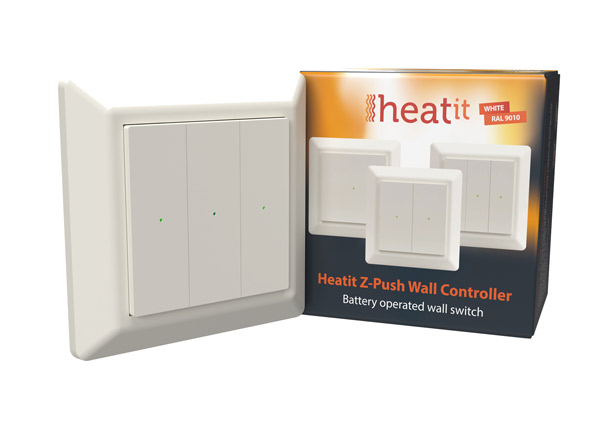
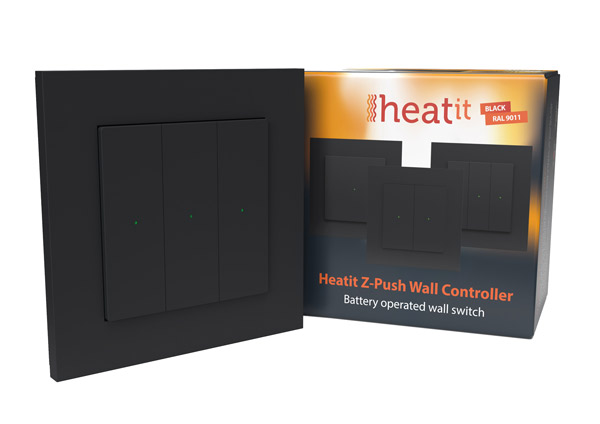
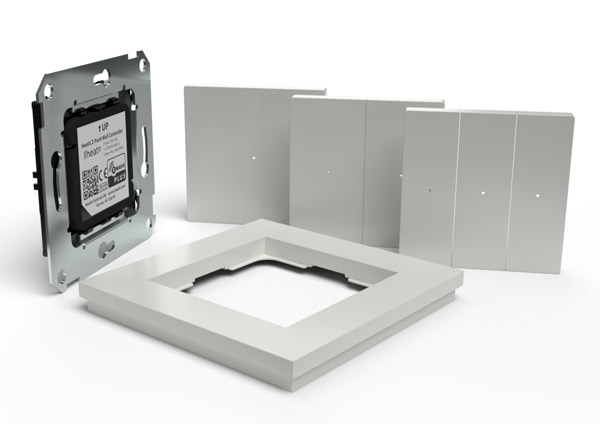
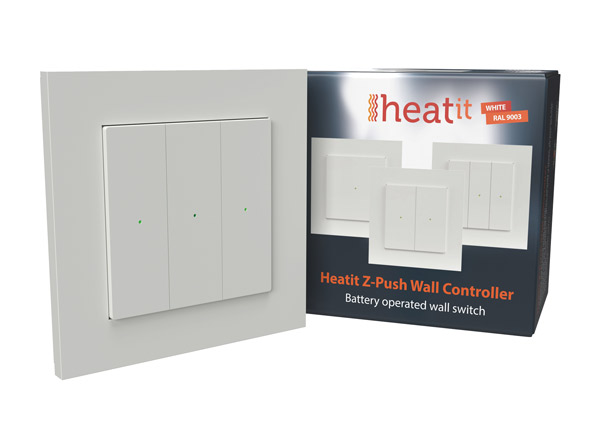
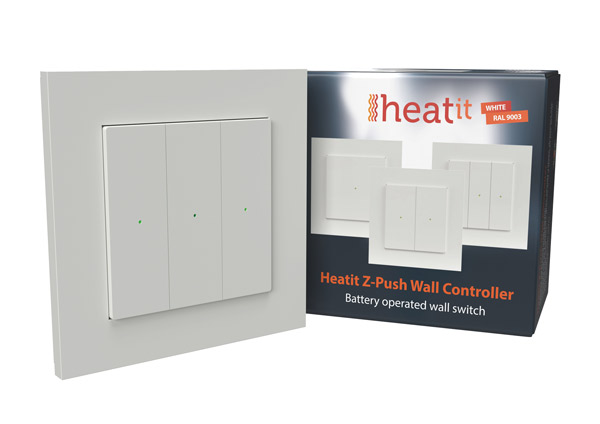
Short Description | The Heatit Z-Push Wall Controller is a wireless wall mounted Z-Wave Controller. It has mounting options for 1, 2 or 3 rockers, allowing for easy and practical management of your Z-Wave products. The Heatit Z-Push Wall Controller is supplied with all three sets of rockers in the box. |
|---|
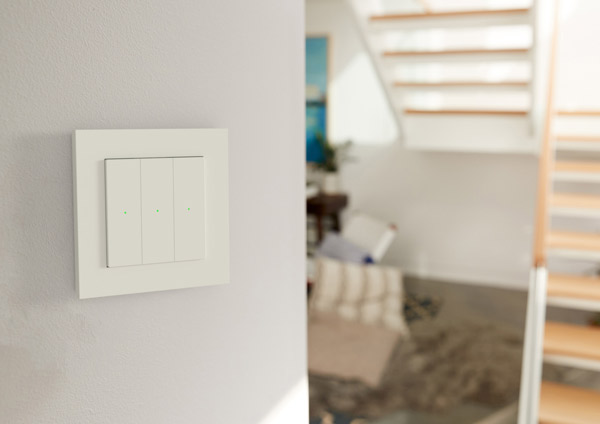
Long Description | The Heatit Z-Push Wall Controller is a wireless wall mounted Z-Wave Controller. It has mounting options for 1, 2 or 3 rockers, allowing for easy and practical management of your Z-Wave products. The switch can be set up to control scenarios or work in association with other Z-Wave products. Each rocker switch has a dual color LED to indicate button actions.
The Heatit Z-Push Wall Controller is supplied with all three sets of rockers in the box. The Wall Controller is coin cell battery powered.
The product is intended primarily for residential applications.
The Heatit Z-Wall Wall Controller has a fine, matt finish.
The switch fits into System 55 frames. |
|---|
Brand | Heatit controls |
|---|
Product Identifier | Z-Push Wall Controller |
|---|
Product Line | Scenecontroller |
|---|
OEM Version | HW: 1 FW: 1.01 |
|---|
Hardware Platform | ZGM130 |
|---|
Z-Wave Version | 7.13.7 |
|---|
Library Type | SLAVE_ENHANCED_232 |
|---|
Device Type | Central Scene Device |
|---|
Role Type | ROLE_TYPE_SLAVE_SLEEPING_REPORTING |
|---|
Manufacturer ID | 0x019B |
|---|
Product Type ID | 0x0004 |
|---|
Product ID | 0x2403 |
|---|
User Icon | 0x1D04 |
|---|
Installer Icon | 0x1600 |
|---|
Frequency Plans | EU: 869.85MHz, 868.40MHz |
|---|
Categories | All Controllers, Handheld Controller |
|---|
Countries / Regions | European Union |
|---|
Supported Command Classes | Identifier | Name | Key | Version |
|---|
COMMAND_CLASS_CONFIGURATION_V4 | Configuration V4 | 0x70 | 4 | COMMAND_CLASS_POWERLEVEL | Powerlevel | 0x73 | 1 | COMMAND_CLASS_MULTI_CHANNEL_ASSOCIATION_V3 | Multi-Channel Association V3 | 0x8E | 3 | COMMAND_CLASS_INDICATOR_V3 | Indicator V3 | 0x87 | 3 | COMMAND_CLASS_BATTERY | Battery | 0x80 | 1 | COMMAND_CLASS_TRANSPORT_SERVICE_V2 | Transport Service V2 | 0x55 | 2 | COMMAND_CLASS_WAKE_UP_V2 | Wake Up V2 | 0x84 | 2 | COMMAND_CLASS_DEVICE_RESET_LOCALLY | Device Reset Locally | 0x5A | 1 | COMMAND_CLASS_ZWAVEPLUS_INFO_V2 | Z-Wave Plus Info V2 | 0x5E | 2 | COMMAND_CLASS_ASSOCIATION_V2 | Association V2 | 0x85 | 2 | COMMAND_CLASS_FIRMWARE_UPDATE_MD_V5 | Firmware Update Meta-Data V5 | 0x7A | 5 | COMMAND_CLASS_ASSOCIATION_GRP_INFO_V3 | Association Group Information V3 | 0x59 | 3 | COMMAND_CLASS_SECURITY_2 | Security S2 | 0x9F | 1 | COMMAND_CLASS_VERSION_V3 | Version V3 | 0x86 | 3 | COMMAND_CLASS_CENTRAL_SCENE_V3 | Central Scene V3 | 0x5B | 3 | COMMAND_CLASS_SUPERVISION | Supervision | 0x6C | 1 | COMMAND_CLASS_MANUFACTURER_SPECIFIC_V2 | Manufacturer Specific V2 | 0x72 | 2 |
|
|---|
S2 Classes | S2_UNAUTHENTICATED, S2_AUTHENTICATED |
|---|
Documents | Category | Description | File |
|---|
Image_Product_Supplemental_3 | Heatit Z-Push Wall Controller_RAL 9011_Packshot | | Image_Product_Supplemental_4 | Content in packaging | | Manual_Primary_Lang | Product Manual | |
|
|---|
Features | Feature | Values |
|---|
Outdoor Use | | Battery Type | | IP (Ingress Protection) Rated | | Battery Quantity | | Z-Wave Scene Type | |
|
|---|
Association Groups | Group Number | Maximum Nodes Supported | End Point ID | Group Name | Profile | Description |
|---|
4 | 5 | 0 | Button group 4 | 0x2003 | -Basic Set
Push on UP will send: ON (0xFF)
Holding UP send: Level Increase Start
Releasing UP send: Level Increase Stop
Push on DOWN send: OFF (0x00)
Holding DOWN send: Level Increase Start
Releasing DOWN send: Level Increase Stop
| 3 | 5 | 0 | Button group 3 | 0x2002 | - Basic Set
Push on UP will send: ON (0xFF)
Holding UP send: Level Increase Start
Releasing UP send: Level Increase Stop
Push on DOWN send: OFF(0x00)
Holding DOWN send: Level Increase Start
Releasing DOWN send: Level Increase Stop | 2 | 5 | 0 | Button group 2 | 0x2001 | - Basic Set
Push on UP will send: ON (0xFF)
Holding UP send: Level Increase Start
Releasing UP send: Level Increase Stop
Push on DOWN send: OFF (0x00)
Holding DOWN send: Level Increase Start
Releasing DOWN send: Level Increase Stop | 1 | 5 | 0 | Lifeline | 0x0001 | Lifeline (Normally used by the Z-Wave
Controller)
- Battery notification (sent when the battery runs low).
- Device reset locally (sent if the device is reset).
- Central scene notification.
|
|
|---|
Configuration Parameters | Parameter Number | Name | Description | Format | Size | Min Value | Max Value | Default Value | Parameter Values |
|---|
2 | Enable LED | 0 disable,1 enable | 3 | 1 | 0 | 1 | 1 | From | To | Description |
|---|
0 | 0 | Disabled (does not turn off factory reset/learn mode blinking etc) | 1 | 0 | Enabled |
| 3 | Active Button rockers | If there is issue where, single button accidently presses other buttons, customer can turn of different button groups. Not needed if plasic design already prevents this. 1 = Buttongroup 3 is used (when sigle rocker is used) 2 = Buttongroup 2 & 4 is used (when double rocker is used) 3 = Buttongroup 2, 3 & 4 is used (when triple rocker is used) | 3 | 1 | 1 | 3 | 3 | From | To | Description |
|---|
1 | 0 | Buttongroup 3 is used (when sigle rocker is used) | 2 | 0 | Buttongroup 2 & 4 is used (when double rocker is used) | 3 | 0 | Buttongroup 2, 3 & 4 is used (when triple rocker is used) |
| 1 | Select Button reports | Configure reports sent when pressing buttons: 0 - Send Central Scene Command only 1 - Send Group Association Command only 2 - Send Central Scene and Group Association Commands | 3 | 1 | 0 | 2 | 2 | From | To | Description |
|---|
0 | 0 | Send Central Scene Command only | 1 | 0 | Send Group Association Command only | 2 | 0 | Send Central Scene and Group Association Commands |
|
|
|---|
Texts | ID | Description | Value |
|---|
8 | Where to find S2 DSK on product | The QR-Code is needed when including a device using S2 security or SmartStart. The DSK can be found in the QR-Code and is located;
1. On the product.
2. On the Quick Guide manual.
3. On the product box. | 1 | Classic Inclusion | The primary controller/gateway has a mode for adding devices. Please refer to your primary controller manual on how to set the primary controller in add mode. The device may only be added to the network if the primary controller is in add mode.
There are two ways to add the device to a Z-Wave network.
Method 1: Standard (Manual)
Initiate the learning mode in the controller.
Press any UP button 6 times within 3 seconds.
When the add mode has started, the LED corresponding to the button you pressed will blink green. The device will indicate ”Success” by emitting a green light for 3 seconds.
Method 2: SmartStart (Automatic)
SmartStart-enabled products may be added to a Z-Wave network by scanning the Z-Wave QR-Code on the product if your primary controller supports SmartStart inclusion. No further action is required and the SmartStart product will be added automatically after being powered on within range of the primary controller. | 2 | Classic Exclusion | The primary controller/gateway has a mode for removing devices. Please refer to your primary controller manual on how to set the primary controller in remove mode. The device may only be removed from the network if the primary controller is in remove mode.
When the device is removed from the network, it will NOT revert to factory settings. | 4 | Wake-Up Procedure | To manually wake up the device, please press any down button 6 times. The device will light up in green until wake up is no longer active. The default wake up interval in seconds: 604 800 (1 week). | 5 | Factory Reset Procedure | To factory reset the device, remove the battery from the device. Press and hold any button on the device and repower the device. The LEDs will start blinking 3 times before lighting up in green. When the green LED is on, you can release the button. The device will issue a Device Reset Locally Notification Command to notify that the device will be reset to default. When preforming a factory reset the device will lose its Node ID from the gateway and reset its Home ID. | 6 | Other Special Features | Paragraph 5 Choosing the correct front/assembly
5.1 Single rocker configuation When the device is in single rocker configuration, it uses associations group 3. Change Parameter 3 to 1 when using a single rocker.
5.2 Dual rocker configuration
When the device is in dual rocker configuration, it uses associations group 2 for the first button and 4 for the second button.
Change Parameter 3 to 2 when using dual rockers.
5.3 Triple rocker configuration
When the device is in triple rocker configuration, it uses associations group 2 for the first button, 3 for the
second and 4 for the third button.
Change Parameter 3 to 3 when using dual rockers. |
|
|---|
Supports NWI | Yes |
|---|
Supports Explorer Frames | Yes |
|---|
Supports SmartStart | Yes |
|---|
Radio Range Z-Wave (m) | 40 |
|---|