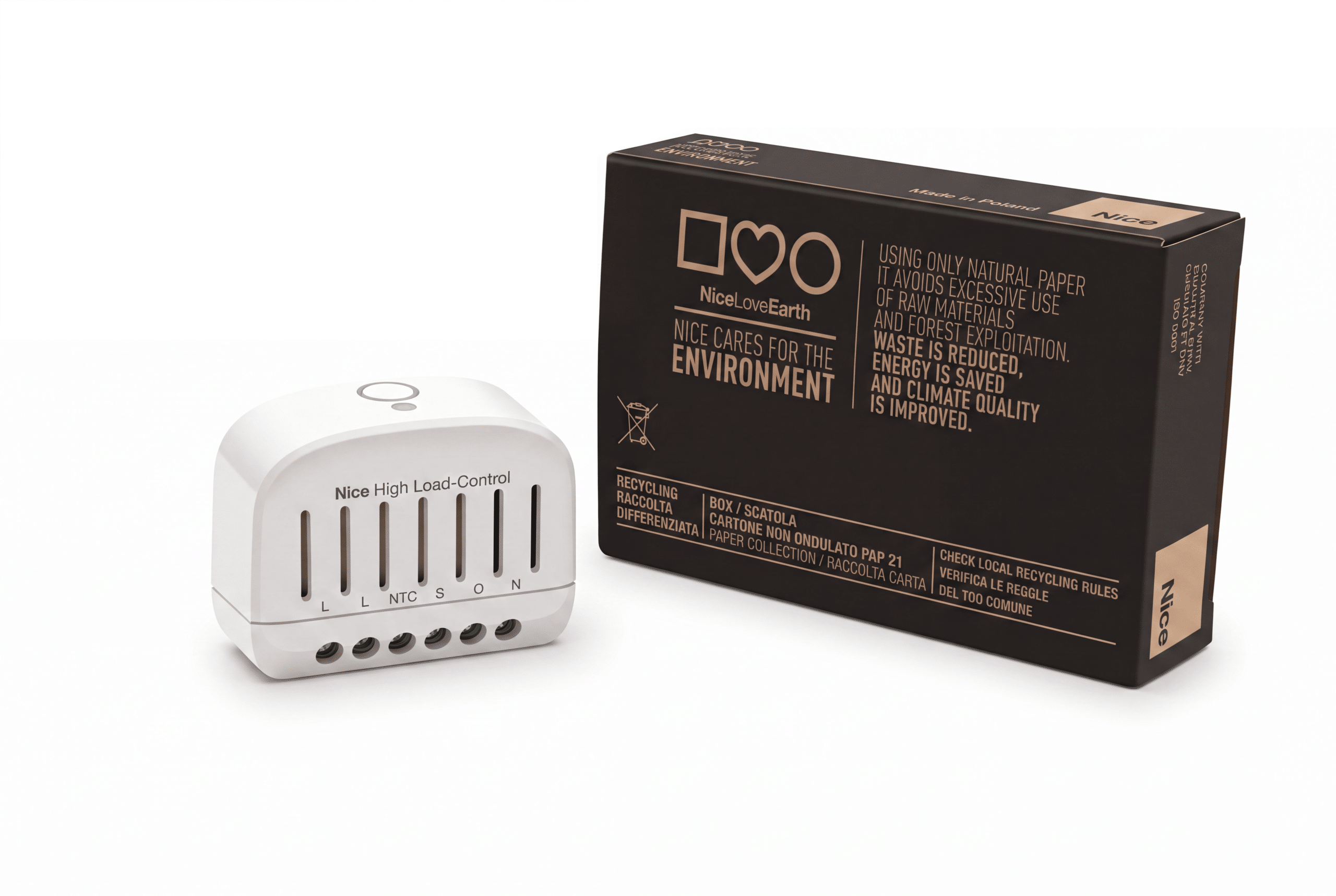
Product Recognition | |
|---|
Certification Number | ZC14-26080633 |
|---|
Name | High Load-Control |
|---|
Short Description | High Load-Control is a compact Z-Wave Plus® relay module for controlling resistive electrical loads up to 16 A. |
|---|
Description | High Load-Control is a compact Z-Wave Plus® relay module for controlling resistive electrical loads up to 16 A.
The device is installed in a standard wall switch box or in another suitable electrical enclosure. The connected load can be controlled remotely
from a Z-Wave controller or locally by a wall switch connected to the S terminal. |
|---|
Brand | Nice |
|---|
Brand Owner | Nice |
|---|
Identifier | FGST-111 |
|---|
Product Line | High Load-Control |
|---|
OEM Version | HW: 01 FW: 08.00 |
|---|
Hardware Platform | EFR32ZG23B |
|---|
Z-Wave Version | 7.24.2 |
|---|
Library Type | END_NODE_ENHANCED_232 |
|---|
Device Type | Binary Switch DT |
|---|
Role Type | ROLE_TYPE_END_NODE_ALWAYS_ON |
|---|
Manufacturer ID | 0x010F |
|---|
Product Type ID | 0x2F01 |
|---|
Product ID | 0x1000 |
|---|
User Icon | 0x0700 |
|---|
Installer Icon | 0x0700 |
|---|
Radio Range Z-Wave (m) | 40 |
|---|
Frequency Plans | EU: 869.85MHz, 868.40MHz |
|---|
Categories | All Lighting Devices, On/Off Switches/Devices |
|---|
Countries / Regions | European Union |
|---|
Supported Command Classes | Identifier | Name | Key | Version |
|---|
COMMAND_CLASS_ASSOCIATION_V2 | Association V2 | 0x85 | 2 | COMMAND_CLASS_ASSOCIATION_GRP_INFO_V3 | Association Group Information (AGI) V3 | 0x59 | 3 | COMMAND_CLASS_DEVICE_RESET_LOCALLY | Device Reset Locally | 0x5A | 1 | COMMAND_CLASS_FIRMWARE_UPDATE_MD_V5 | Firmware Update Meta Data V5 | 0x7A | 5 | COMMAND_CLASS_INDICATOR_V3 | Indicator V3 | 0x87 | 3 | COMMAND_CLASS_MANUFACTURER_SPECIFIC_V2 | Manufacturer Specific V2 | 0x72 | 2 | COMMAND_CLASS_MULTI_CHANNEL_ASSOCIATION_V3 | Multi Channel Association V3 | 0x8E | 3 | COMMAND_CLASS_VERSION_V3 | Version V3 | 0x86 | 3 | COMMAND_CLASS_ZWAVEPLUS_INFO_V2 | Z-Wave Plus Info V2 | 0x5E | 2 | COMMAND_CLASS_SECURITY_2 | Security 2 | 0x9F | 1 | COMMAND_CLASS_SUPERVISION | Supervision | 0x6C | 1 | COMMAND_CLASS_TRANSPORT_SERVICE_V2 | Transport Service V2 | 0x55 | 2 | COMMAND_CLASS_POWERLEVEL | Powerlevel | 0x73 | 1 | COMMAND_CLASS_SWITCH_BINARY_V2 | Binary Switch V2 | 0x25 | 2 | COMMAND_CLASS_BASIC_V2 | Basic V2 | 0x20 | 2 | COMMAND_CLASS_MULTI_CHANNEL_V4 | Multi Channel V4 | 0x60 | 4 | COMMAND_CLASS_METER_V5 | Meter V5 | 0x32 | 5 | COMMAND_CLASS_NOTIFICATION_V8 | Notification V8 | 0x71 | 8 | COMMAND_CLASS_PROTECTION_V2 | Protection V2 | 0x75 | 2 | COMMAND_CLASS_SENSOR_MULTILEVEL_V11 | Multilevel Sensor V11 | 0x31 | 11 | COMMAND_CLASS_CENTRAL_SCENE_V3 | Central Scene V3 | 0x5B | 3 | COMMAND_CLASS_CONFIGURATION_V4 | Configuration V4 | 0x70 | 4 | COMMAND_CLASS_SECURITY | Security 0 | 0x98 | 1 | COMMAND_CLASS_APPLICATION_STATUS | Application Status | 0x22 | 1 |
|
|---|
S2 Classes | S2_AUTHENTICATED, S2_UNAUTHENTICATED |
|---|
Documents | Category | Description | File |
|---|
Manual_English | Fix for Z-Wave trademark requirements | |
|
|---|
Association Groups | Group Number | Maximum Nodes Supported | End Point ID | Group Name | Profile |
|---|
1 | 1 | 0 | Lifeline | 0x0001 | 2 | 5 | 0 | On/Off | 0x2001 | 1 | 0 | 1 | Lifeline | 0x0001 | 2 | 5 | 1 | On/Off | 0x2001 | 1 | 0 | 2 | Lifeline | 0x0001 |
|
|---|
Configuration Parameters | Parameter Number | Name | Description | Format | Size | Min Value | Max Value | Default Value | Flag ReInclude | Read-only |
|---|
1 | P1 | "" | 1 | 1 | 0 | 0 | 0x01 | | | 25 | P25 | "" | 1 | 1 | 0 | 0 | 0x00 | | | 154 | P154 | "" | 1 | 2 | 0 | 0 | 0x0000 | | | 200 | P200 | "" | 1 | 1 | 0 | 0 | 0x00 | | | 201 | P201 | "" | 1 | 2 | 0 | 0 | 0x0000 | | | 202 | P202 | "" | 1 | 1 | 0 | 0 | 0x00 | Yes | | 203 | P203 | "" | 1 | 2 | 0 | 0 | 0x0028 | Yes | | 204 | P204 | "" | 1 | 2 | 0 | 0 | 0x015E | Yes | | 205 | P205 | "" | 1 | 1 | 0 | 0 | 0x05 | | | 206 | P206 | "" | 1 | 1 | 0 | 0 | 0x00 | | Yes | 207 | P207 | "" | 1 | 4 | 0 | 0 | 0x00002710 | | | 208 | P208 | "" | 1 | 2 | 0 | 0 | 0x0F6E | | | 209 | P209 | "" | 1 | 1 | 0 | 0 | 0x05 | | | 210 | P210 | "" | 1 | 2 | 0 | 0 | 0x0000 | | | 211 | P211 | "" | 1 | 2 | 0 | 0 | 0x0000 | | |
|
|---|
Texts | ID | Description | Value |
|---|
8 | Where to find S2 DSK on product | 1. Enter the full DSK string code to your controller. If your controller is capable of QR scanning, scan the QR code placed on the label. | 1 | Classic Inclusion | 5.1 - Adding the device to the Z-Wave network manually
1. Place High Load-Control within the direct range of your Z-Wave controller.
2. Set the main controller in the (security/non-security) add mode (for more information, see the controller manual).
3. Press quickly three times the switch or the PROG button.
4. If you are adding the device in the Security S2 Authenticated mode, input the PIN Code, which is labelled on the device.
5. Wait for the adding process to end.
6. Successful adding is confirmed by the Z-Wave controller message and the green LED diode (non-secure, S0, S2 Unauthenticated) or magenta
LED diode (S2 Authenticated). | 2 | Classic Exclusion | Removing (Exclusion) - The Z-Wave device remove mode enables removing the device from the existing Z-Wave network.
1. Place High Load-Control within the direct range of your Z-Wave controller.
2. Set the main controller in remove mode (for more information, see the controller manual).
3. Quickly press the S switch or the PROG button three times.
4. Wait for the removal process to complete.
5. Successful removal is confirmed by a Z-Wave controller message and the red LED indicator. | 5 | Factory Reset Procedure | 8.1 - Resetting the device to factory defaults
1. Switch off the mains voltage (disable the fuse).
2. Remove High Load-Control from the wall switch box.
3. Switch on the mains voltage.
4. Press and hold the PROG-button to enter the menu.
5. Wait for the visual LED indicator to glow yellow.
6. Quickly release and click the PROG-button again.
7. After a few seconds the device is restarted, which is signaled with the red LED indicator color. |
|
|---|
Supported / Controlled Meter Types | Meter Type | Rate Type |
|---|
Electric meter | Import (consumed) |
|
|---|
Supported Notification Types | Notification Type | Event / State |
|---|
Heat Alarm | Heat sensor status: Overheat detected | Power Management | Over-current status: Over-current detected | Power Management | Over-voltage status: Over-voltage detected | System | HW status: System hardware failure (manufacturer proprietary failure code provided) |
|
|---|
Supported Multilevel Sensors | Multilevel Sensor Type |
|---|
Air temperature |
|
|---|
Supports NWI | Yes |
|---|
Supports Explorer Frames | Yes |
|---|
Supports SmartStart | Yes |
|---|