Product Recognition | |
|---|
Certification Number | ZC10-17035519 |
|---|
Name | Home Automation Gateway |
|---|
Short Description | Protocol agnostic, intelligent home automation controller providing control, monitoring and automation features. |
|---|
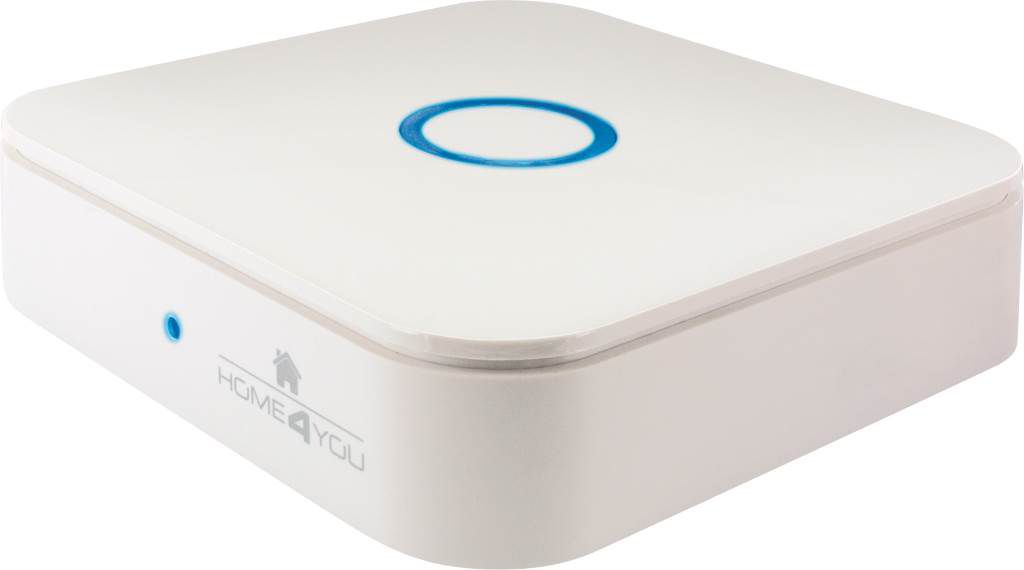
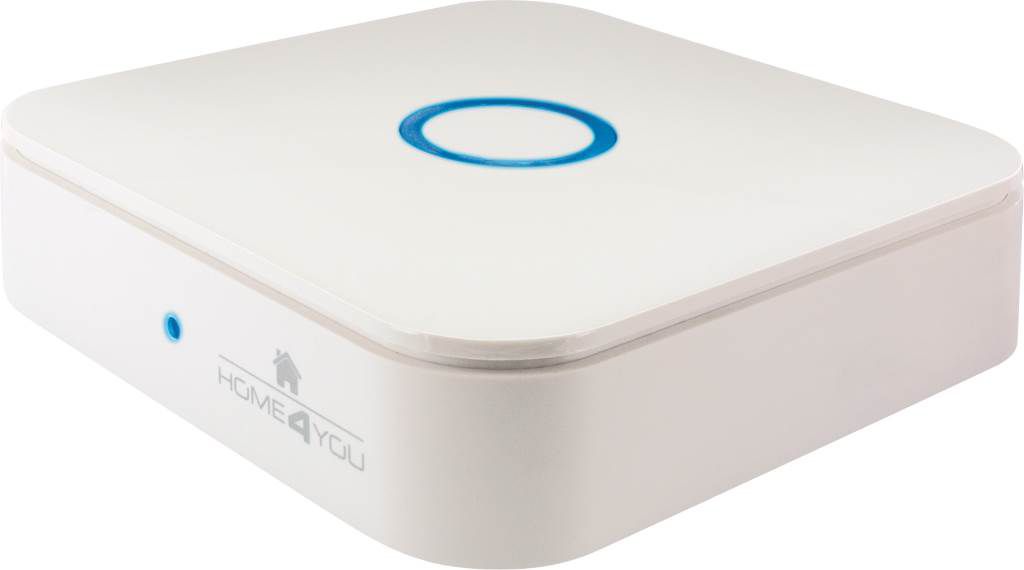
Long Description | Schwaiger Home Automation gateway device takes central place in home automation system. Our stylish desktop gateway supports both Z-Wave Plus and IP home automation protocols.
It is based on a cost-effective “proven” SoC with outstanding LAN/Wi-Fi capabilities and supports worldwide markets thanks to the external power supply.
Combined with Schwaiger client (Android/iOS/HTML) applications and Schwaiger cloud service it provides a turnkey platform that covers lighting, security, safety, energy management and other aspects of the fast-growing home automation markets. |
|---|
Brand | Schwaiger Home |
|---|
Product Identifier | HA102 |
|---|
OEM Version | HW: 3 FW: 4.05:02.00 |
|---|
Hardware Platform | ZM5304 |
|---|
Z-Wave Version | 6.51.06 |
|---|
Library Type | CONTROLLER_STATIC |
|---|
Device Type | Gateway |
|---|
Role Type | ROLE_TYPE_CONTROLLER_CENTRAL_STATIC |
|---|
Manufacturer ID | 0x0296 |
|---|
Product Type ID | 0x0001 |
|---|
Product ID | 0x0002 |
|---|
User Icon | 0x0500 |
|---|
Installer Icon | 0x0500 |
|---|
Frequency Plans | EU: 869.85MHz, 868.40MHz |
|---|
Categories | All Controllers, Gateway Controller |
|---|
Countries / Regions | European Union |
|---|
Supported Command Classes | Identifier | Name | Key | Version |
|---|
COMMAND_CLASS_POWERLEVEL | Powerlevel | 0x73 | 1 | COMMAND_CLASS_APPLICATION_STATUS | Application Status | 0x22 | 1 | COMMAND_CLASS_CRC_16_ENCAP | CRC16 Encapsulation | 0x56 | 1 | COMMAND_CLASS_SECURITY | Security S0 | 0x98 | 1 | COMMAND_CLASS_VERSION_V2 | Version V2 | 0x86 | 2 | COMMAND_CLASS_DEVICE_RESET_LOCALLY | Device Reset Locally | 0x5A | 1 | COMMAND_CLASS_ZWAVEPLUS_INFO_V2 | Z-Wave Plus Info V2 | 0x5E | 2 | COMMAND_CLASS_ASSOCIATION_V2 | Association V2 | 0x85 | 2 | COMMAND_CLASS_ASSOCIATION_GRP_INFO | Association Group Info | 0x59 | 1 | COMMAND_CLASS_MANUFACTURER_SPECIFIC | Manufacturer Specific | 0x72 | 1 |
|
|---|
Controlled Command Classes | Identifier | Name | Key | Version |
|---|
COMMAND_CLASS_MULTI_CHANNEL_ASSOCIATION_V3 | Multi-Channel Association V3 | 0x8E | 3 | COMMAND_CLASS_BATTERY | Battery | 0x80 | 1 | COMMAND_CLASS_SWITCH_BINARY | Switch Binary | 0x25 | 1 | COMMAND_CLASS_BASIC | Basic | 0x20 | 1 | COMMAND_CLASS_CRC_16_ENCAP | CRC16 Encapsulation | 0x56 | 1 | COMMAND_CLASS_SECURITY | Security S0 | 0x98 | 1 | COMMAND_CLASS_SENSOR_MULTILEVEL_V7 | Sensor Multilevel V7 | 0x31 | 7 | COMMAND_CLASS_THERMOSTAT_MODE_V2 | Thermostat Mode V2 | 0x40 | 2 | COMMAND_CLASS_THERMOSTAT_SETPOINT_V2 | Thermostat Setpoint V2 | 0x43 | 2 | COMMAND_CLASS_VERSION_V2 | Version V2 | 0x86 | 2 | COMMAND_CLASS_WAKE_UP_V2 | Wake Up V2 | 0x84 | 2 | COMMAND_CLASS_ZWAVEPLUS_INFO_V2 | Z-Wave Plus Info V2 | 0x5E | 2 | COMMAND_CLASS_SWITCH_MULTILEVEL_V3 | Switch Multilevel V3 | 0x26 | 3 | COMMAND_CLASS_ASSOCIATION_V2 | Association V2 | 0x85 | 2 | COMMAND_CLASS_ASSOCIATION_GRP_INFO | Association Group Info | 0x59 | 1 | COMMAND_CLASS_MULTI_CHANNEL_V4 | Multi-Channel V4 | 0x60 | 4 | COMMAND_CLASS_NOTIFICATION_V5 | Notification V5 | 0x71 | 5 | COMMAND_CLASS_MANUFACTURER_SPECIFIC | Manufacturer Specific | 0x72 | 1 | COMMAND_CLASS_CONFIGURATION_V2 | Configuration V2 | 0x70 | 2 | COMMAND_CLASS_METER_V4 | Meter V4 | 0x32 | 4 |
|
|---|
Documents | Category | Description | File |
|---|
Manual_Primary_Lang | Product or Owner's Manual | |
|
|---|
Features | Feature | Values |
|---|
Color | | Communications Protocol | Value |
|---|
Manufacturer Proprietary Protocol |
| Firmware Updatable | Value |
|---|
Updatable by Consumer via Internet |
| Outdoor Use | | Sensors | Value |
|---|
Air Temperature | Luminance | Humidity | Power | Seismic Intensity |
| Supported Meter Type | | Supported Notification Types | Value |
|---|
CO Alarm | CO2 Alarm | Water Alarm | Home Security | System | Emergency Alarm | Clock |
|
|
|---|
Association Groups | Group Number | Maximum Nodes Supported | End Point ID | Description |
|---|
1 | 5 | 0 | Z-Wave Plus Lifeline |
|
|---|
Texts | ID | Description | Value |
|---|
3 | Learn Mode (adding another controller) | To enable DOC400 Gateway to receive information from another controller, start learn mode. To put controller into learn mode, from client application select Home setup, select gateway and from the drop down list select Add device. finally in option menu select Learn mode. Other way to initiate learn mode Short press BACK button twelve times. When controller enters learn mode it will lose all Z-Wave devices that were previously included. To include DOC400 Gateway to another controller network, start inclusion on the inclusion controller and start Learn mode on DOC400 gateway. | 23 | Controller Inclusion | To open network for inclusion, from client application select Home setup, select gateway and from the drop down list select Add device. finally select Find devices. Other way to open network for inclusion is to press shortly 2x front button on the gateway. | 24 | Controller Exclusion | To open network for exclusion, from client application select Home setup, select gateway and from the drop down list select Add device. finally in option menu select Exclude device. Other way to open network for exclusion is to press shortly 4x front button on the gateway. | 5 | Factory Reset | Reset user preferences - This function will permit to reset all user configuration settings. Short press on FRONT button six times will reset user preferences. During reset LED blink red two times per second.
Factory settings - The factory settings function will reset the gateway to the state in which it was delivered. Doing so will delete all of the saved data. Furthermore, all saved Z-Wave settings will be deleted as well as the scenarios already created. Short press on BACK button nine times gateway will reset on factory settings. During reset LED blink red one time per second.
If this controller is the primary controller for your network, resetting it will result in the nodes in your network being orphaned and it will be necessary after the reset to exclude and re-include all of the nodes in the network. If this controller is being used as a secondary controller in the network, use this procedure to reset this controller only in the event that the network primary controller is missing or otherwise inoperable. |
|
|---|
Supported / Controlled Meter Types | Meter Type | Rate Type | Description |
|---|
Electric meter | Import | Electric Meter Consumption |
|
|---|
Supports NWI | Yes |
|---|
Supports Explorer Frames | Yes |
|---|