Product Recognition | |
|---|
Certification Number | ZC12-20110129 |
|---|
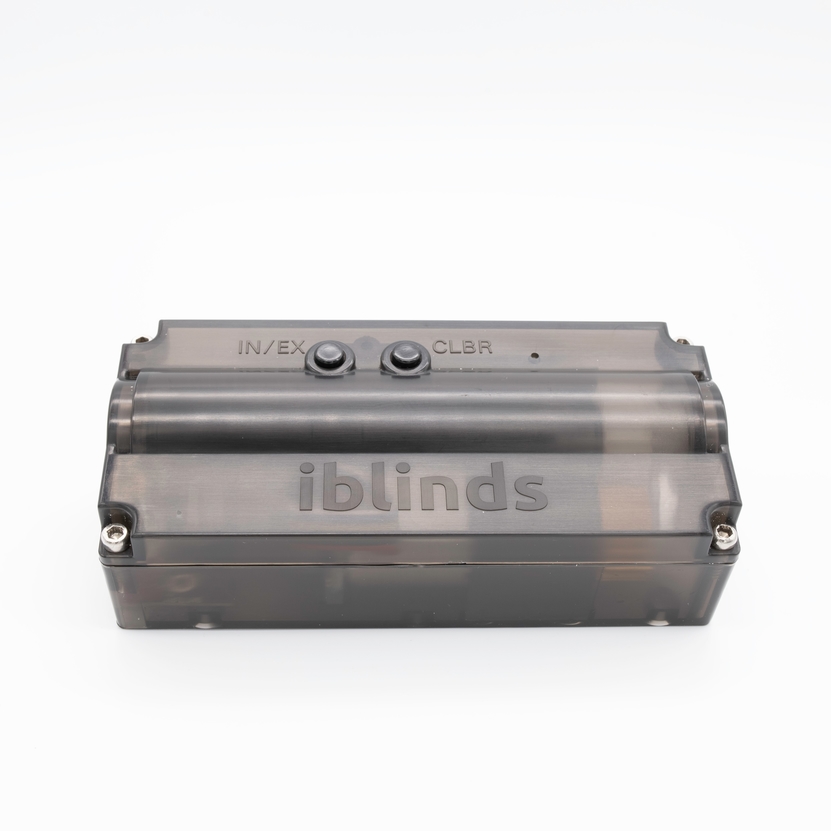
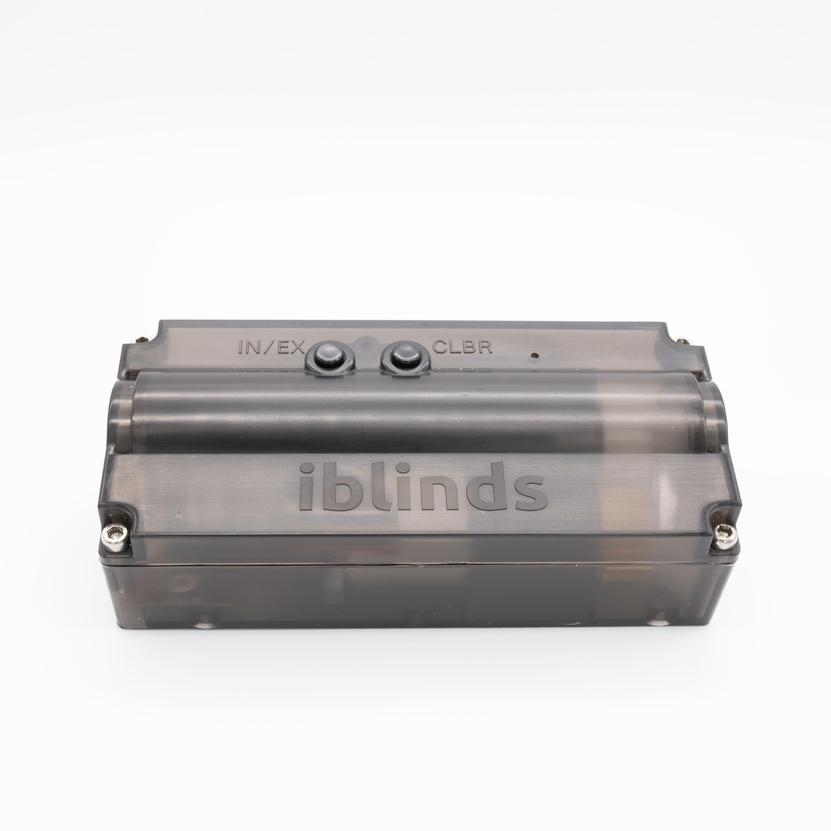
Name | iblinds v3 Window Blind Motor |
|---|
Short Description | iblinds v3 Window Blind Motor |
|---|
Long Description | iblinds is a simple Z-Wave Plus device used to automate your existing window blinds. You can control any 2-2 ½ inch corded lift horizontal blinds in your home or office. Set a scheduled to open at sunrise and close at sunset, use voice control with Amazon Alexa and Google Home or manually control a single blind, or a group of them, from home or anywhere in the world with one touch of a button using your smartphone, tablet or Z-Wave remote. |
|---|
Brand | iBlinds |
|---|
Product Identifier | IB3.0 |
|---|
Product Line | iblinds Zwave Window Blind Motor |
|---|
OEM Version | HW: 1 FW: 3.01 |
|---|
Hardware Platform | ZGM130 |
|---|
Z-Wave Version | 7.12.2 |
|---|
Library Type | SLAVE_ENHANCED_232 |
|---|
Device Type | Window Covering DT |
|---|
Role Type | ROLE_TYPE_SLAVE_SLEEPING_LISTENING |
|---|
Manufacturer ID | 0x0287 |
|---|
Product Type ID | 0x0004 |
|---|
Product ID | 0x0071 |
|---|
User Icon | 0x1A00 |
|---|
Installer Icon | 0x1A00 |
|---|
Frequency Plans | US: 916.00MHz, 908.40MHz |
|---|
Categories | Window Covering |
|---|
Countries / Regions | United States of America |
|---|
Supported Command Classes | Identifier | Name | Key | Version |
|---|
COMMAND_CLASS_CONFIGURATION_V4 | Configuration V4 | 0x70 | 4 | COMMAND_CLASS_SWITCH_BINARY_V2 | Switch Binary V2 | 0x25 | 2 | COMMAND_CLASS_POWERLEVEL | Powerlevel | 0x73 | 1 | COMMAND_CLASS_MULTI_CHANNEL_ASSOCIATION_V3 | Multi-Channel Association V3 | 0x8E | 3 | COMMAND_CLASS_INDICATOR_V3 | Indicator V3 | 0x87 | 3 | COMMAND_CLASS_BATTERY | Battery | 0x80 | 1 | COMMAND_CLASS_TRANSPORT_SERVICE_V2 | Transport Service V2 | 0x55 | 2 | COMMAND_CLASS_DEVICE_RESET_LOCALLY | Device Reset Locally | 0x5A | 1 | COMMAND_CLASS_ZWAVEPLUS_INFO_V2 | Z-Wave Plus Info V2 | 0x5E | 2 | COMMAND_CLASS_ASSOCIATION_V2 | Association V2 | 0x85 | 2 | COMMAND_CLASS_FIRMWARE_UPDATE_MD_V5 | Firmware Update Meta-Data V5 | 0x7A | 5 | COMMAND_CLASS_SWITCH_MULTILEVEL_V4 | Switch Multilevel V4 | 0x26 | 4 | COMMAND_CLASS_ASSOCIATION_GRP_INFO_V3 | Association Group Information V3 | 0x59 | 3 | COMMAND_CLASS_BASIC_V2 | Basic V2 | 0x20 | 2 | COMMAND_CLASS_SECURITY_2 | Security S2 | 0x9F | 1 | COMMAND_CLASS_VERSION_V3 | Version V3 | 0x86 | 3 | COMMAND_CLASS_WINDOW_COVERING | Window Covering | 0x6A | 1 | COMMAND_CLASS_SUPERVISION | Supervision | 0x6C | 1 | COMMAND_CLASS_MANUFACTURER_SPECIFIC_V2 | Manufacturer Specific V2 | 0x72 | 2 |
|
|---|
S2 Classes | S2_UNAUTHENTICATED, S2_AUTHENTICATED |
|---|
Documents | Category | Description | File |
|---|
Manual_Primary_Lang | Product Manual | |
|
|---|
Features | Feature | Values |
|---|
Battery Quantity | | Window Covering Control Features | Value |
|---|
Endpoint Aware | Position Aware | Automatic Calibration | Supports Horizontal Blinds/Louvers | Supports Tilt Motion |
| Battery Type | Value |
|---|
Rechargeable Lithium Ion |
| Firmware Updatable | Value |
|---|
Updatable by Consumer by RF |
|
|
|---|
Association Groups | Group Number | Maximum Nodes Supported | End Point ID | Group Name | Description |
|---|
1 | 1 | 0 | Lifeline | Battery and Switch Multilevel lifeline reports |
|
|---|
Configuration Parameters | Parameter Number | Name | Description | Format | Size | Min Value | Max Value | Default Value | Parameter Values |
|---|
5 | Reserved | Reserved for Manufactuer | 2 | 1 | 0 | 1 | 0 | From | To | Description |
|---|
0 | 1 | Reserved for Manufactuer |
| 4 | Default ON Value | Used to set the default ON Level when manual push button is pushed- Default value for ON = 50% (0x32) , change this value if you wish to set the push button ON value to a different preset value. | 2 | 1 | 0 | 99 | 50 | From | To | Description |
|---|
0 | 99 | Set the default On Value |
| 3 | Disable Report | Used to disable Z-Wave Report. This is useful for systems that poll iblinds immediately after sending a position command. Disable if this an immediate report is causing iblinds motor to function improperly. | 2 | 1 | 0 | 1 | 0 | From | To | Description |
|---|
0 | 0 | Enable Device Reset Locally | 1 | 1 | Disable Device Reset Locally |
| 6 | Speed | Used to set the default blind Speed. 0= No Delay. The Larger the number the slower the speed. Note: Duration Value >0 will always override the speed parameter | 2 | 1 | 0 | 100 | 0 | From | To | Description |
|---|
0 | 100 | The larger the value the slower the speed |
| 2 | Reverse Direction | Used to reverse the direction of the blinds. | 2 | 1 | 0 | 1 | 0 | From | To | Description |
|---|
0 | 0 | Forward Direction - 0% = Closed Down | 1 | 1 | Reverse Direction - 0% = Closed Up |
|
|
|---|
Texts | ID | Description | Value |
|---|
2 | Classic Exclusion | Press the exclude (IN/EX) button 3 times and wait for the device to be removed from the Z-Wave network. | 17 | Dynamic Capabilities | N/A | 5 | Factory Reset Procedure | Press the IN/EX button 5 times for Device Reset Locally (Factory Reset) | 8 | Where to find S2 DSK on product | The DSK can be found on the bottom of the iblinds motor, the packaging and, on the back page of this Quick Start Guide. | 1 | Classic Inclusion | Press the inclusion (IN/EX) button 3 times and wait for the device to be discovered and joined to the Z-Wave network. Follow the directions for your Z-Wave controller to uniquely identify your device. (Ex: Bedroom iblinds) | 4 | Wake-Up Procedure | Wake-up commands are handled by the Controller, this is a FLiRS device |
|
|---|
Supports NWI | Yes |
|---|
Supports Explorer Frames | Yes |
|---|
Is Flirs | Yes |
|---|
Supports SmartStart | Yes |
|---|
Radio Range Z-Wave (m) | 40 |
|---|