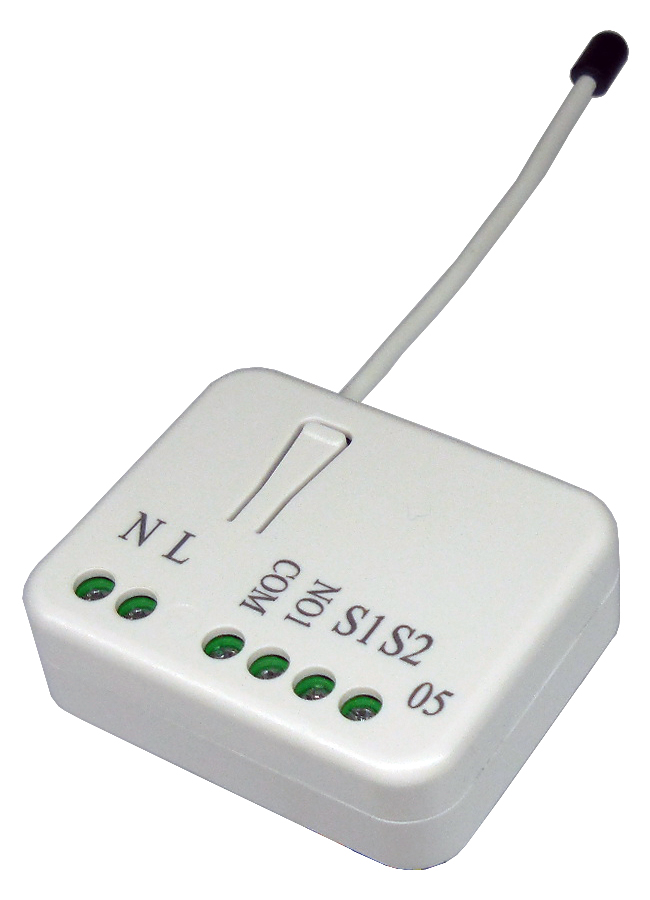
| 6 | RF Off command mode | This parameter configures how the switch responds to an RF received Off command using BASIC_SET, BINARY_SWITCH_SET, or SWITCH_ALL_OFF. The default value (0) is to turn off the switch. | 0 | 1 | 0 | 0 | 0 | | From | To | Description |
|---|
| 0 | 0 | Switch off | | 1 | 1 | Ignore | | 2 | 2 | Switch toggle | | 3 | 3 | Switch on |
|
| 1 | Edge or Pulse mode or Edge-Toggle mode | Manual switch S1 and S2 can set to Edge mode or Pulse mode or Edge-Toggle mode, default value is Edge mode. | 0 | 1 | 0 | 0 | 1 | | From | To | Description |
|---|
| 1 | 1 | Edge mode: this mode is suitable for the bi stable wall switch that has indicator point on the switch, and the same position correspond to same state of relay1. If the PAN05 relay change the state because of receiving Z-Wave RF command, it may need two times of change (switch on to off or switch off to on) to let relay back to the correspond state. Manual switch S2 is disabled in this mode. | | 2 | 2 | Pulse mode: this mode is suitable for the toggle type wall switch to swap the state of Relay1. | | 3 | 3 | Edge-Toggle mode: this mode is suitable for the normal bi-stable switch, every time when change the state of the wall switch will also swap the state of Relay1. |
|
| 2 | Restore switch state mode | Whenever the AC power reconnected to PAN05, it will set the switch to Off、On or Last switch state, default value is Last switch state. | 0 | 1 | 0 | 0 | 1 | | From | To | Description |
|---|
| 0 | 0 | Switch off | | 2 | 2 | Switch on | | 1 | 1 | Last switch state |
|
| 3 | Manual On/Off mode | The On/Off function of S1、S2 and learn switch can be disabled or enabled by this parameter, default value is Enable. But the learning operation won’t be affected. | 0 | 1 | 0 | 0 | 1 | | From | To | Description |
|---|
| 0 | 0 | Disable manual On/Off | | 1 | 1 | Enable manual On/Off |
|
| 5 | Auto off timer | This parameter controls the automatic shut-off timer. A value of 0 disables the automatic shut-off feature, a value from 1 to 32767 will represent the number of seconds to elapse until the switch will automatically turn off. | 0 | 2 | 0 | 0 | 0 | | From | To | Description |
|---|
| 0 | 0 | Disable auto off function | | 1 | 32767 | Set the auto off function to 1 ~ 32767 seconds |
|
| 4 | LED indication mode | This parameter controls the operation of the LED based upon the current state of the switch. | 0 | 1 | 0 | 0 | 1 | | From | To | Description |
|---|
| 1 | 1 | Show switch state:LED on for switch on and off for switch off. The default value is Show switch state. | | 2 | 2 | Show night mode:LED off for switch on and on for switch off. | | 3 | 3 | One Flash mode:When the state of switch changes, LED will be on only one second, then LED keeps off. |
|