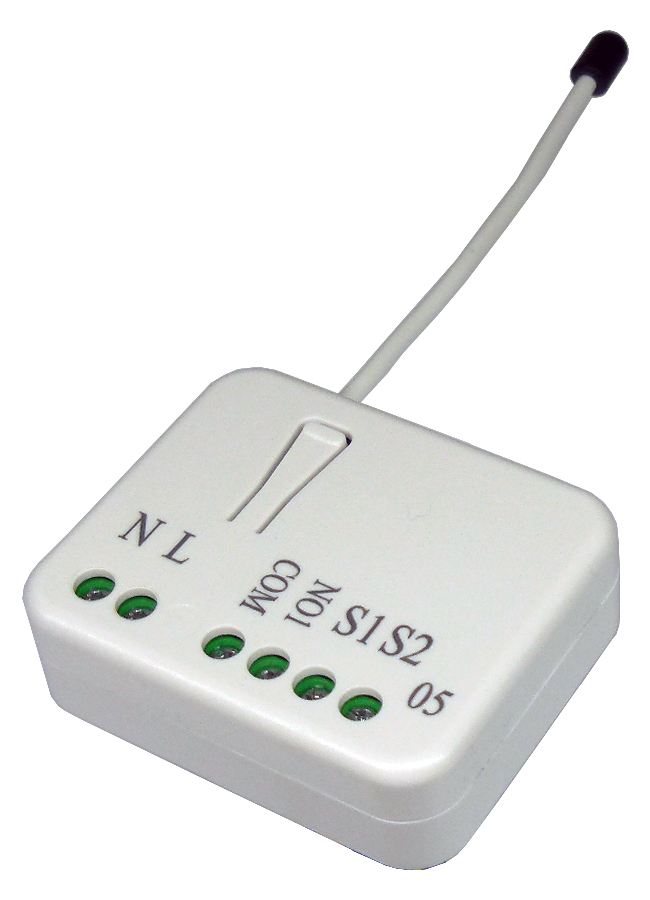
| 1 | Edge / Pulse / Edge-Toggle mode | Manual switch S1 and S2 can set to Edge mode or Pulse mode or Edge-Toggle mode, default value is Edge mode. | 0 | 1 | 0 | 0 | 1 | | From | To | Description |
|---|
| 1 | 1 | 1 : Edge mode | | 2 | 2 | 2 : Pulse mode | | 3 | 3 | 3 : Edge-Toggle mode |
|
| 2 | Restore Switch State Mode | Whenever the AC power reconnected to PAN05, it will set the switch to Off、On or Last switch state, default value is Last switch state. | 0 | 1 | 0 | 0 | 1 | | From | To | Description |
|---|
| 0 | 0 | 0 : Switch Off | | 1 | 1 | 1 : Last Switch State | | 2 | 2 | 2 : Switch On |
|
| 3 | Manual On/Off Mode | The On/Off function of S1、S2 and learn switch can be disabled or enabled by this parameter, default value is Enable. But the learning operation won’t be affected. When manual On/Off function is disabled, the RF command can only switch On but not Off. This is useful function for keeping the device in switch on state. | 0 | 1 | 0 | 0 | 1 | | From | To | Description |
|---|
| 0 | 0 | 0:Disable manual On/Off | | 1 | 1 | 1:Enable manual On/Off |
|
| 4 | LED indication Mode | 1. Show switch state:LED on for switch on and off for switch off. The default value is Show switch state. 2. Show night mode:LED off for switch on and on for switch off. 3. One Flash mode:When the state of switch changes, LED will be on only one second, then LED keeps off. | 0 | 1 | 0 | 0 | 1 | | From | To | Description |
|---|
| 1 | 1 | 1:Show switch state | | 2 | 2 | 2:Show night mode | | 3 | 3 | 3 : One flash mode |
|
| 5 | Auto Off timer | When auto off timer is equal to 0, the auto off function will be disabled. Whenever the switch is set to on, the auto off timer begin to count down. After the timer counts to zero, PAN05 will switch off automatically. The default value is disable auto off function. | 0 | 2 | 0 | 0 | 0 | | From | To | Description |
|---|
| 0 | 0 | 0:Disable auto off function | | 1 | 32767 | 1-0x7FFF:1 ~ 32767seconds |
|
| 6 | RF Off command mode | Whenever a RF Off command is received, BASIC_SET、BINARY_SWITCH_SET、SWITCH_ALL_OFF, it could be interpreted as Switch Off、Switch On、Switch Toggle, or it would be ignored. The default value is Switch Off. | 0 | 1 | 0 | 0 | 0 | | From | To | Description |
|---|
| 0 | 0 | 0:Switch off | | 1 | 1 | 1:Ignore | | 2 | 2 | 2:Switch toggle | | 3 | 3 | 3:Switch on |
|
| 11 | Manual Switch Report mode | Whenever PAN11 is manually switch on or off, it will send BINARY_SWITCH_ REPORT to the node of group1. The default setting is Enable the function. | 0 | 1 | 0 | 0 | 1 | | From | To | Description |
|---|
| 0 | 0 | 0 : Disable | | 1 | 1 | 1 : Enable |
|