| Product Recognition | |
|---|
| Certification Number | ZC10-19056489 |
|---|
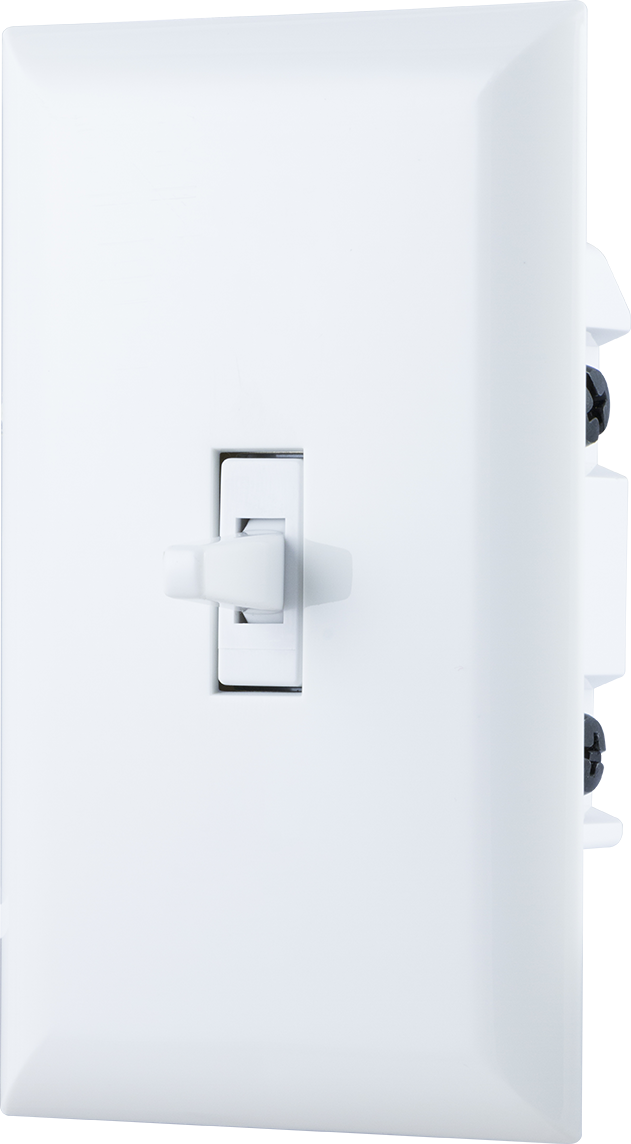
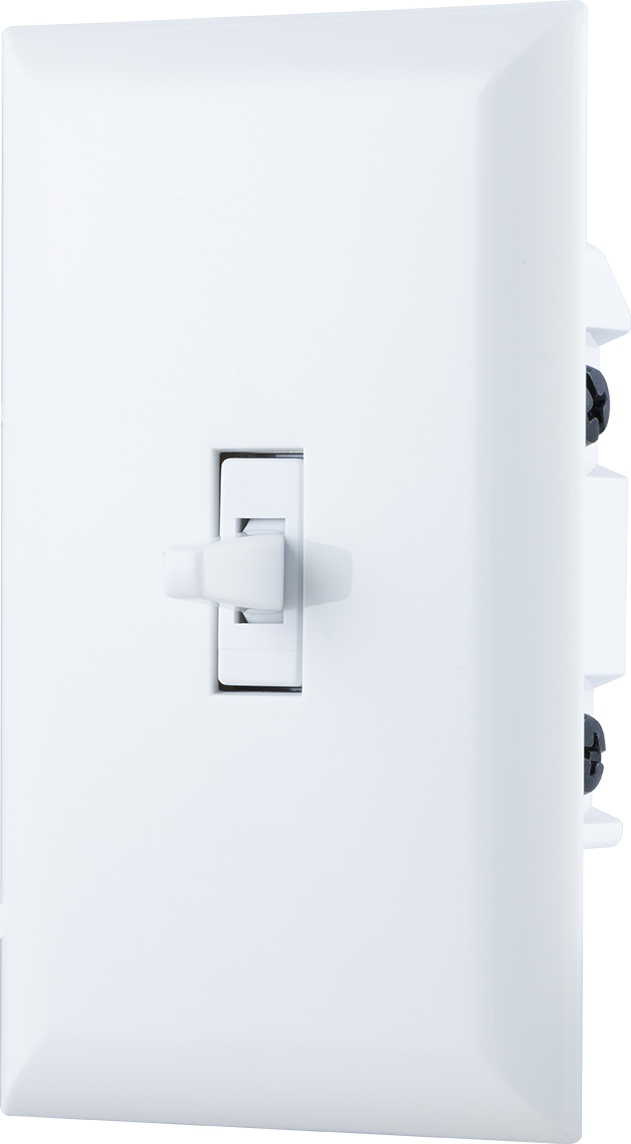
| Name | In-Wall Smart Toggle Switch (120/277VAC) |
|---|
| Short Description | In-Wall Smart Toggle Switch (120/277VAC) with QuickFit and SimpleWire enhancements. |
|---|
| Long Description | In-Wall Smart Toggle Switch (120/277VAC) with QuickFit and SimpleWire enhancements. Revolutionary QuickFit design features a housing depth that is up to 20 percent smaller than the previous Z-Wave models. This reduced size coupled with the elimination of heat taps provides a better fit in older style boxes and multi-gang configurations. SimpleWire technology allows line and load to automatically be configured with auto-sensing line-load terminals. All of this is coupled with Z-Wave S2 and Smart Start allows for effortless installation while being safer than ever! |
|---|
| Brand | GE |
|---|
| Product Identifier | 43074/ZW4009DV |
|---|
| OEM Version | HW: 255 FW: 5.53 |
|---|
| Hardware Platform | ZM5202 |
|---|
| Z-Wave Version | 6.81.03 |
|---|
| Library Type | SLAVE_ENHANCED_232 |
|---|
| Device Type | On/Off Power Switch |
|---|
| Role Type | ROLE_TYPE_SLAVE_ALWAYS_ON |
|---|
| Manufacturer ID | 0x0063 |
|---|
| Product Type ID | 0x4952 |
|---|
| Product ID | 0x3231 |
|---|
| User Icon | 0x0700 |
|---|
| Installer Icon | 0x0704 |
|---|
| Frequency Plans | US: 916.00MHz, 908.40MHz |
|---|
| Categories | All Lighting Devices, On/Off Switches/Devices |
|---|
| Countries / Regions | United States of America |
|---|
| Supported Command Classes | | Identifier | Name | Key | Version |
|---|
| COMMAND_CLASS_CONFIGURATION_V4 | Configuration V4 | 0x70 | 4 | | COMMAND_CLASS_FIRMWARE_UPDATE_MD_V4 | Firmware Update Meta-Data V4 | 0x7A | 4 | | COMMAND_CLASS_SCENE_ACTUATOR_CONF | Scene Actuator Conf | 0x2C | 1 | | COMMAND_CLASS_SWITCH_BINARY_V2 | Switch Binary V2 | 0x25 | 2 | | COMMAND_CLASS_POWERLEVEL | Powerlevel | 0x73 | 1 | | COMMAND_CLASS_APPLICATION_STATUS | Application Status | 0x22 | 1 | | COMMAND_CLASS_TRANSPORT_SERVICE_V2 | Transport Service V2 | 0x55 | 2 | | COMMAND_CLASS_DEVICE_RESET_LOCALLY | Device Reset Locally | 0x5A | 1 | | COMMAND_CLASS_ZWAVEPLUS_INFO_V2 | Z-Wave Plus Info V2 | 0x5E | 2 | | COMMAND_CLASS_ASSOCIATION_V2 | Association V2 | 0x85 | 2 | | COMMAND_CLASS_ASSOCIATION_GRP_INFO | Association Group Info | 0x59 | 1 | | COMMAND_CLASS_BASIC_V2 | Basic V2 | 0x20 | 2 | | COMMAND_CLASS_SECURITY_2 | Security S2 | 0x9F | 1 | | COMMAND_CLASS_VERSION_V3 | Version V3 | 0x86 | 3 | | COMMAND_CLASS_CENTRAL_SCENE_V3 | Central Scene V3 | 0x5B | 3 | | COMMAND_CLASS_SUPERVISION | Supervision | 0x6C | 1 | | COMMAND_CLASS_SCENE_ACTIVATION | Scene Activation | 0x2B | 1 | | COMMAND_CLASS_MANUFACTURER_SPECIFIC_V2 | Manufacturer Specific V2 | 0x72 | 2 |
|
|---|
| Controlled Command Classes | | Identifier | Name | Key | Version |
|---|
| COMMAND_CLASS_BASIC_V2 | Basic V2 | 0x20 | 2 |
|
|---|
| S2 Classes | S2_UNAUTHENTICATED, S2_AUTHENTICATED |
|---|
| Documents | |
|---|
| Features | | Feature | Values |
|---|
| Neutral Wire Required | | | Z-Wave Scene Type | | | Firmware Updatable | | Value |
|---|
| Updatable by Consumer by RF |
|
|
|---|
| Association Groups | | Group Number | Maximum Nodes Supported | End Point ID | Description |
|---|
| 1 | 5 | 0 | Z-Wave Plus Lifeline | | 2 | 5 | 0 | Supports Basic Set and is controlled by pressing the ON or OFF button with the local load. | | 3 | 5 | 0 | Supports Basic Set and is controlled by double pressing the ON or OFF button. |
|
|---|
| Configuration Parameters | | Parameter Number | Name | Description | Format | Size | Min Value | Max Value | Default Value | Parameter Values |
|---|
| 3 | LED Indication Configuration | Configure LED indication to default, invert, always off or always on | 0 | 1 | 0 | 0 | 2 | | From | To | Description |
|---|
| 0 | 0 | LED ON when device is OFF, LED is OFF when device is ON | | 1 | 1 | LED ON when device is ON, LED is OFF when device is OFF | | 2 | 2 | LED always OFF | | 3 | 3 | LED Always ON |
|
|
|---|
| Texts | | ID | Description | Value |
|---|
| 5 | Factory Reset | 1. Quickly press ON (top) button three times then immediately
press the OFF (Bottom) button three times. The LED will
flash ON/OFF five times when completed successfully.
Note: This should only be used if your network’s primary
controller is missing or otherwise inoperable. | | 1 | Inclusion | 1. Follow the instructions for your Z-Wave certified
controller to add a device to the Z-Wave network.
2. Once the controller is ready to add your device, press and
release the top or bottom of the wireless smart switch (rocker). | | 2 | Exclusion | 1. Follow the instructions for your Z-Wave certified controller
to remove a device from the Z-Wave network.
2. Once the controller is ready to remove your device, press and
release the top or bottom of the wireless smart switch (rocker). |
|
|---|
| Supports NWI | Yes |
|---|
| Supports Explorer Frames | Yes |
|---|
| Supports SmartStart | Yes |
|---|