| Product Recognition | |
|---|
| Certification Number | ZC10-15110013 |
|---|
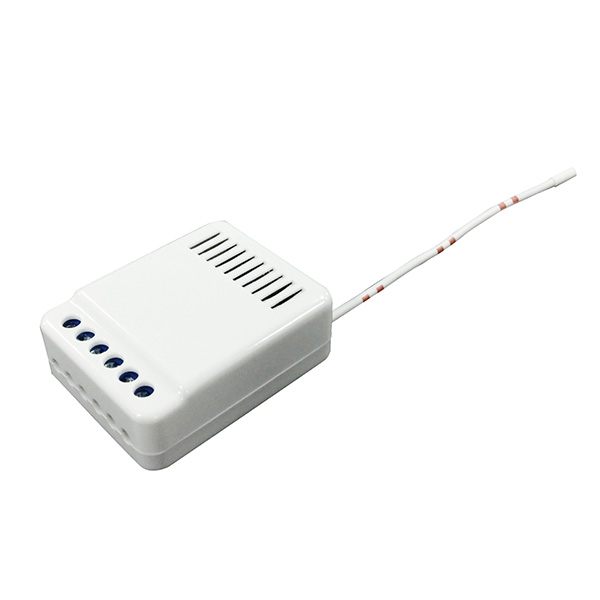
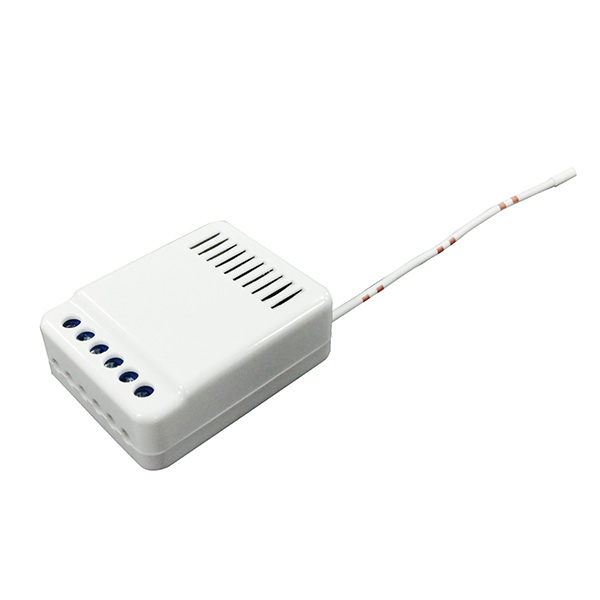
| Name | In-wall Two Relay |
|---|
| Short Description | ZL7435EU-5 is a two relays on/off control module for controlling 2 different electric appliances' on and off. |
|---|
| Long Description | * Super Mini Size: 39.5x 50 x 19 mm
* Operating Range: Up to 100 feet line of sight
* Operating Temp.: -15°C~ 60°C (5°F~140°F)
* Operating Voltage: 100VAC~240VAC
* Resistive Load:
550W 110 VAC
1100W 220 VAC |
|---|
| Brand | Vision |
|---|
| Product Identifier | ZL7435EU-5 |
|---|
| OEM Version | 02 |
|---|
| Hardware Platform | ZM5101 |
|---|
| Z-Wave Version | 6.51.06 |
|---|
| Library Type | SLAVE_ENHANCED_232 |
|---|
| Device Type | On/Off Power Switch |
|---|
| Role Type | ROLE_TYPE_SLAVE_ALWAYS_ON |
|---|
| Manufacturer ID | 0x0109 |
|---|
| Product Type ID | 0x2017 |
|---|
| Product ID | 0x1719 |
|---|
| Frequency Plans | EU: 869.85MHz, 868.40MHz |
|---|
| Categories | All Lighting Devices, On/Off Switches/Devices |
|---|
| Countries / Regions | European Union |
|---|
| Documents | |
|---|
| Association Groups | | Group Number | Maximum Nodes Supported | End Point ID | Description |
|---|
| 1 | 5 | 0 | Z-Wave Plus Lifeline |
|
|---|
| Configuration Parameters | | Parameter Number | Name | Description | Format | Size | Min Value | Max Value | Default Value | Parameter Values |
|---|
| 1 | Button Mode Switching | This parameter sets the mode for the wall switch inputs. | 0 | 1 | 0 | 0 | 0 | | From | To | Description |
|---|
| 1 | 1 | Toggle Mode | | 0 | 0 | Switch Mode (Default) |
|
|
|---|
| Texts | | ID | Description | Value |
|---|
| 5 | Factory Reset | Factory Default Reset: Power off first, press Program Switch and power on till 10 seconds, ZL7435EU-5 will send the “Device Reset Locally Notification” command and reset to the factory default. (Remark: This is to be used only in the case of primary controller being inoperable or otherwise unavailable.) | | 1 | Inclusion | For “Inclusion” in (adding to) a network: Put the Z-Wave™ Interface Controller into “inclusion” mode, and following its instruction to add the ZL 7435EU-5 to your controller. To get in the “inclusion” mode, the distance between module and controller is suggested to be in one meter.
Press 3 times within 2 seconds or turn on the wall switch 3 times within 2 seconds (or press toggle switch 3 times) to be included. | | 2 | Exclusion | For “Exclusion” from (removing from) a network: Put the Z-Wave™ Interface Controller into “exclusion” mode, and following its instruction to delete the ZL 7435EU-5 from your controller. Press 3 times within 2 seconds or turn on the wall switch 3 times within 2 seconds (or press toggle switch 3 times) to be excluded. |
|
|---|
| Supports NWI | Yes |
|---|
| Supports Explorer Frames | Yes |
|---|