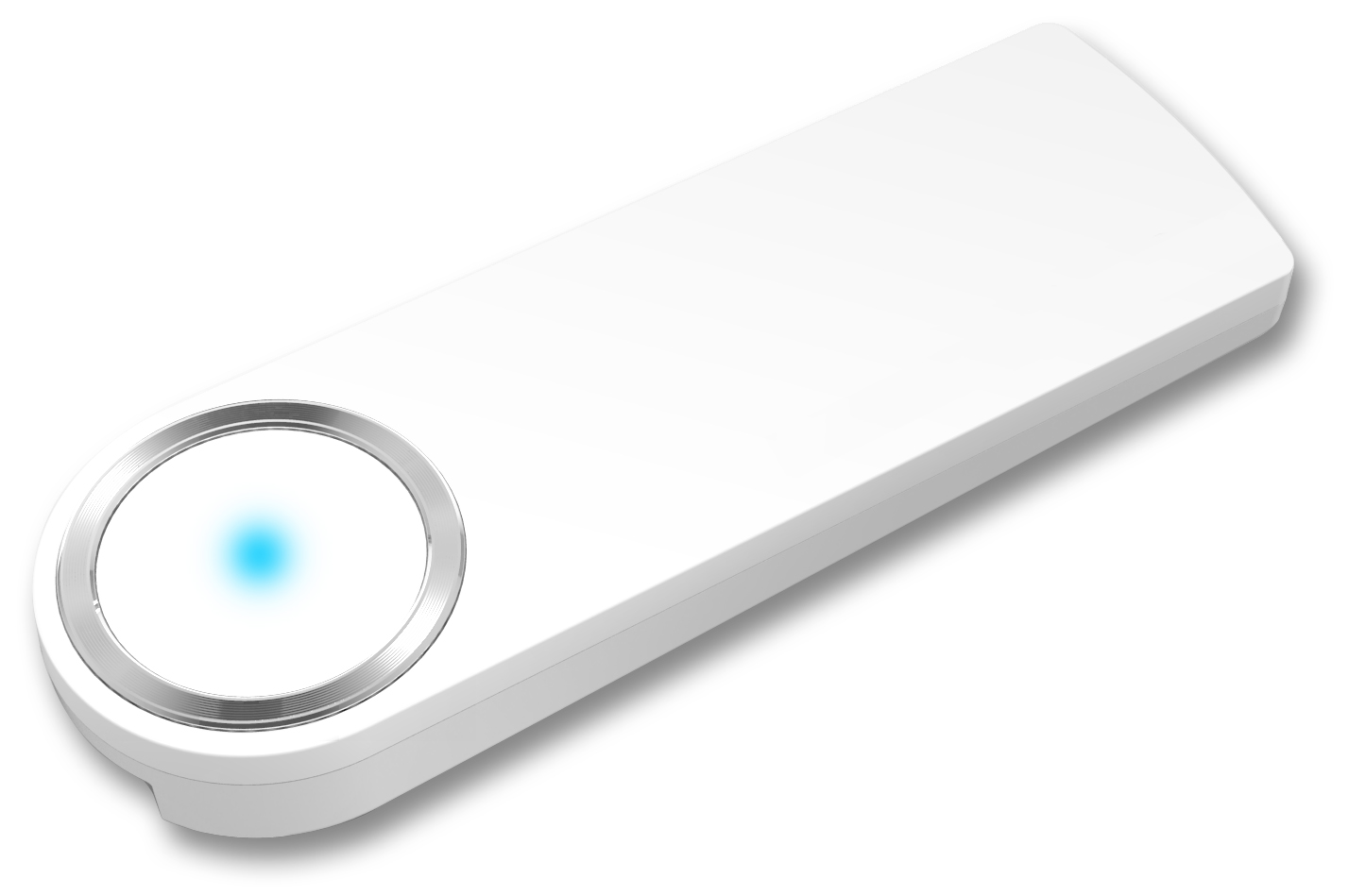
Product Recognition | |
|---|
Certification Number | ZC10-15070006 |
|---|
Name | IoT Hub |
|---|
Short Description | IoT Hub |
|---|
Long Description | IoT Hub makes your home secure at anytime and from anywhere.
A total security system which services intrusion detection, access management, and gas valve control, makes your life and home secured ever than before |
|---|
Brand | SAMSUNG SDS |
|---|
Product Identifier | SHP-GS100M |
|---|
OEM Version | 01 |
|---|
Hardware Platform | SD3503 |
|---|
Z-Wave Version | 6.51.06 |
|---|
Library Type | CONTROLLER_STATIC |
|---|
Device Type | Central Controller |
|---|
Role Type | ROLE_TYPE_CONTROLLER_CENTRAL_STATIC |
|---|
Manufacturer ID | 0x022E |
|---|
Product Type ID | 0x0007 |
|---|
Product ID | 0x0007 |
|---|
Frequency Plans | KR: 920.90MHz, 921.70MHz, 923.10MHz |
|---|
Categories | All Controllers, Gateway Controller |
|---|
Countries / Regions | Republic of Korea |
|---|
Controlled Command Classes | Identifier | Name | Key | Version |
|---|
COMMAND_CLASS_ASSOCIATION | Association | 0x85 | 1 | COMMAND_CLASS_ASSOCIATION_GROUP_INFORMATION | Association Group Information V1 | 0x59 | 0 | COMMAND_CLASS_DOOR_LOCK | Door Lock | 0x62 | 1 | COMMAND_CLASS_USER_CODE | User Code | 0x63 | 1 | COMMAND_CLASS_MULTI_CHANNEL_ASSOCIATION | Multi-Channel Association V1 | 0x8E | 0 | COMMAND_CLASS_MULTI_CHANNEL | Multi-Channel V1 | 0x60 | 0 | COMMAND_CLASS_BATTERY | Battery | 0x80 | 1 | COMMAND_CLASS_WAKE_UP | Wake Up | 0x84 | 1 | COMMAND_CLASS_BASIC | Basic | 0x20 | 1 | COMMAND_CLASS_CONFIGURATION | Configuration | 0x70 | 1 | COMMAND_CLASS_CRC_16_ENCAP | CRC16 Encapsulation | 0x56 | 1 | COMMAND_CLASS_SECURITY | Security S0 | 0x98 | 1 | COMMAND_CLASS_ZWAVEPLUS_INFO | Z-Wave Plus Info | 0x5E | 1 | COMMAND_CLASS_NOTIFICATION | Notification V1 | 0x71 | 0 | COMMAND_CLASS_MANUFACTURER_SPECIFIC | Manufacturer Specific | 0x72 | 1 | COMMAND_CLASS_VERSION | Version | 0x86 | 1 |
|
|---|
Documents | Category | Description | File |
|---|
Manual_Primary_Lang | Product or Owner's Manual | |
|
|---|
Association Groups | Group Number | Maximum Nodes Supported | End Point ID | Description |
|---|
1 | 1 | 0 | - Lifeline between controller and SHP-G100M
- Supported command classes
Device Reset Locally notification
- Maximum supported nodes are 1
|
|
|---|
Texts | ID | Description | Value |
|---|
23 | Controller Inclusion | 1. Restart Main App.
2. Press Exit Button.
3. Press Menu Button.
4. Press Settings Button.
5. Press Inclusion / Exclusion Settings Button.
6. Press Inclusion Button.
7. Press Start Inclusion Button.
8. SHP-GS100M enters into Inclusion Mode for 60 seconds and it trys to include a device.
9. When a device is included to SHP-G100M, it displays that. If you want to include more, press include more.
10. Enter Alias Name & Press Confirm.
* Alias Name is 8 characters or less. | 24 | Controller Exclusion | 1. Press Menu Button.
2. Press Settings Button.
3. Press Inclusion / Exclusion Settings Button.
4. Press Exclusion Button.
5. Press Confirm Exclusion or Cancel Button.
6. Press Confirm Exclusion Button
7. SHP-GS100M enters into Exclusion Mode for 60 seconds and it trys to exclude a device.
8. When a device is excluded to SHP-G100M, it displays that. If you want to exclude more, press exclude more.
9. Press Confirm Button. | 3 | Learn Mode (adding another controller) | 1. Select ‘Controller Learn Mode Request’.
2. Insert value(5:Start, 6:Stop).
3. Press Confirm button. | 5 | Factory Reset | Use this procedure only when the network primary controller is missing or otherwise inoperable.
1. Check the White or Blue LED of Top. White LED means that SHP-GS100M is Normal WiFi connection and has no slave device. Blue LED means that SHP-GS100M is Normal WiFi connection and has slave devices.
2. Press Factory Default Reset Button during 10 seconds. |
|
|---|
Supports NWI | Yes |
|---|
Supports Explorer Frames | Yes |
|---|
Radio Range Z-Wave (m) | 40 |
|---|