Product Recognition | |
|---|
Certification Number | ZC10-17115874 |
|---|
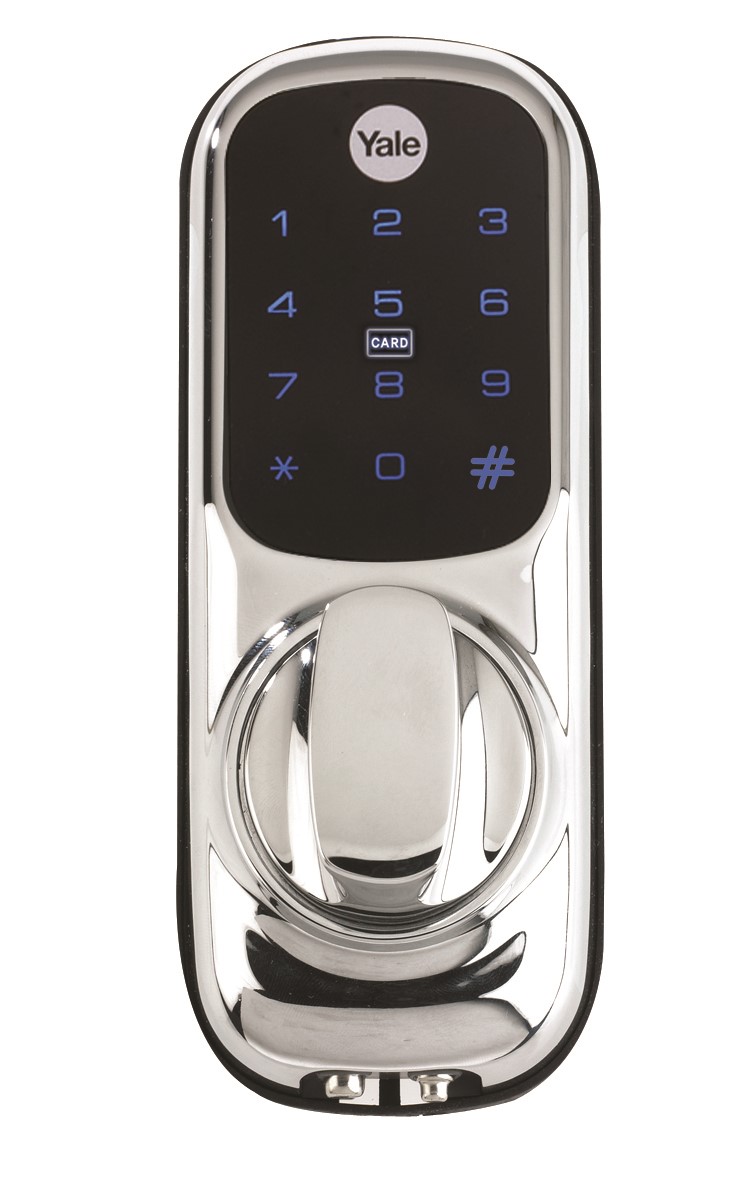
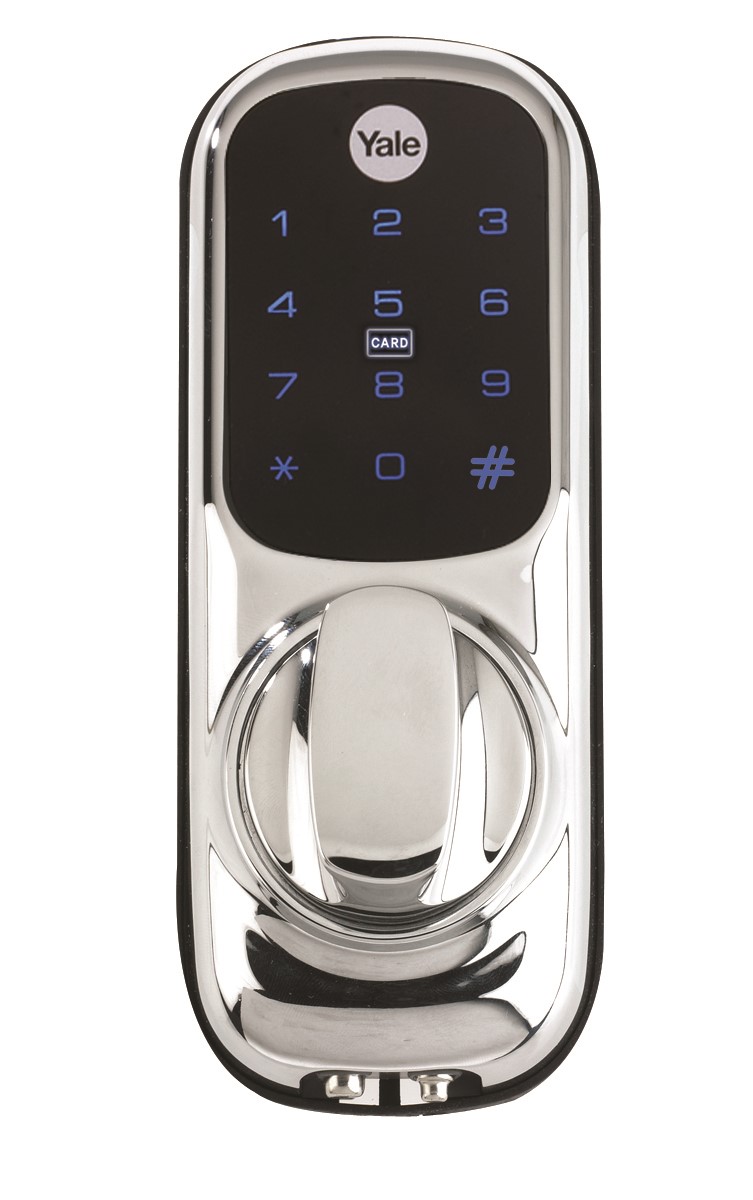
Name | Keyless Connected |
|---|
Short Description | The Yale Keyless Connected smart lock gives you freedom to secure your home without the need for a key. Simple to use, you now have complete control on how you unlock your door. |
|---|
Long Description | Keyless Connected Ready smart lock
Features
Replaces existing rim cylinder used on a 60mm backset nightlatch
Touchscreen with backlit keypad
Battery operated
Low battery indicator with emergency battery connection
User codes and settings remain if batteries are replaced
3 minute lock out if code is entered incorrectly 5 times
Tamper alarm
For use on timber doors
2 year guarantee |
|---|
Brand | Yale |
|---|
Product Identifier | YD-01-CON |
|---|
OEM Version | HW: 32 FW: 32.16:13.16 |
|---|
Hardware Platform | ZM5202 |
|---|
Z-Wave Version | 6.71.01 |
|---|
Library Type | SLAVE_ENHANCED_232 |
|---|
Device Type | Door Lock - Keypad |
|---|
Role Type | ROLE_TYPE_SLAVE_SLEEPING_LISTENING |
|---|
Manufacturer ID | 0x0129 |
|---|
Product Type ID | 0x0007 |
|---|
Product ID | 0x0001 |
|---|
User Icon | 0x0300 |
|---|
Installer Icon | 0x0300 |
|---|
Frequency Plans | EU: 869.85MHz, 868.40MHz |
|---|
Categories | Locks |
|---|
Countries / Regions | European Union |
|---|
Supported Command Classes | Identifier | Name | Key | Version |
|---|
COMMAND_CLASS_POWERLEVEL | Powerlevel | 0x73 | 1 | COMMAND_CLASS_USER_CODE | User Code | 0x63 | 1 | COMMAND_CLASS_DOOR_LOCK_V2 | Door Lock V2 | 0x62 | 2 | COMMAND_CLASS_ALARM | Alarm | 0x71 | 1 | COMMAND_CLASS_BATTERY | Battery | 0x80 | 1 | COMMAND_CLASS_TIME_PARAMETERS | Time Parameters | 0x8B | 1 | COMMAND_CLASS_CONFIGURATION | Configuration | 0x70 | 1 | COMMAND_CLASS_SECURITY | Security S0 | 0x98 | 1 | COMMAND_CLASS_TIME_V2 | Time V2 | 0x8A | 2 | COMMAND_CLASS_TRANSPORT_SERVICE_V2 | Transport Service V2 | 0x55 | 2 | COMMAND_CLASS_VERSION_V2 | Version V2 | 0x86 | 2 | COMMAND_CLASS_DEVICE_RESET_LOCALLY | Device Reset Locally | 0x5A | 1 | COMMAND_CLASS_ZWAVEPLUS_INFO_V2 | Z-Wave Plus Info V2 | 0x5E | 2 | COMMAND_CLASS_ASSOCIATION_V2 | Association V2 | 0x85 | 2 | COMMAND_CLASS_ASSOCIATION_GRP_INFO | Association Group Info | 0x59 | 1 | COMMAND_CLASS_DOOR_LOCK_LOGGING | Door Lock Logging | 0x4C | 1 | COMMAND_CLASS_SECURITY_2 | Security S2 | 0x9F | 1 | COMMAND_CLASS_SUPERVISION | Supervision | 0x6C | 1 | COMMAND_CLASS_MANUFACTURER_SPECIFIC_V2 | Manufacturer Specific V2 | 0x72 | 2 | COMMAND_CLASS_SCHEDULE_ENTRY_LOCK_V3 | Schedule Entry Lock V3 | 0x4E | 3 |
|
|---|
S2 Classes | S2_ACCESS_CONTROL |
|---|
Documents | Category | Description | File |
|---|
Manual_Primary_Lang | Product or Owner's Manual | |
|
|---|
Features | Feature | Values |
|---|
Battery Type | | Battery Quantity | | IP (Ingress Protection) Rated | |
|
|---|
Association Groups | Group Number | Maximum Nodes Supported | End Point ID | Description |
|---|
1 | 5 | 0 | Z-Wave Plus Lifeline |
|
|---|
Configuration Parameters | Parameter Number | Name | Description | Format | Size | Min Value | Max Value | Default Value | Parameter Values |
|---|
1 | Volume | Volume of product during operation | 0 | 1 | 0 | 0 | 3 | From | To | Description |
|---|
2 | 2 | Low Volume | 3 | 3 | High Volume | 1 | 1 | Silent |
| 6 | Remote Relock Time | Amount of time lock is opened before it relocks, after it has been unlocked by Z-Wave hub | 0 | 1 | 0 | 0 | 10 | From | To | Description |
|---|
10 | 90 | Amount of time (secs) |
| 2 | Auto Relock | Auto relock On/Off | 0 | 1 | 0 | 0 | 255 | From | To | Description |
|---|
0 | 0 | Auto relock Off | 255 | 255 | Aut Relock On |
| 3 | Relock Time | Amount of time lock is opened before it relocks, after it has been unlocked by PIN code, key cards or key tags | 0 | 1 | 0 | 0 | 7 | From | To | Description |
|---|
7 | 60 | Amount of time (secs) |
|
|
|---|
Texts | ID | Description | Value |
|---|
1 | Inclusion | Put the Z-Wave controller into add mode
Enter the Master code on the lock, followed by #
Press the 4 button, followed by #
Press the 1 button followed by #
Refer to the operation manual of the Z-Wave controller to complete the add/inclusion process
For more information on this please visit:
www.yale.co.uk/smart-living | 2 | Exclusion | Put the Z-Wave controller into remove mode
Enter the Master code on the lock, followed by #
Press the 4 button, followed by #
Press the 3 button followed by #
Refer to the operation manual of the Z-Wave controller to complete the remove/exclusion process
For more information on this please visit:
www.yale.co.uk/smart-living | 5 | Factory Reset | Enter the Master code on the lock, followed by #
Press the 4 button, followed by #
Press the 0 button followed by #
Please use this procedure only when the network controller is missing or inoperable |
|
|---|
Supports NWI | Yes |
|---|
Supports Explorer Frames | Yes |
|---|
Is Flirs | Yes |
|---|