Product Recognition | |
|---|
Certification Number | ZC12-20080115 |
|---|
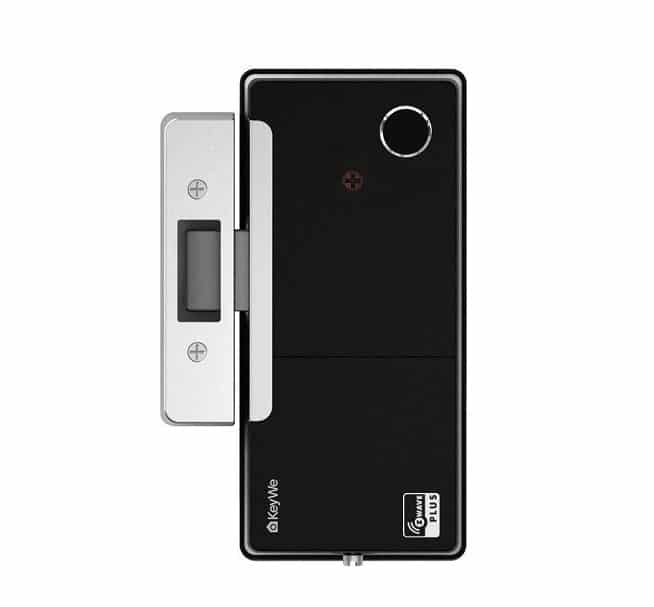
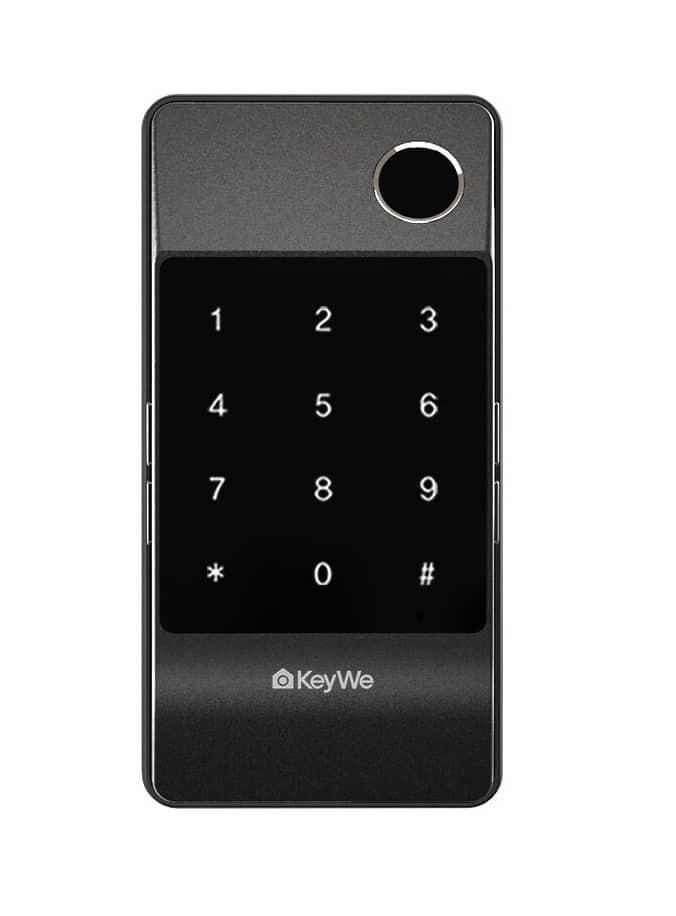
Name | KeyWe Smart Rim Lock |
|---|
Short Description | Smart lock that can be used conveniently with Z-Wave and Bluetooth. |
|---|
Long Description | The GKDL-5100Z is a smart lock that can be conveniently used with Z-Wave and Bluetooth.
You can control the door lock directly from the phone via the Bluetooth function in close range. You can also check the status of the door lock on the outside by connecting to the Z-Wave hub. |
|---|
Brand | keyWe |
|---|
Product Identifier | GKDL-5000Z |
|---|
Product Line | KeyWe |
|---|
OEM Version | HW: 1 FW: 1.00:01.00 |
|---|
Hardware Platform | ZGM130 |
|---|
Z-Wave Version | 7.12.2 |
|---|
Library Type | SLAVE_ENHANCED_232 |
|---|
Device Type | Lock |
|---|
Role Type | ROLE_TYPE_SLAVE_SLEEPING_LISTENING |
|---|
Manufacturer ID | 0x037B |
|---|
Product Type ID | 0x0012 |
|---|
Product ID | 0x0001 |
|---|
User Icon | 0x0300 |
|---|
Installer Icon | 0x0300 |
|---|
Frequency Plans | KR: 920.90MHz, 921.70MHz, 923.10MHz, EU: 869.85MHz, 868.40MHz, RU: 869.00MHz, IN: 865.20MHz, CN: 868.40MHz, HK: 919.80MHz, 919.80MHz, US: 916.00MHz, 908.40MHz, IL: 916.00MHz, JP: 922.50MHz, 923.90MHz, 926.30MHz, ANZ: 919.80MHz, 921.40MHz |
|---|
Categories | Locks |
|---|
Countries / Regions | India, Malaysia, Singapore, United Arab Emirates, Brazil, Russian Federation, Australia, Japan, China, European Union, South Africa, Chile, Republic of Korea, Israel, Taiwan, United States of America, Hong Kong, Colombia, Thailand |
|---|
Supported Command Classes | Identifier | Name | Key | Version |
|---|
COMMAND_CLASS_CONFIGURATION_V4 | Configuration V4 | 0x70 | 4 | COMMAND_CLASS_POWERLEVEL | Powerlevel | 0x73 | 1 | COMMAND_CLASS_DOOR_LOCK_V4 | Door Lock V4 | | 0 | COMMAND_CLASS_USER_CODE_V2 | User Code V2 | | 0 | COMMAND_CLASS_MULTI_CHANNEL_ASSOCIATION_V3 | Multi-Channel Association V3 | 0x8E | 3 | COMMAND_CLASS_INDICATOR_V3 | Indicator V3 | 0x87 | 3 | COMMAND_CLASS_BATTERY | Battery | 0x80 | 1 | COMMAND_CLASS_SECURITY | Security S0 | 0x98 | 1 | COMMAND_CLASS_TRANSPORT_SERVICE_V2 | Transport Service V2 | 0x55 | 2 | COMMAND_CLASS_VERSION_V2 | Version V2 | 0x86 | 2 | COMMAND_CLASS_DEVICE_RESET_LOCALLY | Device Reset Locally | 0x5A | 1 | COMMAND_CLASS_ZWAVEPLUS_INFO_V2 | Z-Wave Plus Info V2 | 0x5E | 2 | COMMAND_CLASS_ASSOCIATION_V2 | Association V2 | 0x85 | 2 | COMMAND_CLASS_FIRMWARE_UPDATE_MD_V5 | Firmware Update Meta-Data V5 | 0x7A | 5 | COMMAND_CLASS_ASSOCIATION_GRP_INFO_V3 | Association Group Information V3 | 0x59 | 3 | COMMAND_CLASS_NOTIFICATION_V8 | Notification V8 | 0x71 | 8 | COMMAND_CLASS_BASIC_V2 | Basic V2 | 0x20 | 2 | COMMAND_CLASS_SECURITY_2 | Security S2 | 0x9F | 1 | COMMAND_CLASS_MANUFACTURER_SPECIFIC | Manufacturer Specific | 0x72 | 1 | COMMAND_CLASS_SUPERVISION | Supervision | 0x6C | 1 |
|
|---|
S2 Classes | S2_AUTHENTICATED, S2_ACCESS_CONTROL |
|---|
Documents | Category | Description | File |
|---|
Manual_Primary_Lang | Product Manual | | Manual_English | Product Manual in English | |
|
|---|
Features | Feature | Values |
|---|
Battery Quantity | | Battery Type | | Color | | Communications Connections | | Communications Protocol | Value |
|---|
Manufacturer Proprietary Protocol |
| Door Lock Type | Value |
|---|
Deadbolt Motor Attachment |
| Firmware Updatable | Value |
|---|
Updatable by Consumer by RF |
|
|
|---|
Association Groups | Group Number | Maximum Nodes Supported | End Point ID | Group Name | Description |
|---|
1 | 5 | 0 | Lifeline | Z-Wave Plus Lifeline |
|
|---|
Configuration Parameters | Parameter Number | Name | Description | Format | Size | Min Value | Max Value | Default Value | Parameter Values |
|---|
1 | VOLUME | It means door lock’s volume | 2 | 1 | 1 | 3 | 2 | From | To | Description |
|---|
1 | 1 | It's value means mute. | 2 | 2 | It's value means normal volume. | 3 | 3 | It's value means loud volume. |
| 2 | DOOR LOCK MODE | It means door lock’s locking mode(auto/manual) | 2 | 1 | 1 | 2 | 1 | From | To | Description |
|---|
1 | 1 | It's value means door lock auto mode. | 2 | 2 | It's value means door lock manual mode. |
|
|
|---|
Texts | ID | Description | Value |
|---|
8 | Where to find S2 DSK on product | DSK number is posted below location.
1) Product : Left side of Indoor Body
2) Package Box : Rear Right Top | 1 | Classic Inclusion | Please proceed with the door lock open.
1. Set the controller in inclusion mode.
2. Open the battery cover of the indoor body and press the [REG] button.
3. Press the Master Pin [1][2][3][4] (Default value) button after pressing the [#] button.
4. Press the [8][8] button after pressing the [*] button. | 2 | Classic Exclusion | Please proceed with the door lock open.
1. Set the controller in exclusion mode.
2. Open the battery cover of the indoor body and press the [REG] button.
3. Press the Master Pin [1][2][3][4] (Default value) button after pressing the [#] button.
4. Press the [9][9] button after pressing the [*] button. | 4 | Wake-Up Procedure | To wake up the product, the following actions are required.
1. Touch the keypad on outdoor body.
2. Push the button on Indoor body.
3. Turn the knob on Indoor body. | 5 | Factory Reset Procedure | Please proceed with the door lock open.
Please use this procedure only when the primary controller is missing or otherwise inoperable.
1. Open the battery cover of the indoor body and press the [REG] button.
2. Press the Master Pin [1][2][3][4] (Default value) button after pressing the [#] button.
3. Press the [5] button after pressing the [*] button.
4. Press the [2] button after pressing the [*] button.
5. Press the Master Pin [1][2][3][4] (Default value) button after pressing the [#] button
*Master pins can change user settings. |
|
|---|
Supported Notification Types | Notification Type | Event / State |
|---|
Access Control | Manual lock operation | Access Control | Manual unlock operation | Access Control | RF lock operation | Access Control | RF unlock operation | Access Control | Keypad lock operation | Access Control | Keypad unlock operation | Access Control | Auto lock locked operation | Access Control | All user codes deleted | Access Control | Single user code deleted | Access Control | New user code added | Access Control | New user code not added due to duplicate code | Emergency Alarm | Contact police | Emergency Alarm | Contact fire service |
|
|---|
Supports NWI | Yes |
|---|
Supports Explorer Frames | Yes |
|---|
Is Flirs | Yes |
|---|
Supports SmartStart | Yes |
|---|
Radio Range Z-Wave (m) | 40 |
|---|