| Product Recognition | |
|---|
| Certification Number | ZC10-21097055 |
|---|
| Name | Kitchen Hub |
|---|
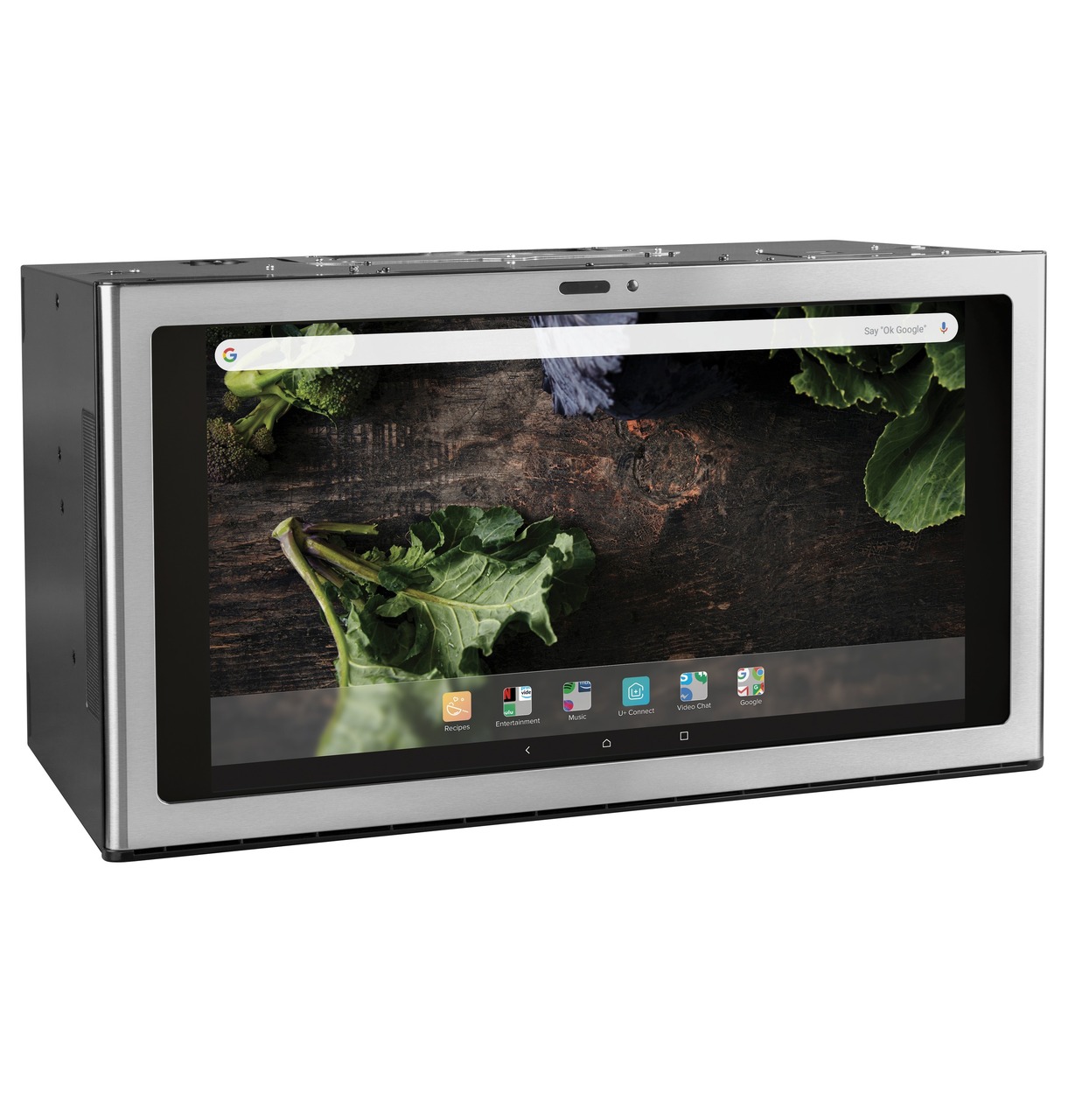
| Short Description | The Kitchen Hub is a fully-connected smart interactive hood that combines a beautiful and robust 27-inch smart-touch display with a powerful adjustable 600-CFM ventilation hood. |
|---|
| Long Description | The Kitchen Hub, by GE Appliances, is the first fully-connected smart interactive hood that combines a beautiful and robust 27-inch smart-touch display with a powerful adjustable 600-CFM ventilation hood. Designed to fit perfectly over a 30-inch cook surface, the Kitchen Hub enhances the cooking experience, and serves as a command center in your home. Unlike other built-in smart appliance displays that use vertical orientation, the Kitchen Hub is conveniently placed at eye-level, and uses a horizontal orientation that is optimized for viewing content on the screen.
The Kitchen Hub is the ultimate all-in-one control center that lives where we gather and cook. It comes enabled with:
- Google Assistant built-in allowing you to use your voice to preheat your oven, extend tumbling time on your dryer, check your calendar, respond to texts and more
- The Flavorly app, a guided-cooking experience that comes with over 5000 recipes that connect directly to your appliances making each step easier
- Two built-in cameras that allow you to video-chat, stream your cooking creations on social media and collaborate with friends and family using the dual-camera system
- The Kitchen Hub smart home app to control all of your connected appliances from one place. The Kitchen Hub Smart Hub smart home app interface will also allow you to add third party devices that are supported by the GE Appliances smart home platform
- Full-access to the Google Play store where you can download your favorite entertainment and music apps like Netflix, Hulu, Spotify and Pandora |
|---|
| Brand | GE Appliances |
|---|
| Product Identifier | UVH1301 |
|---|
| Product Line | OTR Vent Hood |
|---|
| OEM Version | HW: 1 FW: 6.08:02.81:02.00 |
|---|
| Hardware Platform | ZM5304 |
|---|
| Z-Wave Version | 6.82.00 |
|---|
| Library Type | CONTROLLER_BRIDGE |
|---|
| Device Type | Gateway |
|---|
| Role Type | ROLE_TYPE_CONTROLLER_CENTRAL_STATIC |
|---|
| Manufacturer ID | 0x044f |
|---|
| Product Type ID | 0x1100 |
|---|
| Product ID | 0x0001 |
|---|
| User Icon | 0x1100 |
|---|
| Installer Icon | 0x1100 |
|---|
| Frequency Plans | US: 916.00MHz, 908.40MHz |
|---|
| Categories | All Lighting Devices, Dimming Lighting Devices, On/Off Switches/Devices |
|---|
| Countries / Regions | United States of America |
|---|
| Supported Command Classes | | Identifier | Name | Key | Version |
|---|
| COMMAND_CLASS_POWERLEVEL | Powerlevel | 0x73 | 1 | | COMMAND_CLASS_INCLUSION_CONTROLLER | Inclusion Controller | 0x74 | 1 | | COMMAND_CLASS_CRC_16_ENCAP | CRC16 Encapsulation | 0x56 | 1 | | COMMAND_CLASS_SECURITY | Security S0 | 0x98 | 1 | | COMMAND_CLASS_TRANSPORT_SERVICE_V2 | Transport Service V2 | 0x55 | 2 | | COMMAND_CLASS_VERSION_V2 | Version V2 | 0x86 | 2 | | COMMAND_CLASS_DEVICE_RESET_LOCALLY | Device Reset Locally | 0x5A | 1 | | COMMAND_CLASS_ZWAVEPLUS_INFO_V2 | Z-Wave Plus Info V2 | 0x5E | 2 | | COMMAND_CLASS_ASSOCIATION_V2 | Association V2 | 0x85 | 2 | | COMMAND_CLASS_ASSOCIATION_GRP_INFO | Association Group Info | 0x59 | 1 | | COMMAND_CLASS_SECURITY_2 | Security S2 | 0x9F | 1 | | COMMAND_CLASS_MANUFACTURER_SPECIFIC | Manufacturer Specific | 0x72 | 1 | | COMMAND_CLASS_SUPERVISION | Supervision | 0x6C | 1 |
|
|---|
| Controlled Command Classes | | Identifier | Name | Key | Version |
|---|
| COMMAND_CLASS_MULTI_CHANNEL_ASSOCIATION_V3 | Multi-Channel Association V3 | 0x8E | 3 | | COMMAND_CLASS_CRC_16_ENCAP | CRC16 Encapsulation | 0x56 | 1 | | COMMAND_CLASS_SECURITY | Security S0 | 0x98 | 1 | | COMMAND_CLASS_WAKE_UP_V2 | Wake Up V2 | 0x84 | 2 | | COMMAND_CLASS_ASSOCIATION_V2 | Association V2 | 0x85 | 2 | | COMMAND_CLASS_MULTI_CHANNEL_V4 | Multi-Channel V4 | 0x60 | 4 | | COMMAND_CLASS_SWITCH_MULTILEVEL_V4 | Switch Multilevel V4 | 0x26 | 4 | | COMMAND_CLASS_SWITCH_COLOR_V2 | Switch Color V2 | 0x33 | 2 | | COMMAND_CLASS_NETWORK_MANAGEMENT_INCLUSION_VERSION_3 | Network Management Inclusion V3 | 0x34 | 0 | | COMMAND_CLASS_BASIC_V2 | Basic V2 | 0x20 | 2 | | COMMAND_CLASS_SECURITY_2 | Security S2 | 0x9F | 1 |
|
|---|
| S2 Classes | S2_UNAUTHENTICATED, S2_AUTHENTICATED, S2_ACCESS_CONTROL |
|---|
| Documents | |
|---|
| Association Groups | | Group Number | Maximum Nodes Supported | End Point ID | Group Name | Profile | Description |
|---|
| 1 | 1 | 0 | Lifeline | 0x0001 | Gateway Lifeline group |
|
|---|
| Texts | | ID | Description | Value |
|---|
| 8 | Where to find S2 DSK on product | Provided digitally through the app, found in the Settings menu. | | 1 | Classic Inclusion | Select "Join Network" in the app to put the kitchen hub into learn mode to join another network. | | 2 | Classic Exclusion | Same as Inclusion | | 5 | Factory Reset Procedure | Factory Reset is available through the Settings menu in the app |
|
|---|
| Supports NWI | Yes |
|---|
| Supports Explorer Frames | Yes |
|---|