Product Recognition | |
|---|
Certification Number | ZC10-18015938 |
|---|
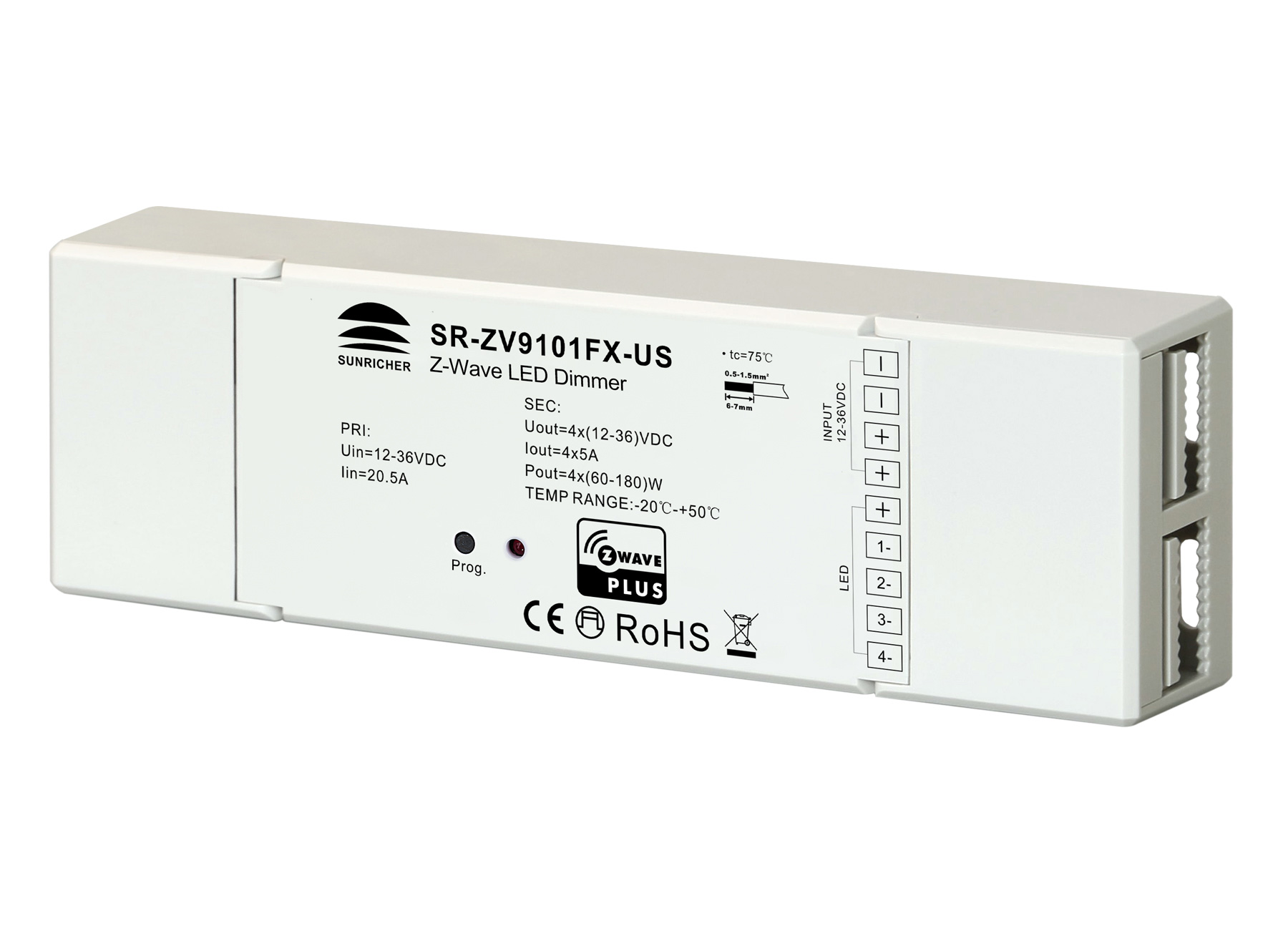
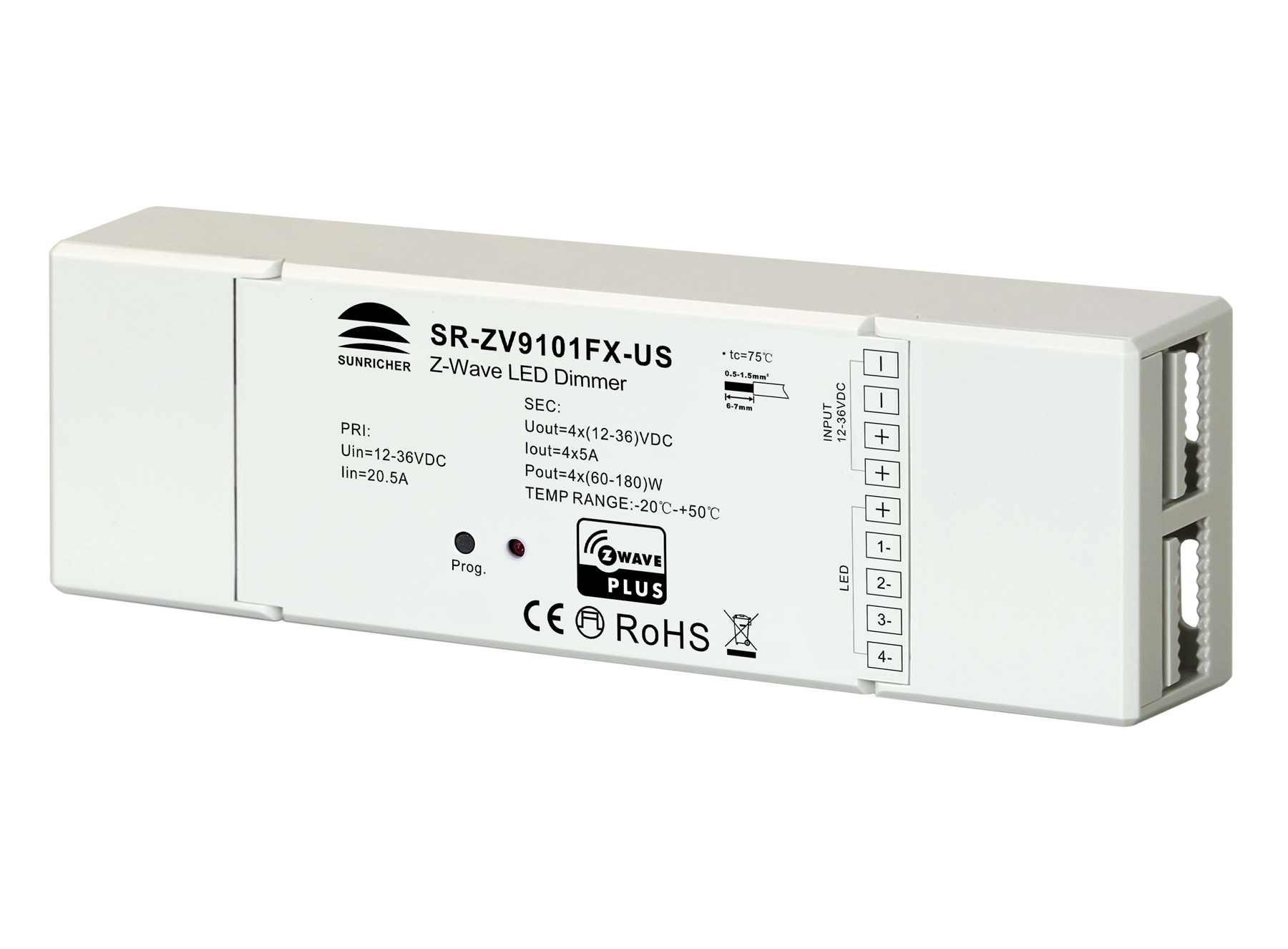
Name | LED Dimmer |
|---|
Short Description | The LED dimmer is a Z-Wave device that is used to switch ON/OFF and adjust light intensity of the connected LED light and can be controlled by other Z-Wave devices. |
|---|
Long Description | The LED dimmer is a Z-Wave device that is used to switch ON/OFF and adjust light intensity of the connected LED light and can be controlled by other Z-Wave devices. The dimmer can be included and operated in any Z-Wave network with other Z-Wave certified devices from other manufacturers and/or other applications. All non-battery
operated nodes within the network will act as repeaters regardless of vendor to increase reliability of the network.
the device cannot act as Z-Wave network controller (primary or secondary), so a security enabled controller is needed for take full advantage of all functionally for the device. It also supports the Over The Air (OTA) feature for the product’s firmware upgrade.
The encryption modes that the LED dimmer supports are S0, S2 unauthenticated. When the LED dimmer is being included into a Z-Wave network, you can use your primary controller/gateway to enable one encryption mode or disable encryption. (The primary controller/gateway shall support encryption mode configuration). |
|---|
Brand | Sunricher |
|---|
Product Identifier | SR-ZV9101FX-US |
|---|
OEM Version | HW: 1 FW: 1.00 |
|---|
Hardware Platform | ZM5101 |
|---|
Z-Wave Version | 6.71.01 |
|---|
Library Type | SLAVE_ENHANCED_232 |
|---|
Device Type | Light Dimmer Switch |
|---|
Role Type | ROLE_TYPE_SLAVE_ALWAYS_ON |
|---|
Manufacturer ID | 0x0330 |
|---|
Product Type ID | 0x0201 |
|---|
Product ID | 0xD002 |
|---|
User Icon | 0x0600 |
|---|
Installer Icon | 0x0600 |
|---|
Frequency Plans | US: 916.00MHz, 908.40MHz |
|---|
Categories | All Lighting Devices, Dimming Lighting Devices, Lighting Accessories |
|---|
Countries / Regions | United States of America |
|---|
Supported Command Classes | Identifier | Name | Key | Version |
|---|
COMMAND_CLASS_FIRMWARE_UPDATE_MD_V4 | Firmware Update Meta-Data V4 | 0x7A | 4 | COMMAND_CLASS_SCENE_ACTUATOR_CONF | Scene Actuator Conf | 0x2C | 1 | COMMAND_CLASS_POWERLEVEL | Powerlevel | 0x73 | 1 | COMMAND_CLASS_SWITCH_COLOR_V3 | Switch Color V3 | 0x33 | 3 | COMMAND_CLASS_SECURITY | Security S0 | 0x98 | 1 | COMMAND_CLASS_TRANSPORT_SERVICE_V2 | Transport Service V2 | 0x55 | 2 | COMMAND_CLASS_VERSION_V2 | Version V2 | 0x86 | 2 | COMMAND_CLASS_DEVICE_RESET_LOCALLY | Device Reset Locally | 0x5A | 1 | COMMAND_CLASS_ZWAVEPLUS_INFO_V2 | Z-Wave Plus Info V2 | 0x5E | 2 | COMMAND_CLASS_ASSOCIATION_V2 | Association V2 | 0x85 | 2 | COMMAND_CLASS_SWITCH_MULTILEVEL_V4 | Switch Multilevel V4 | 0x26 | 4 | COMMAND_CLASS_ASSOCIATION_GRP_INFO_V3 | Association Group Information V3 | 0x59 | 3 | COMMAND_CLASS_NOTIFICATION_V8 | Notification V8 | 0x71 | 8 | COMMAND_CLASS_BASIC_V2 | Basic V2 | 0x20 | 2 | COMMAND_CLASS_SECURITY_2 | Security S2 | 0x9F | 1 | COMMAND_CLASS_SUPERVISION | Supervision | 0x6C | 1 | COMMAND_CLASS_SCENE_ACTIVATION | Scene Activation | 0x2B | 1 | COMMAND_CLASS_CONFIGURATION_V2 | Configuration V2 | 0x70 | 2 | COMMAND_CLASS_MANUFACTURER_SPECIFIC_V2 | Manufacturer Specific V2 | 0x72 | 2 |
|
|---|
S2 Classes | S2_UNAUTHENTICATED |
|---|
Documents | Category | Description | File |
|---|
Manual_Primary_Lang | Product or Owner's Manual | |
|
|---|
Features | Feature | Values |
|---|
Firmware Updatable | Value |
|---|
Updatable by Consumer by RF |
| Supported Notification Types | |
|
|---|
Association Groups | Group Number | Maximum Nodes Supported | End Point ID | Description |
|---|
1 | 5 | 0 | Z-Wave Plus Lifeline |
|
|---|
Configuration Parameters | Parameter Number | Name | Description | Format | Size | Min Value | Max Value | Default Value | Parameter Values |
|---|
7 | Execution times of stage mode | Execution times of stage mode | 0 | 1 | 0 | 0 | 0 | From | To | Description |
|---|
0 | 0 | unlimited times | 1 | 255 | 1~0xFF, execution times 1~255 |
| 6 | Speed of stage mode | Speed of stage mode | 0 | 1 | 0 | 0 | 243 | From | To | Description |
|---|
0 | 255 | 0 is the slowest, 255(0xFF) is the fastest |
| 2 | Saving load state before power failure | Saving load state before power failure | 0 | 1 | 0 | 0 | 0 | From | To | Description |
|---|
0 | 0 | shutoff load | 1 | 1 | turn on load | 2 | 2 | save load state before power failure |
| 3 | Enable/disable to send the basic report | Enable/disable to send the basic report to the Lifeline when the load state changed (When value set as 1, re-power on the dimmer, it will send Basic report automatically) | 0 | 1 | 0 | 0 | 1 | From | To | Description |
|---|
0 | 0 | Disable to send Basic report | 1 | 1 | Enable to send Basic report |
| 4 | Select the type of the light band | Select the type of the light band | 0 | 1 | 0 | 0 | 2 | From | To | Description |
|---|
0 | 0 | single color light band, 4 channels PWM output to drive 4 channels single color light band | 1 | 1 | CCT light band, 2 channels PWM output, R(B) controls warm white, G(W) controls cool white | 2 | 2 | RGBW light band, 4 channels PWM output to drive RGBW light band |
| 5 | Choose a cool light stage mode | receiving Command Class Switch Color, or switching light band type, it recovers to normal lighting mode.) Remarks: When parameter number 4 is set as single color light band, the valid values of this parameter are 0~2. | 0 | 1 | 0 | 0 | 0 | From | To | Description |
|---|
0 | 0 | inactive of light stage mode | 1 | 1 | fade in and fade out mode, colors set by parameter 8 | 2 | 2 | flash mode, colors set by parameter 8 | 3 | 3 | rainbow mode, system fixed changing effect | 4 | 4 | fade in and fade out mode, color changes randomly | 5 | 5 | flash mode, color changes randomly | 6 | 6 | rainbow mode, color changes randomly | 7 | 7 | random mode, the colors switch randomly |
| 8 | The hue of stage mode | The hue is only valid for fade in and fade out mode, flash mode | 0 | 1 | 0 | 0 | 0 | From | To | Description |
|---|
0 | 255 | 0~0xFF value of hue,only valid for fade in and fade out mode, flash mode |
| 9 | Enable/disable external switch to be added to and removed from a network | Enable/disable external switch to be added to and removed from a network (when enables this function, triple press the external switch within 1.5 seconds to be added to or removed from a network) | 0 | 1 | 0 | 0 | 0 | From | To | Description |
|---|
0 | 0 | disable | 1 | 1 | enable |
|
|
|---|
Texts | ID | Description | Value |
|---|
1 | Inclusion | 1. Set primary controller/gateway into inclusion mode (Please refer to your primary controllers manual on how to turn your controller into inclusion).
2. Power on the LED dimmer, make sure the LED dimmer does not belong to any Z-Wave network (please refer to the part “How to check whether the LED dimmer included to a network” of this manual).
1) When the connected LED light flashes quickly for 6 seconds, it means the LED dimmer does not belong to any network. Triple press the “Inclusion/Exclusion” button, it will be set into inclusion mode automatically, and waiting to be included.
2) When the connected LED light is under solid on status, it means the LED dimmer has already been included into a network. First you have to set the LED dimmer into exclusion mode, once excluded, it will be set into inclusion mode automatically, and waiting to be included.
The connected LED light stays solid on 3s to indicate successful inclusion. | 2 | Exclusion | There are two exclusion methods:
Method 1: Exclusion from the primary controller/gateway as follows:
1. Set the primary controller/gateway into exclusion mode (Please refer to your primary controllers manual on how to set your controller into exclusion).
2. Triple press the “inclusion/exclusion” button, the LED dimmer will be set to exclusion mode, the connected LED light will flash quickly for 6 seconds, and waiting to be excluded, then LED light stays solid on 3s to indicate successful exclusion.
There are 3 methods for the LED dimmer to quit “exclusion mode”. Once the LED dimmer quits “exclusion mode”, the LED light will stop the fast flash status.
1. Automatically quits after successful exclusion.
2. Quits after 10 seconds timeout.
3. Power off and power on the LED dimmer.
(Note: When the LED dimmer already included to a network, triple press
“inclusion/exclusion” button, the LED dimmer will be set into exclusion mode and quit exclusion mode alternatively.)
Method 2: Factory reset the LED dimmer will force the LED dimmer to be excluded from a network. (please refer to the part “Factory Reset” of this manual)
Note: Factory reset is not recommended for exclusion, please use this procedure only if the primary controller/gateway is missing or otherwise inoperable. | 5 | Factory Reset | Press and hold down “inclusion/exclusion” button for over 10 seconds, connected LED light stays solid on 3s to indicate successful factory reset, release “inclusion/exclusion” button, all 4 PWM outputs will restore to 50% brightness.
Note: Factory reset is not recommended for exclusion, please use this procedure only if the primary controller/gateway is missing or otherwise inoperable. |
|
|---|
Supported Notification Types | Notification Type | Event / State |
|---|
System | (Refer to parameters): State idle |
|
|---|
Supports NWI | Yes |
|---|
Supports Explorer Frames | Yes |
|---|
Radio Range Z-Wave (m) | 40 |
|---|