
| Product Recognition | |
|---|
| Certification Number | ZC10-16010001 |
|---|
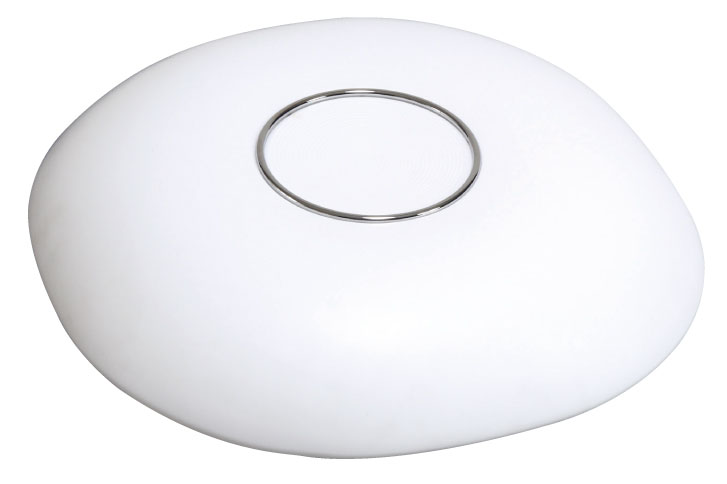
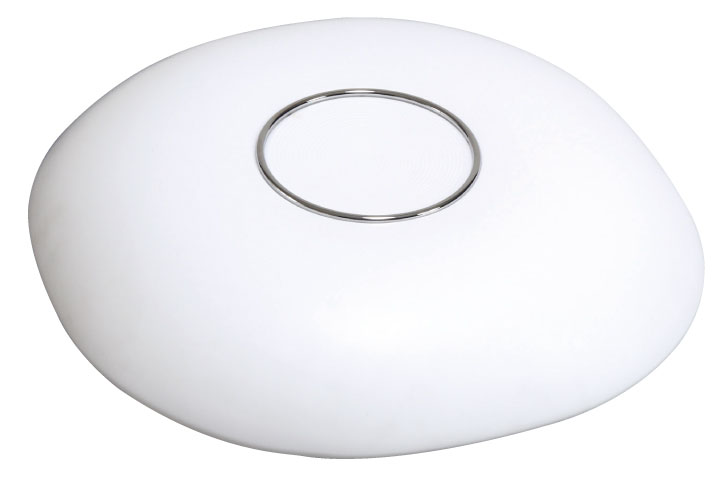
| Name | LED Light |
|---|
| Short Description | Dimming and Temperature Controlled LED Light |
|---|
| Long Description | Use eco-friendly LED lighting that can replace conventional lighting for energy Saving.
After install household lighting in a room. you can control of turn on/off LED lighting from inside and outside, also control brightness and color temperature of lamp for variety of moods.
Use extra Gateway for control operation the above function. |
|---|
| Brand | KUMHO ELECTRIC, INC |
|---|
| Product Identifier | KHEZ-0001 |
|---|
| OEM Version | FF |
|---|
| Hardware Platform | WML-C85 |
|---|
| Z-Wave Version | 6.51.06 |
|---|
| Library Type | SLAVE_ENHANCED_232 |
|---|
| Device Type | Light Dimmer Switch |
|---|
| Role Type | ROLE_TYPE_SLAVE_ALWAYS_ON |
|---|
| Manufacturer ID | 0x023A |
|---|
| Product Type ID | 0x0001 |
|---|
| Product ID | 0x0001 |
|---|
| Frequency Plans | KR: 920.90MHz, 921.70MHz, 923.10MHz |
|---|
| Categories | All Lighting Devices, Dimming Lighting Devices |
|---|
| Countries / Regions | Republic of Korea |
|---|
| Documents | |
|---|
| Association Groups | | Group Number | Maximum Nodes Supported | End Point ID | Description |
|---|
| 1 | 5 | 0 | Z-Wave Plus Lifeline |
|
|---|
| Texts | | ID | Description | Value |
|---|
| 1 | Inclusion | You can add the device by either hardware button.
-hardware button : Press the Add/Remove button.(1Second)
1. Click an [Add] icon in Z-Wave PC Controller Program
2. Press the hardware button in a Kumho light lamp for 1 second
3. The device will be added to the Z-Wave network | | 2 | Exclusion | You can remove the devicee by either hardware button.
-hardware button : Press the Add/Remove button.(1Second)
1. Click a [Remove] icon in Z-Wave PC Controller Program
2. Press the hardware button in a Kumho light lamp for 1 second
3. The device will be removed from the Z-Wave network | | 5 | Factory Reset | ""Use this procedure only when the network primary controller is missing or otherwise inoperable.""
1. Press the hardware button in a Kumho light lamp for 10 seconds
2. Device Reset Locally notification will be sent |
|
|---|
| Supports NWI | Yes |
|---|
| Supports Explorer Frames | Yes |
|---|