Product Recognition | |
|---|
Certification Number | ZC10-16055072 |
|---|
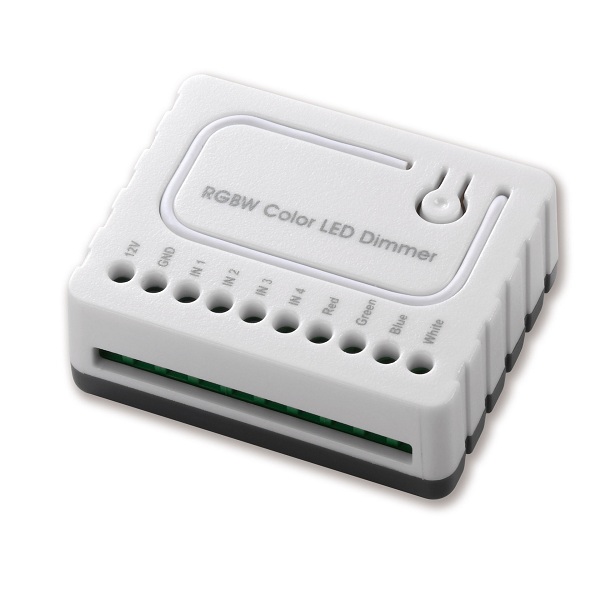
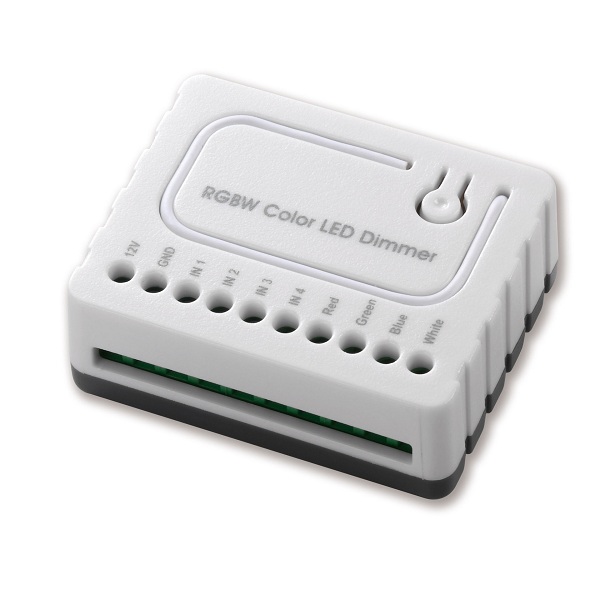
Name | Light Dimmer Switch |
|---|
Short Description | RGBW LED Light Dimmer Switch |
|---|
Long Description | The RGBW Controller uses PWM output signal, which enables it to Control LED,RGB, RGBW strips. Controlled devices may be powered by 12 or 24 VDC. |
|---|
Brand | Good Way Technology, Co., Ltd |
|---|
Product Identifier | TD14010 |
|---|
OEM Version | HW: 255 FW: 2.01 |
|---|
Hardware Platform | ZM5101 |
|---|
Z-Wave Version | 6.51.06 |
|---|
Library Type | SLAVE_ENHANCED_232 |
|---|
Device Type | Light Dimmer Switch |
|---|
Role Type | ROLE_TYPE_SLAVE_ALWAYS_ON |
|---|
Manufacturer ID | 0x0068 |
|---|
Product Type ID | 0x0003 |
|---|
Product ID | 0x000B |
|---|
User Icon | 0x0600 |
|---|
Installer Icon | 0x0600 |
|---|
Frequency Plans | EU: 869.85MHz, 868.40MHz |
|---|
Categories | All Lighting Devices, Dimming Lighting Devices |
|---|
Countries / Regions | European Union |
|---|
Documents | Category | Description | File |
|---|
Manual_Primary_Lang | Product or Owner's Manual | |
|
|---|
Association Groups | Group Number | Maximum Nodes Supported | End Point ID | Description |
|---|
1 | 5 | 0 | Z-Wave Plus "Lifeline" |
|
|---|
Configuration Parameters | Parameter Number | Name | Description | Format | Size | Min Value | Max Value | Default Value | Parameter Values |
|---|
2 | Switch Mode | Control Switch Status: 1:Toggle Mode 2: Momentary Mode 3: App Color Control | 0 | 1 | 0 | 0 | 3 | | 3 | Switch Sub Mode | Turn On Select on the Switch Mode: 1: Normal Mode 2: Brightness Mode 3: Rainbow Mode | 0 | 1 | 0 | 0 | 1 | From | To | Description |
|---|
1 | 3 | Sub Mode |
| 1 | Scene Control Cycle Time | Scene Control Cycle Time Used to control items : Ocean,Rainbow,Snow,Sun, | 0 | 1 | 0 | 0 | 1 | From | To | Description |
|---|
1 | 4 | Duration times |
|
|
|---|
Texts | ID | Description | Value |
|---|
1 | Inclusion | LED Signal:Blinking Green (Interval: 1 sec.)
Touch three times (Must release in 2 sec.)
Include the R.G.B.W. Color LED Dimmer into the Z-wave network, press 3 times in 2 seconds. If the device is properly included, the green light will remains on. | 2 | Exclusion | LED Signal:Blinking Green(Interval: 1 sec.)
Touch three times (Must release in 2 sec.)
Exclude the R.G.B.W. Color LED Dimmer into the Z-Wave network, press 3 times in 2 seconds. If the device is properly excluded, the green light will blink and the data will be reset to the factory default values. | 5 | Factory Reset | When the Controller is damaged or lost, and you have already transferred the control function to an external control switch before, the product can be normally operated. In other case, please purchase a new Controller, press the Include/Exclude Button three times to exclude the device, and then include the device with the original installation steps, the device can be restored to normal operation. Please note that re-including the product will reset the data to the default values. Use this procedure only in the event that the network primary controller is missing or otherwise inoperable. |
|
|---|
Supports NWI | Yes |
|---|
Supports Explorer Frames | Yes |
|---|
Radio Range Z-Wave (m) | 40 |
|---|