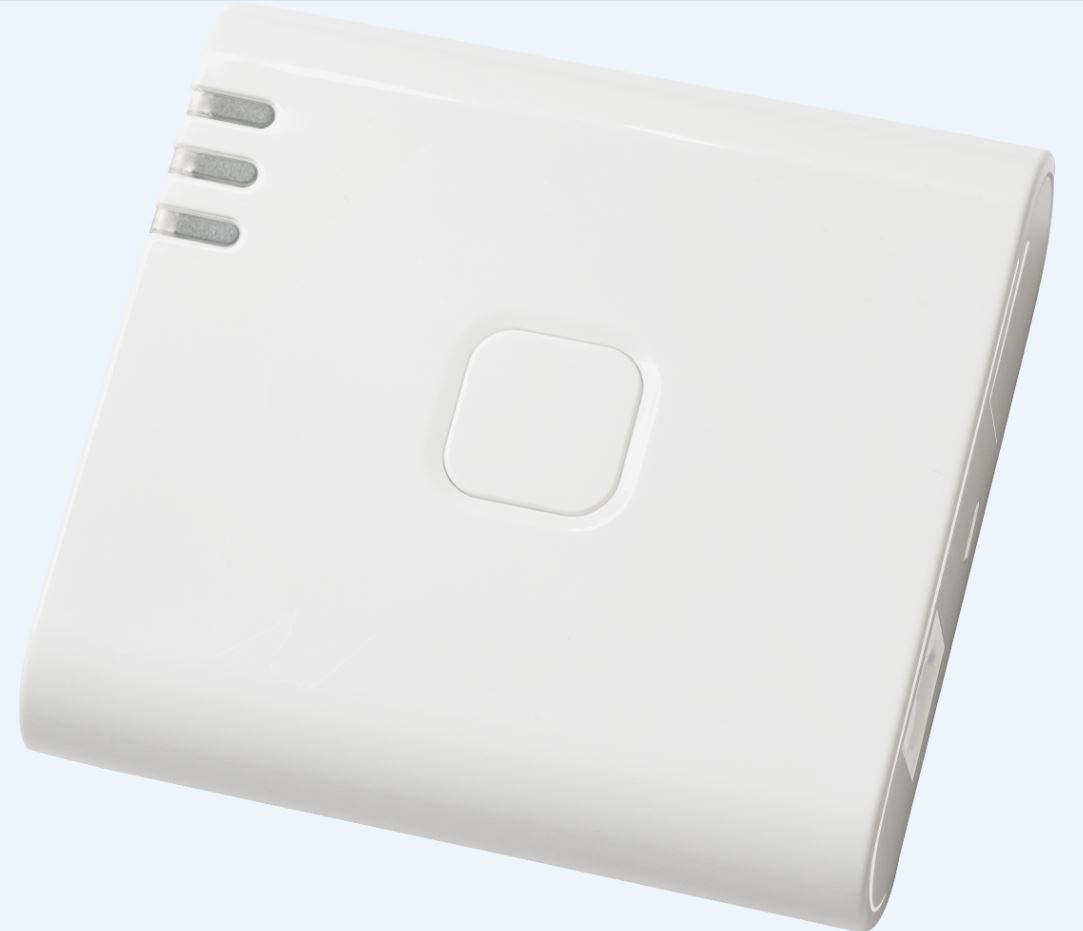
Product Recognition | |
|---|
Certification Number | ZC10-16045058 |
|---|
Name | LiveConnect Center |
|---|
Short Description | Low-priced edition gateway that supports only wired LAN. |
|---|
Long Description | Gateway that can be adopted in low price for Smart Home / Smart Facility where broadband is available. Using the sensors provided by Z-Works together with the gateway, the sensor data can be sent to the cloud server where the data is translated to human action and/or status. In the daily life or work scene, a user can receive notification from the cloud server based on the scenario registered in advance. |
|---|
Brand | Z-Works |
|---|
Product Identifier | ZG-500-v1 |
|---|
OEM Version | HW: 1 FW: 4.26:01.05 |
|---|
Hardware Platform | SD3502 |
|---|
Z-Wave Version | 6.51.03 |
|---|
Library Type | CONTROLLER_STATIC |
|---|
Device Type | Gateway |
|---|
Role Type | ROLE_TYPE_CONTROLLER_CENTRAL_STATIC |
|---|
Manufacturer ID | 0x024D |
|---|
Product Type ID | 0x0001 |
|---|
Product ID | 0x0001 |
|---|
User Icon | 0x0500 |
|---|
Installer Icon | 0x0500 |
|---|
Frequency Plans | JP: 922.50MHz, 923.90MHz, 926.30MHz |
|---|
Categories | All Controllers, Gateway Controller |
|---|
Countries / Regions | Japan |
|---|
Controlled Command Classes | Identifier | Name | Key | Version |
|---|
COMMAND_CLASS_ASSOCIATION_GROUP_INFORMATION_V2 | Association Group Information V2 | 0x59 | 0 | COMMAND_CLASS_SENSOR_MULTILEVEL_V5 | Sensor Multilevel V5 | 0x31 | 5 | COMMAND_CLASS_MULTI_CHANNEL_ASSOCIATION_V3 | Multi-Channel Association V3 | 0x8E | 3 | COMMAND_CLASS_BATTERY | Battery | 0x80 | 1 | COMMAND_CLASS_BASIC | Basic | 0x20 | 1 | COMMAND_CLASS_CONFIGURATION | Configuration | 0x70 | 1 | COMMAND_CLASS_CRC_16_ENCAP | CRC16 Encapsulation | 0x56 | 1 | COMMAND_CLASS_SECURITY | Security S0 | 0x98 | 1 | COMMAND_CLASS_VERSION_V2 | Version V2 | 0x86 | 2 | COMMAND_CLASS_WAKE_UP_V2 | Wake Up V2 | 0x84 | 2 | COMMAND_CLASS_ZWAVEPLUS_INFO_V2 | Z-Wave Plus Info V2 | 0x5E | 2 | COMMAND_CLASS_ASSOCIATION_V2 | Association V2 | 0x85 | 2 | COMMAND_CLASS_MULTI_CHANNEL_V4 | Multi-Channel V4 | 0x60 | 4 | COMMAND_CLASS_MANUFACTURER_SPECIFIC | Manufacturer Specific | 0x72 | 1 |
|
|---|
Documents | Category | Description | File |
|---|
Manual_Primary_Lang | Product or Owner's Manual | |
|
|---|
Association Groups | Group Number | Maximum Nodes Supported | End Point ID | Description |
|---|
1 | 10 | 0 | Z-Wave Plus Lifeline |
|
|---|
Texts | ID | Description | Value |
|---|
24 | Controller Exclusion | The exclusion can be done through the hardware button. A long single click (between 3 and 9 seconds) will trigger the exclusion. A button on the GUI is also present to start the exclusion (""Start Exclusion"" button). The Gateway will wait for a device to be excluded for 60 seconds. | 23 | Controller Inclusion | The inclusion can be done through the hardware button. Triple quick click on the button will trigger the inclusion. A button on the GUI is also present to start the inclusion (""NWI"" or ""ADD"" button). The Gateway will wait for a device to be included for 60 seconds. | 3 | Learn Mode (adding another controller) | The learn mode can be done only through a provided GUI. The Gateway will try to include itself into an existing Z-Wave network. No hardware button can trigger this mode. | 5 | Factory Reset | The reset can be done through the hardware button. A long single click (over 10 seconds) will trigger the reset. A button on the GUI is also present to start the reset (""Resets the Chip"").
Please use this procedure only when the network primary controller is missing or otherwise inoperable. |
|
|---|
Supports NWI | Yes |
|---|
Supports Explorer Frames | Yes |
|---|
Radio Range Z-Wave (m) | 40 |
|---|