Product Recognition | |
|---|
Certification Number | ZC10-16085196 |
|---|
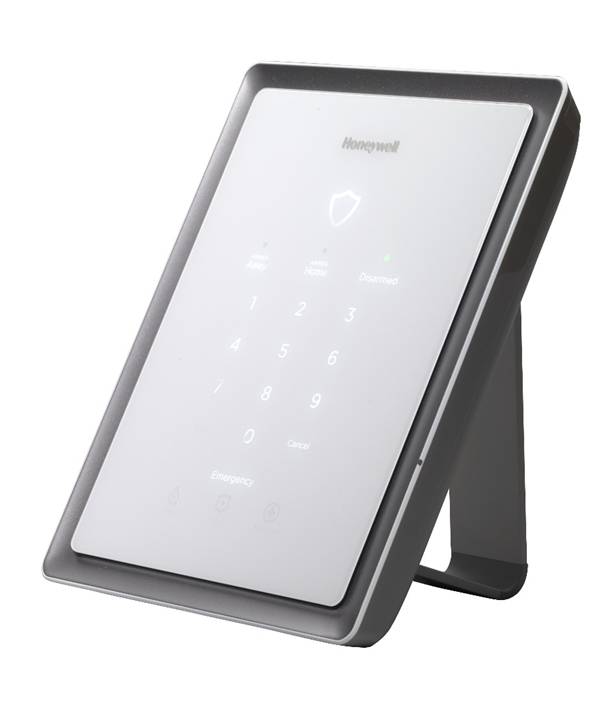
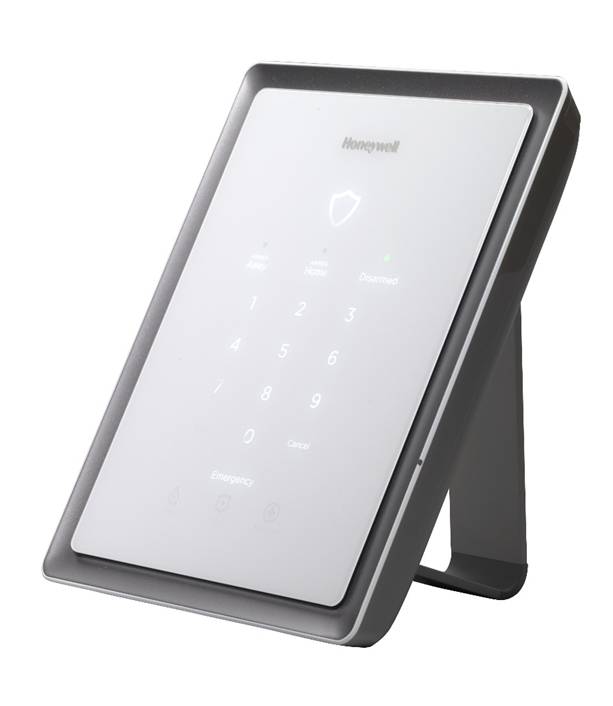
Name | Lyric Gateway |
|---|
Short Description | Lyric Gateway combines a security system and home automation to operate the system locally or remotely using smart devices and easy to use Apps. |
|---|
Long Description | Lyric Gateway combines a security system and home automation with flexibility to operate your system locally using Wi-Fi connection or remotely over the internet using smart devices and easy to use Apps.
This Gateway system can include wireless sensors to provide burglary protection and smoke and combustion detectors to provide early fire and carbon monoxide (CO) warnings (if installed).
This Gateway system monitors sensors and system status to initiate alarms and generate alerts. The system can also send alarm and status messages to a central monitoring station via the cellular phone network or the Internet, if programmed to do so.
This Gateway system and Z-Wave devices added to the system are linked together in a wireless network. Each device in the network is assigned a unique address and cannot be activated by a neighbor's Z-Wave controller. The Z-Wave network supports multiple controllers, allowing Z-Wave remote controls to be used throughout the home.
This Gateway system can display live video from as many as eight Wi-Fi-connected cameras.
This Gateway system uses 4-digit codes to restrict certain functions to selected users. A special 4-digit code can be set to trigger the system’s Duress function. |
|---|
Brand | Lyric |
|---|
Product Identifier | LCP300-L |
|---|
OEM Version | HW: 1 FW: 4.32:04.00 |
|---|
Hardware Platform | ZM5202 |
|---|
Z-Wave Version | 6.51.06 |
|---|
Library Type | CONTROLLER_STATIC |
|---|
Device Type | Central Controller |
|---|
Role Type | ROLE_TYPE_CONTROLLER_CENTRAL_STATIC |
|---|
Manufacturer ID | 0x0039 |
|---|
Product Type ID | 0x0001 |
|---|
Product ID | 0x0008 |
|---|
User Icon | 0100 |
|---|
Installer Icon | 0100 |
|---|
Frequency Plans | US: 916.00MHz, 908.40MHz |
|---|
Categories | All Controllers, Gateway Controller, Security Systems |
|---|
Countries / Regions | United States of America |
|---|
Controlled Command Classes | Identifier | Name | Key | Version |
|---|
COMMAND_CLASS_SWITCH_MULTILEVEL | Switch Multilevel | 0x26 | 1 | COMMAND_CLASS_ASSOCIATION_GROUP_INFORMATION | Association Group Information V1 | 0x59 | 0 | COMMAND_CLASS_DOOR_LOCK | Door Lock | 0x62 | 1 | COMMAND_CLASS_USER_CODE | User Code | 0x63 | 1 | COMMAND_CLASS_MULTI_CHANNEL_ASSOCIATION_V3 | Multi-Channel Association V3 | 0x8E | 3 | COMMAND_CLASS_BATTERY | Battery | 0x80 | 1 | COMMAND_CLASS_SENSOR_MULTILEVEL | Sensor Multilevel | 0x31 | 1 | COMMAND_CLASS_SWITCH_BINARY | Switch Binary | 0x25 | 1 | COMMAND_CLASS_BASIC | Basic | 0x20 | 1 | COMMAND_CLASS_CRC_16_ENCAP | CRC16 Encapsulation | 0x56 | 1 | COMMAND_CLASS_SECURITY | Security S0 | 0x98 | 1 | COMMAND_CLASS_THERMOSTAT_FAN_MODE_V3 | Thermostat Fan Mode V3 | 0x44 | 3 | COMMAND_CLASS_THERMOSTAT_MODE_V2 | Thermostat Mode V2 | 0x40 | 2 | COMMAND_CLASS_THERMOSTAT_SETPOINT_V2 | Thermostat Setpoint V2 | 0x43 | 2 | COMMAND_CLASS_WAKE_UP_V2 | Wake Up V2 | 0x84 | 2 | COMMAND_CLASS_ASSOCIATION_V2 | Association V2 | 0x85 | 2 | COMMAND_CLASS_MULTI_CHANNEL_V4 | Multi-Channel V4 | 0x60 | 4 | COMMAND_CLASS_MANUFACTURER_SPECIFIC | Manufacturer Specific | 0x72 | 1 |
|
|---|
Documents | Category | Description | File |
|---|
Manual_Primary_Lang | Product or Owner's Manual | |
|
|---|
Features | Feature | Values |
|---|
Battery Quantity | | Battery Type | Value |
|---|
Great Power NI-MH Battery, 7.2V 1100mAh |
| Color | | Communications Connections | Value |
|---|
Ethernet (Wired) | Ethernet (Wireless/WiFi) |
| Firmware Updatable | Value |
|---|
Updatable by Professional/Technician |
|
|
|---|
Association Groups | Group Number | Maximum Nodes Supported | End Point ID | Description |
|---|
1 | 1 | 0 | Z-Wave Plus Lifeline |
|
|---|
Texts | ID | Description | Value |
|---|
24 | Controller Exclusion | Press ""Automation"" on the Home screen, the Z-wave Device Management screen appears. Press the ""Down"" arrow. Press ""Tools"" and select ""Exclude Devices"". | 23 | Controller Inclusion | Press ""Automation"" on the Home screen, the Z-wave Device Management screen appears. Press the ""Down"" arrow. Press ""Tools"" and select ""Include Devices"". | 5 | Factory Reset | Press ""Automation"" on the Home screen, the Z-wave Device Management screen appears. Press the ""Down"" arrow. Press ""Tools"" and select ""Advanced Tools"". Enter the Master User code: 1234, the Advanced Tools screen appears and select ""Factory Default Controller"".
Note: If this controller is the primary controller for your network, resetting it will result in the nodes in your network being orphaned and it will be necessary after the reset to exclude and re-include all of the nodes in the network. If this controller is being used as a secondary controller in the network, use this procedure to reset this controller only in the event that the network primary controller is missing or otherwise inoperable | 3 | Learn Mode (adding another controller) | Press ""Automation"" on the Home screen, the Z-wave Device Management screen appears. Press the ""Down"" arrow. Press ""Tools"" and select ""Advanced Tools"". Enter the Master User code: 1234, the Advanced Tools screen appears and select ""Learn"". |
|
|---|
Supports NWI | Yes |
|---|
Supports Explorer Frames | Yes |
|---|
Radio Range Z-Wave (m) | 40 |
|---|