Product Recognition | |
|---|
Certification Number | ZC10-17045553 |
|---|
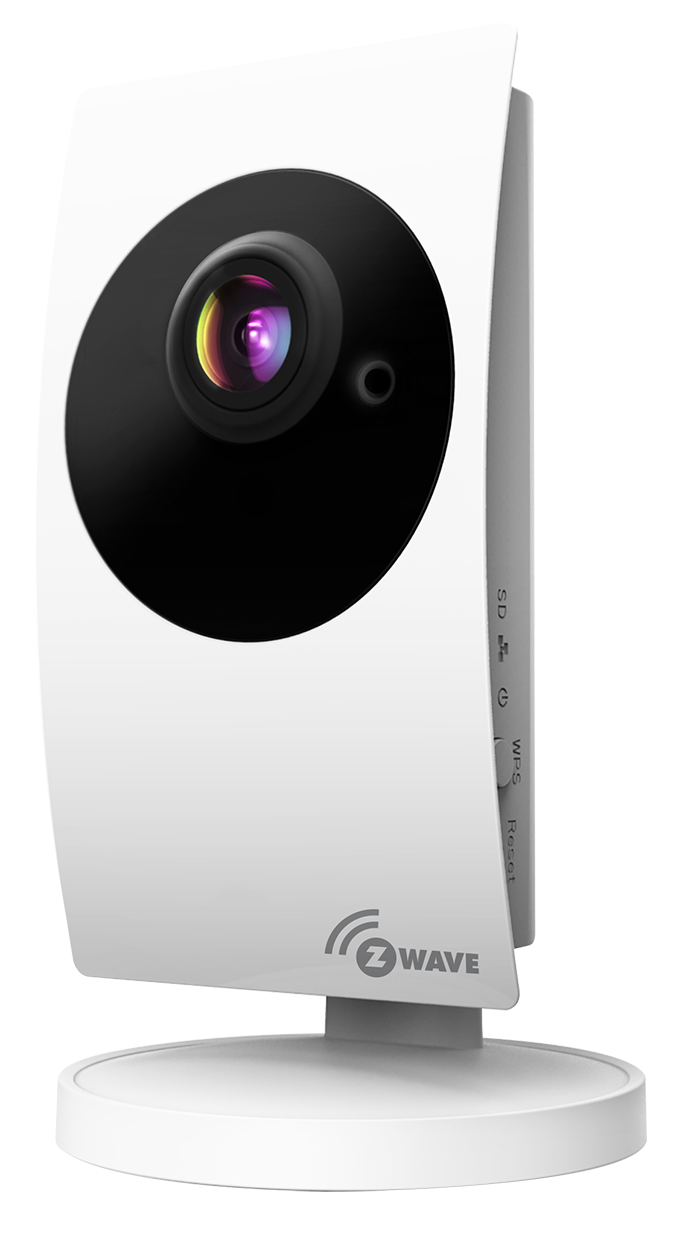
Name | Megapixel Z-Wave IP Camera |
|---|
Short Description | Smart Home Z-Wave gateway/controller with full featured IP camera functions integrated. |
|---|
Long Description | Smart Home gateway/controller
Working with Amazon Echo(Alexa)
Compatible with all Z-Wave devices
Easy device, room and scene control
Two mega-pixel camera, 1920x1080, 30 fps
Wide angle lens
Day and night with IR led
Two-way audio
Time lapse video recording
SD card and Cloud storage
Smart home iOS and Android App |
|---|
Brand | Starvedia |
|---|
Product Identifier | IC722z |
|---|
OEM Version | HW: 0 FW: 4.38:04.00:01.00:09.00 |
|---|
Hardware Platform | ZM5304 |
|---|
Z-Wave Version | 6.51.09 |
|---|
Library Type | CONTROLLER_STATIC |
|---|
Device Type | Central Controller |
|---|
Role Type | ROLE_TYPE_CONTROLLER_CENTRAL_STATIC |
|---|
Manufacturer ID | 0x0265 |
|---|
Product Type ID | 0x0001 |
|---|
Product ID | 0x0003 |
|---|
User Icon | 0x0100 |
|---|
Installer Icon | 0x0100 |
|---|
Frequency Plans | US: 916.00MHz, 908.40MHz |
|---|
Categories | All Controllers, Gateway Controller |
|---|
Countries / Regions | United States of America |
|---|
Supported Command Classes | Identifier | Name | Key | Version |
|---|
COMMAND_CLASS_POWERLEVEL | Powerlevel | 0x73 | 1 | COMMAND_CLASS_APPLICATION_STATUS | Application Status | 0x22 | 1 | COMMAND_CLASS_CRC_16_ENCAP | CRC16 Encapsulation | 0x56 | 1 | COMMAND_CLASS_SECURITY | Security S0 | 0x98 | 1 | COMMAND_CLASS_VERSION_V2 | Version V2 | 0x86 | 2 | COMMAND_CLASS_DEVICE_RESET_LOCALLY | Device Reset Locally | 0x5A | 1 | COMMAND_CLASS_ZWAVEPLUS_INFO_V2 | Z-Wave Plus Info V2 | 0x5E | 2 | COMMAND_CLASS_ASSOCIATION_V2 | Association V2 | 0x85 | 2 | COMMAND_CLASS_ASSOCIATION_GRP_INFO | Association Group Info | 0x59 | 1 | COMMAND_CLASS_MANUFACTURER_SPECIFIC_V2 | Manufacturer Specific V2 | 0x72 | 2 |
|
|---|
Controlled Command Classes | Identifier | Name | Key | Version |
|---|
COMMAND_CLASS_DOOR_LOCK | Door Lock | 0x62 | 1 | COMMAND_CLASS_MULTI_CHANNEL_ASSOCIATION_V3 | Multi-Channel Association V3 | 0x8E | 3 | COMMAND_CLASS_BATTERY | Battery | 0x80 | 1 | COMMAND_CLASS_SENSOR_MULTILEVEL | Sensor Multilevel | 0x31 | 1 | COMMAND_CLASS_SWITCH_BINARY | Switch Binary | 0x25 | 1 | COMMAND_CLASS_BASIC | Basic | 0x20 | 1 | COMMAND_CLASS_CRC_16_ENCAP | CRC16 Encapsulation | 0x56 | 1 | COMMAND_CLASS_SECURITY | Security S0 | 0x98 | 1 | COMMAND_CLASS_SENSOR_BINARY_V2 | Sensor Binary V2 | 0x30 | 2 | COMMAND_CLASS_SWITCH_MULTILEVEL_V2 | Switch Multilevel V2 | 0x26 | 2 | COMMAND_CLASS_VERSION_V2 | Version V2 | 0x86 | 2 | COMMAND_CLASS_WAKE_UP_V2 | Wake Up V2 | 0x84 | 2 | COMMAND_CLASS_ASSOCIATION_V2 | Association V2 | 0x85 | 2 | COMMAND_CLASS_MULTI_CHANNEL_V4 | Multi-Channel V4 | 0x60 | 4 | COMMAND_CLASS_METER | Meter | 0x32 | 1 | COMMAND_CLASS_SWITCH_COLOR | Switch Color | 0x33 | 1 | COMMAND_CLASS_MANUFACTURER_SPECIFIC_V2 | Manufacturer Specific V2 | 0x72 | 2 | COMMAND_CLASS_NOTIFICATION_V4 | Notification V4 | 0x71 | 4 |
|
|---|
Documents | Category | Description | File |
|---|
Manual_Primary_Lang | Product or Owner's Manual | |
|
|---|
Features | Feature | Values |
|---|
Communications Connections | Value |
|---|
Ethernet (Wired) | Ethernet (Wireless/WiFi) |
| Firmware Updatable | Value |
|---|
Updatable by Consumer via Internet |
| Switch Load Capacity Current | | Switch Load Capacity Volt-Ampere | | Switch Load Capacity Watts | | Sensors | Value |
|---|
Luminance | Humidity | Power |
| Supported Notification Types | Value |
|---|
Smoke Alarm | CO Alarm | CO2 Alarm | Heat Alarm | Water Alarm |
| Communications Protocol | Value |
|---|
Manufacturer Proprietary Protocol |
|
|
|---|
Association Groups | Group Number | Maximum Nodes Supported | End Point ID | Description |
|---|
1 | 1 | 0 | Z-Wave Plus Lifeline, report Device Reset Locally when reset. |
|
|---|
Texts | ID | Description | Value |
|---|
5 | Factory Reset | Open the App mCamviewZ+ and go to ""Home Settings"" > ""Camera settings"" > ""Admin"" > ""Z-Wave administrator"" page, click ""Z-Wave Reset"" will reset the Z-Wave Settings of the camera.
If this controller is the primary controller for your network, resetting it will result in the nodes in your network being orphaned and it will be necessary after the reset to exclude and re-include all of the nodes in the network. If this controller is being used as a secondary controller in the network, use this procedure to reset this controller only in the event that the network primary controller is missing or otherwise inoperable. | 23 | Controller Inclusion | Open the App mCamviewZ+ and press the ""+"" button under the ""Device"" menu, the camera will go into inclusion mode. User can now trigger the Z-Wave device into its inclusion mode and add it to the camera's Z-Wave network. | 24 | Controller Exclusion | Open the App mCamviewZ+ and press the ""-"" button under the ""Device"" menu, the camera will go into exclusion mode. User can now trigger the Z-Wave device into its exclusion mode and remove it from the camera's Z-Wave network. | 3 | Learn Mode (adding another controller) | Open the App mCamviewZ+ and go to ""Home Settings"" > ""Camera settings"" > ""Admin"" > ""Z-Wave administration"" page, click ""Z-Wave Learn Mode"" will put the camera into learn mode |
|
|---|
Supports NWI | Yes |
|---|
Supports Explorer Frames | Yes |
|---|