Product Recognition | |
|---|
Certification Number | ZC10-18096246 |
|---|
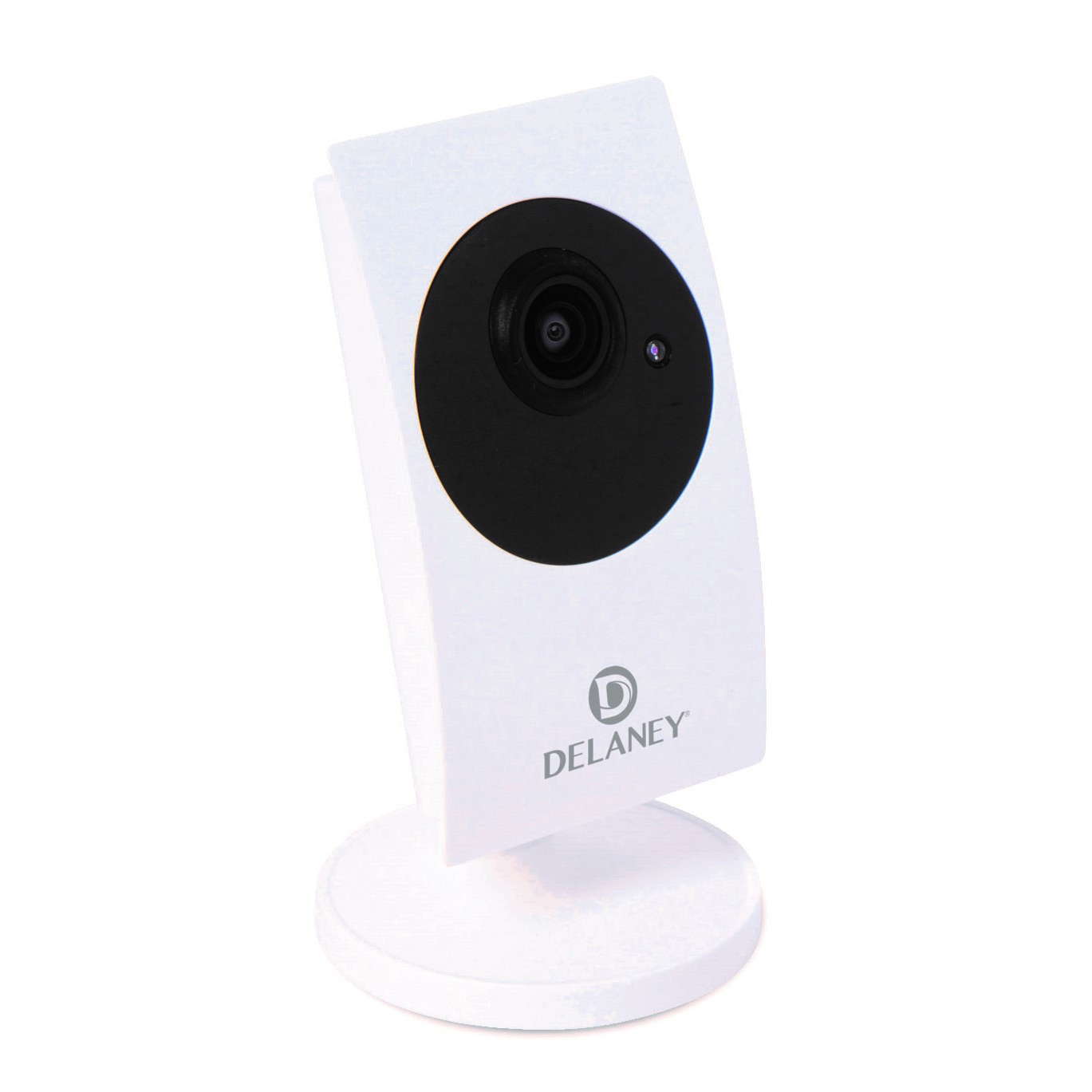
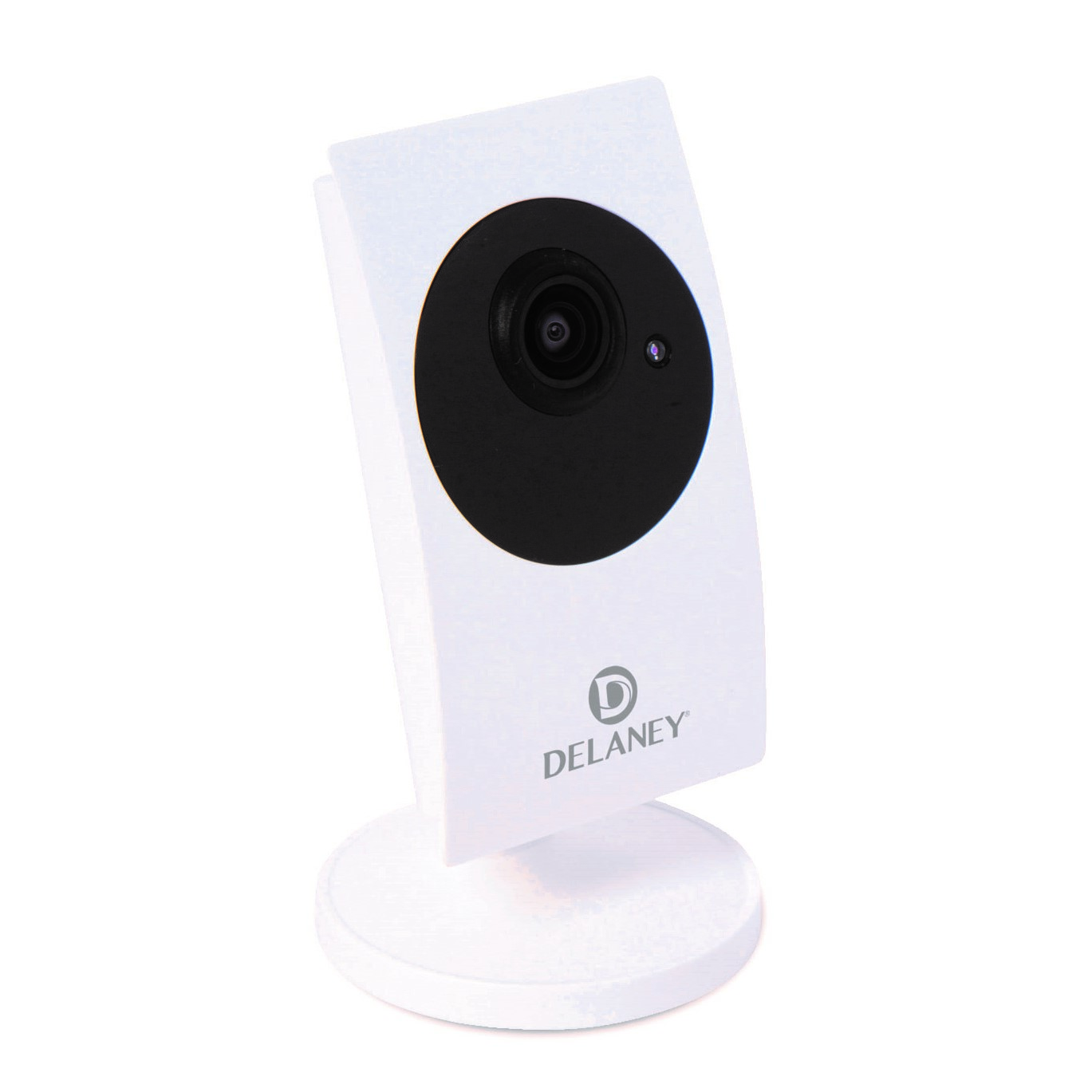
Name | Megapixel Z-Wave IP Camera |
|---|
Short Description | Video Camera recording capabilities, and Bridging Hub for use with other Z-Wave devices. |
|---|
Long Description | Smart Home gateway/controller
Working with Amazon Echo(Alexa)
Compatible with all Z-Wave devices
Easy device, room and scene control
Two mega-pixel camera, 1920x1080, 30 fps
Wide angle lens
Day and night with IR led
Two-way audio
Time lapse video recording
SD card and Cloud storage
Smart home iOS and Android App |
|---|
Brand | Delaney Hardware |
|---|
Product Identifier | ZW100 |
|---|
OEM Version | HW: 0 FW: 4.38:04.00:01.00:09.00 |
|---|
Hardware Platform | ZM5304 |
|---|
Z-Wave Version | 6.51.09 |
|---|
Library Type | CONTROLLER_STATIC |
|---|
Device Type | Central Controller |
|---|
Role Type | ROLE_TYPE_CONTROLLER_CENTRAL_STATIC |
|---|
Manufacturer ID | 0x040D |
|---|
Product Type ID | 0x0001 |
|---|
Product ID | 0x0003 |
|---|
User Icon | 0x0100 |
|---|
Installer Icon | 0x0100 |
|---|
Frequency Plans | US: 916.00MHz, 908.40MHz |
|---|
Categories | All Controllers, Gateway Controller |
|---|
Countries / Regions | United States of America |
|---|
Supported Command Classes | Identifier | Name | Key | Version |
|---|
COMMAND_CLASS_POWERLEVEL | Powerlevel | 0x73 | 1 | COMMAND_CLASS_APPLICATION_STATUS | Application Status | 0x22 | 1 | COMMAND_CLASS_CRC_16_ENCAP | CRC16 Encapsulation | 0x56 | 1 | COMMAND_CLASS_SECURITY | Security S0 | 0x98 | 1 | COMMAND_CLASS_VERSION_V2 | Version V2 | 0x86 | 2 | COMMAND_CLASS_DEVICE_RESET_LOCALLY | Device Reset Locally | 0x5A | 1 | COMMAND_CLASS_ZWAVEPLUS_INFO_V2 | Z-Wave Plus Info V2 | 0x5E | 2 | COMMAND_CLASS_ASSOCIATION_V2 | Association V2 | 0x85 | 2 | COMMAND_CLASS_ASSOCIATION_GRP_INFO | Association Group Info | 0x59 | 1 | COMMAND_CLASS_MANUFACTURER_SPECIFIC_V2 | Manufacturer Specific V2 | 0x72 | 2 |
|
|---|
Controlled Command Classes | Identifier | Name | Key | Version |
|---|
COMMAND_CLASS_DOOR_LOCK | Door Lock | 0x62 | 1 | COMMAND_CLASS_MULTI_CHANNEL_ASSOCIATION_V3 | Multi-Channel Association V3 | 0x8E | 3 | COMMAND_CLASS_BATTERY | Battery | 0x80 | 1 | COMMAND_CLASS_SENSOR_MULTILEVEL | Sensor Multilevel | 0x31 | 1 | COMMAND_CLASS_SWITCH_BINARY | Switch Binary | 0x25 | 1 | COMMAND_CLASS_BASIC | Basic | 0x20 | 1 | COMMAND_CLASS_CRC_16_ENCAP | CRC16 Encapsulation | 0x56 | 1 | COMMAND_CLASS_SECURITY | Security S0 | 0x98 | 1 | COMMAND_CLASS_SENSOR_BINARY_V2 | Sensor Binary V2 | 0x30 | 2 | COMMAND_CLASS_SWITCH_MULTILEVEL_V2 | Switch Multilevel V2 | 0x26 | 2 | COMMAND_CLASS_VERSION_V2 | Version V2 | 0x86 | 2 | COMMAND_CLASS_WAKE_UP_V2 | Wake Up V2 | 0x84 | 2 | COMMAND_CLASS_ASSOCIATION_V2 | Association V2 | 0x85 | 2 | COMMAND_CLASS_MULTI_CHANNEL_V4 | Multi-Channel V4 | 0x60 | 4 | COMMAND_CLASS_METER | Meter | 0x32 | 1 | COMMAND_CLASS_SWITCH_COLOR | Switch Color | 0x33 | 1 | COMMAND_CLASS_MANUFACTURER_SPECIFIC_V2 | Manufacturer Specific V2 | 0x72 | 2 | COMMAND_CLASS_NOTIFICATION_V4 | Notification V4 | 0x71 | 4 |
|
|---|
Documents | Category | Description | File |
|---|
Manual_Primary_Lang | Product or Owner's Manual | |
|
|---|
Features | Feature | Values |
|---|
Switch Load Capacity Volt-Ampere | | Sensors | Value |
|---|
Luminance | Humidity | Power |
| Communications Connections | Value |
|---|
Ethernet (Wired) | Ethernet (Wireless/WiFi) |
| Firmware Updatable | Value |
|---|
Updatable by Consumer via Internet |
| Switch Load Capacity Current | | Communications Protocol | Value |
|---|
Manufacturer Proprietary Protocol |
| Supported Notification Types | Value |
|---|
Smoke Alarm | CO Alarm | CO2 Alarm | Heat Alarm | Water Alarm |
| Switch Load Capacity Watts | |
|
|---|
Association Groups | Group Number | Maximum Nodes Supported | End Point ID | Description |
|---|
1 | 1 | 0 | Association group:
i. Support 1 association group.
ii. Grouping identifier: 1,Lifeline.
iii. Maximum number of devices that can be added to the group: 1.
iv. When reset, Device Reset Locally Command Class will send to Lifeline
node ID. |
|
|---|
Texts | ID | Description | Value |
|---|
24 | Controller Exclusion | Open the App mCamviewZ+ and press the ""-"" button under the ""Device"" menu, the camera will go into exclusion mode. User can now trigger the Z-Wave device into its exclusion mode and remove it from the camera's Z-Wave network. | 23 | Controller Inclusion | Open the App mCamviewZ+ and press the ""+"" button under the ""Device"" menu, the camera will go into inclusion mode. User can now trigger the Z-Wave device into its inclusion mode and add it to the camera's Z-Wave network. | 3 | Learn Mode (adding another controller) | Open the App mCamviewZ+ and go to ""Home Settings"" > ""Camera settings"" > ""Admin"" > ""Z-Wave administration"" page, click ""Z-Wave Learn Mode"" will put the camera into learn mode | 5 | Factory Reset | Open the App mCamviewZ+ and go to ""Home Settings"" > ""Camera settings"" > ""Admin"" > ""Z-Wave administrator"" page, click ""Z-Wave Reset"" will reset the Z-Wave Settings of the camera.
If this controller is the primary controller for your network, resetting it will result in the nodes in your network being orphaned and it will be necessary after the reset to exclude and re-include all of the nodes in the network. If this controller is being used as a secondary controller in the network, use this procedure to reset this controller only in the event that the network primary controller is missing or otherwise inoperable. |
|
|---|
Supports NWI | Yes |
|---|
Supports Explorer Frames | Yes |
|---|
Radio Range Z-Wave (m) | 40 |
|---|