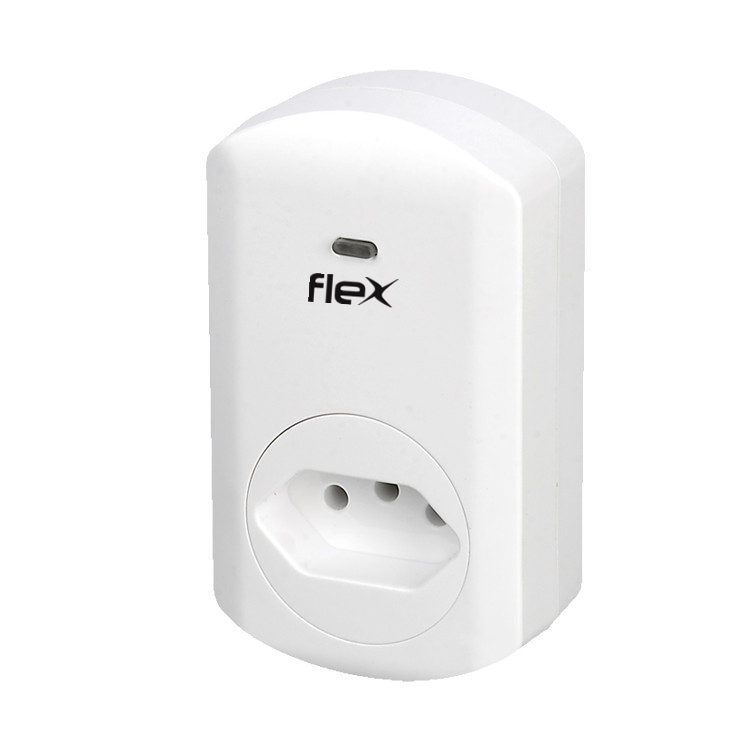
Product Recognition | |
|---|
Certification Number | ZC10-17055612 |
|---|
Name | Meter Switch |
|---|
Short Description | This smart energy plug in switch is wireless switch with power consumption detect, based on Z-Wave technology |
|---|
Long Description | This smart energy plug is able to detect current wattage (5-3000W) and overload wattage (3010-3300W) of connected lights or appliances. When detecting overload state, the switch will be disabled and its on/off button will be lockout of which LED will flash quickly. However, unplug and re-connect the switch and it will reset its overload condition to normal status. |
|---|
Brand | FLEX AUTOMATION |
|---|
Product Identifier | FX-S69A |
|---|
OEM Version | HW: 1 FW: 2.00 |
|---|
Hardware Platform | ZM5202 |
|---|
Z-Wave Version | 6.51.06 |
|---|
Library Type | SLAVE_ENHANCED_232 |
|---|
Device Type | On/Off Power Switch |
|---|
Role Type | ROLE_TYPE_SLAVE_ALWAYS_ON |
|---|
Manufacturer ID | 0x004F |
|---|
Product Type ID | 0x0004 |
|---|
Product ID | 0x0002 |
|---|
User Icon | 0x0700 |
|---|
Installer Icon | 0x0701 |
|---|
Frequency Plans | ANZ: 919.80MHz, 921.40MHz |
|---|
Categories | Energy Meters, All Lighting Devices, On/Off Switches/Devices |
|---|
Countries / Regions | Brazil |
|---|
Supported Command Classes | Identifier | Name | Key | Version |
|---|
COMMAND_CLASS_POWERLEVEL | Powerlevel | 0x73 | 1 | COMMAND_CLASS_SWITCH_ALL | Switch All | 0x27 | 1 | COMMAND_CLASS_SWITCH_BINARY | Switch Binary | 0x25 | 1 | COMMAND_CLASS_BASIC | Basic | 0x20 | 1 | COMMAND_CLASS_CONFIGURATION | Configuration | 0x70 | 1 | COMMAND_CLASS_VERSION_V2 | Version V2 | 0x86 | 2 | COMMAND_CLASS_DEVICE_RESET_LOCALLY | Device Reset Locally | 0x5A | 1 | COMMAND_CLASS_ZWAVEPLUS_INFO_V2 | Z-Wave Plus Info V2 | 0x5E | 2 | COMMAND_CLASS_ASSOCIATION_V2 | Association V2 | 0x85 | 2 | COMMAND_CLASS_METER_V3 | Meter V3 | 0x32 | 3 | COMMAND_CLASS_ASSOCIATION_GRP_INFO | Association Group Info | 0x59 | 1 | COMMAND_CLASS_FIRMWARE_UPDATE_MD_V2 | Firmware Update Meta-Data V2 | 0x7A | 2 | COMMAND_CLASS_MANUFACTURER_SPECIFIC_V2 | Manufacturer Specific V2 | 0x72 | 2 |
|
|---|
Documents | Category | Description | File |
|---|
Manual_Primary_Lang | Product or Owner's Manual | |
|
|---|
Features | Feature | Values |
|---|
Supported Meter Type | | Color | |
|
|---|
Association Groups | Group Number | Maximum Nodes Supported | End Point ID | Description |
|---|
1 | 5 | 0 | It can be associated by other devices
Profile: general lifeline( Profile MSB=0, profile LSB=1)
Group 1: lifeline |
|
|---|
Configuration Parameters | Parameter Number | Name | Description | Format | Size | Min Value | Max Value | Default Value | Parameter Values |
|---|
1 | Change the state of indicator light | Default status of socket LED is on as indicator when the load is off | 0 | 1 | 0 | 0 | 1 | From | To | Description |
|---|
0 | 1 | 1 means night light mode,0 means turn off the night light mode |
| 2 | Memory function | Default with memory: the socket status is same as before when power on | 0 | 1 | 0 | 0 | 1 | From | To | Description |
|---|
0 | 1 | 0 means no memory function,1 means memory function |
| 3 | Watt Meter Report period | Watt Meter Report period | 0 | 2 | 0 | 0 | 720 | From | To | Description |
|---|
1 | 32767 | Watt Meter Report period |
| 4 | KWH Meter Report period | KWH Meter Report period | 0 | 2 | 0 | 0 | 6 | From | To | Description |
|---|
1 | 32767 | KWH Meter Report period |
| 5 | Threshold of Watt for load caution | Threshold of Watt for load caution | 0 | 2 | 0 | 0 | 3000 | From | To | Description |
|---|
10 | 3000 | Threshold of Watt for load caution |
| 6 | Threshold of KWH for load caution | Threshold of KWH for load caution | 0 | 2 | 0 | 0 | 10000 | From | To | Description |
|---|
1 | 10000 | Threshold of KWH for load caution |
|
|
|---|
Texts | ID | Description | Value |
|---|
5 | Factory Reset | 1. To reset, press the socket on/off button three times within 1.5 seconds
2. then the fourth time, press and hold for seconds until the socket LED is off
3. the socket reset successfully
Use the ""Reset"" procedure only in the event that the network primary controller is missing or otherwise inoperable | 1 | Inclusion | 1. Enter your Z-Wave controller into inclusion mode
2. Press the socket on/off button three times within 1.5 seconds to be included. | 2 | Exclusion | 1. Enter your Z-Wave controller into exclusion mode
2. Press the socket on/off button three times within 1.5 seconds to be excluded. |
|
|---|
Supported / Controlled Meter Types | Meter Type | Rate Type | Description |
|---|
Electric meter | Import | Electric Meter Consumption |
|
|---|
Supports NWI | Yes |
|---|
Supports Explorer Frames | Yes |
|---|