Product Recognition | |
|---|
Certification Number | ZC10-18116292 |
|---|
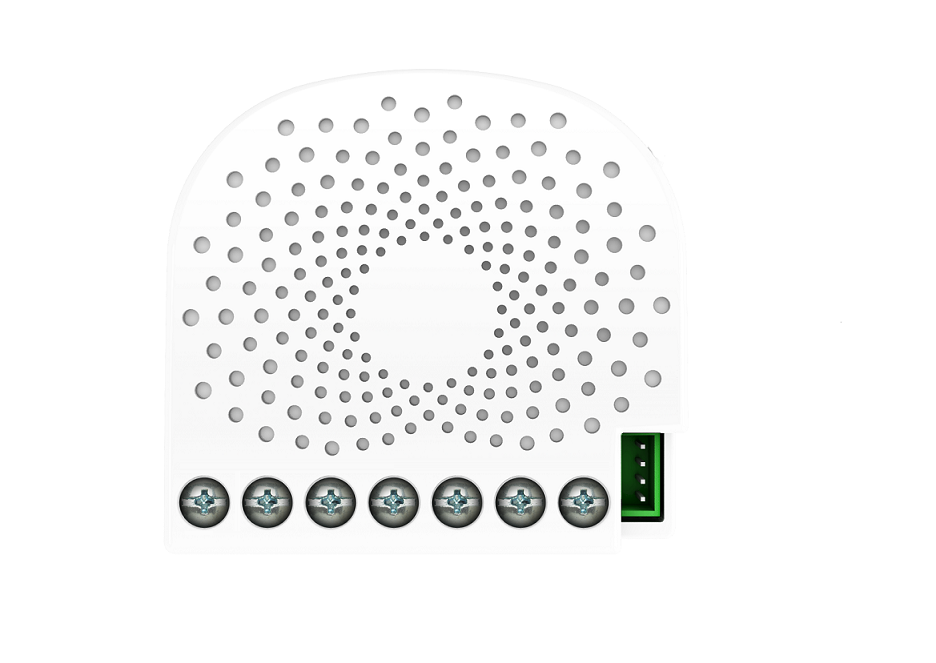
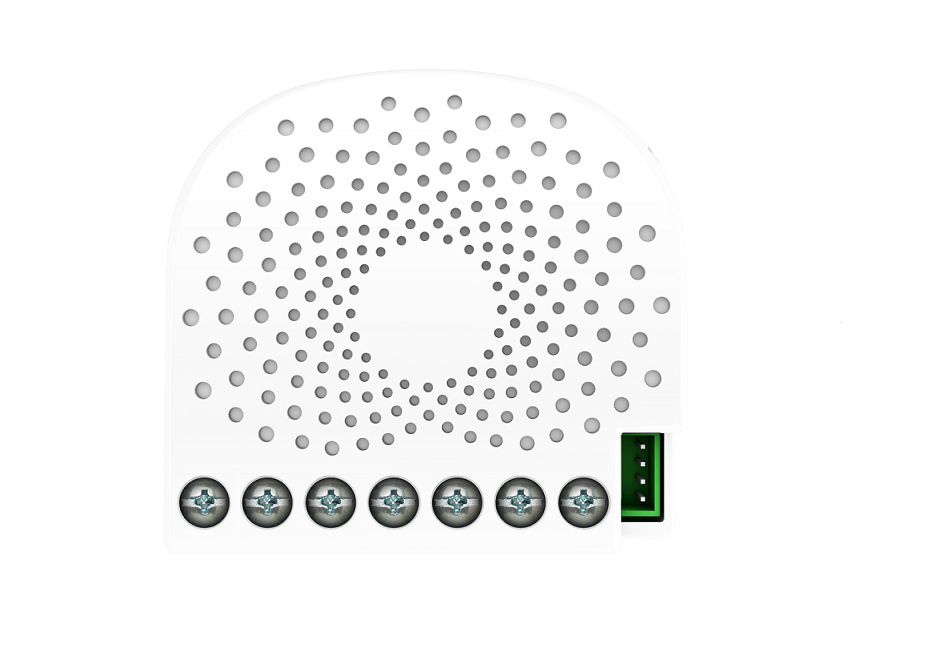
Name | Nano Shutter |
|---|
Short Description | Aeotec Nano Shutter is a Z-Wave motor controller specifically used to enable Z-Wave command and control (up/down/stop) for existing window covering motors. |
|---|
Long Description | Aeotec Nano Shutter is a Z-Wave motor controller specifically used to enable Z-Wave command and control (up/down/stop) for existing window covering motors.
It can connect to 2 external manual switches/buttons to control the motor up/down/stop independently. Its surface has a pin socket, which can be used for connecting to the touch panel, so you can also use the touch panel to control the Nano Shutter.
The wireless module is powered from the mains supply. In the event of power failure, non-volatile memory retains all programmed information relating to the units operating status.
Nano Shutter is also a security Z-Wave plus device and supports Over The Air (OTA) feature for the products firmware upgrade.
It can be a repeater in the Z-Wave network. Acting as a bridge for communication, it will forward Z-Wave command messages to their destinations if the originating controller is out of range from the destination node.
By taking advantage of the Z-Wave mesh network, commands can be routed to their destination via intermediary “listening” Z-Wave products. Products that are Z-Wave certified can be used and communicate with other Z-Wave certified devices. |
|---|
Brand | Aeotec |
|---|
Product Identifier | ZW141-D |
|---|
OEM Version | HW: 141 FW: 2.02:01.02 |
|---|
Hardware Platform | ZM5101 |
|---|
Z-Wave Version | 6.71.03 |
|---|
Library Type | SLAVE_ENHANCED_232 |
|---|
Device Type | Window Covering - No Position/Endpoint |
|---|
Role Type | ROLE_TYPE_SLAVE_ALWAYS_ON |
|---|
Manufacturer ID | 0x0086 |
|---|
Product Type ID | 0x0303 |
|---|
Product ID | 0x008D |
|---|
User Icon | 0x1A00 |
|---|
Installer Icon | 0x1A00 |
|---|
Frequency Plans | HK: 919.80MHz, 919.80MHz |
|---|
Categories | All Lighting Devices, On/Off Switches/Devices, Motor Control, Window Covering |
|---|
Countries / Regions | Hong Kong |
|---|
Supported Command Classes | Identifier | Name | Key | Version |
|---|
COMMAND_CLASS_FIRMWARE_UPDATE_MD_V4 | Firmware Update Meta-Data V4 | 0x7A | 4 | COMMAND_CLASS_SCENE_ACTUATOR_CONF | Scene Actuator Conf | 0x2C | 1 | COMMAND_CLASS_POWERLEVEL | Powerlevel | 0x73 | 1 | COMMAND_CLASS_SWITCH_BINARY | Switch Binary | 0x25 | 1 | COMMAND_CLASS_BASIC | Basic | 0x20 | 1 | COMMAND_CLASS_CONFIGURATION | Configuration | 0x70 | 1 | COMMAND_CLASS_SECURITY | Security S0 | 0x98 | 1 | COMMAND_CLASS_TRANSPORT_SERVICE_V2 | Transport Service V2 | 0x55 | 2 | COMMAND_CLASS_VERSION_V2 | Version V2 | 0x86 | 2 | COMMAND_CLASS_DEVICE_RESET_LOCALLY | Device Reset Locally | 0x5A | 1 | COMMAND_CLASS_ZWAVEPLUS_INFO_V2 | Z-Wave Plus Info V2 | 0x5E | 2 | COMMAND_CLASS_SWITCH_MULTILEVEL_V3 | Switch Multilevel V3 | 0x26 | 3 | COMMAND_CLASS_ASSOCIATION_V2 | Association V2 | 0x85 | 2 | COMMAND_CLASS_ASSOCIATION_GRP_INFO | Association Group Info | 0x59 | 1 | COMMAND_CLASS_SECURITY_2 | Security S2 | 0x9F | 1 | COMMAND_CLASS_SUPERVISION | Supervision | 0x6C | 1 | COMMAND_CLASS_SCENE_ACTIVATION | Scene Activation | 0x2B | 1 | COMMAND_CLASS_MANUFACTURER_SPECIFIC_V2 | Manufacturer Specific V2 | 0x72 | 2 |
|
|---|
Controlled Command Classes | Identifier | Name | Key | Version |
|---|
COMMAND_CLASS_SWITCH_BINARY | Switch Binary | 0x25 | 1 | COMMAND_CLASS_BASIC | Basic | 0x20 | 1 |
|
|---|
S2 Classes | S2_UNAUTHENTICATED, S2_AUTHENTICATED |
|---|
Documents | Category | Description | File |
|---|
Manual_Primary_Lang | Product or Owner's Manual | |
|
|---|
Features | Feature | Values |
|---|
Z-Wave Scene Type | | Window Covering Control Features | | Firmware Updatable | Value |
|---|
Updatable by Consumer by RF |
|
|
|---|
Association Groups | Group Number | Maximum Nodes Supported | End Point ID | Description |
|---|
2 | 5 | 0 | Forward the Basic Set, Binary Switch Set, Scene Activation Set to associated nodes in Group 2 when the Nano Shutter receives the Basic Set, Binary Switch Set, Scene Activation Set commands from main controller.
(E.g. Send/forward Basic Set to control the other nodes in association Group 2) | 1 | 5 | 0 | Z-Wave Plus Lifeline.
When the load state of Nano Shutter (turn on/off the load) is changed, the Basic Report (configured by parameter 80) can be sent to the associated nodes in this group. |
|
|---|
Configuration Parameters | Parameter Number | Name | Description | Format | Size | Min Value | Max Value | Default Value | Parameter Values |
|---|
80 | To set which notification would be sent to the associated devices (Group 1) | To set which notification would be sent to the associated devices (Group 1) when the state of Nano Shutter is changed. | 0 | 1 | 0 | 0 | 0 | From | To | Description |
|---|
1 | 1 | Send Basic CC report | 0 | 0 | Send Nothing |
| 85 | Set the operation mode of external switch | Set the operation mode of external switch. Note: for the description of Operation Mode 1 or 2, please refer to the user manual. | 0 | 1 | 0 | 0 | 1 | From | To | Description |
|---|
0 | 0 | Operation Mode 1 | 1 | 1 | Operation Mode 2 |
| 120 | Configure the external switch mode for S1. | Configure the external switch mode for S1. | 0 | 1 | 0 | 0 | 0 | From | To | Description |
|---|
0 | 0 | Unidentified mode | 1 | 1 | Reserved | 2 | 2 | 3 way switch mode | 3 | 3 | Momentary push button mode | 4 | 4 | Enter automatic identification mode |
| 121 | Configure the external switch mode for S2. | Configure the external switch mode for S2. | 0 | 1 | 0 | 0 | 0 | From | To | Description |
|---|
0 | 0 | Unidentified mode | 1 | 1 | Reserved | 2 | 2 | 3 way switch mode | 3 | 3 | Momentary push button mode | 4 | 4 | Enter automatic identification mode |
| 248 | Set the function of S1/S2. | Set the function of S1/S2. | 0 | 1 | 0 | 0 | 83 | From | To | Description |
|---|
0 | 0 | the functions of S1 and S2 are disabled. | 1 | 1 | the function of sending NIF is enabled. | 2 | 2 | he function of entering RF power level test mode is enabled. | 4 | 4 | the function of factory reset is enabled. | -128 | -128 | the setting for sending NIF, entering RF power level test mode and factory reset are effective |
| 252 | Lock/unlock configuration parameters | Lock/unlock configuration parameters. | 0 | 1 | 0 | 0 | 0 | From | To | Description |
|---|
0 | 0 | Unlock | 1 | 1 | Lock |
| 255 | Reset the Nano Shutter | Reset the Nano Shutter to factory default. | 0 | 4 | 0 | 0 | 0 | From | To | Description |
|---|
0 | 0 | Reset all configuration parameters to factory default setting | 1431655765 | 1431655765 | Reset to factory default setting and removed from the z-wave network |
|
|
|---|
Texts | ID | Description | Value |
|---|
2 | Exclusion | Turn the primary controller of Z-Wave network into exclusion mode, quick press the product’s Action button 6 times that you can find on the product's housing or toggle the external manual switch 2 times in fast succession.
If the Nano Dimmer has been successfully removed from your Z-Wave network, its RGB LED will remain colorful gradient. If the removal was unsuccessful, the RGB LED will still be solid (following the state of the output load), repeat the instructions above from step 1. | 1 | Inclusion | Turn the primary controller of Z-Wave network into inclusion mode, short press the product’s Action button that you can find on the product's housing.
If the Nano Dimmer has been successfully added to your Z-Wave network, its RGB LED will be solid. If unsuccessful, the red LED will be on for 2 seconds and then remain a colorful gradient, repeat the instructions above from step 1. | 6 | Additional Special Features | Support ""Over the Air Firmware Updating"" and “Z-Wave Security”. | 5 | Factory Reset | Press and hold the Action button that you can find on the product's housing for 20 seconds and then release. This procedure should only be used when the primary controller is missing or otherwise inoperable. |
|
|---|
Supports NWI | Yes |
|---|
Supports Explorer Frames | Yes |
|---|
Radio Range Z-Wave (m) | 40 |
|---|