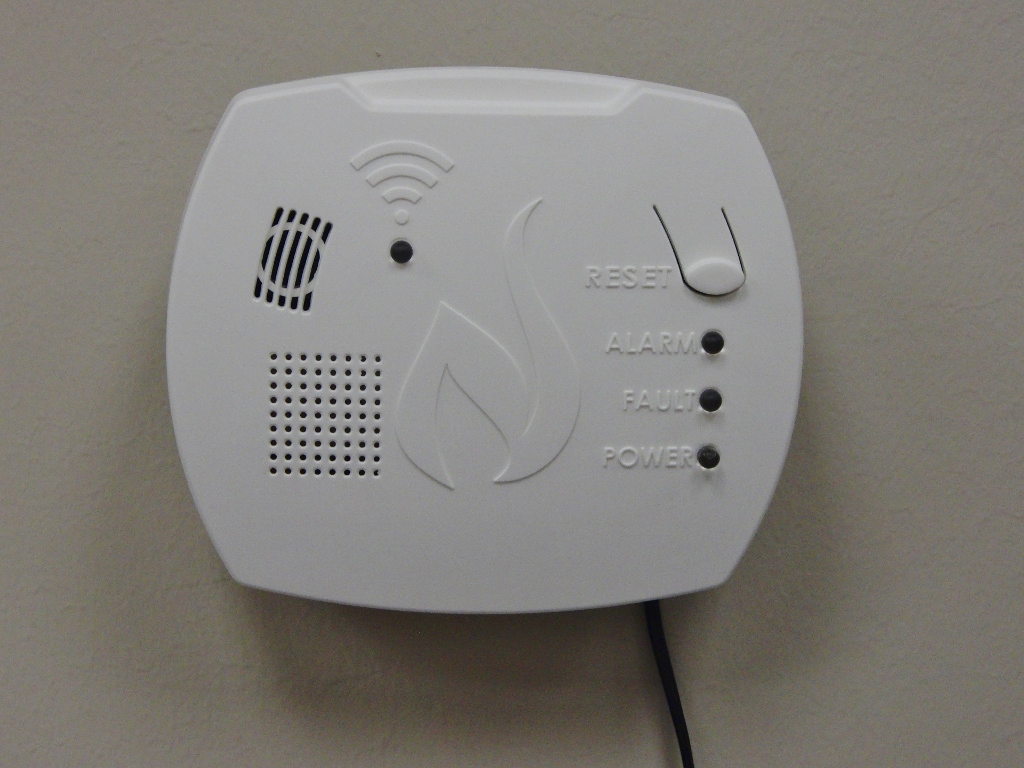
Product Recognition | |
|---|
Certification Number | ZC10-18086211 |
|---|
Name | NortheastGas Association Wireless Methane Gas Detector |
|---|
Short Description | The advanced version of the micro-resonator methane detector with wireless capabilities. The wireless capability means that when methane is detected in one residence/facility location all other detectors in the same network are alerted so that the facility can be evacuated. Conforms to UL 1484 |
|---|
Long Description | The advanced version of the micro-resonator methane detector with wireless capabilities. The wireless capability means that when methane is detected in one residence/facility location all other detectors in the same network are alerted so that the facility can be evacuated. Conforms to UL 1484 |
|---|
Brand | Northeast Gas Association |
|---|
Product Identifier | TFW-01 |
|---|
OEM Version | HW: 1 FW: 6.01:01.05:01.04 |
|---|
Hardware Platform | ZM5202 |
|---|
Z-Wave Version | 6.81.01 |
|---|
Library Type | SLAVE_ENHANCED_232 |
|---|
Device Type | Notification Sensor |
|---|
Role Type | ROLE_TYPE_SLAVE_ALWAYS_ON |
|---|
Manufacturer ID | 0x038E |
|---|
Product Type ID | 0x0001 |
|---|
Product ID | 0x0001 |
|---|
User Icon | 0x0C12 |
|---|
Installer Icon | 0x0C12 |
|---|
Frequency Plans | US: 916.00MHz, 908.40MHz |
|---|
Categories | Sensors |
|---|
Countries / Regions | United States of America |
|---|
Supported Command Classes | Identifier | Name | Key | Version |
|---|
COMMAND_CLASS_POWERLEVEL | Powerlevel | 0x73 | 1 | COMMAND_CLASS_MULTI_CHANNEL_ASSOCIATION_V3 | Multi-Channel Association V3 | 0x8E | 3 | COMMAND_CLASS_APPLICATION_STATUS | Application Status | 0x22 | 1 | COMMAND_CLASS_TRANSPORT_SERVICE_V2 | Transport Service V2 | 0x55 | 2 | COMMAND_CLASS_VERSION_V2 | Version V2 | 0x86 | 2 | COMMAND_CLASS_ZWAVEPLUS_INFO_V2 | Z-Wave Plus Info V2 | 0x5E | 2 | COMMAND_CLASS_ASSOCIATION_V2 | Association V2 | 0x85 | 2 | COMMAND_CLASS_MULTI_CHANNEL_V4 | Multi-Channel V4 | 0x60 | 4 | COMMAND_CLASS_ASSOCIATION_GRP_INFO_V3 | Association Group Information V3 | 0x59 | 3 | COMMAND_CLASS_NOTIFICATION_V8 | Notification V8 | 0x71 | 8 | COMMAND_CLASS_SECURITY_2 | Security S2 | 0x9F | 1 | COMMAND_CLASS_SUPERVISION | Supervision | 0x6C | 1 | COMMAND_CLASS_MANUFACTURER_SPECIFIC_V2 | Manufacturer Specific V2 | 0x72 | 2 |
|
|---|
S2 Classes | S2_UNAUTHENTICATED |
|---|
Documents | Category | Description | File |
|---|
Manual_Primary_Lang | Product or Owner's Manual | |
|
|---|
Features | Feature | Values |
|---|
Communications Protocol | | Battery Quantity | | Sensors | | Battery Type | | Supported Notification Types | | Color | |
|
|---|
Association Groups | |
|---|
Texts | ID | Description | Value |
|---|
5 | Factory Reset | • This device will perform a Z-Wave factory reset when the exclusion process stated above is followed. Please use this procedure only when the network primary controller is missing or otherwise inoperable | 2 | Exclusion | • To remove the unit from a network put the controller (purchased separately) into the pairing/removal/exclusion mode and then press and hold the inclusion/exclusion button on the side of the detector for at least 5 seconds. The blue light will begin to flash and will go out when the device is removed from the network | 1 | Inclusion | • To add the unit to the network, put the controller (purchased separately) into the pairing/add/inclusion mode and then press and hold the inclusion/exclusion button on the side of the detector for at least 5 seconds. The blue light will begin to flash to indicate it’s in the pairing mode. When the blue light goes solid, the unit has been included in the network. If the blue light is not illuminated, the unit is not part of a network |
|
|---|
Supported Notification Types | Notification Type | Event / State |
|---|
Gas alarm | (Refer to parameters): State idle |
|
|---|
Supported Multilevel Sensors | Multilevel Sensor Type |
|---|
Methane (CH4) density |
|
|---|
Supports NWI | Yes |
|---|
Supports Explorer Frames | Yes |
|---|
Radio Range Z-Wave (m) | 40 |
|---|

%20(1024x768).jpg)