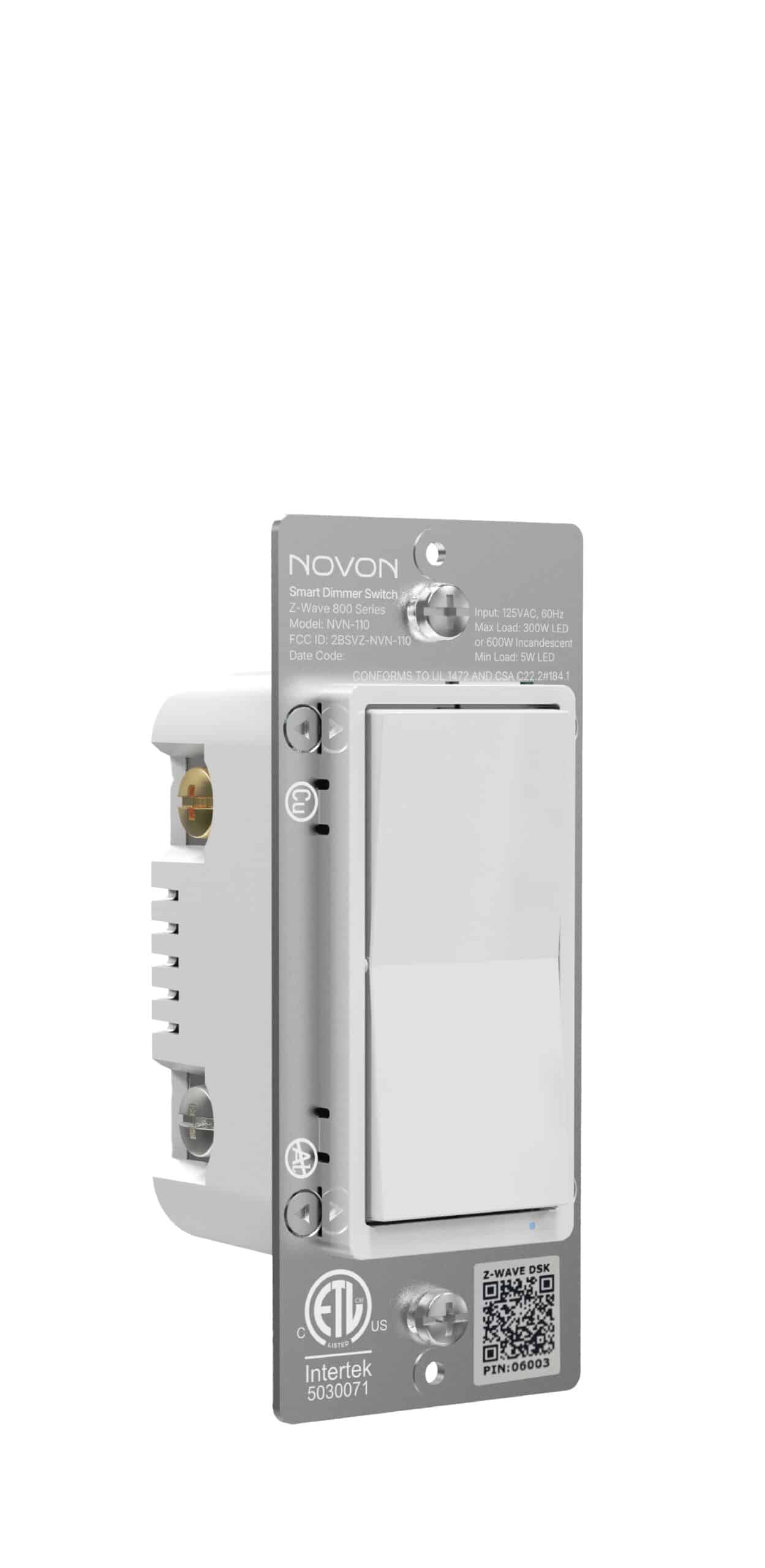
Product Recognition | |
|---|
Certification Number | ZC14-26090636 |
|---|
Name | Novon On Off Switch |
|---|
Short Description | Z-Wave® Long Range On/Off Switch,Longer distance, more stable network, reliable control of your lighting. |
|---|
Description | Z-Wave® Long Range On/Off Switch,Experience the latest generation of Z-Wave® smart controls for in-wall configurations with toggle-style on/off to accommodate any home. |
|---|
Brand | Novon |
|---|
Brand Owner | Novon |
|---|
Identifier | NVN-100 |
|---|
Product Line | Line A |
|---|
OEM Version | HW: 01 FW: 00.03 |
|---|
Hardware Platform | EFR32ZG23A |
|---|
Z-Wave Version | 7.23.1 |
|---|
Library Type | END_NODE_ENHANCED_232 |
|---|
Device Type | Binary Switch DT |
|---|
Role Type | ROLE_TYPE_END_NODE_ALWAYS_ON |
|---|
Manufacturer ID | 0x046D |
|---|
Product Type ID | 0x2774 |
|---|
Product ID | 0x1A2D |
|---|
User Icon | 0x0700 |
|---|
Installer Icon | 0x0704 |
|---|
Frequency Plans | US: 916.00MHz, 908.40MHz, US_LR: 912.00MHz, 920.00MHz |
|---|
Categories | All Lighting Devices, On/Off Switches/Devices, Lighting Accessories |
|---|
Countries / Regions | Canada, Mexico, United States of America |
|---|
Supported Command Classes | Identifier | Name | Key | Version |
|---|
COMMAND_CLASS_BASIC_V2 | Basic V2 | 0x20 | 2 | COMMAND_CLASS_SWITCH_BINARY_V2 | Binary Switch V2 | 0x25 | 2 | COMMAND_CLASS_CENTRAL_SCENE_V3 | Central Scene V3 | 0x5B | 3 | COMMAND_CLASS_CONFIGURATION_V4 | Configuration V4 | 0x70 | 4 | COMMAND_CLASS_ASSOCIATION_V2 | Association V2 | 0x85 | 2 | COMMAND_CLASS_ASSOCIATION_GRP_INFO_V3 | Association Group Information (AGI) V3 | 0x59 | 3 | COMMAND_CLASS_DEVICE_RESET_LOCALLY | Device Reset Locally | 0x5A | 1 | COMMAND_CLASS_FIRMWARE_UPDATE_MD_V5 | Firmware Update Meta Data V5 | 0x7A | 5 | COMMAND_CLASS_INDICATOR_V3 | Indicator V3 | 0x87 | 3 | COMMAND_CLASS_MANUFACTURER_SPECIFIC_V2 | Manufacturer Specific V2 | 0x72 | 2 | COMMAND_CLASS_MULTI_CHANNEL_ASSOCIATION_V3 | Multi Channel Association V3 | 0x8E | 3 | COMMAND_CLASS_VERSION_V3 | Version V3 | 0x86 | 3 | COMMAND_CLASS_ZWAVEPLUS_INFO_V2 | Z-Wave Plus Info V2 | 0x5E | 2 | COMMAND_CLASS_SECURITY_2 | Security 2 | 0x9F | 1 | COMMAND_CLASS_SUPERVISION | Supervision | 0x6C | 1 | COMMAND_CLASS_TRANSPORT_SERVICE_V2 | Transport Service V2 | 0x55 | 2 | COMMAND_CLASS_POWERLEVEL | Powerlevel | 0x73 | 1 |
|
|---|
S2 Classes | S2_AUTHENTICATED, S2_UNAUTHENTICATED |
|---|
Documents | Category | File |
|---|
Manual_English | |
|
|---|
Features | Feature | Values |
|---|
Color | | Electric Load Type | Value |
|---|
Incandescent | LED | Inductive (e.g. Motor) |
| Firmware Updatable | Value |
|---|
Updatable by Consumer by RF |
| Switch Load Capacity Current | |
|
|---|
Association Groups | Group Number | Maximum Nodes Supported | End Point ID | Group Name | Profile |
|---|
1 | 5 | 0 | Lifeline | 0x0001 | 2 | 5 | 0 | Basic Set for Single Press | 0x2001 | 3 | 5 | 0 | Basic Set for Double Press | 0x2002 |
|
|---|
Configuration Parameters | Parameter Number | Name | Description | Format | Size | Min Value | Max Value | Default Value |
|---|
3 | LED light mode | Set the LED Light Mode. | 1 | 1 | 0 | 0 | 0x00 | 4 | Invert Switch | Reverse the default ON/OFF Paddle switch. | 1 | 1 | 0 | 0 | 0x00 | 5 | Select 3-Way Type | Configure standard 3-Way or Add-On Switch. | 1 | 1 | 0 | 0 | 0x00 | 84 | Reset factory | Set 1 to reset factory default | 1 | 1 | 0 | 0 | 0x00 |
|
|---|
Texts | ID | Description | Value |
|---|
8 | Where to find S2 DSK on product | The QR code are stocked to the side of the case, DSK is included in the QR code.
The DSK code can be found on the DSK label which is attached on the packaging box. | 1 | Classic Inclusion | The device support two methods of inclusion, When using a Z-Wave Plus® certified controller choose Network Wide Inclusion
or SmartStart.
TAP the button once times to ADD/INCLUDE the device.
Network Wide Inclusion To A Z-Wave® Network
TAP the button once times to REMOVE/EXCLUDE the device
Refer to your primary controller instructions to process the inclusion / exclusion setup procedure.
When prompted by your primary controller, click the Z-Wave® button one times . | 2 | Classic Exclusion | The device support two methods of inclusion, When using a Z-Wave Plus® certified controller choose Network Wide Inclusion
or SmartStart.
TAP the button once times to ADD/INCLUDE the device.
Network Wide Inclusion To A Z-Wave® Network
TAP the button once times to REMOVE/EXCLUDE the device
Refer to your primary controller instructions to process the inclusion / exclusion setup procedure.
When prompted by your primary controller, click the Z-Wave® button one times . | 5 | Factory Reset Procedure | Factory Reset:Pull the Airgap switch. Press and hold the bottom button, push the Airgap switch back in and continue
holding the bottom button for 10 seconds.
The LED will flash once each of the 8 colors then stop.
Note: Please use this procedure only when the network primary controller is missing or otherwise inoperable. |
|
|---|
Supports NWI | Yes |
|---|
Supports Explorer Frames | Yes |
|---|
Supports SmartStart | Yes |
|---|