Product Recognition | |
|---|
Certification Number | ZC10-20016828 |
|---|
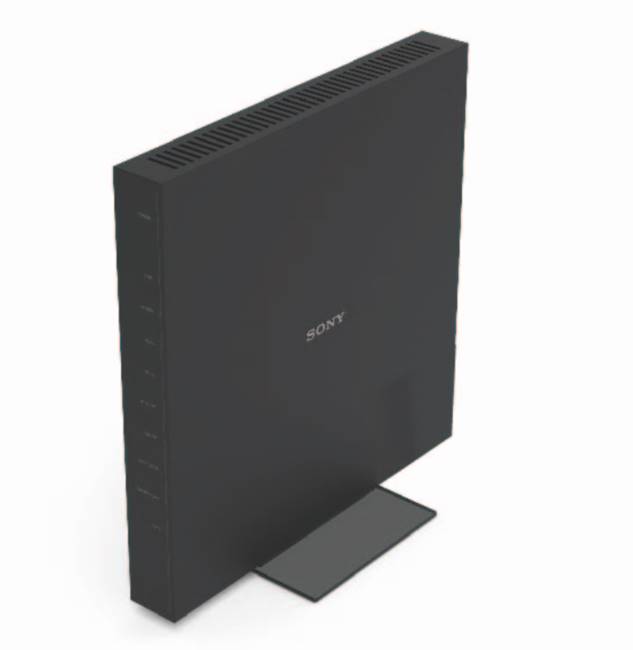
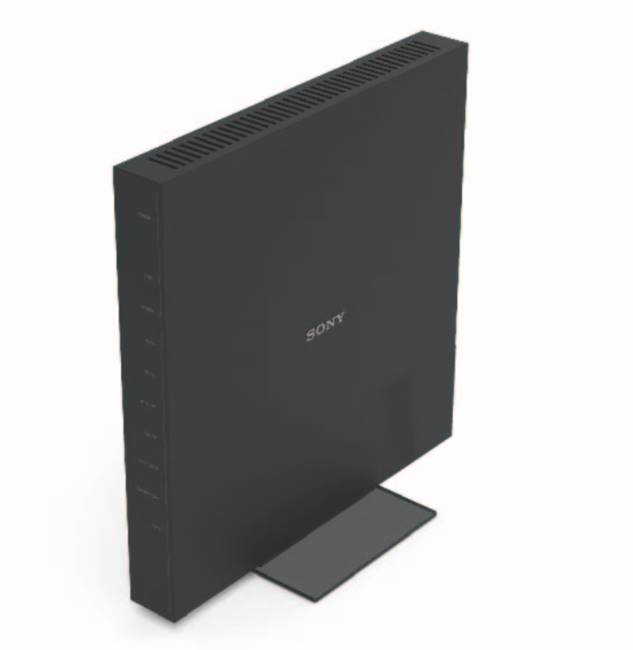
Name | ONU Integrated Service Router |
|---|
Short Description | The current product is a ONU. |
|---|
Long Description | The current product is a home gateway device. IoT devices such as sensors are connected and can be controlled with this
device. This device supports various interfaces for the functionalities of Wireless LAN, Bluetooth, Z-Wave and Mobile
networks.
The device can collect sensing data from various Z-Wave sensor devices, and uploading of the data to a cloud server by
wired LAN communication is available.
The ONU Integrated Service Router has the following general features:
- 4 LAN Ports
- Wireless LAN client
- Z-Wave communication
- Bluetooth communication |
|---|
Brand | Sony Network Communications |
|---|
Product Identifier | NSD-G1000T |
|---|
Product Line | Product Line is ONU |
|---|
OEM Version | HW: 1 FW: 6.02:02.81 |
|---|
Hardware Platform | ZM5101 |
|---|
Z-Wave Version | 6.81.06 |
|---|
Library Type | CONTROLLER_BRIDGE |
|---|
Device Type | Gateway |
|---|
Role Type | ROLE_TYPE_CONTROLLER_CENTRAL_STATIC |
|---|
Manufacturer ID | 0x0402 |
|---|
Product Type ID | 0x0002 |
|---|
Product ID | 0x0001 |
|---|
User Icon | 0x0500 |
|---|
Installer Icon | 0x0500 |
|---|
Frequency Plans | JP: 922.50MHz, 923.90MHz, 926.30MHz |
|---|
Categories | All Controllers, Gateway Controller |
|---|
Countries / Regions | Japan |
|---|
Supported Command Classes | Identifier | Name | Key | Version |
|---|
COMMAND_CLASS_NODE_PROVISIONING | Node Provisioning | 0x78 | 1 | COMMAND_CLASS_POWERLEVEL | Powerlevel | 0x73 | 1 | COMMAND_CLASS_INCLUSION_CONTROLLER | Inclusion Controller | 0x74 | 1 | COMMAND_CLASS_CRC_16_ENCAP | CRC16 Encapsulation | 0x56 | 1 | COMMAND_CLASS_SECURITY | Security S0 | 0x98 | 1 | COMMAND_CLASS_TRANSPORT_SERVICE_V2 | Transport Service V2 | 0x55 | 2 | COMMAND_CLASS_DEVICE_RESET_LOCALLY | Device Reset Locally | 0x5A | 1 | COMMAND_CLASS_ZWAVEPLUS_INFO_V2 | Z-Wave Plus Info V2 | 0x5E | 2 | COMMAND_CLASS_ASSOCIATION_V2 | Association V2 | 0x85 | 2 | COMMAND_CLASS_ASSOCIATION_GRP_INFO | Association Group Info | 0x59 | 1 | COMMAND_CLASS_NETWORK_MANAGEMENT_INCLUSION_VERSION_3 | Network Management Inclusion V3 | 0x34 | 0 | COMMAND_CLASS_SECURITY_2 | Security S2 | 0x9F | 1 | COMMAND_CLASS_VERSION_V3 | Version V3 | 0x86 | 3 | COMMAND_CLASS_SUPERVISION | Supervision | 0x6C | 1 | COMMAND_CLASS_MANUFACTURER_SPECIFIC_V2 | Manufacturer Specific V2 | 0x72 | 2 |
|
|---|
Controlled Command Classes | Identifier | Name | Version | Key |
|---|
COMMAND_CLASS_DOOR_LOCK_V4 | Door Lock V4 | 0 | | COMMAND_CLASS_MULTI_CHANNEL_ASSOCIATION_V3 | Multi-Channel Association V3 | 3 | 0x8E | COMMAND_CLASS_BATTERY | Battery | 1 | 0x80 | COMMAND_CLASS_BASIC | Basic | 1 | 0x20 | COMMAND_CLASS_CRC_16_ENCAP | CRC16 Encapsulation | 1 | 0x56 | COMMAND_CLASS_SECURITY | Security S0 | 1 | 0x98 | COMMAND_CLASS_WAKE_UP_V2 | Wake Up V2 | 2 | 0x84 | COMMAND_CLASS_DEVICE_RESET_LOCALLY | Device Reset Locally | 1 | 0x5A | COMMAND_CLASS_ZWAVEPLUS_INFO_V2 | Z-Wave Plus Info V2 | 2 | 0x5E | COMMAND_CLASS_ASSOCIATION_V2 | Association V2 | 2 | 0x85 | COMMAND_CLASS_MULTI_CHANNEL_V4 | Multi-Channel V4 | 4 | 0x60 | COMMAND_CLASS_NOTIFICATION_V8 | Notification V8 | 8 | 0x71 | COMMAND_CLASS_SECURITY_2 | Security S2 | 1 | 0x9F | COMMAND_CLASS_SENSOR_MULTILEVEL_V11 | Sensor Multilevel V11 | 11 | 0x31 | COMMAND_CLASS_VERSION_V3 | Version V3 | 3 | 0x86 | COMMAND_CLASS_MANUFACTURER_SPECIFIC_V2 | Manufacturer Specific V2 | 2 | 0x72 |
|
|---|
S2 Classes | S2_UNAUTHENTICATED, S2_AUTHENTICATED, S2_ACCESS_CONTROL |
|---|
Documents | Category | Description | File |
|---|
Manual_Primary_Lang | Product Manual | |
|
|---|
Association Groups | Group Number | Maximum Nodes Supported | End Point ID | Group Name | Profile | Description |
|---|
1 | 5 | 0 | Lifeline | 0x0001 | All devices are associated with the group. |
|
|---|
Texts | ID | Description | Value |
|---|
8 | Where to find S2 DSK on product | As the camera starts, hold it over the QR code.
Register or Unregister the DSK when you correctly hold the camera over a QR code on product label. (Full DSK is printed on a gift box)
QR code is on a product label in a PON Cover.
Since the QR code is written on the inside of the PON cover, it is protected from the wonders of rubbing and dirt. | 2 | Classic Exclusion | To remove a device from the Z-Wave network, press the “Exclusion” button in the Android Controller Application. | 5 | Factory Reset Procedure | Press “RESET” in the Factory Default Reset dialog. This will reset the Z- Wave chip, and the gateway will show “DEVICE RESET LOCALLY NOTIFICATION” after the restart. | 1 | Classic Inclusion | To add a device to the Z-Wave network, press the “Inclusion” button in the Android Controller Application. |
|
|---|
Supports NWI | Yes |
|---|
Supports Explorer Frames | Yes |
|---|
Supports SmartStart | Yes |
|---|
Radio Range Z-Wave (m) | 40 |
|---|