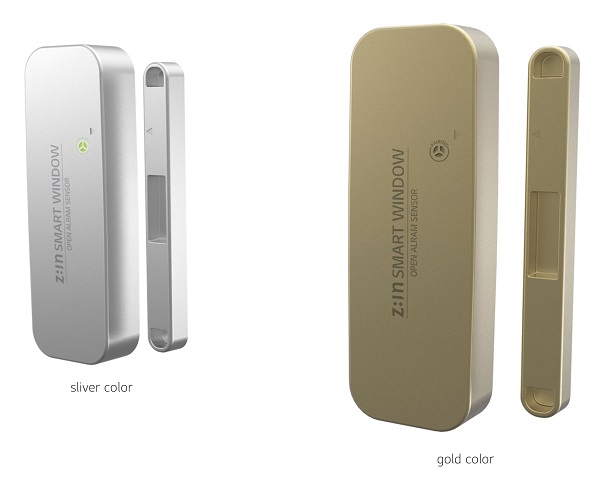
Product Recognition | |
|---|
Certification Number | ZC10-16015009 |
|---|
Name | Open Sensor |
|---|
Short Description | Sensors can be installed on door and window.
Main function is to alarm door and window status if these are open. |
|---|
Long Description | Remote Access via smart phone APP
Detecting the status of Door/Windows equipped with Z-WAVE Open Sensor and notifying the status to a customer.
Checking the battery usage and reporting the low battery alarm. |
|---|
Brand | LG Uplus |
|---|
Product Identifier | OSR-01H |
|---|
OEM Version | HW: 1 FW: 27.14 |
|---|
Hardware Platform | ZM5101 |
|---|
Z-Wave Version | 6.51.06 |
|---|
Library Type | SLAVE_ENHANCED_232 |
|---|
Device Type | Notification Sensor |
|---|
Role Type | ROLE_TYPE_SLAVE_SLEEPING_REPORTING |
|---|
Manufacturer ID | 0x022C |
|---|
Product Type ID | 0x0003 |
|---|
Product ID | 0x0001 |
|---|
User Icon | 0C,06 |
|---|
Installer Icon | 0C,06 |
|---|
Frequency Plans | KR: 920.90MHz, 921.70MHz, 923.10MHz |
|---|
Categories | Sensors |
|---|
Countries / Regions | Republic of Korea |
|---|
Documents | Category | Description | File |
|---|
Manual_Primary_Lang | Product or Owner's Manual | |
|
|---|
Association Groups | Group Number | Maximum Nodes Supported | End Point ID | Description |
|---|
1 | 5 | 0 | Z-Wave Plus Lifeline |
|
|---|
Configuration Parameters | Parameter Number | Name | Description | Format | Size | Min Value | Max Value | Default Value | Parameter Values |
|---|
1 | Battery Period | Setting the battery cycle | 0 | 1 | 0 | 0 | 24 | From | To | Description |
|---|
1 | 255 | Default 24 (0x18), 0x01~0xFF in 15 minute increments |
|
|
|---|
Texts | ID | Description | Value |
|---|
1 | Inclusion | a. Press & hold Inclusion/Exclusion button for 5 seconds when Open Sensor is
exclusion status.
b. LED of Open sensor will be on 5 seconds later.
c. Open sensor will try Inclusion for 30sec when button is released.
d. LED will blink 3 times if Inclusion is successful. | 2 | Exclusion | a. Receiver will stay exclusion waiting mode.
b. Press & hold Inclusion/Exclusion button for 5 seconds when Open Sensor is
Inclusion status.
c. LED of Open sensor will be on 5 seconds later.
d. Open sensor will try Exclusion when button is released.
e. LED will blink 3 times if Exclusion is successful. | 4 | Device Wake-Up | a. Device sends Wake up Notification by every 15 minutes.
b. Devices also sends Wake up Notification when inclusion/exclusion button is shortly pressed regardless of 15minutes interval. | 6 | Additional Special Features | a. Firmware auto upgrade via OTA. | 5 | Factory Reset | a. Press & hold Inclusion/Exclusion button for 10sec.
b. LED will blink while holding the button.
c. Factory reset will be done in 5sec after releasing button and LED will blink 5 times.
Please use this procedure only when the network primary controller is missing or otherwise inoperable. |
|
|---|
Supports NWI | Yes |
|---|
Supports Explorer Frames | Yes |
|---|
Radio Range Z-Wave (m) | 40 |
|---|