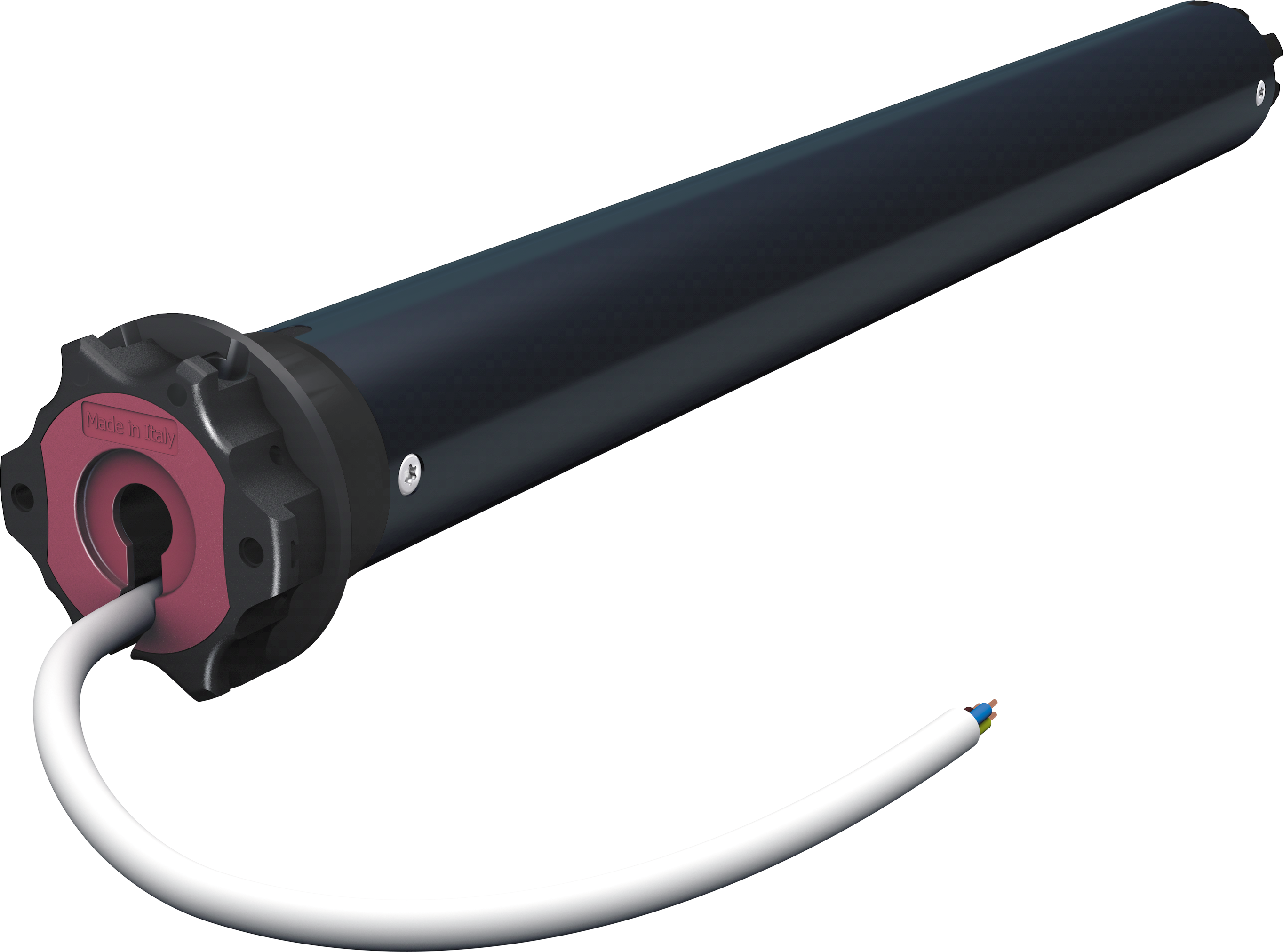
Product Recognition | |
|---|
Certification Number | ZC14-23030204 |
|---|
Name | ORA ZRX 10/17 |
|---|
Short Description | ORA ZRX is a dual radio motor for awnings and pergolas, with programmable limit switches, and wired control option.
The dual-radio control allows, on the one hand, the adjustment of the limit switches and the main functions to be carried out simply and interactively and, on the other hand, to be integrated into a Z-Wave™ network.
The wired control option provides for both programming and motor control, from a simple switch, as an addition or as an alternative to the radio remote control. |
|---|
Long Description | ORA ZRX is a motor for awnings, pergolas and screens, with programmable limit switches, dual-radio control and wired control option.
Electronic limit switch with integrated dual-radio Cherubini CRC RZ and Z-Wave™. The motor can be controlled by voice assistants (Google Home and Amazon Alexa) and CRC RX radio remote controls, switches, and online applications associated with the gateway.
The motor keeps its status aligned for any type of command received: via cable through push button or switch, via CRC RX radio through remote control, via Z-Wave network, via voice assistant, tablet or smartphone.
The limit switches can be adjusted manually, or acquired automatically by the motor, if the roller shutter is equipped with mechanical stop devices, on the up and/or down motion.
Climate Alerts Intelligence
The device is able to send a notification based on the information provided by the sensors linked to the motor (Wind, Rain, Solar) so it can recognize Wind, Rain, and Sun alerts and decide to open/close the awning based on the configuration.
Recognizes obstacles
Notification is send when the motor reaches an obstacle during its operation.
Z-Wave serie 700, SmartStart and S2 security.
Power supply: 230 VAC±10% 50/60 Hz
Work Temperature: -10° to 40°C
Maximum distance: Up to 100 m outdoors – up to 40 m indoor
Power consumption in stand by: < 1W |
|---|
Brand | Cherubini |
|---|
Product Identifier | CZT45101700 |
|---|
Product Line | Z-Wave 700 |
|---|
OEM Version | HW: 01 FW: 02.01 |
|---|
Hardware Platform | ZGM130S037HGN2 / ZGM130S037HGN1 |
|---|
Z-Wave Version | 7.16.3 |
|---|
Library Type | END_NODE_ENHANCED_232 |
|---|
Device Type | Window Covering DT |
|---|
Role Type | ROLE_TYPE_SLAVE_ALWAYS_ON |
|---|
Manufacturer ID | 0x0455 |
|---|
Product Type ID | 0x0004 |
|---|
Product ID | 0x0001 |
|---|
User Icon | 0x1a00 |
|---|
Installer Icon | 0x1a00 |
|---|
Frequency Plans | EU: 869.85MHz, 868.40MHz |
|---|
Categories | Window Covering, Motor Control |
|---|
Countries / Regions | European Union |
|---|
Supported Command Classes | Identifier | Name | Key | Version |
|---|
COMMAND_CLASS_BASIC_V2 | Basic V2 | 0x20 | 2 | COMMAND_CLASS_CONFIGURATION_V4 | Configuration V4 | 0x70 | 4 | COMMAND_CLASS_SWITCH_MULTILEVEL_V4 | Multilevel Switch V4 | 0x26 | 4 | COMMAND_CLASS_NOTIFICATION_V8 | Notification V8 | 0x71 | 8 | COMMAND_CLASS_PROTECTION_V2 | Protection V2 | 0x75 | 2 | COMMAND_CLASS_WINDOW_COVERING | Window Covering | 0x6A | 1 | COMMAND_CLASS_APPLICATION_STATUS | Application Status | 0x22 | 1 | COMMAND_CLASS_ASSOCIATION_V2 | Association V2 | 0x85 | 2 | COMMAND_CLASS_ASSOCIATION_GRP_INFO_V3 | Association Group Information (AGI) V3 | 0x59 | 3 | COMMAND_CLASS_DEVICE_RESET_LOCALLY | Device Reset Locally | 0x5A | 1 | COMMAND_CLASS_FIRMWARE_UPDATE_MD_V5 | Firmware Update Meta Data V5 | 0x7A | 5 | COMMAND_CLASS_INDICATOR_V3 | Indicator V3 | 0x87 | 3 | COMMAND_CLASS_MANUFACTURER_SPECIFIC_V2 | Manufacturer Specific V2 | 0x72 | 2 | COMMAND_CLASS_MULTI_CHANNEL_ASSOCIATION_V3 | Multi Channel Association V3 | 0x8E | 3 | COMMAND_CLASS_VERSION_V3 | Version V3 | 0x86 | 3 | COMMAND_CLASS_ZWAVEPLUS_INFO_V2 | Z-Wave Plus Info V2 | 0x5E | 2 | COMMAND_CLASS_SECURITY_2 | Security 2 | 0x9F | 1 | COMMAND_CLASS_SUPERVISION | Supervision | 0x6C | 1 | COMMAND_CLASS_TRANSPORT_SERVICE_V2 | Transport Service V2 | 0x55 | 2 | COMMAND_CLASS_POWERLEVEL | Powerlevel | 0x73 | 1 |
|
|---|
S2 Classes | S2_AUTHENTICATED, S2_UNAUTHENTICATED |
|---|
Documents | Category | File |
|---|
Adv_Manual | | Manual_English | |
|
|---|
Features | Feature | Values |
|---|
Window Covering Control Features | Value |
|---|
Position Aware | Manual Calibration | Supports Curtains | Supports Horizontal Blinds/Louvers | Supports Open/Close Motion |
|
|
|---|
Association Groups | Group Number | Maximum Nodes Supported | End Point ID | Group Name | Profile |
|---|
1 | 8 | 0 | Lifeline | 0x0001 | 2 | 8 | 0 | Follow me | 0x2000 | 3 | 8 | 0 | Scene activation | 0x2000 | 4 | 8 | 0 | Follow me weather | 0x2000 |
|
|---|
Configuration Parameters | Parameter Number | Name | Description | Format | Size | Min Value | Max Value | Default Value |
|---|
31 | CLOSE_COLLISION_SCENE_ID | Scene id sent if a collision is detected during closing operation. 0 no scene ID is sent | 1 | 2 | 0 | 0 | 0x0000 |
|
|---|
Texts | ID | Description | Value |
|---|
8 | Where to find S2 DSK on product | page 4 - The QR code and DSK in the numerical format are shown on the label on the motor cable. The PIN is the first group of 5 digits printed underlined. To facilitate consultation of these codes, the label has a detachable, self-adhesive part, which can be kept in the instruction manual, or applied in an easily accessible place on the roller shutter (box or final blade). | 1 | Classic Inclusion | Make sure that the motor is powered and possibly connected to an up/down button if you wish to use the wired programming sequence, or have a remote control already saved in the motor. To make the inclusion, make sure that the motor is not already included in a Z-Wave™ network; if it is already included, perform the procedure described below, a first time to make the exclusion, and then a second time to make the inclusion.
The sequence of operations for inclusion/exclusion procedures is as follows:
1) Preparing the Z-Wave™ controller for inclusion (or exclusion) of a device (see your controller's instructions).
2) On the motor, run the programming sequence for inclusion/exclusion:
a. From the remote control: AB - AC - AB (2 seconds), wait for confirmation movements.
FIG. see manual
b. From the button (if the end stops are not adjusted, you can use either sequence indifferently):
i. With the motor on the high limit switch: UP-UP-UP-UP-UP-DOWN
FIG. see manual
ii. With the motor on the low limit switch: DOWN-DOWN-DOWN-DOWN-DOWN-UP
FIG. see manual
3) The motor performs a few short movements to indicate that the inclusion (or exclusion) procedure is in progress.
4) Checking the controller make sure that the procedure was successful | 2 | Classic Exclusion | Same as above | 5 | Factory Reset Procedure | The Z-Wave™ configuration of the ORA ZRX motor can be reset to the original factory values with the following programming sequence:
1) From the remote control: AB - AC - BC (4 seconds), wait for confirmation movements to be executed.
FIG see manual
2) From the button (if the end stops are not adjusted, you can use either sequence indifferently):
a. With the motor on the high limit switch: UP-UP-UP-DOWN-UP-DOWN
FIG see manual
b. With the motor on the low limit switch: DOWN-DOWN-DOWN-UP-DOWN-UP
FIG see manual
Please use this procedure only when the network primary controller is missing or otherwise inoperable.
INFO: If the reset is performed while the device is still part of a network, it notifies the other devices in the Lifeline Group that it has been removed (Device Reset Locally Notification). | 6 | Other Special Features | Controllable also by Cherubini radio remote control, and by wired button
The radio remote control is extremely useful when installing the motor on the awning, to set the limit switches and perform all programming and association functions with the climate sensors. After the first installation, the remote control can still be used as a local control point.
Climate Alerts Intelligence
The device is able to send a notification based on the information provided by the sensors linked to the motor (Wind, Rain, Solar) so it can recognize Wind, Rain, and Sun alerts and decide to open/close the awning based on the configuration.
Recognizes obstacles
Notification is send when the motor reaches an obstacle during its operation. |
|
|---|
Supported Notification Types | Notification Type | Event / State |
|---|
System | (Refer to parameters): State idle | System | HW status: System hardware failure (manufacturer proprietary failure code provided) | System | Digital input state: Digital input high state | System | Digital input state: Digital input low state | System | Digital input state: Digital input open |
|
|---|
Supports NWI | Yes |
|---|
Supports Explorer Frames | Yes |
|---|
Supports SmartStart | Yes |
|---|
Radio Range Z-Wave (m) | 40 |
|---|