| Product Recognition | |
|---|
| Certification Number | ZC14-24110480 |
|---|
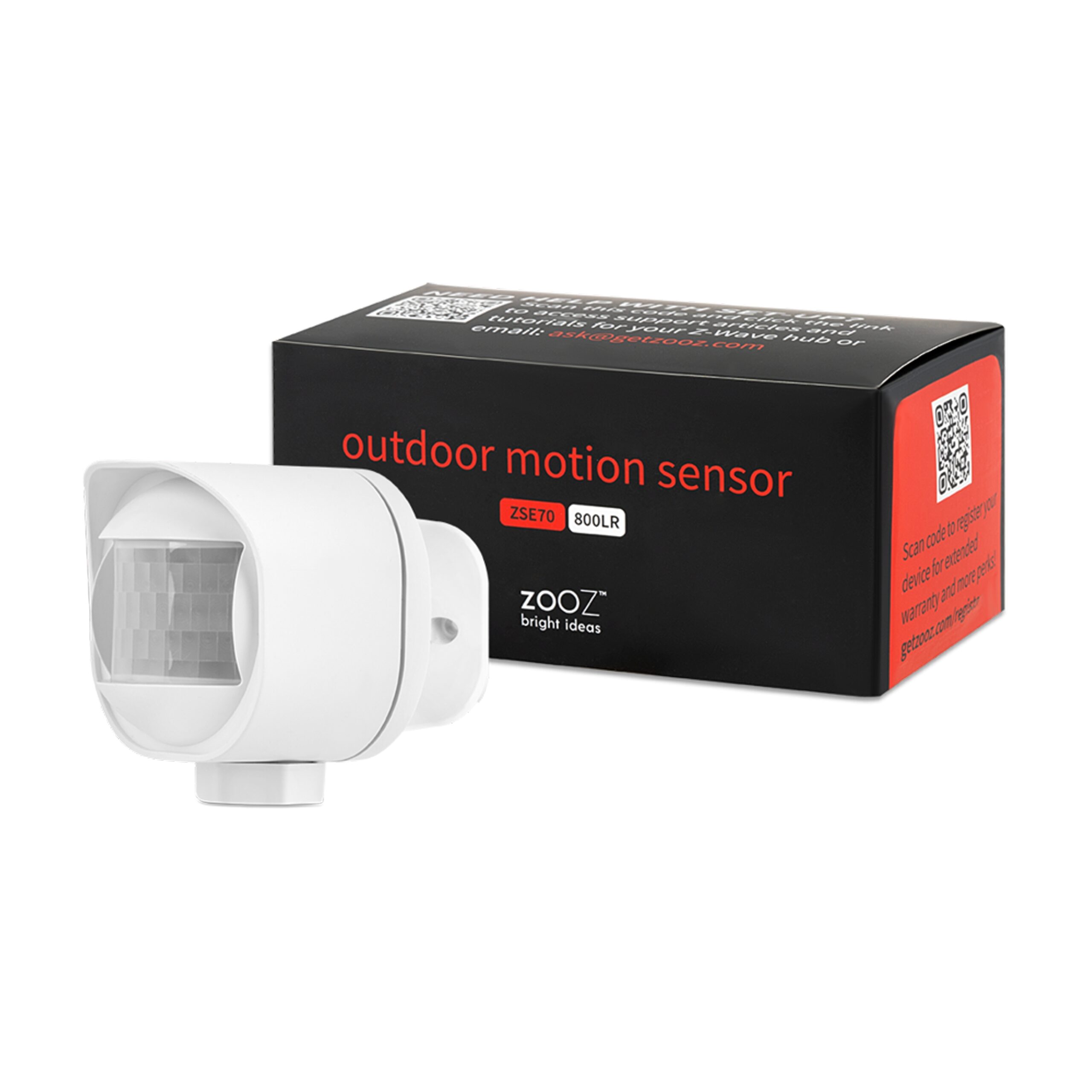
| Name | Outdoor Motion Sensor |
|---|
| Short Description | The Zooz 800 Series Outdoor Motion Sensor offers reliable motion, temperature, and light detection with Z-Wave Long Range, ideal for hands-free automation and enhanced outdoor security. |
|---|
| Long Description | PRODUCT HIGHLIGHTS:
- Quick and reliable motion alerts to Z-Wave® hub
- Accurate temperature monitoring
- Lux sensor for smart light automations
- 800 series Z-Wave® chip + SmartStart technology
- Z-Wave® Long Range for no-mesh communication
- Battery or 12-24 V power with sealed terminals
- Rated for indoor or outdoor use
PRODUCT SPECS:
- Model Number: ZSE70 800LR
- Z-Wave® Region: CA/US/MX
- Power: 2 x CR123A (3 V) batteries / 12-24 V AC/DC
- Motion Detection: up to 30 feet
- Temperature Range: -10°C to 50°C / 14°F to 122°F (±2°C / 1°F accuracy)
- Light Sensor Range: 0 LUX to 30000 LUX with ±20% accuracy
- Dimensions: 2.34” x 2.4” x 2.75”
- Range: Up to 130 |
|---|
| Brand | Zooz |
|---|
| Product Identifier | ZSE70 800LR |
|---|
| Product Line | Smart Sensors |
|---|
| OEM Version | HW: 01 FW: 01.20 |
|---|
| Hardware Platform | EFR32ZG23A |
|---|
| Z-Wave Version | 7.19.3 |
|---|
| Library Type | END_NODE_ENHANCED_232 |
|---|
| Device Type | Notification Sensor DT |
|---|
| Role Type | ROLE_TYPE_END_NODE_SLEEPING_REPORTING |
|---|
| Manufacturer ID | 0x027A |
|---|
| Product Type ID | 0x0004 |
|---|
| Product ID | 0x0006 |
|---|
| User Icon | 0x0C00 |
|---|
| Installer Icon | 0x0C00 |
|---|
| Frequency Plans | US: 916.00MHz, 908.40MHz, US_LR: 912.00MHz, 920.00MHz |
|---|
| Categories | Sensors |
|---|
| Countries / Regions | Argentina, Bahamas, Barbados, Bermuda, Bolivia, British Virgin Islands, Canada, Cayman Islands, Colombia, Guatemala, Haiti, Honduras, Jamaica, Mexico, Panama, Saint Kitts and Nevis, Suriname, Trinidad and Tobago, Turks and Caicos Islands, United States of America |
|---|
| Supported Command Classes | | Identifier | Name | Key | Version |
|---|
| COMMAND_CLASS_ASSOCIATION_V2 | Association V2 | 0x85 | 2 | | COMMAND_CLASS_ASSOCIATION_GRP_INFO_V3 | Association Group Information (AGI) V3 | 0x59 | 3 | | COMMAND_CLASS_DEVICE_RESET_LOCALLY | Device Reset Locally | 0x5A | 1 | | COMMAND_CLASS_FIRMWARE_UPDATE_MD_V5 | Firmware Update Meta Data V5 | 0x7A | 5 | | COMMAND_CLASS_INDICATOR_V3 | Indicator V3 | 0x87 | 3 | | COMMAND_CLASS_MANUFACTURER_SPECIFIC_V2 | Manufacturer Specific V2 | 0x72 | 2 | | COMMAND_CLASS_MULTI_CHANNEL_ASSOCIATION_V3 | Multi Channel Association V3 | 0x8E | 3 | | COMMAND_CLASS_VERSION_V3 | Version V3 | 0x86 | 3 | | COMMAND_CLASS_ZWAVEPLUS_INFO_V2 | Z-Wave Plus Info V2 | 0x5E | 2 | | COMMAND_CLASS_SECURITY_2 | Security 2 | 0x9F | 1 | | COMMAND_CLASS_SUPERVISION | Supervision | 0x6C | 1 | | COMMAND_CLASS_TRANSPORT_SERVICE_V2 | Transport Service V2 | 0x55 | 2 | | COMMAND_CLASS_POWERLEVEL | Powerlevel | 0x73 | 1 | | COMMAND_CLASS_NOTIFICATION_V8 | Notification V8 | 0x71 | 8 | | COMMAND_CLASS_WAKE_UP_V2 | Wake Up V2 | 0x84 | 2 | | COMMAND_CLASS_BATTERY | Battery | 0x80 | 1 | | COMMAND_CLASS_APPLICATION_STATUS | Application Status | 0x22 | 1 | | COMMAND_CLASS_CONFIGURATION_V4 | Configuration V4 | 0x70 | 4 | | COMMAND_CLASS_SENSOR_MULTILEVEL_V11 | Multilevel Sensor V11 | 0x31 | 11 | | COMMAND_CLASS_SECURITY | Security 0 | 0x98 | 1 |
|
|---|
| S2 Classes | S2_AUTHENTICATED, S2_UNAUTHENTICATED |
|---|
| Documents | |
|---|
| Features | | Feature | Values |
|---|
| Battery Quantity | | | Battery Type | | | Color | | | Firmware Updatable | | Value |
|---|
| Updatable by Consumer by RF |
| | Outdoor Use | |
|
|---|
| Association Groups | | Group Number | Maximum Nodes Supported | End Point ID | Group Name | Profile |
|---|
| 1 | 5 | 0 | Lifeline | 0x0001 | | 2 | 5 | 0 | On/Off control | 0x7107 |
|
|---|
| Configuration Parameters | | Parameter Number | Name | Description | Format | Size | Min Value | Max Value | Default Value |
|---|
| 1 | Motion sensitivity | Motion sensitivity | 2 | 1 | 0 | 0 | 0x06 | | 2 | Motion untrigger time | Motion untrigger time | 1 | 2 | 0 | 0 | 0x001E | | 3 | Motion group control | Motion group control | 2 | 1 | 0 | 0 | 0x07 | | 4 | Motion Group Value Setting | Motion Group Value Setting | 1 | 2 | 0 | 0 | 0xFF00 | | 5 | Temperature report scale | Temperature report scale | 2 | 1 | 0 | 0 | 0x01 | | 6 | LED activity | LED activity | 2 | 1 | 0 | 0 | 0x01 | | 7 | Low battery threshold | Low battery threshold | 1 | 1 | 0 | 0 | 0x0A | | 8 | Battery power checking interval | Battery power checking interval | 1 | 2 | 0 | 0 | 0x0004 | | 9 | Temperature Threshold Check Time | Temperature Threshold Check Time | 1 | 2 | 0 | 0 | 0x001E | | 10 | Light Threshold Check Time | Light Threshold Check Time | 1 | 2 | 0 | 0 | 0x000A | | 11 | Battery threshold | Battery threshold | 1 | 1 | 0 | 0 | 0x02 | | 17 | Automatic report interval time for temp | Automatic report interval time for temp | 1 | 2 | 0 | 0 | 0x0000 |
|
|---|
| Texts | | ID | Description | Value |
|---|
| 8 | Where to find S2 DSK on product | If you’re using an S2 hub, it will ask you to enter the
DSK key or scan the QR code printed on the sticker on
the side of the cover to complete SmartStart inclusion. | | 1 | Classic Inclusion | Put your Z-Wave® hub into inclusion mode and click
the Z-Wave® button 3 times as quickly as possible. The
LED indicator will start blinking to confirm inclusion
mode and turn off once inclusion is completed. | | 2 | Classic Exclusion | 1. Bring the sensor within direct range of your Z-Wave®
gateway (hub).
2. Put the Z-Wave® hub into exclusion mode (not sure
how to do that? ask@getzooz.com).
3. Click the Z-Wave® button 3 times quickly.
4. Your hub will confirm exclusion and the sensor will
disappear from your controller's device list. | | 4 | Wake-Up Procedure | The sensor’s wake-up interval is set to 4 hours by default to
save battery life. Use the Wake Up Command Class to adjust
the interval (in seconds, working in 3600s intervals, with 3600
as min and 86400 as max values). Click the Z-Wave® button
once to wake the sensor up manually. During wake-up, the
sensor turns the Z-Wave® radio for 10 seconds to receive
communication from the hub. Long wake-up interval will not
affect how o | | 5 | Factory Reset Procedure | When your network’s primary controller is missing or
otherwise inoperable, you may need to reset the device
to factory settings manually. In order to complete the
process, make sure the sensor is powered, then hold
the Z-Wave® button down for at least 10 seconds.
The LED indicator will start flashing blue and turn solid
blue for a couple of seconds to indicate successful reset.
NOTE: All previously recorded activity and custom settings will be
erased from the device’s memory. |
|
|---|
| Supported Notification Types | | Notification Type | Event / State |
|---|
| Home Security | Cover status: Tampering, product cover removed | | Home Security | Motion sensor status: Motion detection | | Power Management | Mains status: AC mains disconnected | | Power Management | Mains status: AC mains re-connected | | Power Management | Battery maintenance status: Replace battery soon | | Power Management | Battery maintenance status: Replace battery now |
|
|---|
| Supported Multilevel Sensors | | Multilevel Sensor Type |
|---|
| Air temperature | | Illuminance |
|
|---|
| Supports NWI | Yes |
|---|
| Supports Explorer Frames | Yes |
|---|
| Supports SmartStart | Yes |
|---|