| Product Recognition | |
|---|
| Certification Number | ZC14-24080469 |
|---|
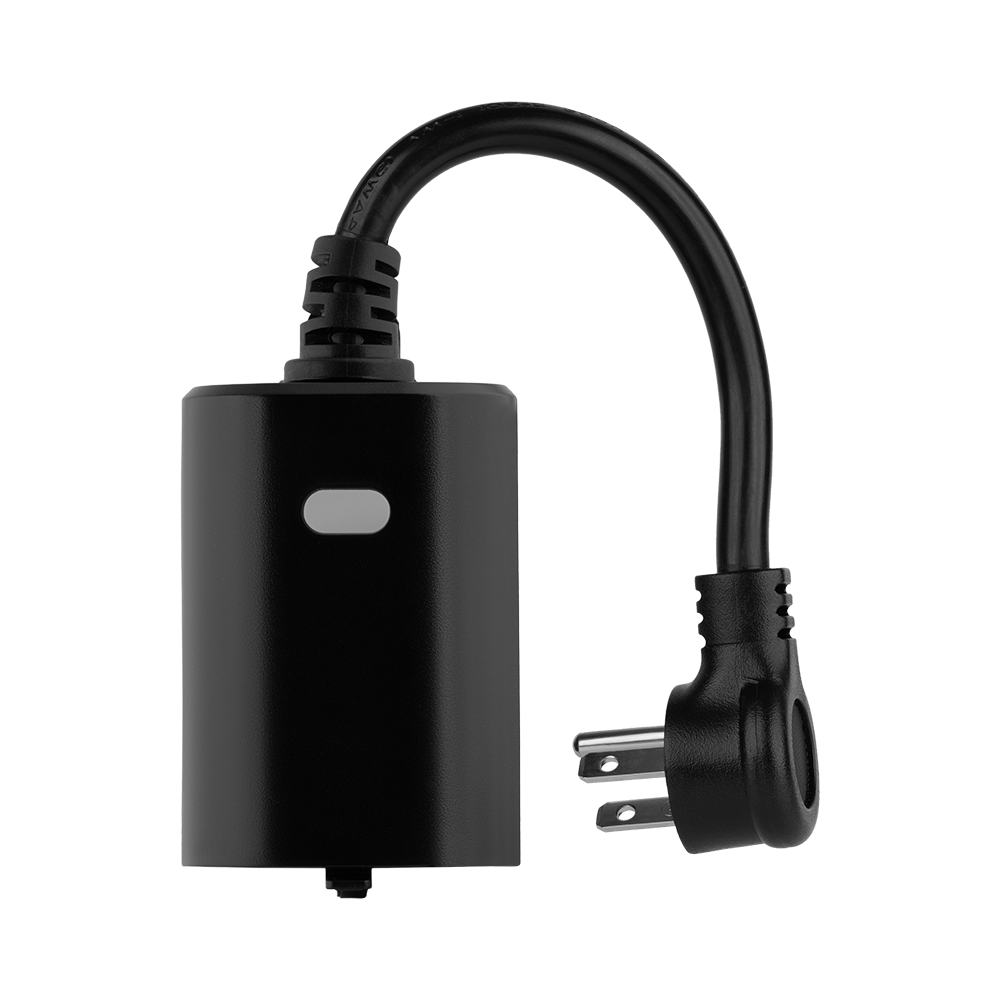
| Name | Outdoor Smart Plug |
|---|
| Short Description | Control outdoor lights or small appliances and monitor energy use with this smart plug. |
|---|
| Long Description | PRODUCT HIGHLIGHTS:
- Z-Wave® on/off control of lights and small appliances
- Energy monitoring
- IP65 rated for outdoor use
- NEW 800 series Z-Wave® chip for faster control
- Z-Wave® Long Range for ultra reliable no-mesh communication
- S2 authenticated security and SmartStart
- Supports OTA firmware updates
- ETL listed for compliance with North American safety standards
SPECIFICATIONS:
- Model Number: ZEN05 800LR
- Z-Wave® Region: US/CA/MX
- Power: 110 VAC, 60 Hz
- Maximum Load: 15 A, 150 W LED bulbs, 1000 W incandescent, 1/3 hp motor
- Range: Up to 150 ft (up to 1300 ft with LR) line of sight
- Installation and Use: Indoor or outdoor
- IP Rating: 65
- Dimensions: 2.25” x 3.25” x 1.5” Cord Length: 6.5” |
|---|
| Brand | Zooz |
|---|
| Product Identifier | ZEN05 800LR |
|---|
| Product Line | Smart Plugs |
|---|
| OEM Version | HW: 02 FW: 08.00 |
|---|
| Hardware Platform | EFR32ZG23A |
|---|
| Z-Wave Version | 7.19.2 |
|---|
| Library Type | END_NODE_ENHANCED_232 |
|---|
| Device Type | Binary Switch DT |
|---|
| Role Type | ROLE_TYPE_END_NODE_ALWAYS_ON |
|---|
| Manufacturer ID | 0x027A |
|---|
| Product Type ID | 0x7000 |
|---|
| Product ID | 0xB001 |
|---|
| User Icon | 0x0700 |
|---|
| Installer Icon | 0x0700 |
|---|
| Frequency Plans | US: 916.00MHz, 908.40MHz, US_LR: 912.00MHz, 920.00MHz |
|---|
| Categories | All Lighting Devices, On/Off Switches/Devices, Lighting Accessories |
|---|
| Countries / Regions | Canada, Mexico, United States of America |
|---|
| Supported Command Classes | | Identifier | Name | Key | Version |
|---|
| COMMAND_CLASS_BASIC_V2 | Basic V2 | 0x20 | 2 | | COMMAND_CLASS_SWITCH_BINARY_V2 | Binary Switch V2 | 0x25 | 2 | | COMMAND_CLASS_CONFIGURATION_V4 | Configuration V4 | 0x70 | 4 | | COMMAND_CLASS_METER_V5 | Meter V5 | 0x32 | 5 | | COMMAND_CLASS_NOTIFICATION_V8 | Notification V8 | 0x71 | 8 | | COMMAND_CLASS_ASSOCIATION_V2 | Association V2 | 0x85 | 2 | | COMMAND_CLASS_ASSOCIATION_GRP_INFO_V3 | Association Group Information (AGI) V3 | 0x59 | 3 | | COMMAND_CLASS_DEVICE_RESET_LOCALLY | Device Reset Locally | 0x5A | 1 | | COMMAND_CLASS_FIRMWARE_UPDATE_MD_V5 | Firmware Update Meta Data V5 | 0x7A | 5 | | COMMAND_CLASS_INDICATOR_V3 | Indicator V3 | 0x87 | 3 | | COMMAND_CLASS_MANUFACTURER_SPECIFIC_V2 | Manufacturer Specific V2 | 0x72 | 2 | | COMMAND_CLASS_MULTI_CHANNEL_ASSOCIATION_V3 | Multi Channel Association V3 | 0x8E | 3 | | COMMAND_CLASS_VERSION_V3 | Version V3 | 0x86 | 3 | | COMMAND_CLASS_ZWAVEPLUS_INFO_V2 | Z-Wave Plus Info V2 | 0x5E | 2 | | COMMAND_CLASS_SECURITY_2 | Security 2 | 0x9F | 1 | | COMMAND_CLASS_SUPERVISION | Supervision | 0x6C | 1 | | COMMAND_CLASS_TRANSPORT_SERVICE_V2 | Transport Service V2 | 0x55 | 2 | | COMMAND_CLASS_POWERLEVEL | Powerlevel | 0x73 | 1 |
|
|---|
| S2 Classes | S2_AUTHENTICATED, S2_UNAUTHENTICATED |
|---|
| Documents | |
|---|
| Features | | Feature | Values |
|---|
| Color | | | Firmware Updatable | | Value |
|---|
| Updatable by Consumer by RF |
| | Outdoor Use | |
|
|---|
| Association Groups | | Group Number | Maximum Nodes Supported | End Point ID | Group Name | Profile |
|---|
| 1 | 5 | 0 | Lifeline | 0x0001 | | 2 | 5 | 0 | Basic Set | 0x2001 |
|
|---|
| Configuration Parameters | | Parameter Number | Name | Description | Format | Size | Min Value | Max Value | Default Value |
|---|
| 1 | Reaction of led | Change the reaction of the indicator. | 1 | 1 | 0 | 0 | 0x00 | | 2 | Auto Turn Off | Minutes for turn off automatically. | 1 | 4 | 0 | 0 | 0x00000000 | | 3 | Auto Turn On | Minutes for turn on automatically. | 1 | 4 | 0 | 0 | 0x00000000 | | 4 | Status Restore | Restore status after power failure. | 1 | 1 | 0 | 0 | 0x00 | | 5 | Report threshold of power | Threshold for power report(W). | 1 | 1 | 0 | 0 | 0x05 | | 6 | Report frequency of power | Interval minutes after last report of power. | 1 | 4 | 0 | 0 | 0x00000005 | | 7 | Report threshold of currents | Threshold for currents report(x0.1A). | 1 | 1 | 0 | 0 | 0x01 | | 8 | Report threshold of electricity | Threshold for electricity report(x0.01KWH). | 1 | 1 | 0 | 0 | 0x01 | | 9 | Indicator brightness | Setting indicator's brightness. | 1 | 1 | 0 | 0 | 0x02 | | 10 | Disable power report | Enable or disable power report. | 1 | 1 | 0 | 0 | 0x00 | | 11 | Disable currents report | Enable or disable currents report. | 1 | 1 | 0 | 0 | 0x00 |
|
|---|
| Texts | | ID | Description | Value |
|---|
| 8 | Where to find S2 DSK on product | If you’re using an S2 hub, it will ask you to enter the DSK PIN or scan the QR code printed on the side of the plug’s outlet to complete SmartStart inclusion. | | 1 | Classic Inclusion | INCLUSION
1. Initiate inclusion (pairing) in the app (or web interface).
2. click the Z-Wave® button 3 times as quickly as possible.
3. The LED indicator will start flashing blue to confirm inclusion mode and turn green for 1 second once inclusion is completed. | | 2 | Classic Exclusion | 1. Bring the Outdoor Plug within direct range of your Z-Wave® gateway (hub).
2. Put the Z-Wave® hub into exclusion mode (not sure how to do that? ask@getzooz.com).
3. Press and release the Z-Wave® button 3 times quickly.
4. Your hub will confirm exclusion and the Outdoor Plug will disappear from your controller's device list. | | 5 | Factory Reset Procedure | When your network’s primary controller is missing or otherwise inoperable, you may need to reset the device to factory settings manually. In order to complete the process, make sure the plug is powered, then click the Z-Wave® button twice and hold it the third time for 10 seconds. The LED indicator will flash green 3 times to confirm a successful reset. |
|
|---|
| Supported / Controlled Meter Types | | Meter Type | Rate Type |
|---|
| Electric meter | Import (consumed) |
|
|---|
| Supported Notification Types | | Notification Type | Event / State |
|---|
| Power Management | Over-current status: Over-current detected | | Power Management | Over-voltage status: Over-voltage detected | | Power Management | Over-load status: Over-load detected |
|
|---|
| Supports NWI | Yes |
|---|
| Supports Explorer Frames | Yes |
|---|
| Supports SmartStart | Yes |
|---|