Product Recognition | |
|---|
Certification Number | ZC10-18096245 |
|---|
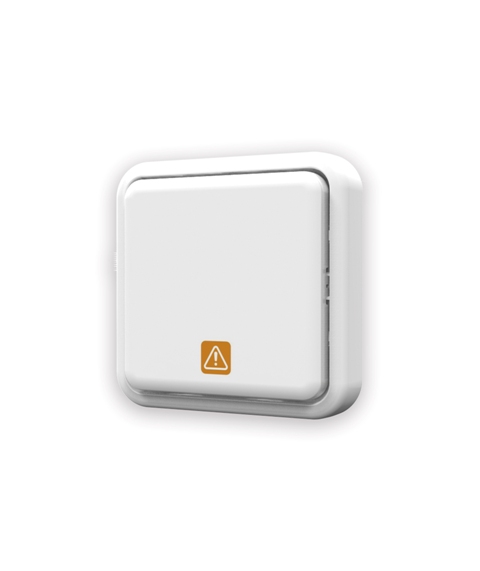
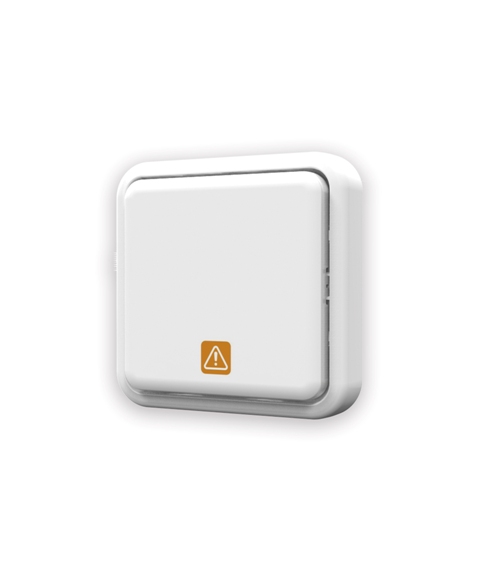
Name | PANIC BUTTON |
|---|
Short Description | The portable panic button is a user emergency help button that is used as part of an integrated Z-Wave Plus enabled network. Its primary function is to relay a panic notification message to the control system in the event of an emergency occurring involving the user. |
|---|
Long Description | The AC136 Panic Button is a Z-Wave Plus enabled device and is fully compatible with any Z-Wave enabled network. The device can be set up in a Z-wave network to communicate directly with other end devices such as lighting controllers, or to report directly a Z-wave controller.
The Panic Button is a portable wireless switch designed to control the Panic/Disarm status of other associated devices thru the Z-Wave controller. After receiving the signals emitted by the Panic Button, the Z-Wave controller can then give commands or operate according to its own settings. Its great compatibility with Z-Wave products makes it suitable for smart home cloud based platforms. |
|---|
Brand | Everspring |
|---|
Product Identifier | AC136-1 |
|---|
OEM Version | HW: 1 FW: 1.01:00.01 |
|---|
Hardware Platform | SD3502 |
|---|
Z-Wave Version | 6.71.01 |
|---|
Library Type | SLAVE_ENHANCED_232 |
|---|
Device Type | Notification Sensor |
|---|
Role Type | ROLE_TYPE_SLAVE_SLEEPING_REPORTING |
|---|
Manufacturer ID | 0x0060 |
|---|
Product Type ID | 0x000A |
|---|
Product ID | 0x0002 |
|---|
User Icon | 0x0C0C |
|---|
Installer Icon | 0x0C0C |
|---|
Frequency Plans | EU: 869.85MHz, 868.40MHz |
|---|
Categories | Sensors |
|---|
Countries / Regions | European Union |
|---|
Supported Command Classes | Identifier | Name | Key | Version |
|---|
COMMAND_CLASS_FIRMWARE_UPDATE_MD_V4 | Firmware Update Meta-Data V4 | 0x7A | 4 | COMMAND_CLASS_POWERLEVEL | Powerlevel | 0x73 | 1 | COMMAND_CLASS_BATTERY | Battery | 0x80 | 1 | COMMAND_CLASS_SECURITY | Security S0 | 0x98 | 1 | COMMAND_CLASS_TRANSPORT_SERVICE_V2 | Transport Service V2 | 0x55 | 2 | COMMAND_CLASS_VERSION_V2 | Version V2 | 0x86 | 2 | COMMAND_CLASS_WAKE_UP_V2 | Wake Up V2 | 0x84 | 2 | COMMAND_CLASS_DEVICE_RESET_LOCALLY | Device Reset Locally | 0x5A | 1 | COMMAND_CLASS_ZWAVEPLUS_INFO_V2 | Z-Wave Plus Info V2 | 0x5E | 2 | COMMAND_CLASS_ASSOCIATION_V2 | Association V2 | 0x85 | 2 | COMMAND_CLASS_ASSOCIATION_GRP_INFO | Association Group Info | 0x59 | 1 | COMMAND_CLASS_SECURITY_2 | Security S2 | 0x9F | 1 | COMMAND_CLASS_SUPERVISION | Supervision | 0x6C | 1 | COMMAND_CLASS_MANUFACTURER_SPECIFIC_V2 | Manufacturer Specific V2 | 0x72 | 2 | COMMAND_CLASS_NOTIFICATION_V4 | Notification V4 | 0x71 | 4 |
|
|---|
Controlled Command Classes | Identifier | Name | Key | Version |
|---|
COMMAND_CLASS_BASIC | Basic | 0x20 | 1 |
|
|---|
S2 Classes | S2_UNAUTHENTICATED, S2_AUTHENTICATED |
|---|
Documents | Category | Description | File |
|---|
Manual_Primary_Lang | Product or Owner's Manual | |
|
|---|
Features | Feature | Values |
|---|
Switch Type | | Firmware Updatable | Value |
|---|
Updatable by Consumer via Internet |
| Supported Notification Types | | Battery Type | | Color | | Battery Quantity | |
|
|---|
Association Groups | Group Number | Maximum Nodes Supported | End Point ID | Description |
|---|
2 | 4 | 0 | Basic Set | 1 | 1 | 0 | Z-Wave Plus Lifeline |
|
|---|
Texts | ID | Description | Value |
|---|
1 | Inclusion | 1.Put the Z-Wave Controller into inclusion mode.
2.Press the link button 3 times within 1.5 seconds to put the unit into inclusion mode. | 2 | Exclusion | 1. Put the Z-Wave Controller into exclusion mode.
2. Press the link button 3 times within 1.5 seconds to put the unit into exclusion mode. | 4 | Device Wake-Up | After it has been included into a Z-Wave network, the detector will go to sleep but will send a Wakeup Notification Command periodically at preset period to the controller. The detector will stay awake for 10 seconds at least and then go back to sleep to conserve battery life. | 5 | Factory Reset | 1. Press the link button 3 times within 1.5 seconds to put the unit into exclusion mode.
2. Within 1 second of step 1, press the link button again and hold for 5 seconds.
3. Node ID is excluded. The device reverts to factory default state.
(This procedure should only be used when the controller is inoperable.) |
|
|---|
Supported Notification Types | Notification Type | Event / State |
|---|
Appliance | (Refer to parameters): State idle |
|
|---|
Supports NWI | Yes |
|---|
Supports Explorer Frames | Yes |
|---|
Radio Range Z-Wave (m) | 40 |
|---|