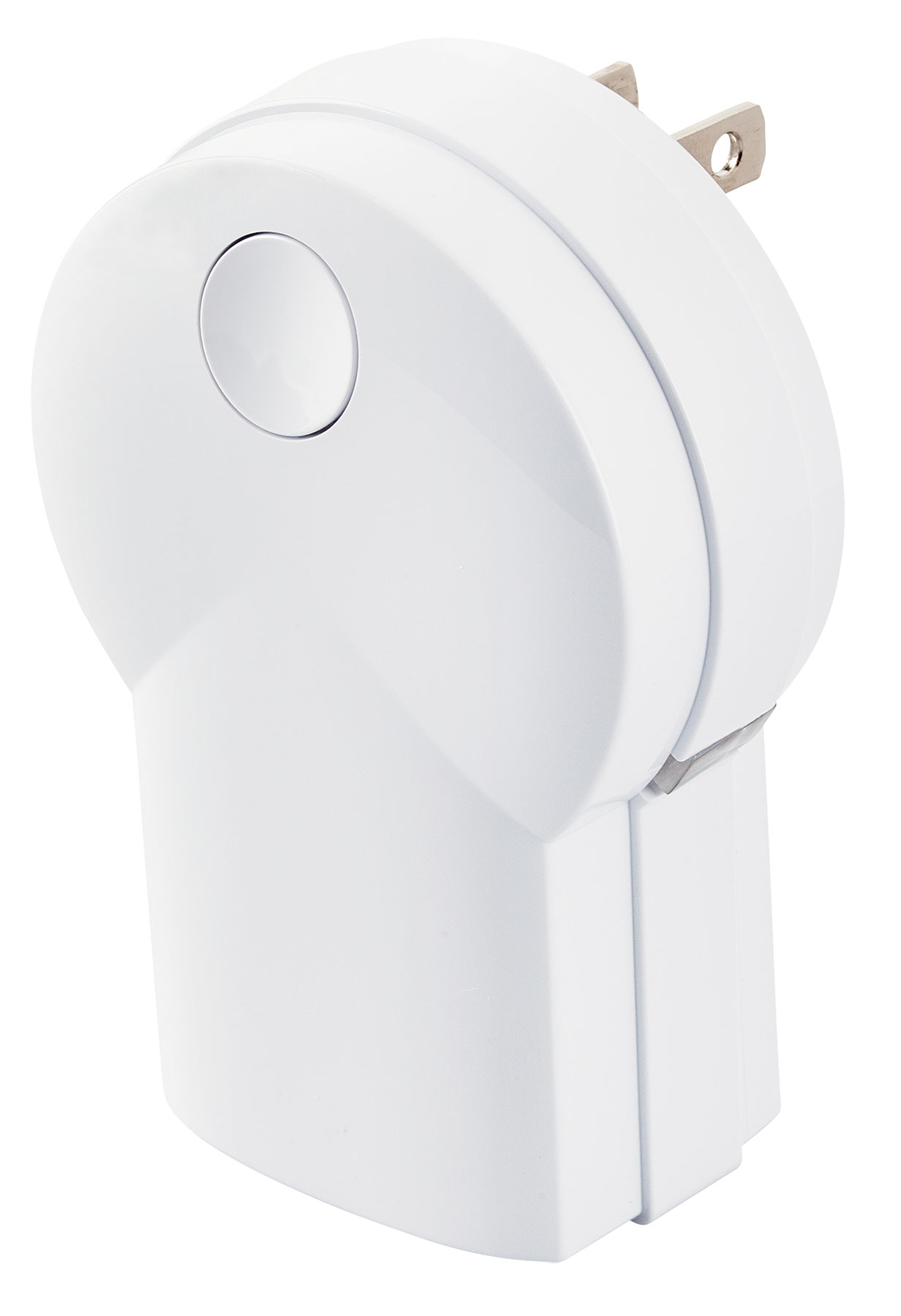
Product Recognition | |
|---|
Certification Number | ZC10-16125350 |
|---|
Name | PD300EMZ5-1 |
|---|
Short Description | Plug in device for a dimmable light fixture for use in home automation systems. Includes a long-life LED nightlight, Energy Monitoring capability, inadvertent activation protection and Over The Air upgradable. |
|---|
Long Description | The PD300EMZ5-1 is a plug in the wall device designed to control dimmable lamps providing the ideal mood for every situation. Supporting Energy Monitoring the PD300EMZ5-1 will provide both a visual indication of the amount of energy the connected device is using, and also transmit this information to the Z-Wave hub for tracking purposes. Dual long life LEDs will also act as a night light when the load is off. The integrated button can be used to turn the connected device on / off, but it can also be temporarily disabled to eliminate the inadvertent operation of the device. With Over The Air upgrading supported, this device can be seamlessly updated to the most recent firmware and software features. Finally, as a Z-Wave plus product, it’s 30% longer range is ideal for easily creating a strong Z-Wave mesh network for an easier installation and more reliable operation. |
|---|
Brand | GoControl |
|---|
Product Identifier | PD300EMZ5-1 |
|---|
OEM Version | HW: 4 FW: 1.38 |
|---|
Hardware Platform | ZM5101 |
|---|
Z-Wave Version | 6.51.08 |
|---|
Library Type | SLAVE_ENHANCED_232 |
|---|
Device Type | Light Dimmer Switch |
|---|
Role Type | ROLE_TYPE_SLAVE_ALWAYS_ON |
|---|
Manufacturer ID | 0x014F |
|---|
Product Type ID | 0x5044 |
|---|
Product ID | 0x3533 |
|---|
User Icon | 0x0600 |
|---|
Installer Icon | 0x0600 |
|---|
Frequency Plans | US: 916.00MHz, 908.40MHz |
|---|
Categories | Energy Meters, All Lighting Devices, Dimming Lighting Devices |
|---|
Countries / Regions | United States of America |
|---|
Supported Command Classes | Identifier | Name | Key | Version |
|---|
COMMAND_CLASS_SCENE_ACTUATOR_CONF | Scene Actuator Conf | 0x2C | 1 | COMMAND_CLASS_POWERLEVEL | Powerlevel | 0x73 | 1 | COMMAND_CLASS_SWITCH_ALL | Switch All | 0x27 | 1 | COMMAND_CLASS_BASIC | Basic | 0x20 | 1 | COMMAND_CLASS_VERSION_V2 | Version V2 | 0x86 | 2 | COMMAND_CLASS_DEVICE_RESET_LOCALLY | Device Reset Locally | 0x5A | 1 | COMMAND_CLASS_ZWAVEPLUS_INFO_V2 | Z-Wave Plus Info V2 | 0x5E | 2 | COMMAND_CLASS_SWITCH_MULTILEVEL_V3 | Switch Multilevel V3 | 0x26 | 3 | COMMAND_CLASS_ASSOCIATION_V2 | Association V2 | 0x85 | 2 | COMMAND_CLASS_ASSOCIATION_GRP_INFO | Association Group Info | 0x59 | 1 | COMMAND_CLASS_PROTECTION | Protection | 0x75 | 1 | COMMAND_CLASS_SCENE_ACTIVATION | Scene Activation | 0x2B | 1 | COMMAND_CLASS_CONFIGURATION_V2 | Configuration V2 | 0x70 | 2 | COMMAND_CLASS_FIRMWARE_UPDATE_MD_V2 | Firmware Update Meta-Data V2 | 0x7A | 2 | COMMAND_CLASS_MANUFACTURER_SPECIFIC_V2 | Manufacturer Specific V2 | 0x72 | 2 | COMMAND_CLASS_METER_V4 | Meter V4 | 0x32 | 4 |
|
|---|
Documents | Category | Description | File |
|---|
Manual_Primary_Lang | Product or Owner's Manual | |
|
|---|
Features | Feature | Values |
|---|
Color | | Firmware Updatable | Value |
|---|
Updatable by Consumer via Internet |
| Switch Load Capacity Watts | | Supported Meter Type | | Z-Wave Scene Type | |
|
|---|
Association Groups | Group Number | Maximum Nodes Supported | End Point ID | Description |
|---|
1 | 5 | 0 | Z-Wave Plus Lifeline |
|
|---|
Configuration Parameters | Parameter Number | Name | Description | Format | Size | Min Value | Max Value | Default Value | Parameter Values |
|---|
2 | LED Intnesity | Set the intensity of the LED. | 0 | 1 | 0 | 0 | 100 | From | To | Description |
|---|
0 | 100 | 0 = OFF. 1 = Very Dim. 100 = Full Brightness. |
| 3 | Night Light | Configures the function of the integrated night light | 0 | 1 | 0 | 0 | 1 | From | To | Description |
|---|
0 | 3 | 0 - LED ON when the load is on and OFF when the load is off. 1 - LED OFF when the load is on, and ON when the load is off. 2 - LED is always on. 3 - LED is always off. |
| 7 | Remote Dim Step | Defines the number of steps the dimmer takes from full ON to OFF or OFF to ON for Remote devices. | 0 | 1 | 0 | 0 | 3 | From | To | Description |
|---|
1 | 99 | # - Number of remote dimmer steps |
| 8 | Remote Dim Time | Defines the timing between the steps for remote dimmers. | 0 | 2 | 0 | 0 | 1 | From | To | Description |
|---|
1 | 255 | # - Remote Dim Time in mS |
| 9 | Local Dim Step | Defines the number of steps the dimmer takes from full ON to OFF or OFF to ON for attached devices. | 0 | 1 | 0 | 0 | 3 | From | To | Description |
|---|
1 | 99 | # - Number of attached dimmer steps |
| 11 | Power Monitoring | Turns Power Monitoring ON or OFF | 0 | 1 | 0 | 0 | 1 | From | To | Description |
|---|
0 | 1 | 0 - Power Monitoring OFF. 1 - Power Monitoring ON |
| 17 | All Switch Dim Step | Defines the number of steps switches takes from full ON to OFF or OFF to ON for all devices when an All Switch command is received. | 0 | 1 | 0 | 0 | 3 | From | To | Description |
|---|
1 | 99 | # - Number of All switch steps |
|
|
|---|
Texts | ID | Description | Value |
|---|
1 | Inclusion | With your Controller in Discovery or Add Mode, tap the button on the face of the outlet. The LED will blink slowly when in ADD Mode.
You should see an indication on your Controller that the “device was added” to the network and the LED will stop blinking.
The device will appear in the list of Switches. It should display as a switch. | 2 | Exclusion | Set the Controller into Removal Mode and follow its instruction to delete the PD300EMZ5-1 from the Controller.
Remove the switch by tapping the button on the face of the outlet 2 times. The LED will begin blinking slowly for 10 seconds indicating that it has been removed.
You should see an indication on your Controller that the “device was removed” from the network. | 5 | Factory Reset | In the event that your primary Controller is lost or otherwise inoperable, to reset the PD300EMZ5-1 and clear all network information, follow these steps:
1. Tap the button on the face of the outlet five (5) times.
2. Press and hold the button for 15 seconds. The LED will increasingly blink faster to indicate that a Reset is taking place. |
|
|---|
Supported / Controlled Meter Types | Meter Type | Rate Type | Description |
|---|
Electric meter | Import | Electric Meter Consumption |
|
|---|
Supports NWI | Yes |
|---|
Supports Explorer Frames | Yes |
|---|