| Product Recognition | |
|---|
| Certification Number | ZC10-17115873 |
|---|
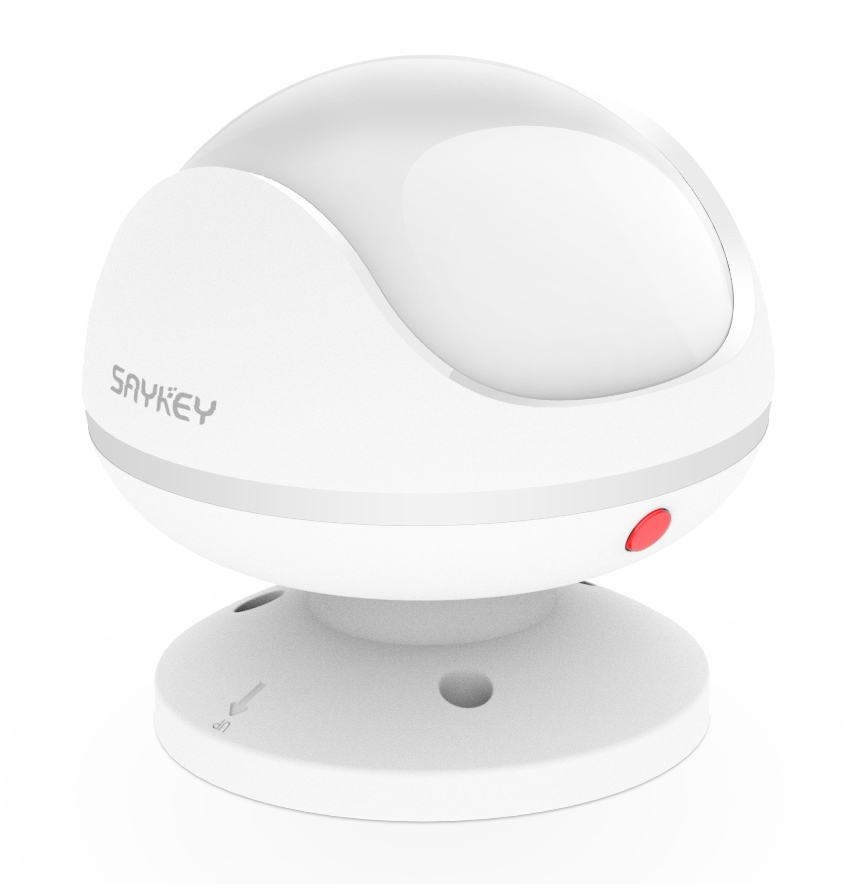
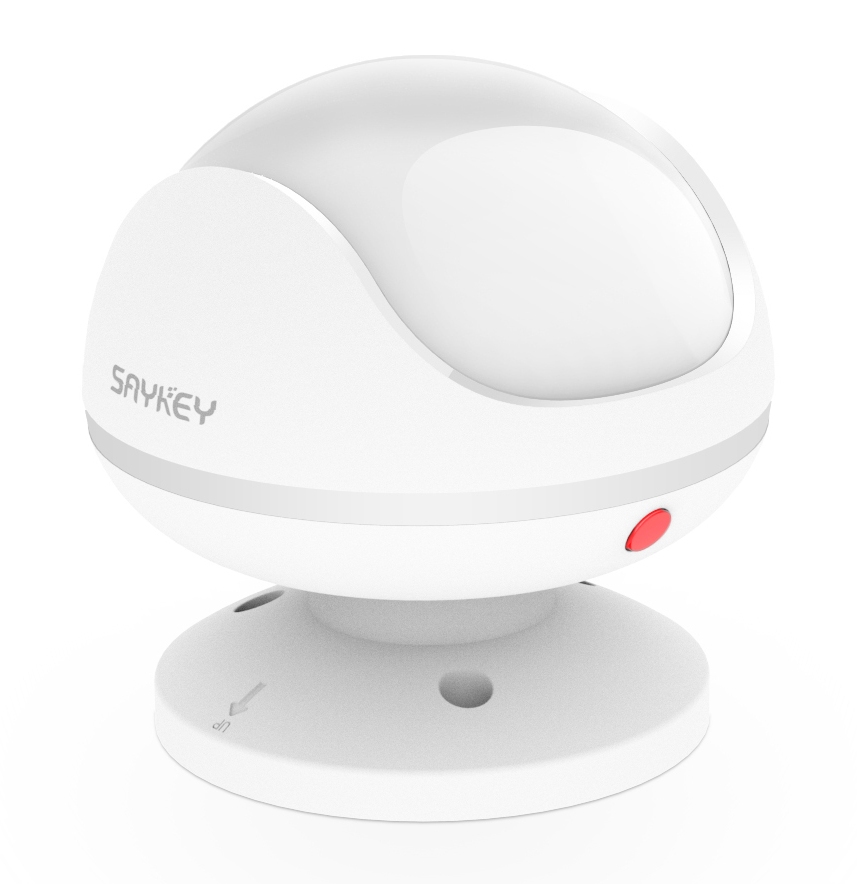
| Name | PIR Detect Sensor |
|---|
| Short Description | This product equips with precision spherical Fresnel lens, to improve the efficiency of energy reception, high sensitivity and to reduce
false alarm rate. |
|---|
| Long Description | This product equips with precision spherical Fresnel lens, to improve the efficiency of energy reception, high sensitivity and to reduce
false alarm rate. |
|---|
| Brand | Saykey |
|---|
| Product Identifier | SK-3003-07 |
|---|
| OEM Version | HW: 33 FW: 1.01 |
|---|
| Hardware Platform | ZM5202 |
|---|
| Z-Wave Version | 6.51.09 |
|---|
| Library Type | SLAVE_ENHANCED_232 |
|---|
| Device Type | Notification Sensor |
|---|
| Role Type | ROLE_TYPE_SLAVE_SLEEPING_REPORTING |
|---|
| Manufacturer ID | 0x032C |
|---|
| Product Type ID | 0x3003 |
|---|
| Product ID | 0x0007 |
|---|
| User Icon | 0x0C07 |
|---|
| Installer Icon | 0x0C07 |
|---|
| Frequency Plans | EU: 869.85MHz, 868.40MHz |
|---|
| Categories | Sensors, Security Add-Ons |
|---|
| Countries / Regions | European Union |
|---|
| Supported Command Classes | | Identifier | Name | Key | Version |
|---|
| COMMAND_CLASS_SENSOR_BINARY | Sensor Binary | 0x30 | 1 | | COMMAND_CLASS_POWERLEVEL | Powerlevel | 0x73 | 1 | | COMMAND_CLASS_MULTI_CHANNEL_ASSOCIATION_V3 | Multi-Channel Association V3 | 0x8E | 3 | | COMMAND_CLASS_BATTERY | Battery | 0x80 | 1 | | COMMAND_CLASS_APPLICATION_STATUS | Application Status | 0x22 | 1 | | COMMAND_CLASS_VERSION_V2 | Version V2 | 0x86 | 2 | | COMMAND_CLASS_WAKE_UP_V2 | Wake Up V2 | 0x84 | 2 | | COMMAND_CLASS_DEVICE_RESET_LOCALLY | Device Reset Locally | 0x5A | 1 | | COMMAND_CLASS_ZWAVEPLUS_INFO_V2 | Z-Wave Plus Info V2 | 0x5E | 2 | | COMMAND_CLASS_ASSOCIATION_V2 | Association V2 | 0x85 | 2 | | COMMAND_CLASS_ASSOCIATION_GRP_INFO | Association Group Info | 0x59 | 1 | | COMMAND_CLASS_FIRMWARE_UPDATE_MD_V2 | Firmware Update Meta-Data V2 | 0x7A | 2 | | COMMAND_CLASS_MANUFACTURER_SPECIFIC_V2 | Manufacturer Specific V2 | 0x72 | 2 | | COMMAND_CLASS_NOTIFICATION_V4 | Notification V4 | 0x71 | 4 |
|
|---|
| Controlled Command Classes | | Identifier | Name | Key | Version |
|---|
| COMMAND_CLASS_BASIC | Basic | 0x20 | 1 |
|
|---|
| Documents | |
|---|
| Features | | Feature | Values |
|---|
| Battery Quantity | | | Battery Type | | | Color | | | Firmware Updatable | | Value |
|---|
| Updatable by Consumer by RF |
| | Supported Notification Types | |
|
|---|
| Association Groups | | Group Number | Maximum Nodes Supported | End Point ID | Description |
|---|
| 1 | 1 | 0 | Z-Wave Plus Lifeline, assigned to send unsolicited report of motion detection status, battery level and factory default reset to the associated device as soon while the status is change. | | 2 | 5 | 0 | assigned to send Notification report to other device while motion detected. | | 3 | 5 | 0 | assigned to send Binary sensor report to other device while motion detected. | | 4 | 5 | 0 | assigned to send Basic Set On Command to control other device while the PIR sensor detect motion. | | 5 | 5 | 0 | assigned to send Basic Set Off Command to control other device while the PIR sensor detect motion. | | 6 | 5 | 0 | assigned to send Basic Set On Command to control other device while the PIR sensor clear motion. | | 7 | 5 | 0 | assigned to send Basic Set Off Command to control other device while the PIR sensor clear motion. |
|
|---|
| Texts | | ID | Description | Value |
|---|
| 2 | Exclusion | 1) Make sure battery level is normally and the product is located within direct range of the Z‐Wave controller.
2) Set the main controller into the exclusion/Remove device mode (refer to main controller’s operating manual).
3) Click the Add/Remove button on the bottom side of product triple times in 1.5 seconds.
4) The product will be detected and excluded from the Z‐Wave network. | | 1 | Inclusion | 1) Make sure battery level is normally and the product is located within direct range of the Z‐Wave controller.
2) Set the main controller into the inclusion/Add device mode (refer to main controller’s operating manual).
3) Click the Add/Remove button on the left side of product triple times in 1.5 seconds.
4) The product will be detected and included in the Z‐Wave network. | | 5 | Factory Reset | The factory default settings are restored when the device is removed from the network or press and hold the Add/Remove button on
the left side of product excess 10 seconds.
Please use this procedure only when the network primary controller is missing or otherwise inoperable. | | 6 | Additional Special Features | The Notification Reports cannot be deactivated. Application Rejected Request with status 0x00 occurs when the controller tries to
deactivate/turn off the Notification Type in order to not trigger the specific Notification Report again. | | 4 | Device Wake-Up | The product is in battery power, you can set up the wake up time based in seconds. At each wake up, the product communicates
with the master controller to updates parameters settings if necessary, e.g. receive the association group setting. The product will wake up at defined time interval and will ALWAYS try to communicate with the master controller. Longer time interval means less frequent communication and thus a longer battery life.
The product default wakeup interval is 86400 seconds. User can operate inclusion/exclusion process in order to trigger product
wakeup manually, it will keeps 30 seconds in wakeup state without initial wakeup parameter setting and keeps 10 seconds in
wakeup after initial wakeup parameter. |
|
|---|
| Supported Notification Types | | Notification Type | Event / State |
|---|
| Access Control | (Refer to parameters): State idle |
|
|---|
| Supports NWI | Yes |
|---|
| Supports Explorer Frames | Yes |
|---|