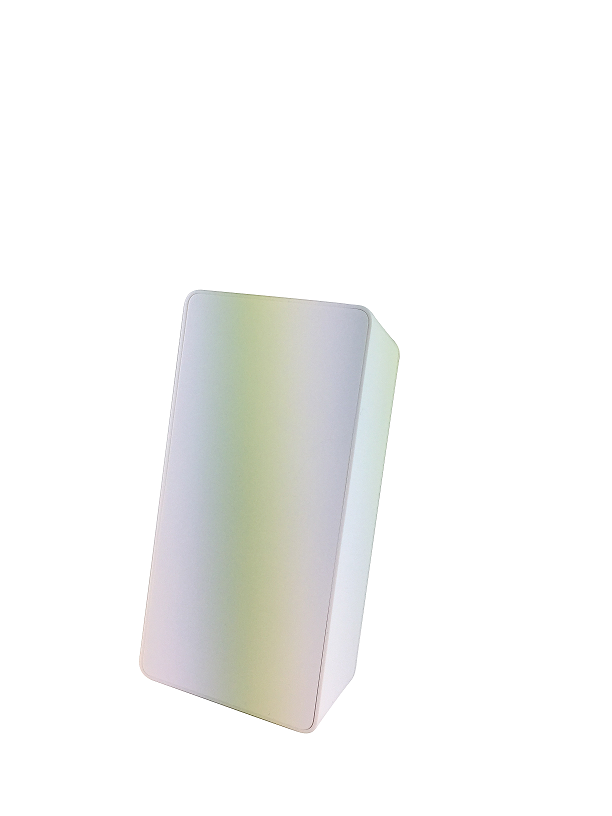
Product Recognition | |
|---|
Certification Number | ZC10-16125369 |
|---|
Name | PIR Motion Sensor |
|---|
Short Description | Detect human movement but prevent false alarm caused by pets. |
|---|
Long Description | SW-PIR03N is a high-performance, easy-to-install motion sensor provides quality detection on human movements.
1. Compact and Flat Panel Design
2. 100 Meters RF Transmission Range
3. Detection Angle up to 90 degrees FOV with 15 Meters
4. Mirror Optics Design
5. Immune to Pets Up to 85 lbs ( 38 kg)
6. Built-in Ambient Temperature Sensor
7. Battery Life 2 Years
8. Low Battery Alert
9. OTA Upgrade |
|---|
Brand | Sercomm |
|---|
Product Identifier | SW-PIR03N |
|---|
OEM Version | HW: 1 FW: 1.07 |
|---|
Hardware Platform | ZM5101 |
|---|
Z-Wave Version | 6.51.07 |
|---|
Library Type | SLAVE_ENHANCED_232 |
|---|
Device Type | Notification Sensor |
|---|
Role Type | ROLE_TYPE_SLAVE_SLEEPING_REPORTING |
|---|
Manufacturer ID | 0x0151 |
|---|
Product Type ID | 0x0101 |
|---|
Product ID | 0x0001 |
|---|
User Icon | 0x0c07 |
|---|
Installer Icon | 0x0c07 |
|---|
Frequency Plans | US: 916.00MHz, 908.40MHz |
|---|
Categories | Sensors |
|---|
Countries / Regions | United States of America |
|---|
Supported Command Classes | Identifier | Name | Key | Version |
|---|
COMMAND_CLASS_SENSOR_MULTILEVEL_V5 | Sensor Multilevel V5 | 0x31 | 5 | COMMAND_CLASS_POWERLEVEL | Powerlevel | 0x73 | 1 | COMMAND_CLASS_BATTERY | Battery | 0x80 | 1 | COMMAND_CLASS_CONFIGURATION | Configuration | 0x70 | 1 | COMMAND_CLASS_VERSION_V2 | Version V2 | 0x86 | 2 | COMMAND_CLASS_WAKE_UP_V2 | Wake Up V2 | 0x84 | 2 | COMMAND_CLASS_DEVICE_RESET_LOCALLY | Device Reset Locally | 0x5A | 1 | COMMAND_CLASS_ZWAVEPLUS_INFO_V2 | Z-Wave Plus Info V2 | 0x5E | 2 | COMMAND_CLASS_ASSOCIATION_V2 | Association V2 | 0x85 | 2 | COMMAND_CLASS_ASSOCIATION_GRP_INFO | Association Group Info | 0x59 | 1 | COMMAND_CLASS_FIRMWARE_UPDATE_MD_V2 | Firmware Update Meta-Data V2 | 0x7A | 2 | COMMAND_CLASS_MANUFACTURER_SPECIFIC_V2 | Manufacturer Specific V2 | 0x72 | 2 | COMMAND_CLASS_NOTIFICATION_V4 | Notification V4 | 0x71 | 4 |
|
|---|
Controlled Command Classes | Identifier | Name | Key | Version |
|---|
COMMAND_CLASS_BASIC | Basic | 0x20 | 1 |
|
|---|
Documents | Category | Description | File |
|---|
Manual_Primary_Lang | Product or Owner's Manual | |
|
|---|
Features | Feature | Values |
|---|
Firmware Updatable | Value |
|---|
Updatable by Consumer by RF |
| Sensors | | Battery Quantity | | Battery Type | |
|
|---|
Association Groups | Group Number | Maximum Nodes Supported | End Point ID | Description |
|---|
2 | 5 | 0 | allows for Sending Basic to associated devices in this group. | 1 | 5 | 0 | Lifeline service that assigned to Sensor (Motion detector) status – Open/Close. It enables the sensor to send reports and readings to a Z-Wave Controller or Z-Wave Gateway whenever the sensor is triggered. |
|
|---|
Configuration Parameters | Parameter Number | Name | Description | Format | Size | Min Value | Max Value | Default Value | Parameter Values |
|---|
1 | Configure motion trigger interval | After motion detected, ignores consequent motion events during the trigger interval to save battery power. If “Walk Test” jumper is enabled, the interval will be set to 2 seconds and ignores this configuration. | 0 | 2 | 0 | 0 | 180 | From | To | Description |
|---|
2 | 180 | Unit: 1s |
|
|
|---|
Texts | ID | Description | Value |
|---|
2 | Exclusion | 1. Set the Z-Wave controller to ""Exclusion"" mode.
2. Press the tamper button 3 times within 2 seconds.
3. The PIR LED will light up for 1 second if success.
4. The device will begin to search for a new network. | 4 | Device Wake-Up | Remove the back cover to wake up SW-PIR03N. | 1 | Inclusion | 1. Install the battery and the Pairing LED indicator will be lit for one second to indicate a successful booting.
2. It will blink one time every second while scanning the network.
3. If the network is not found after 30 seconds, the sensor will go into sleep mode. To wake the sensor again, you need to use the tamper switch to trigger the adding (Inclusion) process, and then the sensor will repeat steps from 2 to 3. | 5 | Factory Reset | Please reset the device to factory default only when the primary controller is missing or inoperable.
1. Press the tamper switch 4 times within 2 seconds and hold the 4th press until the PIR LED lights up.
2. The PIR LED will be off after 3 seconds and all settings will be reset to factory defaults. |
|
|---|
Supported Multilevel Sensors | Multilevel Sensor Type |
|---|
Air temperature |
|
|---|
Supports NWI | Yes |
|---|
Supports Explorer Frames | Yes |
|---|
Radio Range Z-Wave (m) | 40 |
|---|