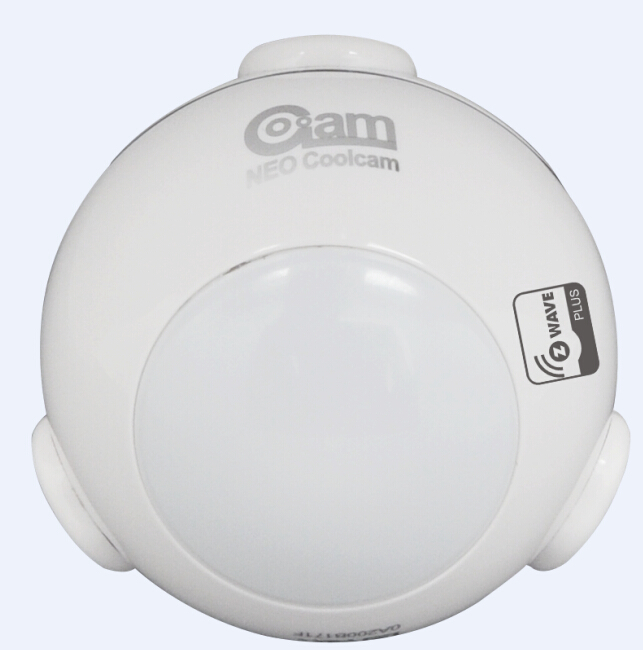
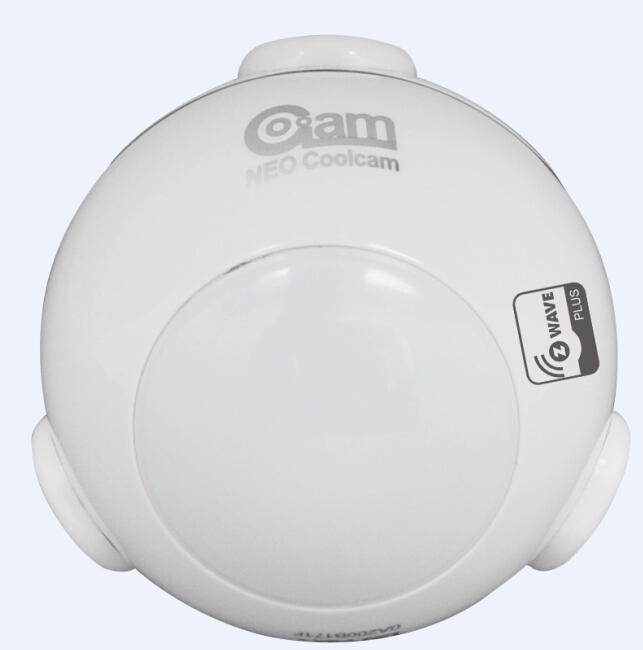
Product Recognition | |
|---|
Certification Number | ZC10-16020007 |
|---|
Name | PIR sensor |
|---|
Short Description | Motion sensor PIR detect the movement of people or other subject with similar heat with Humanbeing |
|---|
Long Description | Introduction
This product can be included and operated in any Z-Wave network with other Z-Wave certified devices from other manufacturers and/or other applications. All non-battery operated nodes within the network will act as repeaters regardless of vendor to increase reliability of the network.
In the Back casing, there is a button that is used to carry out include, exclude, wakeup device or reset factory default settings.
When power is first supplied, the LED will flash on and off alternately at one second intervals within 5 seconds if the detector has not been added a Z-Wave network. Please get familiar with the terms below before starting the operations. |
|---|
Brand | Coolcam |
|---|
Product Identifier | NAS-PD01Z |
|---|
OEM Version | 42 |
|---|
Hardware Platform | ZM5202 |
|---|
Z-Wave Version | 6.51.06 |
|---|
Library Type | SLAVE_ROUTING |
|---|
Device Type | Notification Sensor |
|---|
Role Type | ROLE_TYPE_SLAVE_SLEEPING_REPORTING |
|---|
Manufacturer ID | 0x0258 |
|---|
Product Type ID | 0x0003 |
|---|
Product ID | 0x0083 |
|---|
Frequency Plans | US: 916.00MHz, 908.40MHz |
|---|
Categories | Sensors |
|---|
Countries / Regions | United States of America |
|---|
Controlled Command Classes | Identifier | Name | Key | Version |
|---|
COMMAND_CLASS_BASIC | Basic | 0x20 | 1 |
|
|---|
Documents | Category | Description | File |
|---|
Manual_Primary_Lang | Product or Owner's Manual | |
|
|---|
Association Groups | Group Number | Maximum Nodes Supported | End Point ID | Description |
|---|
1 | 4 | 0 | Associations (Association Command Class Version 2)
This Sensor supports 4 association groups. This has the effect that when the sensor is triggered, all devices associated with the sensor will receive the relevant reports. Through an association the sensor may control another Z-Wave network device, e.g. a alarm device, wall plug, lamp etc.
Every group can be support to associated 4 devices max.
GROUP 1 is lifeline service that assigned to Sensor (Motion detector) status – Open/Close. It enables the sensor to send reports and readings to Z-Wave Controller or Z-Wave Gateway whenever the sensor is triggered. This Group Support:
NOTIFICATION_REPORT COMMAND_CLASS_SENSOR_BINARY_V2 COMMAND_CLASS_SENSOR_MULTILEVEL_V7 BATTERY_REPORT DEVICE_RESET_LOCALLY_NOTIFICATION
GROUP 2 allows for sending control commands to associated devices such as relay module, lighting, etc. This association group is configured through the advanced parameters no. 2, 3, 5 and 8. This Group Support:
BASIC_SET
GROUP 3 allows for Send Notification to associated devices in this group. This Group Support: NOTIFICATION_REPORT_V4
GROUP 4 allows for Send Notification to associated devices in this group. This Group Support: SENSOR_BINARY_REPORT_V2 |
|
|---|
Texts | ID | Description | Value |
|---|
2 | Exclusion | Delete the Sensor (Motion detector) from Z-Wave Network
1.Remove the device cover.
2.Make sure the sensor is powered.
3.Set Z-Wave controller or Z-Wave gateway into exclusion mode (Refer to the controller or gateway operating manual)
Press the button three times within 1.5 second, the device will enter exclusion mode. | 4 | Device Wake-Up | Wakeup Motion Detector
You can press the button once to wake up the device and send wakeup notification to controller. If press successfully, the LED will blink one time. | 1 | Inclusion | Add the Sensor (Motion detector) to Z-Wave Network
1.Remove the sensor cover.
2.Make sure the sensor is powered.
3.Set Z-Wave controller or Z-Wave gateway into inclusion mode (Refer to the controller or gateway operating manual)
4.Press the button three times within 1.5 second, the device will enter inclusion mode. And the LED will flash on and off alternately five times. | 5 | Factory Reset | Restore the Sensor (Motion detector) to Factory Default Settings
Reset procedure will delete all information on the Z-Wave network and Z-Wave controller or Z-Wave Gateway, and restore the sensor to factory default settings.
1.Remove the device cover.
2.Make sure the sensor is powered.
3.Press and hold the button for 10 seconds, Led will blink once.
4.Release the button. |
|
|---|
Supports NWI | Yes |
|---|
Supports Explorer Frames | Yes |
|---|
Radio Range Z-Wave (m) | 40 |
|---|