
Product Recognition | |
|---|---|
Certification Number | ZC10-15060020 |
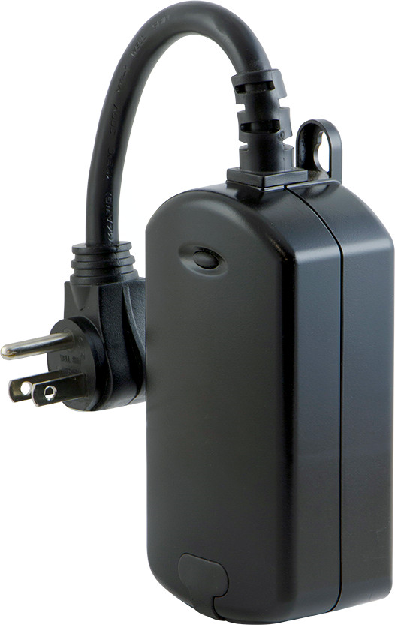
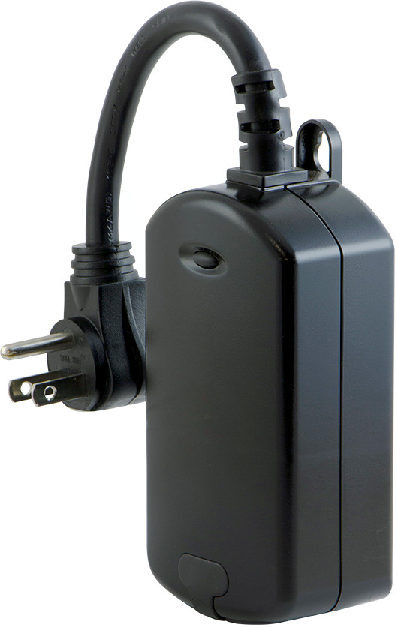
Name | Plug-in Outdoor Smart Switch |
Short Description | Transform any home into a smart home with the GE Z-Wave Smart Lighting Control Outdoor Smart Switch. The lighting control enables wireless control of on/off functions for outdoor application |
Long Description | Transform any home into a smart home with the GE Z-Wave Smart Lighting Control Outdoor Smart Switch. The lighting control enables wireless control of on/off functions for outdoor applications, and is compatible with incandescent, LED, Xenon, Halogen, fluorescent and compact fluorescent bulbs. The weather-resistant housing with a protective outlet cover safeguards the outlet from dirt and debris when not in use. The discreet black color blends in with any outdoor environment. Perfect for decorative or seasonal lighting, fountains and other outdoor plug-in appliances. Take control of your home lighting with GE Z-Wave Smart Lighting Controls!
Z-Wave is the world’s largest ecosystem of interoperable smart home products. Z-Wave lighting controls provide an easy-to-install and affordable system to control lighting and small appliances in your home. Add GE Z-Wave lighting controls to a Z-Wave certified gateway to access and control your home from anywhere in the world using your smartphone, tablet or computer as a home automation command center. Never worry if you accidentally left the lights on because you can turn them off remotely or program your lights to go on/off at specific times. Create customized lighting scenes for any occasion such as a “go to sleep” scene or a “movie night” scene. Give the illusion that someone is home by programming the lights to turn on/off while you are away—perfect for deterring crime and adding additional security! |
Brand | Jasco Products Company |
Product Identifier | 14311/ZW4201 |
OEM Version | HW: 255 |
Hardware Platform | ZM5202 |
Z-Wave Version | 6.51.06 |
Library Type | SLAVE_ENHANCED_232 |
Device Type | On/Off Power Switch |
Role Type | ROLE_TYPE_SLAVE_ALWAYS_ON |
Manufacturer ID | 0x0063 |
Product Type ID | 0x4F50 |
Product ID | 0x3033 |
Frequency Plans | US: 916.00MHz, 908.40MHz |
Categories | All Lighting Devices, On/Off Switches/Devices |
Countries / Regions | United States of America |
Documents | |
Association Groups | |
Texts | |
Supports NWI | Yes |
Supports Explorer Frames | Yes |
Radio Range Z-Wave (m) | 40 |