Product Recognition | |
|---|
Certification Number | ZC10-18036064 |
|---|
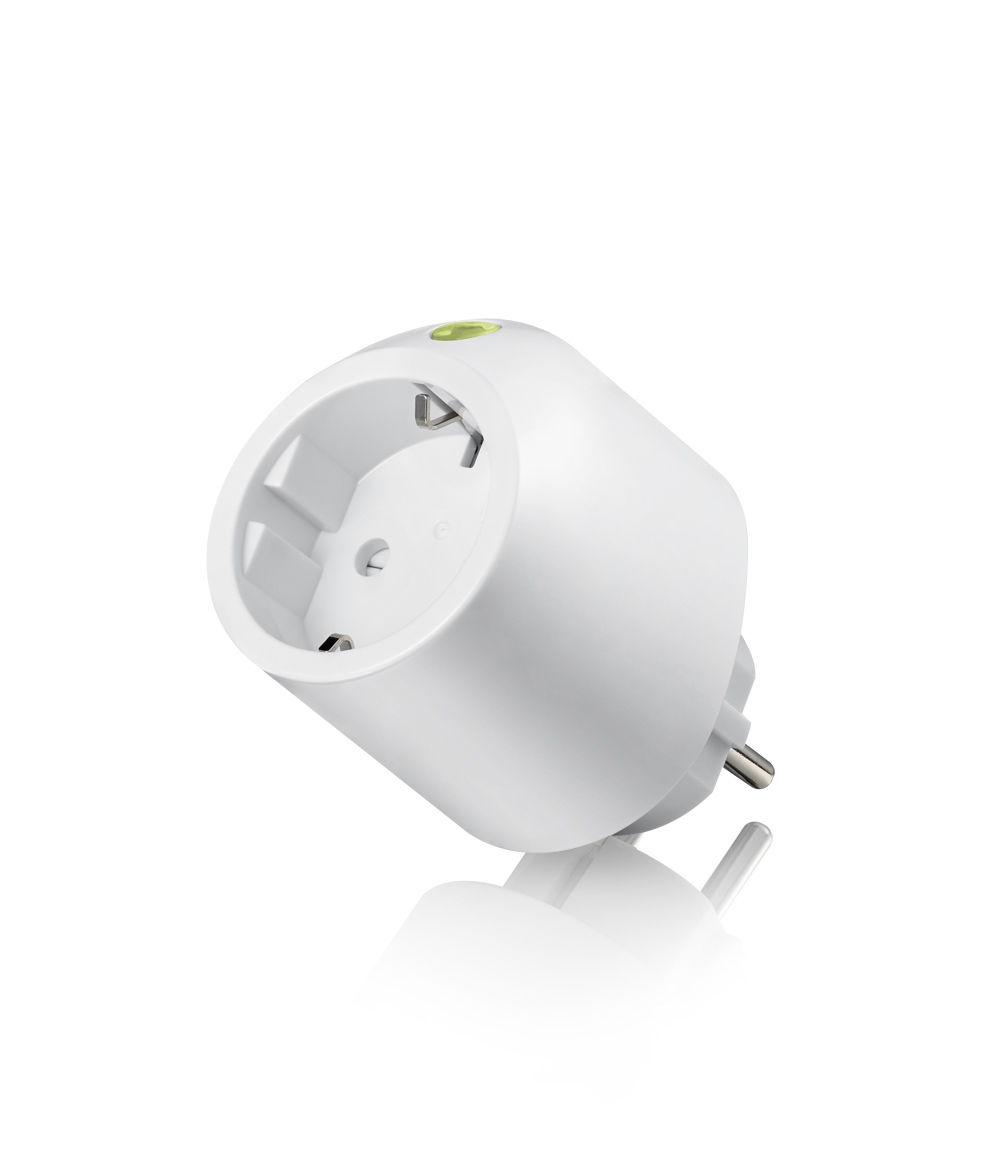
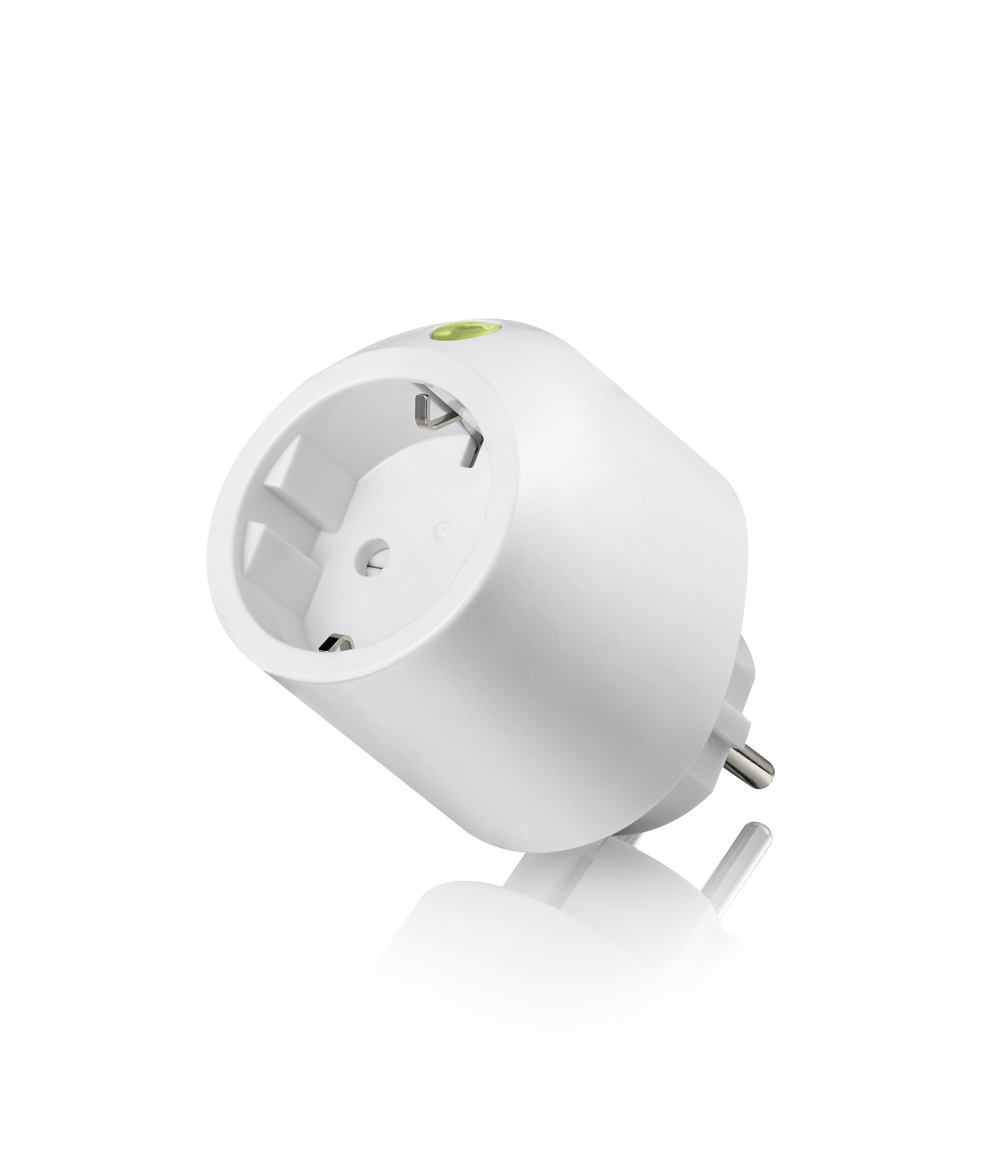
Name | Power Monitor |
|---|
Short Description | Power Monitor On/Off Module, German socket |
|---|
Long Description | This Power Monitoring On/Off Module is a Z-Wave™ enabled device (interoperable, two-way RF mesh networking technology) and is fully compatible with any Z-Wave™ enabled network. Every main powered Z-Wave™ enabled device acts as a signal repeater and multiple devices result in more possible transmission routes, which helps eliminate “RF dead-spot”.
Z-Wave™ enabled devices displaying the Z-Wave™ logo can also be used with it regardless of the manufacturer, and ours can also be used in other manufacturer’s Z-Wave™ enabled networks. This module will send On/Off signal to the appliance that attached to this module by receiving Z-Wave™ signal from controller or manually switch. It also sends the energy consumption to the controller when it requests. With special design, this module won’t interfere the other power outlet when plug into the AC outlet. This module also acts as repeater (supporting FLiRS). |
|---|
Brand | Vision |
|---|
Product Identifier | ZL7261DE-5 |
|---|
OEM Version | HW: 2 FW: 24.02:33.00 |
|---|
Hardware Platform | ZM5202 |
|---|
Z-Wave Version | 6.81.00 |
|---|
Library Type | SLAVE_ENHANCED_232 |
|---|
Device Type | On/Off Power Switch |
|---|
Role Type | ROLE_TYPE_SLAVE_ALWAYS_ON |
|---|
Manufacturer ID | 0x0109 |
|---|
Product Type ID | 0x201A |
|---|
Product ID | 0x1A06 |
|---|
User Icon | 0x0701 |
|---|
Installer Icon | 0x0700 |
|---|
Frequency Plans | EU: 869.85MHz, 868.40MHz |
|---|
Categories | Energy Meters, All Lighting Devices, On/Off Switches/Devices |
|---|
Countries / Regions | European Union |
|---|
Supported Command Classes | Identifier | Name | Key | Version |
|---|
COMMAND_CLASS_FIRMWARE_UPDATE_MD_V4 | Firmware Update Meta-Data V4 | 0x7A | 4 | COMMAND_CLASS_POWERLEVEL | Powerlevel | 0x73 | 1 | COMMAND_CLASS_SWITCH_BINARY | Switch Binary | 0x25 | 1 | COMMAND_CLASS_CONFIGURATION | Configuration | 0x70 | 1 | COMMAND_CLASS_SECURITY | Security S0 | 0x98 | 1 | COMMAND_CLASS_TRANSPORT_SERVICE_V2 | Transport Service V2 | 0x55 | 2 | COMMAND_CLASS_DEVICE_RESET_LOCALLY | Device Reset Locally | 0x5A | 1 | COMMAND_CLASS_ZWAVEPLUS_INFO_V2 | Z-Wave Plus Info V2 | 0x5E | 2 | COMMAND_CLASS_ASSOCIATION_V2 | Association V2 | 0x85 | 2 | COMMAND_CLASS_ASSOCIATION_GRP_INFO | Association Group Info | 0x59 | 1 | COMMAND_CLASS_BASIC_V2 | Basic V2 | 0x20 | 2 | COMMAND_CLASS_SECURITY_2 | Security S2 | 0x9F | 1 | COMMAND_CLASS_METER_V5 | Meter V5 | 0x32 | 5 | COMMAND_CLASS_VERSION_V3 | Version V3 | 0x86 | 3 | COMMAND_CLASS_SUPERVISION | Supervision | 0x6C | 1 | COMMAND_CLASS_MANUFACTURER_SPECIFIC_V2 | Manufacturer Specific V2 | 0x72 | 2 |
|
|---|
S2 Classes | S2_UNAUTHENTICATED, S2_AUTHENTICATED |
|---|
Documents | Category | Description | File |
|---|
Manual_Primary_Lang | Product or Owner's Manual | |
|
|---|
Features | Feature | Values |
|---|
Supported Meter Type | |
|
|---|
Association Groups | Group Number | Maximum Nodes Supported | End Point ID | Description |
|---|
1 | 5 | 0 | Central Static Controller Lifeline Signals |
|
|---|
Configuration Parameters | Parameter Number | Name | Description | Format | Size | Min Value | Max Value | Default Value | Parameter Values |
|---|
2 | Report when Watt change | The change in watt consumption that will cause the transmission of voltage, current, and wattage to be sent. | 0 | 2 | 0 | 0 | 50 | From | To | Description |
|---|
5 | 2300 | The number of watts change to cause reports to be sent. |
| 1 | Auto report timing | Automatic Meter Report interval for kWh/kVAh | 0 | 1 | 0 | 0 | 1 | From | To | Description |
|---|
1 | 120 | The number of minutes desired for automatic meter reports. |
|
|
|---|
Texts | ID | Description | Value |
|---|
1 | Inclusion | For “Inclusion” in (adding to) a network: Put the Z-Wave TM Interface Controller into “inclusion” mode, and following its instruction to add the ZL7261 into your controller. To get in the “Inclusion” mode. By power up to get included for first time, press the Program switch 3 times within 3 seconds to be included. | 2 | Exclusion | For “Exclusion” from (removing from) a network: Set up the Z-Wave TM Interface Controller into “exclusion” mode, and following its instruction to delete the ZL7261 from your controller. Press the Program Switch 3 times within 3 seconds to be excluded. | 5 | Factory Reset | Reset: Press the Program Switch then power on (plug-in) and hold for 5 seconds before release the switch. Only use this procedure when the primary controller is lost or otherwise inoperable. (Remark: This is to be used only in the case of primary controller being inoperable or otherwise unavailable.) | 6 | Additional Special Features | The ZL7261 also supports energy metering, and meter information can be sent by the device to a listening controller automatically.
For “Meter Supported Get” : the Z-Wave TM Interface Controller sends “Meter Get” then “Scale” command that see what kind of power consumption measurement want to report back according to the scales below. Then ZL7261 will report back the energy consumption values.
Scale: 0x00-kWh;
0x01-kVAh
0x02-W
0X04-V
0X05-A
0X06-Power Factor
Support OTA Firmware update from controller. Please refer to your controller manual. Once OTA function success, please make sure to exclusive the device & inclusive again before use the device. |
|
|---|
Supported / Controlled Meter Types | Meter Type | Rate Type | Description |
|---|
Electric meter | Import | Electric Meter Consumption |
|
|---|
Supports NWI | Yes |
|---|
Supports Explorer Frames | Yes |
|---|
Supports SmartStart | Yes |
|---|
Radio Range Z-Wave (m) | 40 |
|---|