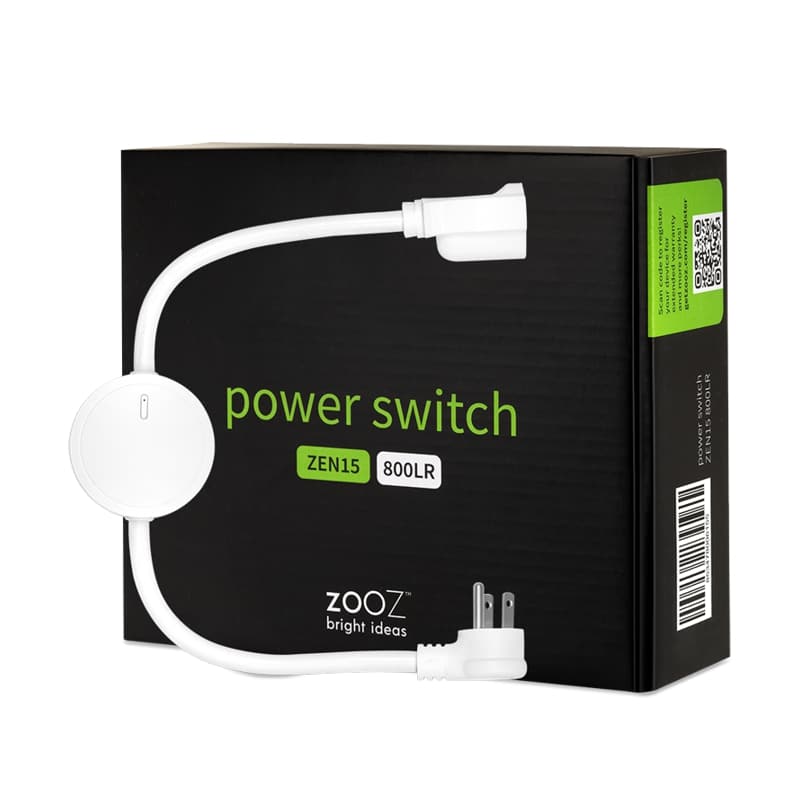
Product Recognition | |
|---|
Certification Number | ZC14-24010387 |
|---|
Name | Power Switch |
|---|
Short Description | The Zooz Power Switch is a perfect Z-Wave® solution for on/off control of heavy duty appliances. |
|---|
Long Description | PRODUCT HIGHLIGHTS:
- Z-Wave® on/off control of large appliances up to 15A
- Energy monitoring live and over time
- LED indicator to display Z-Wave® signal strength and power usage for the connected device
- Z-Wave® Long Range for ultra reliable no-mesh communication
- NEW 800 series chip for faster performance
- Built-in overload protection and ETL certification
SPECIFICATIONS:
- Z-Wave® Region: US/CA/MX
- Power: 110V, 60Hz
- Maximum Load: 15A, 1800W, 1 HP
- Z-Wave® Range: Up to 150 feet (up to 1300 feet with Long Range)
- Operating Temperature: 14° - 104°F (-10°- 40°C)
- Installation and Use: Indoor use only
- Dimensions: 20” (with cord) x 2.6” 1.1”
- Weight: 10 oz. |
|---|
Brand | Zooz |
|---|
Product Identifier | ZEN15 800LR |
|---|
Product Line | Smart Plugs |
|---|
OEM Version | HW: 20 FW: 02.00 |
|---|
Hardware Platform | EFR32ZG23A |
|---|
Z-Wave Version | 7.18.4 |
|---|
Library Type | END_NODE_ENHANCED_232 |
|---|
Device Type | Binary Switch DT |
|---|
Role Type | ROLE_TYPE_END_NODE_ALWAYS_ON |
|---|
Manufacturer ID | 0x027A |
|---|
Product Type ID | 0x0101 |
|---|
Product ID | 0x000D |
|---|
User Icon | 0x0700 |
|---|
Installer Icon | 0x0700 |
|---|
Frequency Plans | US: 916.00MHz, 908.40MHz, US_LR: 912.00MHz, 920.00MHz |
|---|
Categories | On/Off Switches/Devices |
|---|
Countries / Regions | United States of America, Argentina, Bahamas, Barbados, Bermuda, Bolivia, British Virgin Islands, Canada, Cayman Islands, Colombia, Guatemala, Haiti, Honduras, Jamaica, Mexico, Panama, Saint Kitts and Nevis, Suriname, Trinidad and Tobago, Turks and Caicos Islands |
|---|
Supported Command Classes | Identifier | Name | Key | Version |
|---|
COMMAND_CLASS_ASSOCIATION_V2 | Association V2 | 0x85 | 2 | COMMAND_CLASS_ASSOCIATION_GRP_INFO_V3 | Association Group Information (AGI) V3 | 0x59 | 3 | COMMAND_CLASS_DEVICE_RESET_LOCALLY | Device Reset Locally | 0x5A | 1 | COMMAND_CLASS_FIRMWARE_UPDATE_MD_V5 | Firmware Update Meta Data V5 | 0x7A | 5 | COMMAND_CLASS_INDICATOR_V3 | Indicator V3 | 0x87 | 3 | COMMAND_CLASS_MANUFACTURER_SPECIFIC_V2 | Manufacturer Specific V2 | 0x72 | 2 | COMMAND_CLASS_MULTI_CHANNEL_ASSOCIATION_V3 | Multi Channel Association V3 | 0x8E | 3 | COMMAND_CLASS_VERSION_V3 | Version V3 | 0x86 | 3 | COMMAND_CLASS_ZWAVEPLUS_INFO_V2 | Z-Wave Plus Info V2 | 0x5E | 2 | COMMAND_CLASS_SECURITY_2 | Security 2 | 0x9F | 1 | COMMAND_CLASS_SUPERVISION | Supervision | 0x6C | 1 | COMMAND_CLASS_TRANSPORT_SERVICE_V2 | Transport Service V2 | 0x55 | 2 | COMMAND_CLASS_POWERLEVEL | Powerlevel | 0x73 | 1 | COMMAND_CLASS_SWITCH_BINARY_V2 | Binary Switch V2 | 0x25 | 2 | COMMAND_CLASS_BASIC_V2 | Basic V2 | 0x20 | 2 | COMMAND_CLASS_METER_V3 | Meter V3 | 0x32 | 3 | COMMAND_CLASS_APPLICATION_STATUS | Application Status | 0x22 | 1 | COMMAND_CLASS_CONFIGURATION_V4 | Configuration V4 | 0x70 | 4 | COMMAND_CLASS_SCENE_ACTIVATION | Scene Activation | 0x2B | 1 | COMMAND_CLASS_SCENE_ACTUATOR_CONF | Scene Actuator Configuration | 0x2C | 1 | COMMAND_CLASS_SECURITY | Security 0 | 0x98 | 1 |
|
|---|
S2 Classes | S2_AUTHENTICATED, S2_UNAUTHENTICATED |
|---|
Documents | Category | File |
|---|
Manual_English | |
|
|---|
Features | Feature | Values |
|---|
Color | | Electric Load Type | Value |
|---|
Incandescent | ELV (Electronic) | LED |
| Firmware Updatable | Value |
|---|
Updatable by Consumer by RF |
|
|
|---|
Association Groups | Group Number | Maximum Nodes Supported | End Point ID | Group Name | Profile |
|---|
1 | 5 | 0 | Lifeline | 0x0001 |
|
|---|
Configuration Parameters | Parameter Number | Name | Description | Format | Size | Min Value | Max Value | Default Value |
|---|
24 | Notification when Load status change | Notification when Load status change | 2 | 1 | 0 | 0 | 0x03 | 31 | Enable Z-Wave turn ON | Enable Z-Wave turn ON | 2 | 1 | 0 | 0 | 0x01 | 151 | Threshold of power report | Threshold of power report | 1 | 2 | 0 | 0 | 0x0032 | 152 | Percentage threshold of power report | Percentage threshold of power report | 1 | 1 | 0 | 0 | 0x0A | 171 | Power report frequency | Power report frequency | 1 | 4 | 0 | 0 | 0x0000001E | 172 | Energy report frequency | Energy report frequency | 1 | 4 | 0 | 0 | 0x0000012C | 173 | Voltage report frequency | Voltage report frequency | 1 | 4 | 0 | 0 | 0x0000012C | 174 | Electricity report frequency | Electricity report frequency | 1 | 4 | 0 | 0 | 0x0000012C |
|
|---|
Texts | ID | Description | Value |
|---|
8 | Where to find S2 DSK on product | Add the Switch into the Z-Wave network via Smart Start (SmartStart Inclusion):
a. Add Switch DSK into the primary controller Smart Start Provisioning List (If you don’t know how to do this, refer to its manual, DSK usually print on the main body). | 1 | Classic Inclusion | Add the Switch into the Z-Wave network (Manual Inclusion):
a.Power on your Switch, set your Z-Wave controller into add/inclusion mode.
b.Triple click the Z-button, RGB LED indicator should blink fast in blue.
c.Smart Switch should be recognized and included into the Z-Wave network. | 2 | Classic Exclusion | Remove Switch from a Z-Wave network (Manual Exclusion):
a.Power on your Switch, and let the Z-Wave primary controller into remove/exclusion mode.
b.Triple click the Z button.
c.RGB LED indicator will blink orange till the removing process is completed, than the indicator will keep orange for 3 seconds. | 5 | Factory Reset Procedure | Reset Switch to factory default:
Press and hold the Z button for more than 20 seconds. If holding time more than 20seconds, the RGB LED indicator will keep yellow for 2 seconds, which means resetting is complete.
Note: Please use this procedure only when the network primary controller is missing or otherwise inoperable. |
|
|---|
Supports NWI | Yes |
|---|
Supports Explorer Frames | Yes |
|---|
Supports SmartStart | Yes |
|---|
Radio Range Z-Wave (m) | 40 |
|---|
Radio Range Z-Wave LR (m) | 400 |
|---|