| Product Recognition | |
|---|
| Certification Number | ZC10-19126809 |
|---|
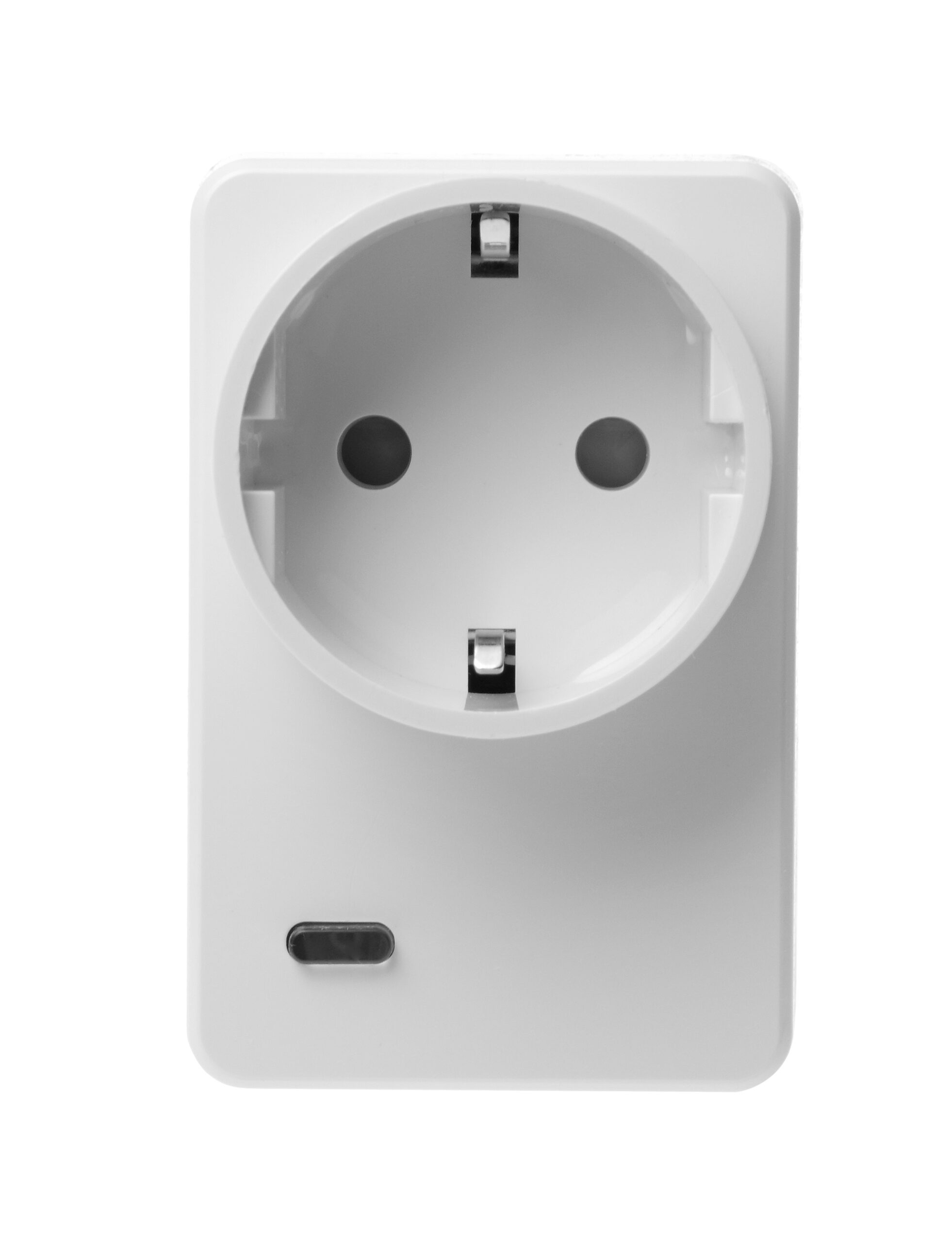
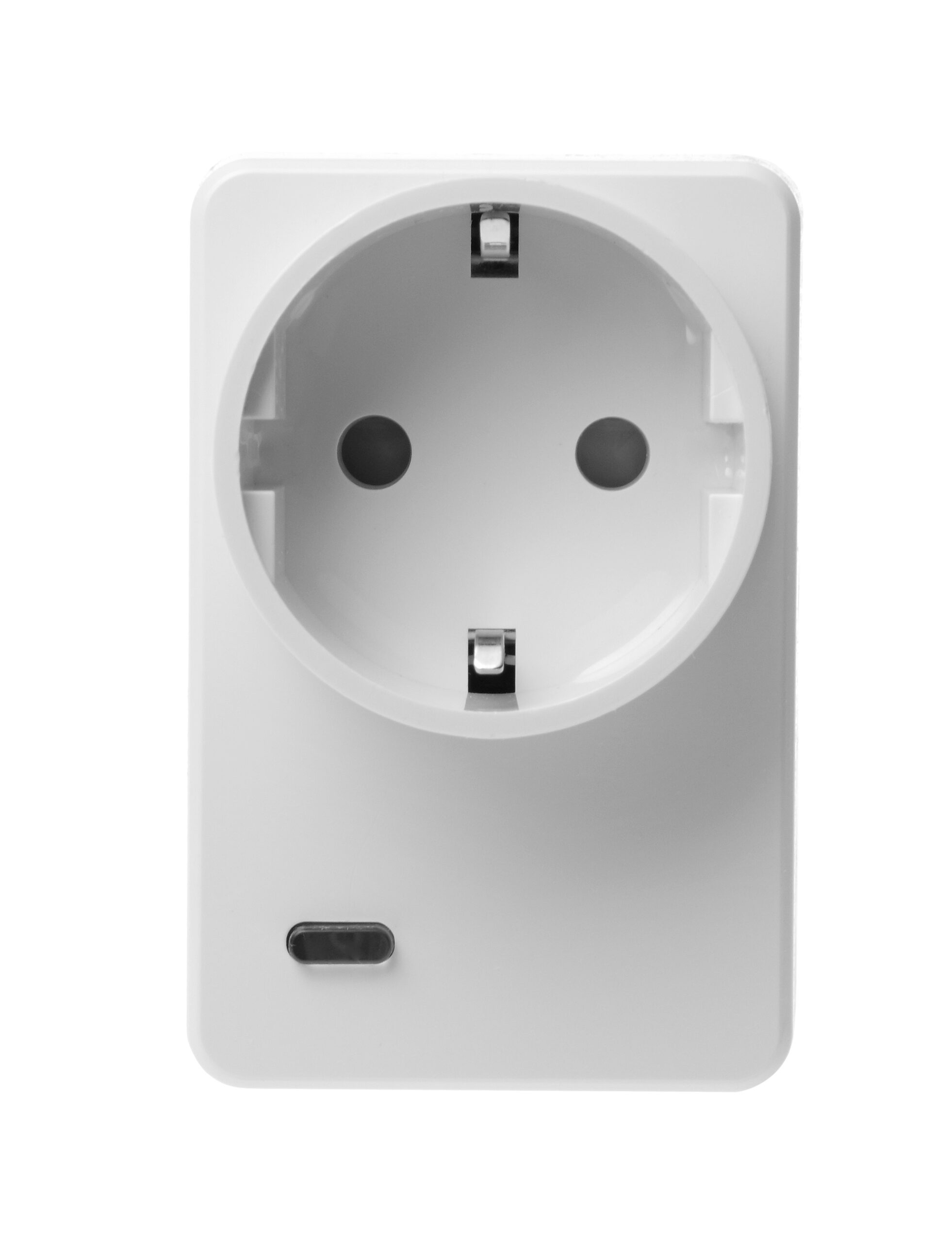
| Name | Power Switch Meter |
|---|
| Short Description | The Z-Wave-enabled Power Switch Meter is capable of receiving wireless signals from the coordinator in the Z-Wave network to toggle On/Off of appliances that are attached to it. |
|---|
| Long Description | The Power Switch Meter can further measure power consumption in kWh and W of the plugged in device and report the values to the Z-Wave network regularly to notify the user. The power consumption can also be transmitted simply with a button press |
|---|
| Brand | Climax Technology |
|---|
| Product Identifier | PSM-29ZW |
|---|
| Product Line | Z-Wave Accessories |
|---|
| OEM Version | HW: 255 FW: 4.01 |
|---|
| Hardware Platform | ZM5202 |
|---|
| Z-Wave Version | 6.81.06 |
|---|
| Library Type | SLAVE_ENHANCED_232 |
|---|
| Device Type | Sub Energy Meter |
|---|
| Role Type | ROLE_TYPE_SLAVE_ALWAYS_ON |
|---|
| Manufacturer ID | 0x018E |
|---|
| Product Type ID | 0x0004 |
|---|
| Product ID | 0x0002 |
|---|
| User Icon | 0x1000 |
|---|
| Installer Icon | 0x1000 |
|---|
| Frequency Plans | EU: 869.85MHz, 868.40MHz |
|---|
| Categories | Energy Meters |
|---|
| Countries / Regions | European Union |
|---|
| Supported Command Classes | | Identifier | Name | Key | Version |
|---|
| COMMAND_CLASS_FIRMWARE_UPDATE_MD_V4 | Firmware Update Meta-Data V4 | 0x7A | 4 | | COMMAND_CLASS_POWERLEVEL | Powerlevel | 0x73 | 1 | | COMMAND_CLASS_MULTI_CHANNEL_ASSOCIATION_V3 | Multi-Channel Association V3 | 0x8E | 3 | | COMMAND_CLASS_CRC_16_ENCAP | CRC16 Encapsulation | 0x56 | 1 | | COMMAND_CLASS_TRANSPORT_SERVICE_V2 | Transport Service V2 | 0x55 | 2 | | COMMAND_CLASS_DEVICE_RESET_LOCALLY | Device Reset Locally | 0x5A | 1 | | COMMAND_CLASS_ZWAVEPLUS_INFO_V2 | Z-Wave Plus Info V2 | 0x5E | 2 | | COMMAND_CLASS_ASSOCIATION_V2 | Association V2 | 0x85 | 2 | | COMMAND_CLASS_ASSOCIATION_GRP_INFO | Association Group Info | 0x59 | 1 | | COMMAND_CLASS_SECURITY_2 | Security S2 | 0x9F | 1 | | COMMAND_CLASS_VERSION_V3 | Version V3 | 0x86 | 3 | | COMMAND_CLASS_SUPERVISION | Supervision | 0x6C | 1 | | COMMAND_CLASS_MANUFACTURER_SPECIFIC_V2 | Manufacturer Specific V2 | 0x72 | 2 | | COMMAND_CLASS_METER_V2 | Meter V2 | 0x32 | 2 |
|
|---|
| S2 Classes | S2_UNAUTHENTICATED |
|---|
| Documents | |
|---|
| Features | | Feature | Values |
|---|
| Firmware Updatable | | Value |
|---|
| Updatable by Consumer by RF |
| | Switch Load Capacity Watts | |
|
|---|
| Association Groups | | Group Number | Maximum Nodes Supported | End Point ID | Group Name | Profile | Description |
|---|
| 1 | 5 | 0 | Lifeline | 0x0000 | The Switch can be set to send reports to associated Z-Wave devices. It supports one association group with five node support for Grouping 1. For grouping 1, the Switch will report its latest status to Z-Wave Gateway/Panel. |
|
|---|
| Texts | | ID | Description | Value |
|---|
| 2 | Classic Exclusion | 1. Put the Z-Wave Gateway or Control Panel into Exclusion mode (please refer to the Z-Wave Gateway or Control Panel manual).
2. Within 1.5 seconds, press the Function Button 3 times and the device will be removed from the Z-Wave network. | | 1 | Classic Inclusion | 1. Plug the Power Switch Meter into a power outlet.
2. Put the Z-Wave Gateway or Control Panel into Inclusion mode (please refer to the Z-Wave Gateway or Control Panel manual).
3. Within 1.5 seconds, press the Function Button 3 times.
4. Refer to the operation manual of the Z-Wave Gateway or Control Panel to complete the adding process.
5. If the device has already been added (included) into another Z-Wave Gateway/Control Panel, or if the device is unable to be added into the current Z-Wave Gateway/Control Panel, please exclude it first (see Removing Device) before attempting to include it into the current Z-Wave Gateway/Control Panel. | | 8 | Where to find S2 DSK on product | The DSK information is stored in the QR code format that is printed on a label and adhered to the front side of the device, as example shown on the right hand side. | | 5 | Factory Reset Procedure | *. Press and hold the Function Button of the device for 10 seconds to factory reset.
1. Factory resetting the device will restore it to factory default settings (excluded from the Z-Wave network). The Z-Wave Gateway or Control Panel will still keep its Z-Wave settings. Please refer to the Gateway or Control Panel manual on how to remove the device’s Z-Wave settings.
2. Factory resetting the device will also clear all accumulated power data.
3. Before you remove or factory reset the Power Switch Meter, please ensure that the device DSK information has been removed or does not exist in the gateway. If you remove or factory reset the device, but its DSK still exists in the gateway, the gateway will automatically include the device again. |
|
|---|
| Supported / Controlled Meter Types | | Meter Type | Rate Type | Description |
|---|
| Electric meter | Import | Electric Meter Consumption |
|
|---|
| Supports NWI | Yes |
|---|
| Supports Explorer Frames | Yes |
|---|
| Supports SmartStart | Yes |
|---|