Product Recognition | |
|---|
Certification Number | ZC10-17025419 |
|---|
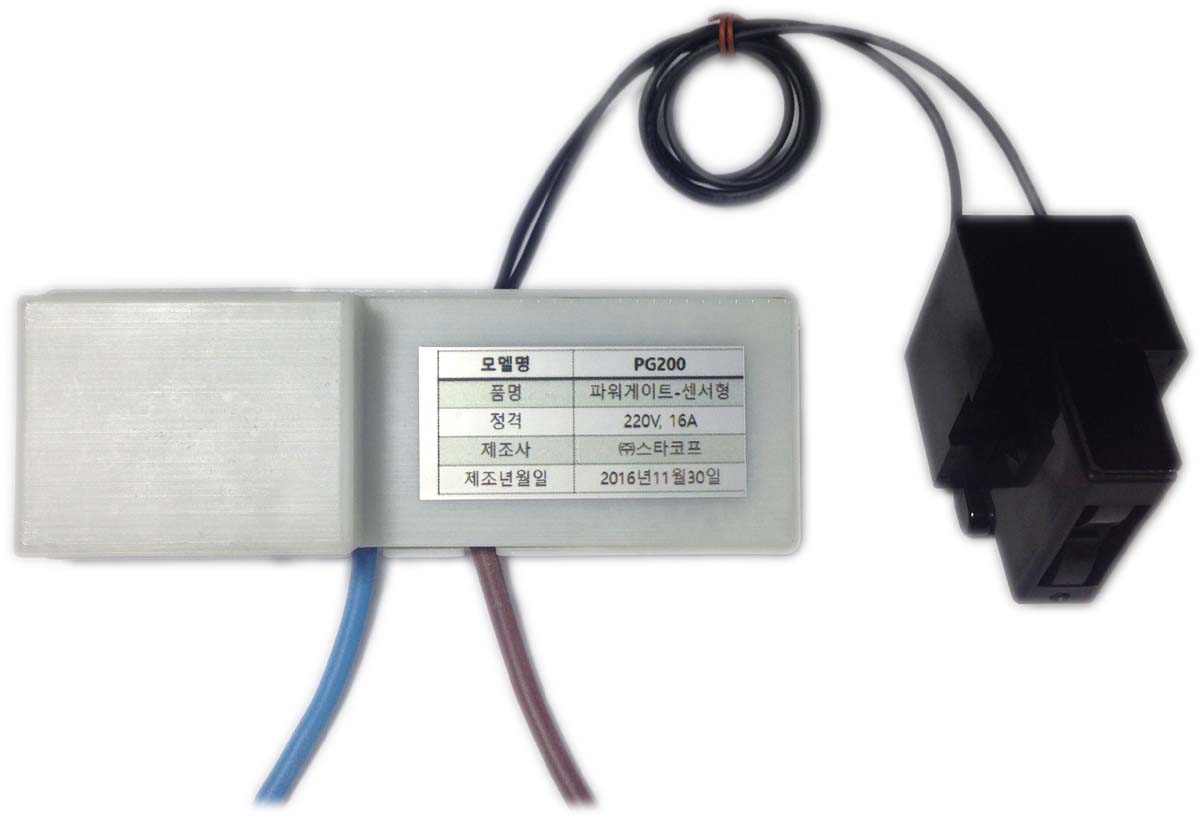
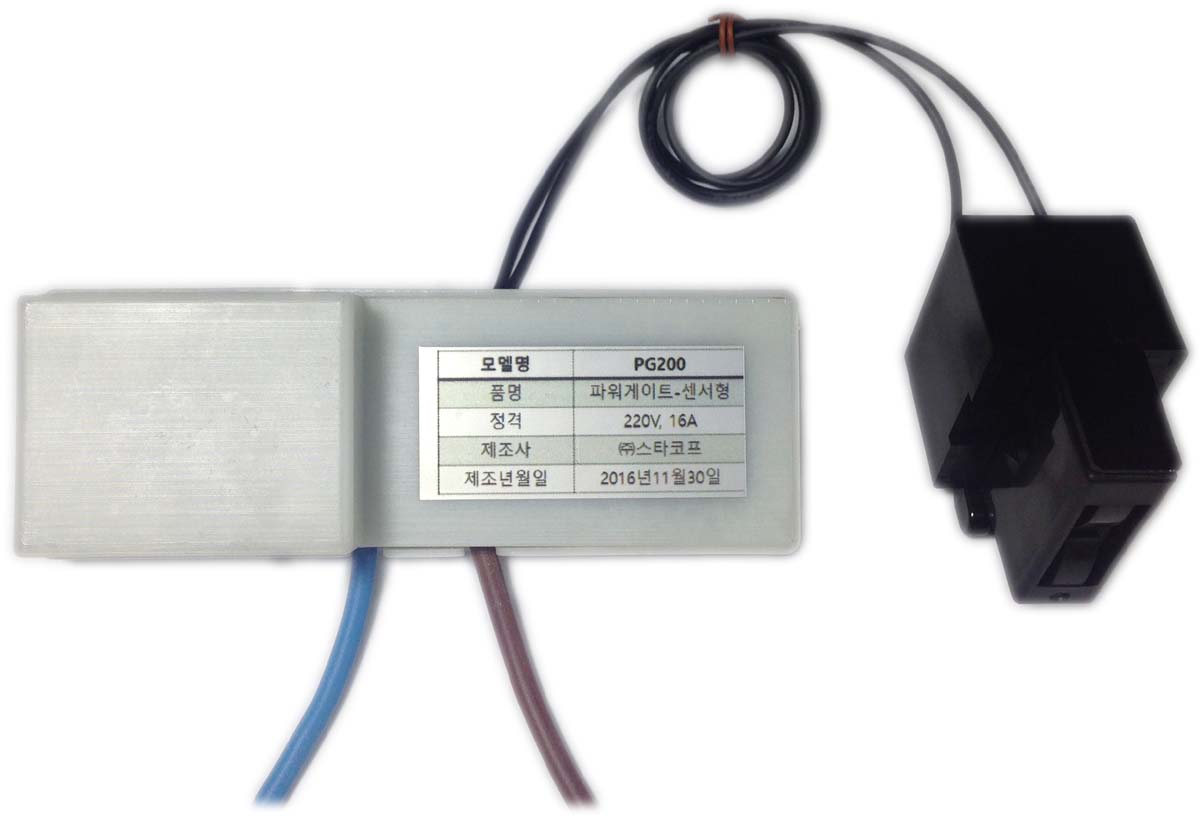
Name | PowerGate |
|---|
Short Description | It is a device that is installed in the fuse box of the house and can display current electric power and electricity amount in the house using Z-Wave network in real time. |
|---|
Long Description | PowerGate is a Power Meter Sensor that measure whole home electric usage.
You can view power and power usage in your Z-Wave controller or your apps.
It helps you to monitor and efficiently manage your household electricity usage. |
|---|
Brand | DeepSense |
|---|
Product Identifier | PG200 |
|---|
OEM Version | HW: 255 FW: 1.34 |
|---|
Hardware Platform | ZM5101 |
|---|
Z-Wave Version | 6.61.00 |
|---|
Library Type | SLAVE_ENHANCED_232 |
|---|
Device Type | Whole Home Meter - Simple |
|---|
Role Type | ROLE_TYPE_SLAVE_ALWAYS_ON |
|---|
Manufacturer ID | 0x0259 |
|---|
Product Type ID | 0x0003 |
|---|
Product ID | 0x0022 |
|---|
User Icon | 0x1700 |
|---|
Installer Icon | 0x1700 |
|---|
Frequency Plans | KR: 920.90MHz, 921.70MHz, 923.10MHz |
|---|
Categories | Energy Meters |
|---|
Countries / Regions | Republic of Korea |
|---|
Supported Command Classes | Identifier | Name | Key | Version |
|---|
COMMAND_CLASS_POWERLEVEL | Powerlevel | 0x73 | 1 | COMMAND_CLASS_CRC_16_ENCAP | CRC16 Encapsulation | 0x56 | 1 | COMMAND_CLASS_SENSOR_MULTILEVEL_V4 | Sensor Multilevel V4 | 0x31 | 4 | COMMAND_CLASS_VERSION_V2 | Version V2 | 0x86 | 2 | COMMAND_CLASS_DEVICE_RESET_LOCALLY | Device Reset Locally | 0x5A | 1 | COMMAND_CLASS_ZWAVEPLUS_INFO_V2 | Z-Wave Plus Info V2 | 0x5E | 2 | COMMAND_CLASS_ASSOCIATION_V2 | Association V2 | 0x85 | 2 | COMMAND_CLASS_ASSOCIATION_GRP_INFO | Association Group Info | 0x59 | 1 | COMMAND_CLASS_BASIC_V2 | Basic V2 | 0x20 | 2 | COMMAND_CLASS_MANUFACTURER_SPECIFIC | Manufacturer Specific | 0x72 | 1 | COMMAND_CLASS_METER_V2 | Meter V2 | 0x32 | 2 |
|
|---|
Documents | Category | Description | File |
|---|
Manual_Primary_Lang | Product or Owner's Manual | |
|
|---|
Features | Feature | Values |
|---|
Sensors | | Supported Meter Type | | Color | | Switch Load Capacity Current | | Switch Load Capacity Volt-Ampere | | Switch Load Capacity Watts | |
|
|---|
Association Groups | Group Number | Maximum Nodes Supported | End Point ID | Description |
|---|
1 | 1 | 0 | Z-Wave Plus Lifeline |
|
|---|
Texts | ID | Description | Value |
|---|
5 | Factory Reset | Press and hold button for 10 seconds until RED led indicators blink.
PowerGate will be initialized and send a device reset locally notification to the controller. Use this function only if the primary controller is lost or otherwise inoperable. | 1 | Inclusion | When the controller is in add mode, press and hold the button for 3 seconds until the RED LED indicator blinks. | 2 | Exclusion | When the controller is in remove mode, press and hold the button for 3 seconds until the RED LED indicator blinks. When the PowerGate unit is disconnected from the Z-Wave network, the RED LED indicator will be toggled every second. |
|
|---|
Supported / Controlled Meter Types | Meter Type | Rate Type | Description |
|---|
Electric meter | Import | Electric Meter Consumption |
|
|---|
Supported Multilevel Sensors | Multilevel Sensor Type |
|---|
Power |
|
|---|
Supports NWI | Yes |
|---|
Supports Explorer Frames | Yes |
|---|
Radio Range Z-Wave (m) | 40 |
|---|